# 2D plot on surface of VTK Object
**URL:** https://discourse.vtk.org/t/2d-plot-on-surface-of-vtk-object/3659
**Category:** Support
**Created:** [June 27, 2020, 10:24am UTC](https://discourse.vtk.org/t/2d-plot-on-surface-of-vtk-object/3659 "2020-06-27T10:24:32Z")
**Posts on this page:** 5
**Page:** 1
### Author:  [@JANHMS](https://discourse.vtk.org/u/JANHMS)
#### Post date: [June 27, 2020, 10:24am UTC](https://discourse.vtk.org/t/2d-plot-on-surface-of-vtk-object/3659/1 "2020-06-27T10:24:32Z")
Hi there,
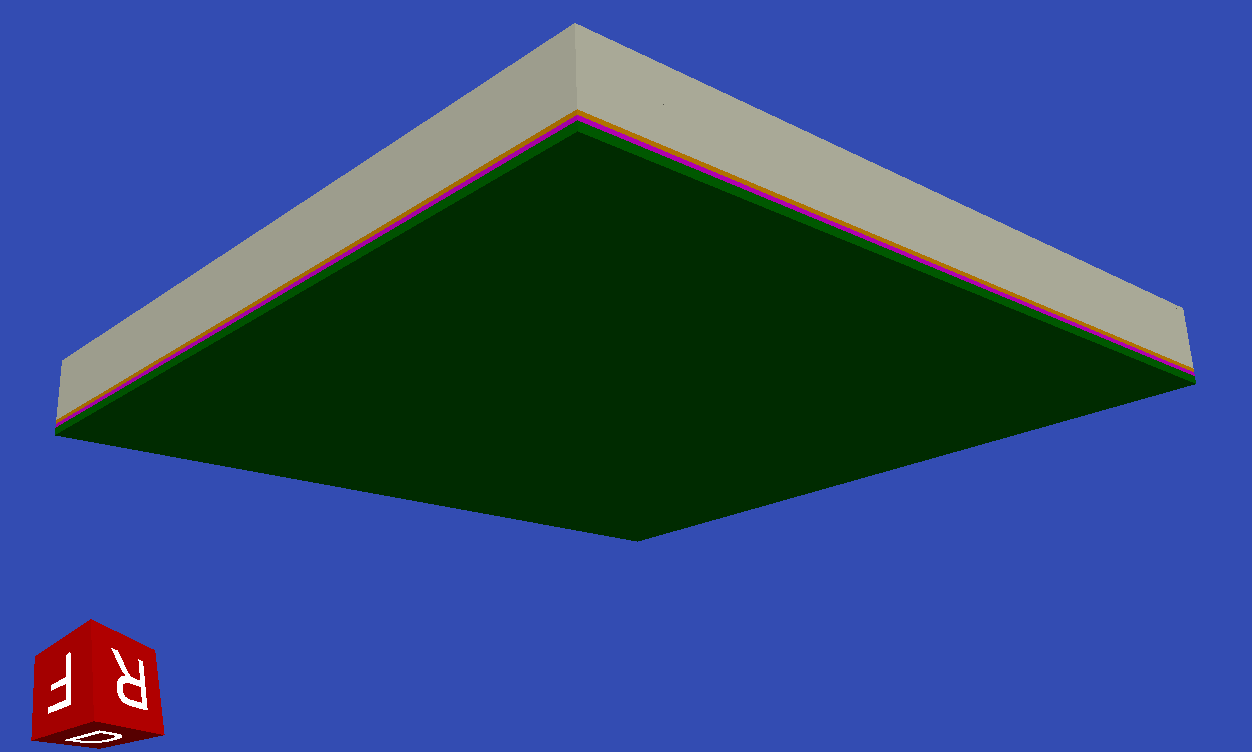
I created a VTK object, which is made out of 20 cubes and appears to be one cube, with several Layers, defined through different colours.
I created a polar plot with Matplotlib. Now I want to integrate those two. I converted the Matplot to a PDF file, via Pandas. Hence I want to lay this 2D plot on top if the cube. Is that possible? And is it possible that the cube is than still interactive? What would be your suggestions?
I am thankful for any help.
Cheers,
---
### Author:  [@TJ\_Corona](https://discourse.vtk.org/u/TJ_Corona)
#### Post date: [June 28, 2020, 11:37am UTC](https://discourse.vtk.org/t/2d-plot-on-surface-of-vtk-object/3659/2 "2020-06-28T11:37:04Z")
You may want to take a look at using [texture maps](https://vtk.org/Wiki/VTK/Examples/Cxx/Visualization/TextureMapPlane).
---
### Author:  [@lassoan](https://discourse.vtk.org/u/lassoan)
#### Post date: [June 29, 2020, 1:11am UTC](https://discourse.vtk.org/t/2d-plot-on-surface-of-vtk-object/3659/3 "2020-06-29T01:11:36Z")
Most probably you can paint the surface directly with VTK, so there is no need to mess with matplotlib at all.
---
### Author:  [@marcomusy](https://discourse.vtk.org/u/marcomusy)
#### Post date: [June 30, 2020, 1:30am UTC](https://discourse.vtk.org/t/2d-plot-on-surface-of-vtk-object/3659/4 "2020-06-30T01:30:01Z")
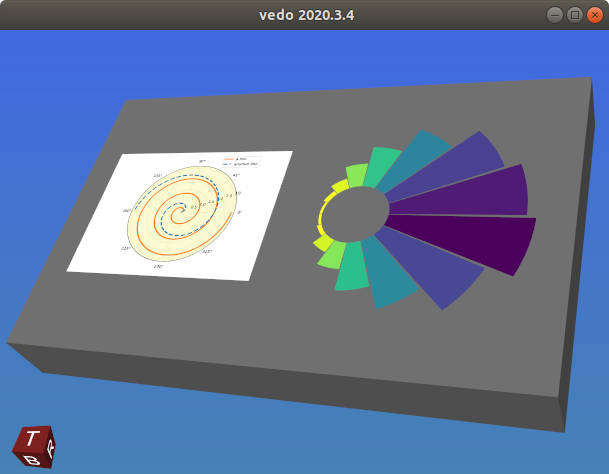
Using `vtkImageActor` can also be an option , trying to reproduce the above with [`vedo.Picture(vtkImageActor)`](https://github.com/marcomusy/vedo/blob/master/vedo/picture.py)
```python
import numpy, vtk
from vedo import *
from vedo.pyplot import histogram
settings.annotatedCubeColor = 'brown'
settings.annotatedCubeTextColor = 'white'
settings.annotatedCubeXPlusText = "R"
settings.annotatedCubeXMinusText = "L"
settings.annotatedCubeYPlusText = "F"
settings.annotatedCubeYMinusText = "B"
settings.annotatedCubeZPlusText = "T"
settings.annotatedCubeZMinusText = "D"
settings.annotatedCubeTextScale = 0.5
box = Box(size=(8,5,1)).c('grey')
his = histogram(numpy.random.randn(10000),
mode='polar', cmap='viridis_r', showDisc=False)
his.scale(2).pos(1,0,0.51)
f = 'https://matplotlib.org/_images/sphx_glr_polar_legend_001.png'
pic = Picture(f).scale(5e-3).pos(-3.5,-1.2,0.51)
show(box, his, pic, axes=5, bg='steelblue', bg2='royalblue')
print(isinstance(pic, vtk.vtkImageActor)) # True
```
---
### Author:  [@JANHMS](https://discourse.vtk.org/u/JANHMS)
#### Post date: [July 5, 2020, 11:35am UTC](https://discourse.vtk.org/t/2d-plot-on-surface-of-vtk-object/3659/5 "2020-07-05T11:35:17Z")
I am very new to VTK and this is my first question . Thanks for all the answers, they helped a lot! It worked with vtkPlaneSource. Also vtkImageActor was great. I continued working on the project.
Now I want to create several quad objects with VTK. For example 3 quads, which are next to each other and on each of the element I want to set a different png.
Is it possible to set png on a quad or tria element ?
Cheers,