# About VTK JS Reslice Cursor Widget
**URL:** https://discourse.vtk.org/t/about-vtk-js-reslice-cursor-widget/15857
**Category:** vtk.js
**Tags:** code, vtkjs
**Created:** [July 24, 2025, 6:42am UTC](https://discourse.vtk.org/t/about-vtk-js-reslice-cursor-widget/15857 "2025-07-24T06:42:48Z")
**Posts on this page:** 2
**Page:** 1
### Author:  [@selimcanozgur](https://discourse.vtk.org/u/selimcanozgur)
#### Post date: [July 24, 2025, 6:42am UTC](https://discourse.vtk.org/t/about-vtk-js-reslice-cursor-widget/15857/1 "2025-07-24T06:42:48Z")
I’m using **vtk.js** for my project and have integrated the **Reslice Cursor Widget** feature. We have both NIfTI and Draco data, and all of them are rendered correctly on the screen without any issues. Each NIfTI file has its own color, and everything displays as expected initially. However, when I use the Reslice Cursor Widget to update the slices, I experience color loss — the colors of the slices sometimes disappear and sometimes reappear, and the widget does not perform optimally.
I’ve observed two different scenarios:
**1. Scenario:**
When I update the slices using the Reslice Cursor Widget **without the rotate feature** , the slices update successfully and I do not experience any color issues.
**2. Scenario:**
When I enable the **rotate feature** of the Reslice Cursor Widget, I experience color loss while updating the slices. The colors intermittently disappear or don’t render correctly.
How can I solve or optimize this issue so that the colors remain consistent even when using the rotate feature?
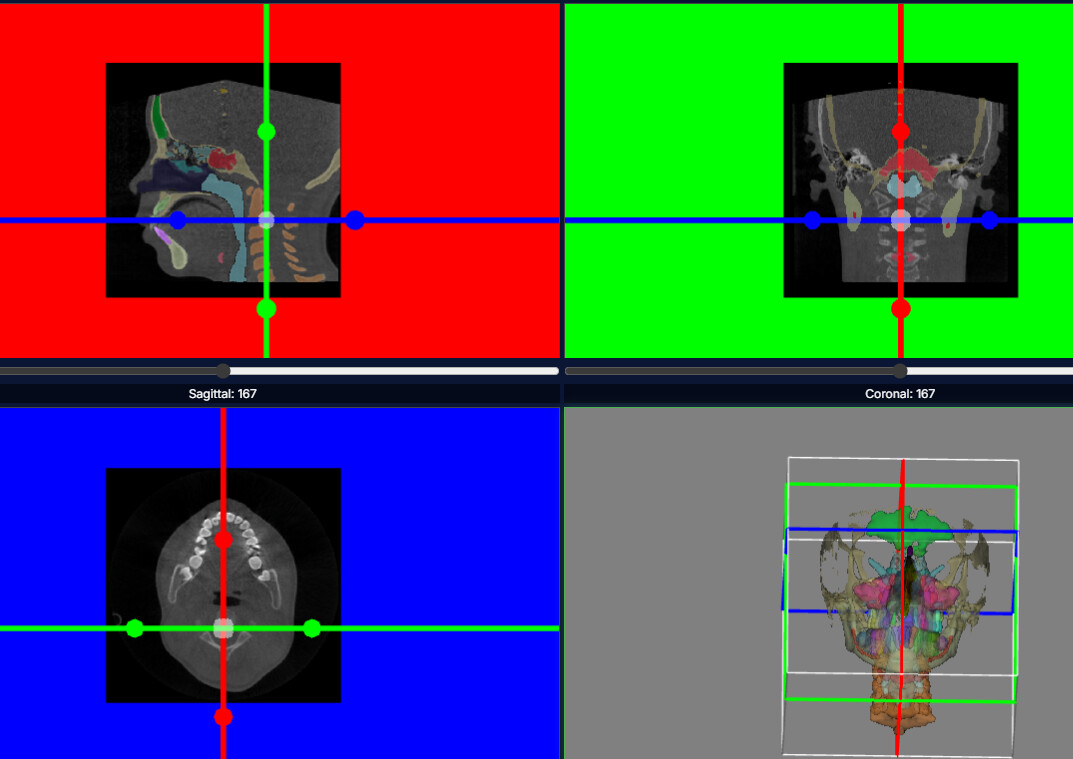
In this image, you can see the part where the rotate feature is used. As shown, when I update a slice, the sagittal and coronal views still display the colors, but in the axial view the colors are gone. So, these three views are not working optimally together.
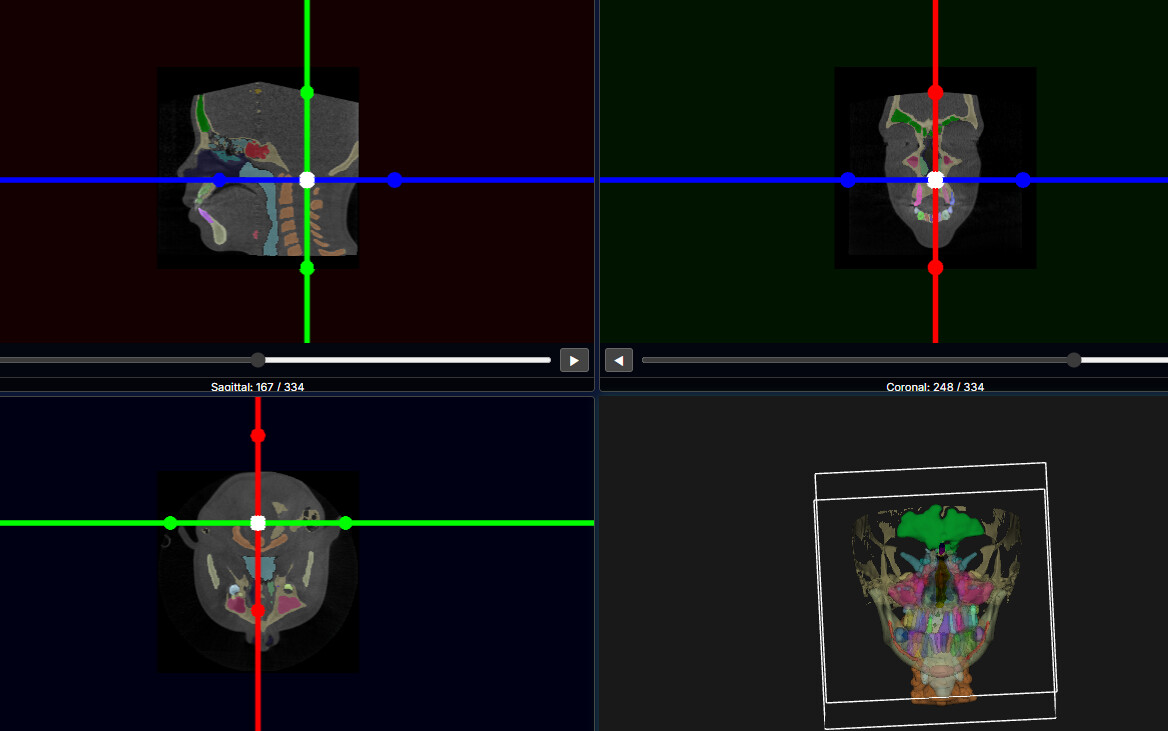
In this image, the rotate feature is not being used. I can rotate my widgets, but it doesn’t have any actual effect; however, the slices and colors are updated correctly.
So, in conclusion, how can I successfully update the colors of my NIfTI files when using the rotate feature?
---
### Author:  [@finetjul](https://discourse.vtk.org/u/finetjul)
#### Post date: [September 28, 2025, 9:46am UTC](https://discourse.vtk.org/t/about-vtk-js-reslice-cursor-widget/15857/2 "2025-09-28T09:46:53Z")
Am I understanding correctly that you have 2 volumes displayed on top of each other ? One volume is the CT data, one volume is for the labels/annotations/segmentations/colors ?
If so, I believe you are experiencing a “z-fighting” issue. You can fix it by using `setResolveCoincidentTopologyPolygonOffsetParameters ` to enforce that the 2nd volume is always rendered “on top” of the 1st volume, no matter where the camera is.