# Abouts setting up two levels renderer, the top level is truncated
**URL:** https://discourse.vtk.org/t/abouts-setting-up-two-levels-renderer-the-top-level-is-truncated/13015
**Category:** Support
**Created:** [January 5, 2024, 6:48am UTC](https://discourse.vtk.org/t/abouts-setting-up-two-levels-renderer-the-top-level-is-truncated/13015 "2024-01-05T06:48:23Z")
**Posts on this page:** 2
**Page:** 1
### Author:  [@nanoahSR](https://discourse.vtk.org/u/nanoahSR)
#### Post date: [January 5, 2024, 6:48am UTC](https://discourse.vtk.org/t/abouts-setting-up-two-levels-renderer-the-top-level-is-truncated/13015/1 "2024-01-05T06:48:23Z")
Hello!
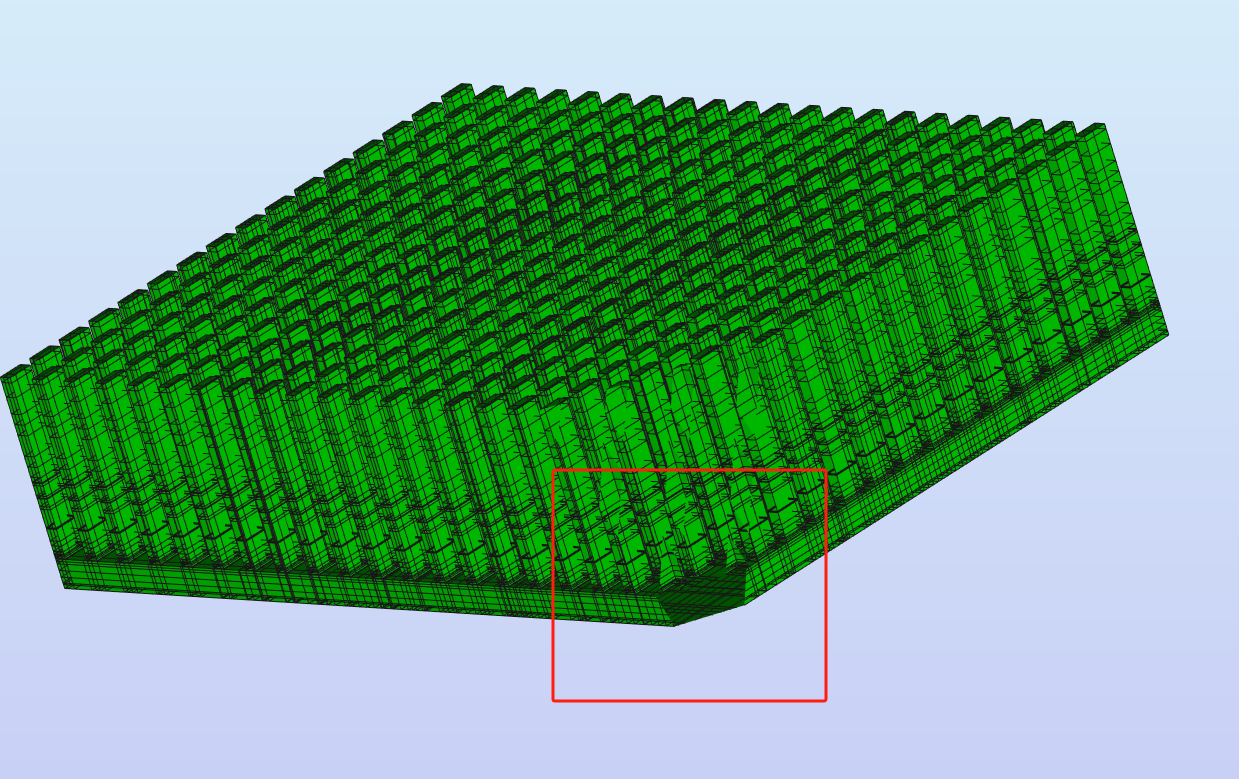
I set two layers of render, the first layer shows the larger actor, the second layer shows the smaller actor, to achieve the effect of the small actor on top of the large actor, but after the camera is rotated, the large actor will not be displayed completely. It should be calculated according to the front and back truncation size of the camera. How to deal with this problem?
---
### Author:  [@liuzhongshu](https://discourse.vtk.org/u/liuzhongshu)
#### Post date: [January 11, 2024, 6:04am UTC](https://discourse.vtk.org/t/abouts-setting-up-two-levels-renderer-the-top-level-is-truncated/13015/2 "2024-01-11T06:04:57Z")
seems like clipping range error, you can try set the clipping range to outer bounder of visible zone manually.