# Actor always shows same face
**URL:** https://discourse.vtk.org/t/actor-always-shows-same-face/6300
**Category:** Support
**Created:** [August 5, 2021, 2:56pm UTC](https://discourse.vtk.org/t/actor-always-shows-same-face/6300 "2021-08-05T14:56:07Z")
**Posts on this page:** 12
**Page:** 1
### Author:  [@jvillota](https://discourse.vtk.org/u/jvillota)
#### Post date: [August 5, 2021, 2:56pm UTC](https://discourse.vtk.org/t/actor-always-shows-same-face/6300/1 "2021-08-05T14:56:07Z")
Hi all,
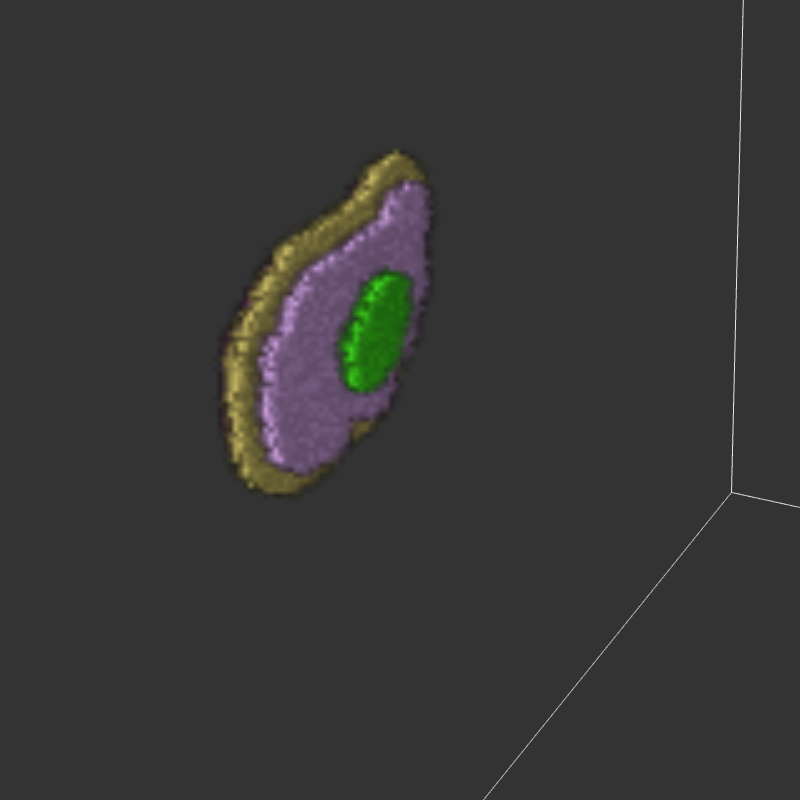
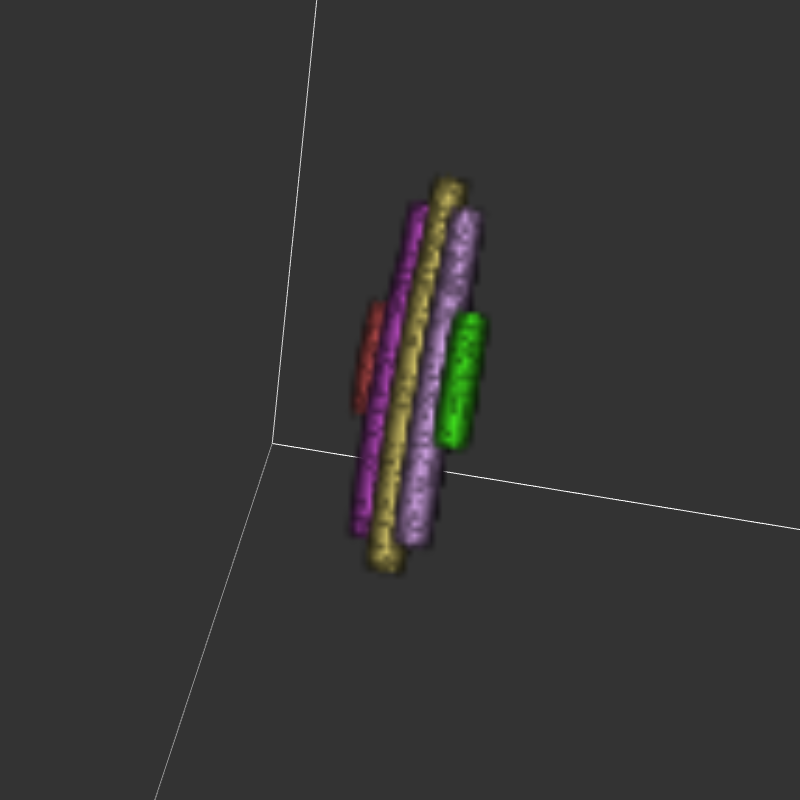
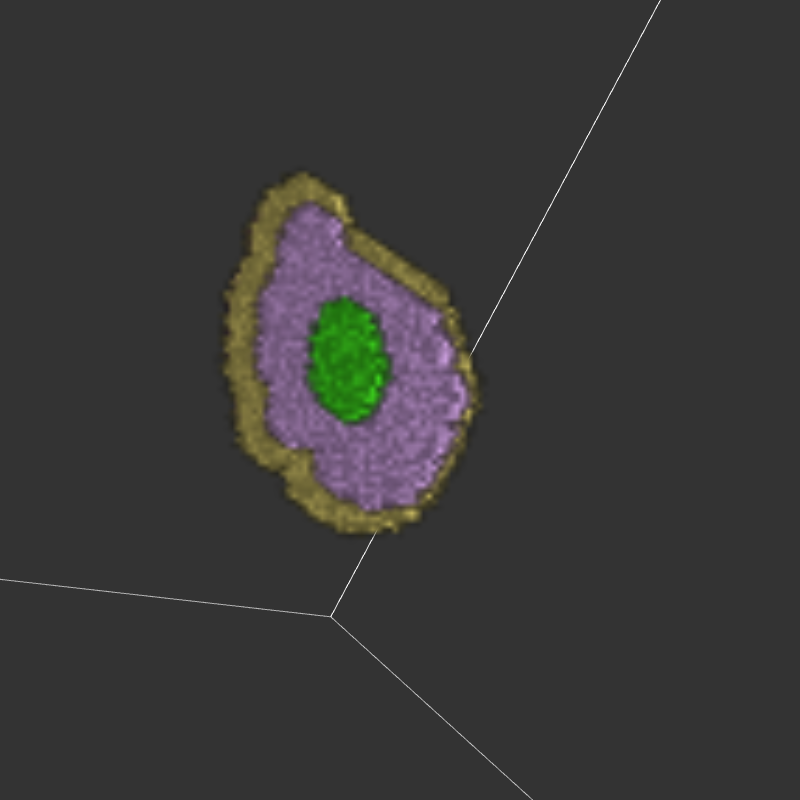
I use a imageData to create a volume, but when I try to rotate it always show the same face.
Moment 1. When the app render show this
Moment 2. I rotate to see the other layers
Moment 3. Again shows the first layers.
Thanks in advance for your help.
---
### Author:  [@eton](https://discourse.vtk.org/u/eton)
#### Post date: [August 6, 2021, 8:40am UTC](https://discourse.vtk.org/t/actor-always-shows-same-face/6300/2 "2021-08-06T08:40:21Z")
the face you mean is surface? When you change the camera parameters, you can only see the surface of the object from different positions or angles, but you can only see the surface.
---
### Author:  [@jvillota](https://discourse.vtk.org/u/jvillota)
#### Post date: [August 6, 2021, 8:46am UTC](https://discourse.vtk.org/t/actor-always-shows-same-face/6300/3 "2021-08-06T08:46:59Z")
When I say a face is not the surface, I mean one side of the volume like in a cube which has six square faces… I always see the same side.
---
### Author:  [@eton](https://discourse.vtk.org/u/eton)
#### Post date: [August 6, 2021, 1:27pm UTC](https://discourse.vtk.org/t/actor-always-shows-same-face/6300/4 "2021-08-06T13:27:32Z")
try to change camera’s parameters? 🤔
---
### Author:  [@jvillota](https://discourse.vtk.org/u/jvillota)
#### Post date: [August 11, 2021, 12:56pm UTC](https://discourse.vtk.org/t/actor-always-shows-same-face/6300/5 "2021-08-11T12:56:23Z")
I checked and changed camera parameters, but still no good result.
---
### Author:  [@eton](https://discourse.vtk.org/u/eton)
#### Post date: [August 11, 2021, 1:01pm UTC](https://discourse.vtk.org/t/actor-always-shows-same-face/6300/6 "2021-08-11T13:01:21Z")
Do you want to see different sections? Because your picture already shows surfaces with different angles.
---
### Author:  [@jvillota](https://discourse.vtk.org/u/jvillota)
#### Post date: [August 11, 2021, 1:30pm UTC](https://discourse.vtk.org/t/actor-always-shows-same-face/6300/7 "2021-08-11T13:30:38Z")
Maybe my pictures are not good enough to explain my problem… next picture shows three views from the same 3D objects as it should work, previews images shows what I get now.

Moment 1 and 2, works perfect. Moment 3, when I want to see the opposed side of the “cube” is the problem. In my current work, does not matter how much I turn around the actors I ended with the layer 1 always on top.
Thanks for your help.
---
### Author:  [@eton](https://discourse.vtk.org/u/eton)
#### Post date: [August 11, 2021, 2:10pm UTC](https://discourse.vtk.org/t/actor-always-shows-same-face/6300/8 "2021-08-11T14:10:08Z")
would you like show some code?
Because in my opinion, if you finish viewing the first two views, the third view is only about setting the camera’s horizontal swing angle, if you set the camera parameters yourself. For your reference only
---
### Author:  [@jvillota](https://discourse.vtk.org/u/jvillota)
#### Post date: [August 11, 2021, 2:34pm UTC](https://discourse.vtk.org/t/actor-always-shows-same-face/6300/9 "2021-08-11T14:34:30Z")
Unfortunately, I test different things and if then did not work I delete them. I look for the options inside current examples online where 3D volumes are turning well (usually cubes without or no mayor settings change on camera).
After read your comment, I try _camera.setUseHorizontalViewAngle(true/false);_ without any result for both options.
---
### Author:  [@eton](https://discourse.vtk.org/u/eton)
#### Post date: [August 12, 2021, 2:23am UTC](https://discourse.vtk.org/t/actor-always-shows-same-face/6300/10 "2021-08-12T02:23:13Z")
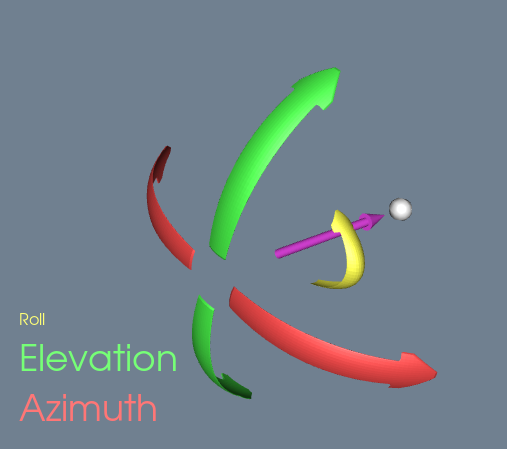
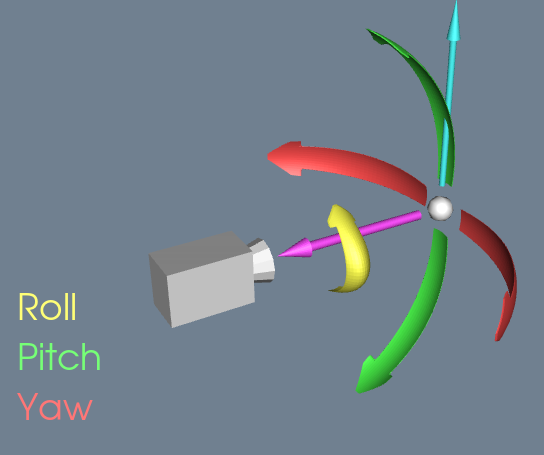
Have you try use camera-\>Elevation(180)?
below is the camera model in vtk.
---
### Author:  [@jvillota](https://discourse.vtk.org/u/jvillota)
#### Post date: [August 18, 2021, 11:20am UTC](https://discourse.vtk.org/t/actor-always-shows-same-face/6300/11 "2021-08-18T11:20:10Z")
I have a new approach of this problem…
Front view. This one shows three different layers, as expected.

Rear view. New idea: It “hides” third layer (dark purple) and shows the second layer (Purple) transparent because there is a priority to show the first layer (Red)

There is a way to give all of them the same priority or something like that? (Each layer is the result of drawing one actor).
Thanks for your comments.
---
### Author:  [@codeling](https://discourse.vtk.org/u/codeling)
#### Post date: [August 18, 2021, 1:14pm UTC](https://discourse.vtk.org/t/actor-always-shows-same-face/6300/12 "2021-08-18T13:14:06Z")
> [@jvillota](#):
>
> There is a way to give all of them the same priority or something like that? (Each layer is the result of drawing one actor).
Are you adding the volumes to multiple renderers, each with its own layer? Then they are drawn in “order” of their layer number.
Try to add all your volumes to a single renderer. I think you probably also need to enable depth peeling for volumes via [vtkRenderer::UseDepthPeelingForVolumesOn](https://vtk.org/doc/nightly/html/classvtkRenderer.html#a91bb9e0129f8d73173a945d65a0811d8)