# Anti-aliasing issues with Python VTK and Qt
**URL:** https://discourse.vtk.org/t/anti-aliasing-issues-with-python-vtk-and-qt/2520
**Category:** Support
**Created:** [January 30, 2020, 4:45pm UTC](https://discourse.vtk.org/t/anti-aliasing-issues-with-python-vtk-and-qt/2520 "2020-01-30T16:45:31Z")
**Posts on this page:** 4
**Page:** 1
### Author:  [@ian.liu88](https://discourse.vtk.org/u/ian.liu88)
#### Post date: [January 30, 2020, 4:45pm UTC](https://discourse.vtk.org/t/anti-aliasing-issues-with-python-vtk-and-qt/2520/1 "2020-01-30T16:45:31Z")
The following Gist contains two simple VTK examples:
>
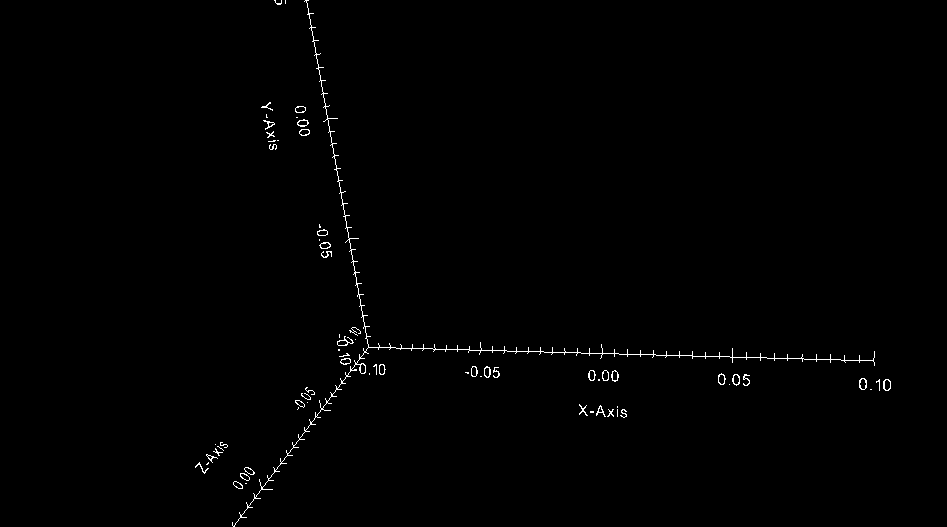
The `qt_ex.py` example runs VTK inside a Qt window, while the `vtk_ex.py` runs a pure VTK window. The problem I’m facing is that the Qt version has no anti-alias. See the following screenshots:
Qt version:
VTK version:
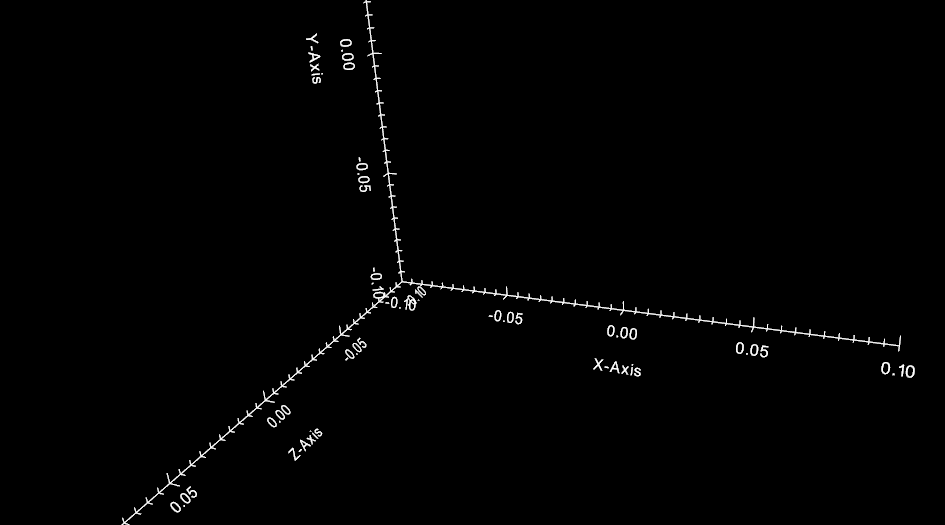
Why is this happening? How do I get the same anti-alias in the Qt version?
More information:
```
$ uname -a
Linux lnn183-linux 5.4.14-arch1-1 #1 SMP PREEMPT Thu, 23 Jan 2020 10:07:05 +0000 x86_64 GNU/Linux
$ pacman -Si vtk | grep Version
Version : 8.2.0-9
$ glxinfo | head
name of display: :0
display: :0 screen: 0
direct rendering: Yes
server glx vendor string: NVIDIA Corporation
server glx version string: 1.4
server glx extensions:
GLX_ARB_context_flush_control, GLX_ARB_create_context,
GLX_ARB_create_context_no_error, GLX_ARB_create_context_profile,
GLX_ARB_create_context_robustness, GLX_ARB_fbconfig_float,
GLX_ARB_multisample, GLX_EXT_buffer_age,
```
---
### Author:  [@dgobbi](https://discourse.vtk.org/u/dgobbi)
#### Post date: [January 30, 2020, 6:09pm UTC](https://discourse.vtk.org/t/anti-aliasing-issues-with-python-vtk-and-qt/2520/2 "2020-01-30T18:09:02Z")
If the OpenGL context is being created by Qt, you might have to modify Qt’s default OpenGL pixel format before creating the widget. See [https://doc.qt.io/qt-5/qglformat.html#setDefaultFormat](https://doc.qt.io/qt-5/qglformat.html#setDefaultFormat)
Here is some 100% untested code for you to try:
```python
f = QGLFormat()
f.setSampleBuffers(True) # turn on antialiasing
QGLFormat.setDefaultFormat(f)
```
---
### Author:  [@ian.liu88](https://discourse.vtk.org/u/ian.liu88)
#### Post date: [January 30, 2020, 6:15pm UTC](https://discourse.vtk.org/t/anti-aliasing-issues-with-python-vtk-and-qt/2520/3 "2020-01-30T18:15:08Z")
Your 100% untested code was correct, thanks! 😉
---
### Author:  [@boris](https://discourse.vtk.org/u/boris)
#### Post date: [April 9, 2020, 3:00pm UTC](https://discourse.vtk.org/t/anti-aliasing-issues-with-python-vtk-and-qt/2520/4 "2020-04-09T15:00:38Z")
Hi Ian,
seems like I face the same problem.
I tried to run the sample with the snippet included by David Gobbi, but it doesn’t seem to work:
```
from PyQt5.QtOpenGL import QGLFormat
from PyQt5.QtWidgets import QApplication
import vtk
from vtkmodules.qt.QVTKRenderWindowInteractor import QVTKRenderWindowInteractor
app = QApplication([])
f = QGLFormat()
f.setSampleBuffers(True) # turn on antialiasing
QGLFormat.setDefaultFormat(f)
renderer = vtk.vtkRenderer()
axes = vtk.vtkCubeAxesActor()
axes.SetBounds(-.1, .1, -.1, .1, -.1, .1)
axes.SetCamera(renderer.GetActiveCamera())
axes.SetFlyModeToStaticTriad()
renderer.AddActor(axes)
widget = QVTKRenderWindowInteractor()
widget.GetRenderWindow().AddRenderer(renderer)
widget.SetInteractorStyle(vtk.vtkInteractorStyleTrackballCamera())
widget.Initialize()
widget.Start()
widget.show()
app.exec_()
```
Would this work on your machine or do I have to add the snippet with the QGLFormat somewhere else?