# Binary DataArray in XML using python/numpy: what are the leading int32 values?
**URL:** https://discourse.vtk.org/t/binary-dataarray-in-xml-using-python-numpy-what-are-the-leading-int32-values/8013
**Category:** Support
**Tags:** python, file-formats
**Created:** [March 9, 2022, 8:10pm UTC](https://discourse.vtk.org/t/binary-dataarray-in-xml-using-python-numpy-what-are-the-leading-int32-values/8013 "2022-03-09T20:10:48Z")
**Posts on this page:** 20
**Page:** 1
### Author:  [@bva99](https://discourse.vtk.org/u/bva99)
#### Post date: [March 9, 2022, 8:10pm UTC](https://discourse.vtk.org/t/binary-dataarray-in-xml-using-python-numpy-what-are-the-leading-int32-values/8013/1 "2022-03-09T20:10:48Z")
I am writing a python function that saves the CellArrays of an ImageData representation from a numpy array to a binary XML .vti file. I have read [this VTK support question](https://discourse.vtk.org/t/how-to-understand-binary-dataarray-in-xml-vtk-output/4489), but I don’t believe a solution was actually found.
I have found a way to decode the base64 binaries and perform zlib compression in python by following [this SO post](https://stackoverflow.com/questions/62041482/compressing-numpy-array-with-zlib-base64-python).
Taking the examples of the first link, we have corresponding ascii and binary files, shown below.
Notice that the float32 data array called “Points” was saved in binary as “AQAAAACAAAAwAAAAEQAAAA==eJxjYEAGDfaobEw+ADwjA7w=”
The thing is, the first portion of the string, i.e. “AQAAAACAAAAwAAAAEQAAAA==” is an uncompressed array of 4 elements of uint32 (because the header\_type is “UInt32”). The rest are zlib-compressed representations of float32’s.
So, in python:
```python
import numpy as np
import zlib
import base64
head = b"AQAAAACAAAAwAAAAEQAAAA=="
binary_array = b"eJxjYEAGDfaobEw+ADwjA7w="
data_type = 'float32'
head_array = np.frombuffer(base64.b64decode(head), dtype='uint32')
print(head_array)
array = np.frombuffer(zlib.decompress(base64.b64decode(binary_array)), dtype=data_type)
print(array)
```
Output:
```auto
[1 32768 48 17]
[0. 0. 0. 1. 0. 0. 1. 1. 0. 0. 1. 1.]
```
**The question, then, is: what is the head\_array?**
From reading the [zlib python docs](https://docs.python.org/3/library/zlib.html) I believe the second value in the array is the `wbits` parameter, i.e. the window size. Whatever that is…
The third value in the array seems to be the complete size of the uncompressed array in bytes.
I have no idea what the first and fourth values represent.
I think the fourth value might be the size of the compressed buffer, but I am not sure.
For completeness, here I show what the above python code generates for the other binaries:
Binary: AQAAAACAAAAgAAAAEwAAAA==eJxjYIAARijNBKWZoTQAAHAABw==
head\_array: [1, 32768, 32, 19]
data\_type: ‘int64’
array: [0, 1, 2, 3]
Binary: AQAAAACAAAAIAAAACwAAAA==eJxjYYAAAAAoAAU=
head\_array: [1, 32768, 8, 11]
data\_type: ‘int64’
array: [4]
Binary: AQAAAACAAAABAAAACQAAAA==eJzjAgAACwAL
head\_array: [1, 32768, 1, 9]
data\_type: ‘uint8’
array: [10]
### Ascii file
```auto
0 0 0 1 0 0
1 1 0 0 1 1
0 1 2 3
4
10
```
### Binary file
```auto
AQAAAACAAAAwAAAAEQAAAA==eJxjYEAGDfaobEw+ADwjA7w=
AQAAAACAAAAgAAAAEwAAAA==eJxjYIAARijNBKWZoTQAAHAABw==
AQAAAACAAAAIAAAACwAAAA==eJxjYYAAAAAoAAU=
AQAAAACAAAABAAAACQAAAA==eJzjAgAACwAL
```
---
### Author:  [@bva99](https://discourse.vtk.org/u/bva99)
#### Post date: [March 9, 2022, 10:45pm UTC](https://discourse.vtk.org/t/binary-dataarray-in-xml-using-python-numpy-what-are-the-leading-int32-values/8013/2 "2022-03-09T22:45:25Z")
I still do not know what the first element of the head is, but I have found out what the three last ones are. They are 2\*\*15 (almost always, don’t know when not), the size of the uncompressed array in bytes, the size of the compressed binary array after compression, but without considering base64 encoding!
The following example shows how to obtain the XML binary for the “Points” data array of the example, consisting of floats, i.e. float32, assuming that the header speficies `header_type="UInt32"`:
```python
import numpy as np
import base64
import zlib
arr = np.array([0, 0, 0, 1, 0, 0,
1, 1, 0, 0, 1, 1], dtype='float32')
arr_comp = zlib.compress(arr)
header = np.array([ 1, # apparently this is always the case, I think
2**15, # from what I have read, this is true in general
arr.nbytes, # the size of the array `arr` in bytes
len(arr_comp)], # the size of the compressed array
dtype='uint32')
# only use base64 encoding when writing to file
print(f'{(base64.b64encode(header_arr) + base64.b64encode(arr_comp)).decode("utf-8")}')
```
The output is as expected:
```auto
AQAAAACAAAAwAAAAEQAAAA==eJxjYEAGDfaobEw+ADwjA7w=
```
---
### Author:  [@bva99](https://discourse.vtk.org/u/bva99)
#### Post date: [March 10, 2022, 3:48am UTC](https://discourse.vtk.org/t/binary-dataarray-in-xml-using-python-numpy-what-are-the-leading-int32-values/8013/3 "2022-03-10T03:48:48Z")
I have re-opened the issue. The previous code does not work if the size of the uncompressed array is larger than 2\*\*15. The `header` becomes different. Reading the `zlib` package in the Python docs makes me think that I have to use the `zlib.compressobj()` object somehow.
---
### Author:  [@bva99](https://discourse.vtk.org/u/bva99)
#### Post date: [March 10, 2022, 6:18pm UTC](https://discourse.vtk.org/t/binary-dataarray-in-xml-using-python-numpy-what-are-the-leading-int32-values/8013/4 "2022-03-10T18:18:02Z")
I think I’ve cracked the thing, finally.
Suppose we have a random array `arr` of 64 bit integers of `n` values (i.e. `arr.size` is `n`). We know that its size in bytes will be `8*n`.
Firstly, we have to see how many chunks of `2**15` bytes there are inside `arr`. The total number of chunks will be equal to this number plus 1. Note that a more general way to get the total memory in bytes of the array using numpy arrays in python is `arr.nbytes` (which in this example is equal to `8*n`). Therefore the number of chunks `m` is:
```python
m = arr.nbytes//2**15 + 1
```
where `//` represents integer division.
Now we need to know the size in bytes of the last chunk. But in python this may be obtained indirectly, as follows.
Each of the first `m-1` chunks will have `2 **15/8=4096` elements, since we know that they must have a byte size of `2** 15` and hold int64 elements. Therefore, each of the first `m-1` chunks are known to be `arr[0:4096]`, `arr[4096:2*4096]`, …, `arr[(m-2)*4096:(m-1)*4096]`. Finally, the last chunk will be `arr[(m-1)*4096::]`, whose size is `size_last_chunk = arr[(m-1)*4096::].nbytes`.
Now we need to apply the compression, which in this case is `zlib`, and get the size of the byte arrays of each compressed chunk. With this information we can finally write the `header_array`, base64 encode it, concatenate the base64 encodings of this array and of all the compressed chunks, and finally write the XML file.
As an example, if we have `m=4` chunks of a 16000 random int64 array, then we could do:
```python
import numpy as np
import zlib
from base64 import b64encode
# making a random int64 array here for the example
rng = np.random.default_rng(seed=0) # random number generator
arr = rng.integers(low=0, high=3, size=4096*3+3712, dtype='int64')
# this array was chosen to have 16000 elements, equal to 3 chunks of
# 4096 elements plus one chunk of 3712. This can be plotted in a vti
# array of extent 32, 25 and 20
# number of chunks
m = arr.nbytes//2**15 + 1 # equal to 4 here
# compressed chunk 0
compr_chunk0 = zlib.compress(arr[0:4096])
# compressed chunk 1
compr_chunk1 = zlib.compress(arr[4096:2*4096])
# compressed chunk 2
compr_chunk2 = zlib.compress(arr[2*4096:3*4096])
# compressed chunk 3
size_last_chunk = arr[3*4096::].nbytes
compr_chunk3 = zlib.compress(arr[3*4096::])
# header array, assuming uint32 headers in the XML file
head_arr = np.array([m, 2**15, size_last_chunk,
len(compr_chunk0), len(compr_chunk1),
len(compr_chunk2), len(compr_chunk3)], dtype='int32')
# base64 encoding of the header array
b64_head_arr = b64encode(head_arr.tobytes())
# base64 encoding of the concatenation of the compressed chunks
b64_arr = b64encode(compr_chunk0 + compr_chunk1 + compr_chunk2 + compr_chunk3)
# print to XML file (or to sys.stdout, in this case)
print((b64_head_arr + b64_rest).decode('utf-8'))
```
We can then write the .vti file found at the end of this post considering a 32x25x20 mesh and obtain the following figure. The binary CellData was generated using the above python code.
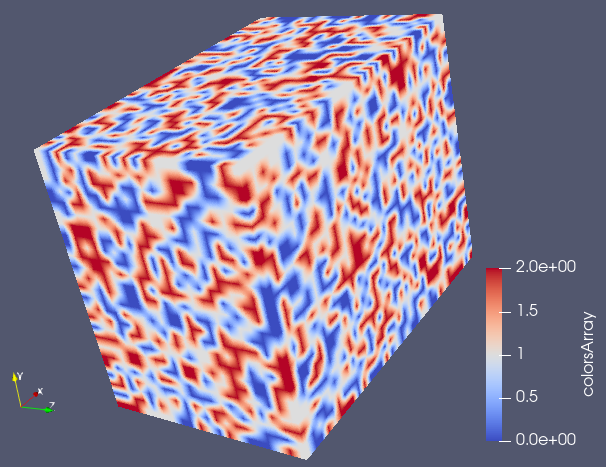
```xml
BAAAAACAAAAAdAAAAQcAAAEHAAAFBwAAWgYAAA==eJy1l8EOJDkIQ2vn/z96Dqu+WLLeM1XDpZUUAULAuP88/8t/8bvKnzif69xv31Mv7ed+89fO5fnUS7spLV6Sdt+0a/PW8k377XuLw8bdzj2xbvotj7ZO2ruTvZRml+xZfy1Oeq/U/4ntm1Wf/JNd8rf2/7Vf3tY5vVuLr+WR6mU9b/GMcOCJNeG5xcu3dUT5f1uf63ukPTpPOGXnAfknuerZOrjiwTq/yG5b27lE+mu8TYg32Hq1fm39XXF85VUWT2y9kNBcXOt87QMbj43rOvfonin2fZq+jTfja/ZsXa74THFlfJY/NVnxc+VpaYeE6prskN6KA1f8XOtu7c+Vz9pzT/me++s8yPNtvfIpy0evdb7ywBW/LF9r+ha38ru95/qeKw5ZPE5/b3ke2cv4cm3/nzS/zZ7tK4rngf32nXBkzVfbtzxl5Vt2/lgcyH3b5/Z/wco7Um+tr+t8tfe98vPruZQVr/Lcyg+aXOvD8m/qR8KjtNvkOheaneu8I95t80Z8weJ7yjUO+36U3yvfWeeKzaflp5bPvMXVZj/F8rxc27ljcTL11/m85sne48o3r33V/FOf5bmVx9u6s/lbeUl+p/ekPl55VgrZtfXZZOXR9vsVP3Jt+fxX8Vv+QrxtnV+5tnxpnWu5tnVK5yg/FtfXfljtNnuWr1mecY1j7du2Jrt2DpL/Ky+h+k55e474kc3Hdf3VvW19rH2x8huLrxSX7acVl3NteTLZtedTWl6u/Mbi94pjK46vdWv/36T/FFsvb+uw+aN3Wvl883ONZ53f+Z30r/1h+/Ut33xAb+U9+d3Wj70H2bdzY8W3NR+2rnL/6u8nVz7Zzq/4SvZtXa73o+8Wt2yf0Pn23eJ7+rPxkZ6d++uctvXc/K48x+LkiuNXHH3LO6iuCa8pL2ve2v46H6hem37z1+LKfTvnV/5h46F3fIvr1J8p1znX5Mpv7PuvvNTiUMZp++I6p+y7kb2m9zVvX3HliqdNv8V1xcdmj+rn2mfk74n1Wj+EJ83+yttWnLD3W3lYysr78lyzs+bZnqN3vPJCercWN9m3ebL2rH1rh+JecfEnhG+2vu272XpY64XiWnkNvUezT7/Nvp2Tbd/ygpXXUt00ofq197dzdsUJy0NtXqju1nlP+yt/o/q68hmLdyk2Hjuvv9Ij3Et98rPyDcu7LC/N/be80vITy2eafM3DVjxf4yQhvtv2LR5aHmHjsXhH8TV/X/HUFWftPajen/Ld1t3KD5pQnpr+lRc/8N3GQfqWT7b1mv8U6p/0Y/ntlc+sdb3Os/X8yvNTbH2svKfpNb9XfCV9278tLuJfNn8pFi+u/D3Pr/PJ5sHOJVuntp5SyP7Kq1a8s37auRZH6l/n7poXW0eWh652rrzn6/pPoe8pNl8WH62dK76Q/+avrX9i35t4WLObdiwfXOesjectX7Z1bufcNf7ctzyV6m7FL1sXdp6RvMXfr3i5nUNv587K4yyftPhq+259X9snV56dYuva8jWbR5unFi+dT31b701WvKW82HPEt9Z3SjuEYxSXxdXV73X+ZLxN7Du0uKx+82vjXfF5rcP1PazdFNuvzX6TK6+m89bOWu/rfLR9Z9+R5tDaNytPpXhI/hWeWh654vM6p9f5aN+T7p37K3+g+Nd8PXKdQu9Dc+rKv+gdrrxlxdN2nvAx9+27fNXXNn9PWdN7Ul/Y/OT3te+a/dWfxWs6T3j0dq6kf/seaXfFTeuP7tP2bV+v85H60uLfOh/ST/Nv41j/l6x8uOlRna/5eMt31nmSfiyPsH2Z+4QD9N36szzb4ln6e3t/y9MsXyC8bHbbd8uLLN+x9Uf2LS7bPrzmmYR4xFrfNh57/+Yn48zvFh9aPJZnrfzjiotXPtLiXvve4vbKw+z7X+ey5VvtO9lfz/1kxSkSG2fuX/m11X9iTfVjcYjs5neLK2/nCvWbrT/KB8Vr8SXlX/MU+842vtWfrWfLv691sPLglCsurXPO9v3a3/R+dr60c3aeWb678pkUqpOV/6xz3fJ9skf3S1lxmfpg7T9bPxYnbV1RvFRXX+HJOifovi2O1L/O3RU/LN+1vyv/Wu9p+4z827lDfHzlV2TvLQ6kfrNj+z7Fzo/mb+Upzb6tVzs3bR5snpu8za+dw3TO4luKzaOtb4uX6/yje6R/W8/rPFrnohU7B+29rH3SX/lxi8f2teXXP7E8p8XRxNbd+u4r38hzKw+0+E35t7j+dv43uymWr5Bd+z+h6Vv8fssrLP9u8nUfWx69xrvy0yY2L5bHp11aX+s+/dNctnNo1cs42pr0rnPN5ifF8pimT3OK/K11Svi/zsVrHVzn+IorhJep1+J5y3/XPrX83PbbU/avcyj1/xV/Sr22tvt/Aes3ECB4nK2XS7LsOg4D6/b+F/1GZ4JoRCYoc1JhW6IofgDUv9//t//Fb9q/si5//8Vv7m/W1uevja/5ae8zflrXzv8zykvL53qPFvcaRzu37afzWzx0b4rH5rmtb+ektTpTXdr9Wjzkh+LMuOw8tjqvfWT32f5t9Wr1yHVUf5uftt7GS/ew369zSfdu/dn69YpT6zw2/+u5K0+k2TrY+zX/az+krfN9PZ/wcJ3z5qetpzlYcd7icq6380LntfWvc0U40ozm7Oqv+V91Q/qxc/71PWgO6dnqsJWXXueO5p3m3/Yn6Uh7LuWH6t7Opf4iXfdV31N/W79U/1xHZvXtWreVz22+iEfo+4qnts4rntv5tLy/zruNh/rP5n/VcRaX2/62/qqv02w/WT2R39d5pHlp57TnZpZnc73FZcr7mh+rgwkPVj+vc7rqdbue5jDXtfPW/re4ks82Xot31zqv+vw6tys+Eu+s+uyKo1YHkF3zbetGcVE9LT+t/XfFPatT17xavdPiTCN8pPo2P/k+n1f9Z/nb4g3Fl88Wz1/x/qrDbRwrDn1Vp9c6NLP9a/k6932NAxav1nvl+3Wd1Unt2eL5mqdmV7yy+Gxxr5nV41Yf2L5Jszyz6i/bd7b/aB/NncUT23eWR6966KpDWjyEa6tOobiaf8KVVadYHrBzuuLCtY/pO/Hl1zy96se2z/Yt+bVzbvHZ4laLi/xY3Wv7KPc3o/66zrGtg9UNlk/z/YpHzcjfyk+5rj2/4t+q/ywPvsaz4kOaxZtVb1kdl3E0u+qr61zYeqdZ3UH78v3VD+nuK2++6ozmz+KSvcdVH1jdbPl27Re6d/Nj4/rF91cdY++/nveVLrO8Rzh+zddajzR7Xvu+6pxXfULxtLyueqKds36/6uXcb/Ua5WvVV1Rny69WT6y67Gt8Jd62OoH6tb1f+6UZ8dG1r9Jo3lb90fzk+5VvV71CebB8Zf+X0H2o31deas9pr3x0vU+ut/9XLH5aHLP4leflurUvKM/5vPZHs6/zS/y76j6r/2x9bPwt3ozP6pG2r63L95aX1r644tWK04QXKx9ZHLV4t+Y/v69zQPHQ/Frd92e239OsvmpxveIvrVvrZvfZvrrOx6oDXnUQ9ZPVMxZfXvlhNat7c73Ni+2bNJqXfH+t41W3UB+v851m6/m1vrrqTFvv9GPxOuNZ9QX1k+Vli6t0rtXpFl9sn7f9tv9tn6et+ct9Vn+tOHnlEav7v37fjOK397C26iDrn3hvxfOvdJvlZcsLlh/s3Nr5ovd2Dlo8lkeu+n7VmeSHeMzy+698t/1I+f3Fuvad3qcfi+f2/0J7f9XD6xxf/f/G56/udcVje94vvtt409Z+SXvFP3u/5i/3rXOW6175e9Wj7fx1Dqhv1/8vFucsH6y8t+pNy5vtve2nXE/xr7izxnHtE+LZ9mzrZPXRaraPqB/WOqTZ+Wrr17zZ/0WrjrL8kM8rf9N9bbyrviQ/Nj8Wj151JOn0lZdpHcVF/iyvtDgs713xlPxYXd/8Wp1v54PmpJmNz/YZ8dqV59d4yf+qf0gfWn2w9oOtq8UfG7fVDdSnVz/5/ivcu/I8+bd5Tj9XozykWb1H7y3+2fm0utX+b6Dz6VyLC2vc7Vzan/usnrE63fq3PGL/N6y68wffbfyv/U7nWr2Yfloc13pd54X6+tqnK9/Z51WvUTzUPxZ3r+c2o+9tneWnFo/9H0H1sn1GfvN7W09zdMVTmss/s3Vo56SfFQdsnsn/NT47T1Rfi+/EJ+v/Aoon3+cz9aGtT74nf9d99r4rPq76MP1Z3rC65Tov9HvVA5SHNMrjqi+venW113ytOG771+ICzRf164pL7dnmrZ1PRuvXOWj7Ka8UX9rKP82v1aukc5rfX6xbdRXts/Ntcf/aj3T+Ky+kvepUq08sXl/1x2v+Vpx85VOKp5nNu8WLK6/Z/qd6tnPSL60jPLX5+aou6/8CivNVf6zz+Iqjax/ReavubOekWTxv/i0/ptn8ph87D22frXPzk2bzb/dRP1zjWXVH82vjojlY75txkL+23tbX8sZrf1/x/KrHrvXK5xWvSDe18ywOpBHOEy5a3GzPq65q8bVz7Zzac61usfpqnWPLr83PytN/9pWusPOaZvNKOGbrlOub2fqTP8vvNk9Wd1HchHvt3LWOV/4m3mxm9W3zt+o+269rvik+e85r39A8WX2x8r7l13ZO+mtx2PMtvpLOsX6s7rB9kLbGnX7Jzyturjp2xZ1VZ6z62PKTxWerA671sLoo3//i+6pXqS8I75tdeWjVHSsOWt5Y593qOxu/1QtrXvM79bWdk3bOitN57lWXEr/l85VPLV+381e8zn3rPNh8r3O63nPVM1Rn6u/1/nRO7v8PbF8P5XictZhBDiM5DAMz8/9HzymHJUBUUc7qErTblmVZItn5+/mv/ZG/f2Pd3/j983GWftJyv/Sb4/Y5923x5jjlob1v+9v8rvGveaK46X2ava8cb36atTg/8Zx5u65r83MdWbuPfJ/PbZzure3/Ot6M8KNZu6f2S/HZcbqHax+s8bT91vPafBOutHF6v95fi5fya3Er/TX/6/4tnly/8pDNO8VxvVfik+bnymvNb3u+8gfVYZuX42t+7X2REZ/R/us86of1Hmw8tm+brThIRnm3/E3PrV/WPksjXGpxtfhoPsX1ikfXum5+Lb61dYQLlkeueV55ZNUH6/P6/UVx5rx27ly37kd9uH4nUlzX75NPmUf7tHVrvVgcpHjpHm0f2fu68ueqM5sfqiOLf2181W20L82338n2ntd4rvrNzqd8Wly1fU/jbR/b52vfrvfWbP0fgIx4YM1b80/Pv7pHqiOLP/b70+KizZPlY+IRm4+1/y1uW/1lz9vWr/lt/tfzt/hs3Vz7LO1ap1ecpn2aXXnM/uY+K15b3Glm8cXiDeEWrfvaVfet+LHef7NXvljXUxx0f5b/7TrL5xRXznvF61X/E24QDq55pX2ueuVrhAdXfdL2pfuy69v+a73a95Rnyp/Fl5VnLc+RPlp1Xdp6T6uutX18xYMWZ677Vb+u+cpxu4/FM8vXa3+86in7fq0nmm/r196r7aeWP6tzX/H2Ne8rz658Svlb8crWC5nVxza+5v9rtq5+pdPXOiQ8oDpL/81vW2fvwfbt6/2uurCto3uzfUi/FJ/V6Vfcy3HLLx94b89n47TPbf3ax81PzrP3n+9Jr9j9rL6yetbq1te+fdUxVq/RfJvnNMvTaz1c82P7M8fbcxrpr+Zn5Tsb71qvLU6bf4rD8knzY/kpn9d+o/2u/Ed8fOUvqrsr/lnddMW7NW6rh6/5tPfUbMW7tv61j1cdYPdfbeX1XGd5f9WXFA/Vy5pPi0MZVz5bHLM4c33f4sp5q56lurd1aO8/97F+LS/Z+ss4rudMszrY6kmK43p/K8/YvrE883/x1pXvr3ze9vmazR/hpPVn7/0aV/Ozjq99fdWRzW8a1QPlya7/lOf01+J67b8rn6/zVp2UtvIq3avVP7mu7Uc4kn6sTv2V/1XPtXjWfl392HOl31ddl0bna/MpDsKrlR+v+ba4RP288iP1mdVflt9tfbV1FsfyfT6vdfHr/l31ypo/wsdX/dD2afbKN2uf2V+Kb8XFq/5ptvLOFb/Srv3Q1ue+dP4VB9d4bN+0/VqcNO/6ns5rda/lhXxv80d+Le5R/zR/Vm/QvPRv8cryEdUp3e+veP6VXyiuFW+bn7S1z0kXkD6zdU+6su1veZb6gebTPVuezjhXvLc42vysOmI978oTa76bn7Q17zZv7b3l+TXvFqev/GTvd+WRfKZ7yPmkS5qfFR9XvviV7rM4Zvtx1a2rjqT9Sf+l33ymPJFetfVEeUkjvlp1IuV95d8rvzWz9WFxyO7T6qLt2/wRP179XfG77WfvecUje07qG3te2z9W36764hPjaeSH4rX4YuO7nqPF2czyqMW3VZ/ZvrP1dNVzKw+uevPKh1d9lX4s/q56NsdbPKuuoHpq+5D/VdevddxsPY/VKWmEo78yi79tPvV9W5fjaVZH03zbZ6+4TOvp/m0dr/rW6l+rxy1PrPlY9Yn9tbhv8aytz3GyK36SUX/k84pfax+veEV11+bZPF75jM6/6vm2zuqeXL/qeRvf+v2x4oO9tzZu+edrK9+0ebYeLW+lUT9edZ3VXcTz1+8Iq+fzPcVhcYN0OI3TvPae6ovqyv7muny256N8Uj2u3x8rjqxmddIVD1cdTPdF62xeLD9ez2HzResojvU7wPIe5XHFy4yDdJHFh/Rr8WI9n43D4muz9dxXHLS4S335GqfNf/Oz8k17//qd9KpnaZ/rvVK8K/4Rfqw8nkbz1v61ebU61N5jM4tvVt+3OGh+rmvxrXW36mvb5+mvzW/zLP/lfNtflo/te3v/1zq35ybcpHGrky3PXPXodXz9LqK6euVbu0+uIxxrcaw4+YpnVidYXrrii82z1euWl1e8u+qo5qfta+fZ/F15h3Dc6oAVbyzfWXyxuqkZrX/te8Jl8mfruPmzvEV9uca3jls9tvKTjXPtszTqc4t/ljdWnWJx3p4jzer7tQ6Jd9bn6zlX3WRxq9mqW679/YH3r/pv5WNbD1ZP2T6hOGz+2/rV/8qvaXRui9OU/9yvxWH1jtWHK0+0eGxd2H5/HSccWnFu1UM03+JPW/c1q4vzPdXHyhe2T2mczr3qAcu7ZFRnbX4+rzqC1hNvWPyxeaN9iT8/8N7y4MqHaVYPr3x05XPq+yuf2PqgfWwernX5ff4H8VcQJ3ictZdBjhwxDAM3+/9H5xDMhQBRRXmiy6DdsqyWJZLz+/PPfuH3D/w2+4X1P+CX7ykexcnnFj/Xm3+LZ7+r5ZX76LlZy5PWW12oH+h8qrM16rvr+RnX1qP527pSHalf7blU72s+q3+el35UZ4q34kY+23tf+9nGo33NWj4Z59qHV5zN/dQn+WznM22dj7ZvxSuae8snaz52fshovr7VrxmX9q/81fKiPAjXLL7YOtL5tI/Oa/FpPeMSvtj3FJfM3jfNleXLdv639BThi+XPXLf4vvIw1fFbfEXzSOdZ/F3xYsWZVYe1eK/1pz4jXLJ+qz6n72rxbX9lPOp/y+9WT+c+qp/Nx8Zfea/lQ/PT8rf+13Xbb+s8W3571dVWX1gczHwzLvmvcXN91Zsfs/oln63+J7P3Zvn/yh+vuiX9aC7TCNeoLs3/Y3a+ib+brbhMuizjWv5c60j1vM4h1W/Fs7Wu6zzb/w8fu+J07rd60eaR6/Ye1jpe8XLVxWtd6Vyr5y3e5nn53uqvNKufaH3Vfe18q3fS3/KD1S3kZ3HF5mvv1erClZ9Xnl3xhuZt7Seqc+Zj5zDPaedm/PZM82Pxef3fs+LNyk9W55C94nWaxVWLazQn69xQ/676+6rLWtz/1fdXnWvxx/Ke1ccWH6nudm5pDq59ZvvP6mN7fr5f9dTKv23/Ovd2PijuWt+1zy2urXhC+wgfM48rTtj8mq062tY749m5XnUM1TX9LM9T3Si/FUcyzxWX7P70a88Wx62esfOd/vaeLE9e80u/tj+fr/NN8S2/rjic7+1vi2Pvt+1P/1Vn2v617+nca74/sb7qDNuv356X9G/7Vzym86641s5f79nWfa2L7aN8f52n6/3YPrR6j+r1yvMUb8Xf1VY+JTym78x9H7NzT3FXvKW86PwVr678Z/Wy1V2WV9s5lJfln3UeVty0c/6Kh1cd/y19R/tXXU11s/sIn9PW+bjyEMV/xdWP2XuxfGL5lPpvxW3q35ZHGtXb5k3x13u1uH7V+VaPkJ/lk7WPr/1n67zyGvUZxV35zPb1qw60usTyHNmVZ61R/Wx96bmd+zFb/zSrYzKe5VdbH4sfaes8Eo5feSPPS7vqnVVPUF/Ye7L1XPlwnbMVB+39Zz7r3K541/xWPLX/W2zdbZ/luo2z/n+77rN6re2j77Q8RvPV1lc8bHnZfDOPa1+96od8n7bGtbx51dctXtrKf1TnPG/9/7H+/8l99nsyT8pv5a/ct+pIugfKi+7b1vHbOH6dL6tHm6063D63PGjOVxxvcVcd1M5P/9YHq85Io3uk/kuzOGPrQusZ96onrY5u5+W+lXfJVv5tzzbvV11h+9XiktXbtv8tr6Y/xbP4a3XDq55Pf8vDLa7lyzS7z/IczbvtQ/Jf+yrjfYzm9DovV56ydaf3FidW3l11LN3nqpPJ1jqv/2ss/1qefdWl7X3aFUfXPO13kF112op7VkdZnWLxajWb38qf6/+Fb/NK8191RtpV71g+onrZfZRve2/11SsuW56w/Ex6IePms8WjtZ9sHqt+o302j1X30jkZx+az8ufK/2m231d8oe+w32X12quuW/XIta4Z1+Zl+djyUprV7VZPWrxa5/sV7yz+rPe+6vzmd70n+91Wx7T9tL7OvcW7tr/lc/2u13mxuNTOW/UX5dPOaeuUT8vjlS9XvrN9YXXXqtcyvzWv9btzveWZZnVt+jejPrN80OJaHdr2UR70fSsfXfVQ+lGfrzqz5WPjrbhIfdH8Vz1B/Ez1a/FaXnS+vacVd9OPcIXmi/yoXte8bH2bf3tvcdfO3f/ixZXvW3653uK1PFbdROddedDqSTsfGb/Z+p7mv61f81h1iu3Lq85d9636yf4/sHy26gLLT5THygf2nDV/4r9v9dd1/sl/5V3bP2n23u25K7+R31q/FveK5xaHM95a15V3qL/ynDQ7h1ZfrDrcrlsczTzIrrhw1RuWL1d9kc+2ny0+W91m81rzTr9XHZlG9cj4V35teV7zpXOtnsnnK19ZPGp52P609SJcXnWQ5Tn7Pe3cVUc2v4xv91F91nuh71rnPPdbvbby/+t9Wn2U+9bftv9jVx1JcVe8uOZ57X/ivRXfLM59q29XPF3zXe85zfbNigOWhymP9XfFoTWexb9v8dtfRhoOXQ==
```
---
### Author:  [@paul\_francedixhuit](https://discourse.vtk.org/u/paul_francedixhuit)
#### Post date: [March 17, 2022, 10:54am UTC](https://discourse.vtk.org/t/binary-dataarray-in-xml-using-python-numpy-what-are-the-leading-int32-values/8013/5 "2022-03-17T10:54:17Z")
Hi
I’m currently doing on a similar work, except that in my case I’m trying to extract data from a binary (zlib compressed) xml file.
The problem I’m facing is that I’m not able to determine where the header block ends, and where data blocks start. Based on what you wrote, I’m performing test to figure out how it works, but no clear for me so far.
I’m wondering if a python library exist (such format is not so recent) ?
Thanks for any advice
Paul
Just an example including several blocks:
Structure =[4 65536 4992 11657 8550 8336 685]
---
### Author:  [@bva99](https://discourse.vtk.org/u/bva99)
#### Post date: [March 17, 2022, 12:03pm UTC](https://discourse.vtk.org/t/binary-dataarray-in-xml-using-python-numpy-what-are-the-leading-int32-values/8013/6 "2022-03-17T12:03:45Z")
I found some bugs, but cannot edit the answer.
1- change the `head_arr` dtype from `'int32'` to `'u4'`
2- change the last line to `print((b64_head_arr + b64_arr).decode('utf-8'))`
---
### Author:  [@paul\_francedixhuit](https://discourse.vtk.org/u/paul_francedixhuit)
#### Post date: [March 17, 2022, 12:29pm UTC](https://discourse.vtk.org/t/binary-dataarray-in-xml-using-python-numpy-what-are-the-leading-int32-values/8013/7 "2022-03-17T12:29:52Z")
Still digging to understand how it works 🙂
---
### Author:  [@bva99](https://discourse.vtk.org/u/bva99)
#### Post date: [March 17, 2022, 2:21pm UTC](https://discourse.vtk.org/t/binary-dataarray-in-xml-using-python-numpy-what-are-the-leading-int32-values/8013/8 "2022-03-17T14:21:51Z")
Hello Paul,
Sorry I did not address you before, I was going to do so quickly afterwards, but this is taking quite longer than I had anticipated. I am also stuck!
I was going to suggest to base64 decode the whole line, then create an array from buffer of just the first 4 bytes if the header\_type is “UInt32” or the first 8 bytes if the header\_type is “UInt64”. This way you can get the number of chunks. With the number of chunks and the header\_type, you will know the size of the header in hex.
But something weird is happing in Python. If you base64 decode the whole xml string, you only get the header array. It seems that the base64 decoder ignores the rest of the concatenated binaries…
There is a python library called [meshio](https://github.com/nschloe/meshio) that converts meshes to .vtu format, but I’m not sure if this is helpful.
Example in Python:
```python
import numpy as np
import zlib # note: max wbits here is 2 **15=32768, not 2** 16=65536
from base64 import b64decode, b64encode
# header_type UInt32
head_arr_4 = np.array([4, 65536, 4992, 11657, 8550, 8336, 685], dtype='=u4')
# header_type UInt64
head_arr_8 = np.array([4, 65536, 4992, 11657, 8550, 8336, 685], dtype='=u8')
# simulating the encoded string obtained from the file
# two small zlib compressed int64 arrays are used as an example,
# but note that they do not obey the header rule
arr0 = zlib.compress(np.arange(10, dtype='=i8'))
arr1 = zlib.compress(np.arange(20, 30, dtype='=i8'))
xml_b64_4 = b64encode(head_arr_4) + b64encode(arr0 + arr1)
xml_b64_8 = b64encode(head_arr_8) + b64encode(arr0 + arr1)
# base64 decoded string
decoded_xml_4 = b64decode(xml_b64_4)
decoded_xml_8 = b64decode(xml_b64_8)
# get the number of chunks
m_4 = int(np.frombuffer(decoded_xml_4[0:4], dtype='=u4')[0])
print(m_4)
# 4
m_8 = int(np.frombuffer(decoded_xml_8[0:8], dtype='=u8')[0])
print(m_8)
# 4
# retrieve the whole header
retrieved_header_4 = np.frombuffer(decoded_xml_4[0:4*(3+m_4)], dtype='=u4')
retrieved_header_8 = np.frombuffer(decoded_xml_8[0:8*(3+m_8)], dtype='=u8')
# PROBLEM: the rest of xml_b64_4 and xml_b64_8 are not retrived!
# decoded_xml_4[4*(3+m_4)::] is b'' (emtpy) ???
# decoded_xml_8[8*(3+m_8)::] is b'' (empty) ???
```
---
### Author:  [@paul\_francedixhuit](https://discourse.vtk.org/u/paul_francedixhuit)
#### Post date: [March 17, 2022, 4:09pm UTC](https://discourse.vtk.org/t/binary-dataarray-in-xml-using-python-numpy-what-are-the-leading-int32-values/8013/9 "2022-03-17T16:09:46Z")
Breno,
Here is where I’m so far ; the following example represents vertices coordinates of au unitary hexaedron:
- Note that it stats with an “\_” that must be ignored (see VTK doc - ([https://vtk.org/Wiki/VTK\_XML\_Formats](https://vtk.org/Wiki/VTK_XML_Formats)))
- by hand I’ve noticed where the header finishes and when the data chunk starts
- I’m trying to figure out the goal of the header and how to retrieve data from the GetInformations array, but I’ve not made the link
Paul
```auto
import numpy as np
import zlib
import base64
Xml_file_extract = '_AQAAAAAAAQDAAAAAJQAAAA==eAFjYCAGfLBHVQXjw2iYLDofJo5Oo6uD8YmlYeZ9sAcA4DEONQ=='
BinaryPart = base64.b64decode(Xml_file_extract[1:]) # the "_" at the beginning has to be ignored (https://vtk.org/Wiki/VTK_XML_Formats)
GetInformations = np.frombuffer(BinaryPart, dtype=np.uint32) # from doc when enothing has been specified for the header (TBC)
print(f"Information's'={GetInformations}")
RawData = base64.b64decode('eAFjYCAGfLBHVQXjw2iYLDofJo5Oo6uD8YmlYeZ9sAcA4DEONQ==') ## [24:]
UncompressedData = zlib.decompress(RawData)
NodesCoordinates = np.frombuffer(UncompressedData, dtype=np.float64).reshape(8,3)
print(f'NodesCoordinates={NodesCoordinates}')
```
leading to:
```auto
Information's'=[1 65536 192 37]
NodesCoordinates=[[0. 0. 0.]
[0. 1. 0.]
[1. 1. 0.]
[1. 0. 0.]
[0. 0. 1.]
[0. 1. 1.]
[1. 1. 1.]
[1. 0. 1.]]
```
Let me digging in your last post
Paul
---
### Author:  [@paul\_francedixhuit](https://discourse.vtk.org/u/paul_francedixhuit)
#### Post date: [March 17, 2022, 4:26pm UTC](https://discourse.vtk.org/t/binary-dataarray-in-xml-using-python-numpy-what-are-the-leading-int32-values/8013/10 "2022-03-17T16:26:30Z")
In addition in the doc:
```auto
[#blocks][#u-size][#p-size][#c-size-1][#c-size-2]...[#c-size-#blocks][DATA]
```
Each token is an integer value whose type is specified by “header\_type” at the top of the file (UInt32 if no type specified). The token meanings are:
[#blocks] = Number of blocks
[#u-size] = Block size before compression
[#p-size] = Size of last partial block (zero if it not needed)
[#c-size-i] = Size in bytes of block i after compression
---
### Author:  [@bva99](https://discourse.vtk.org/u/bva99)
#### Post date: [March 17, 2022, 8:57pm UTC](https://discourse.vtk.org/t/binary-dataarray-in-xml-using-python-numpy-what-are-the-leading-int32-values/8013/11 "2022-03-17T20:57:56Z")
Okay, I think I’ve got it now. Not sure if this is the best option though.
I am assuming UInt32 headers here, for simplicity. As an example I used `np.arange(1_000, dtype=np.float64)` with blocks of size 1024 bytes, to keep the XML “small”.
```python
import numpy as np
import zlib
from base64 import b64encode, b64decode
# the example array here is np.arange(1_000, dtype=np.float64) with same endianness
# of the system, i.e. dtype='=f8'
# Information (or "header") is:
# [8, 1024, 832, 210, 172, 188, 188, 204, 205, 204, 177]
# I used 1024 byte blocks to keep the XML example here "small"
Xml_file_extract = '_CAAAAAAEAABAAwAA0gAAAKwAAAC8AAAAvAAAAMwAAADNAAAAzAAAALEAAAA=eJxNyTdOHQAQRdFXuqSgcEGBLIQQQghMTv6fnLHJGbYyS5sleQkU/xRMc+bpJt/v/8AzHPGDYxznT05wkr84xWnOcJZznOcCF/mbS1zmCle5xnVucJNb3OYO/3DA4chidm1mz2b2bebAZg5t5shmjm3mxGZObebMZs5t5sJmLm3mymb+2sy/kUMWm7nWWWzmRmexmVudxWbudBabuddZbOZBZ7GZR53FZp50Fpt51lls5kVnsZlXncVm3nQWm3nXWWzmQ2exmU+dxf4cfgGsFmSQeJwty0tRJQAMAMFIQUqkhP0Bu7DPQqRESqRECgXVc+nTRHxV+c0Tk8XmcHmMZz+TxeZweYwffiaLzeHyGD/9TBabw+UxfvmZLDaHy2P89jNZbA6Xx/jjZ7LYHC6P8eJnstgcLo/x6mey2Bwuj/HmZ7LYHC6P8dfPZLE5XB7jn5/JYnO4PMa7n8lic7g8xoefyWJzuDzGfz+TxeZweYyHn8lic7i8R34CTH+LwXicLc1JcUUhAABBJEQCEpCABCQggaz/igQkPAlIQAISkICEVFI9lz5OCH+1/M8bIxMzCysbOwcfTi5uHl6Gd39GJmYWVjZ2Dj6cXNw8vAwf/oxMzCysbOwcfDi5uHl4GT79GZmYWVjZ2Dn4cHJx8/AyfPkzMjGzsLKxc/Dh5OLm4WX49mdkYmZhZWPn4MPJxc3Dy/Djz8jEzMLKxs7Bh5OLm4eX4eXPyMTMwsrGzsGHk4ubh/eVfwHljZXBeJwtzTtxQCEAAEEkRAISkIAEJCCBMv8g4UlAAhKQgAQkICGTzF6z5YXw12v+54WRiZmFlY2dDwcnFzcPL8ObPyMTMwsrGzsfDk4ubh5ehnd/RiZmFlY2dj4cnFzcPLwMH/6MTMwsrGzsfDg4ubh5eBk+/RmZmFlY2dj5cHBycfPwMnz5MzIxs7CysfPh4OTi5uFl+PZnZGJmYWVj58PBycXNw8vw48/IxMzCysbOh4OTi5uH9yf/At4FmcF4nC3FEXSEAAAA0PAwPAzDMAzDMAzDMGybhGF4eBiGYRiGYRiGe9v9Lz8I/nTZfw+Hfjpy7MSpM+cuXLpy7catO/cePPrltyfPXrx68+7Dpy/fDr4+Pxz66cixE6fOnLtw6cq1G7fu3Hvw6Jffnjx78erNuw+fvnw7+P78cOinI8dOnDpz7sKlK9du3Lpz78GjX3578uzFqzfvPnz68u3g5/PDoZ+OHDtx6sy5C5euXLtx6869B49++e3Jsxev3rz78OnL90/2Cy5fnsF4nC3FEZSDAAAA0DAchmEYhuEwDIdhGAZ3tzAMw3AYhmEYhmE4vHe3/+UHwZ+v/L/QN0eOnTh15tx3Fy79cOXajVt37j149OSXZy9evXn34dOX3w6+P4e+OXLsxKkz5767cOmHK9du3Lpz78GjJ788e/HqzbsPn778dvDzOfTNkWMnTp05992FSz9cuXbj1p17Dx49+eXZi1dv3n349OW3g+fn0DdHjp04debcdxcu/XDl2o1bd+49ePTkl2cvXr159+HTl9/P/Bcqm6DBeJwtxRF0hAAAANAwDA/DMAzDwzAMwzAM2yZhGIZheHgYhmEYhnvb/S8/CP70+X+hIz8cO3HqzLmfLly6cu3GrTv3Hjx68uzFq19+e/Puw6cv3w6+PoeO/HDsxKkz5366cOnKtRu37tx78OjJsxevfvntzbsPn758O/j+HDryw7ETp86c++nCpSvXbty6c+/BoyfPXrz65bc37z58+vLt4Odz6MgPx06cOnPupwuXrly7cevOvQePnjx78eqX3968+/Dpy/dP/gsm16LBeJwtxRGUgwAAANAwDMMwDMMwDIdhGIZhcHcbDofDYRiGYRiGYXjvrv/lB8Gfr+K/0JFjJ06dOXfh0pVvrt24defegx9++uW3Px49efbi1Zt3Hz4dfF+Hjhw7cerMuQuXrnxz7catO/ce/PDTL7/98ejJsxev3rz78Ong5zp05NiJU2fOXbh05ZtrN27duffgh59++e2PR0+evXj15t2HTwf369CRYydOnTm/F7+p0YK5'
header_bin = b64decode(Xml_file_extract[1::])
header_arr = np.frombuffer(header_bin, dtype='=u4')
header_b64_len = len(b64encode(header_bin))
# compressed array
arr_comp = b64decode(Xml_file_extract[1+header_b64_len::])
float64_size = 8 # in bytes
nb = header_arr[0] # number of blocks
bs = header_arr[1] # block size in bytes
ls = header_arr[2] # size of last block in bytes
# pointer array for each block in arr_comp
ptr_arr = np.insert(header_arr[3::], 0, 0)
ptr_arr = np.cumsum(ptr_arr)
sl_s = bs//float64_size # slice size (in quantity, not bytes)
# retrieve array
complete_arr = np.empty(((nb-1)*bs+ls)//float64_size, dtype=np.float64)
for i in range(nb-1):
complete_arr[i*sl_s:(i+1)*sl_s] = np.frombuffer(zlib.decompress(arr_comp[ptr_arr[i]:ptr_arr[i+1]]), dtype='=f8')
complete_arr[(nb-1)*sl_s::] = np.frombuffer(zlib.decompress(arr_comp[ptr_arr[-2]:ptr_arr[-1]]), dtype='=f8')
# complete_arr should be the same as np.arange(1_000, dtype=np.float64)
```
---
### Author:  [@paul\_francedixhuit](https://discourse.vtk.org/u/paul_francedixhuit)
#### Post date: [March 17, 2022, 9:27pm UTC](https://discourse.vtk.org/t/binary-dataarray-in-xml-using-python-numpy-what-are-the-leading-int32-values/8013/12 "2022-03-17T21:27:54Z")
I’ll have a look to your code tomorrow (too late for today); in the meantime I’ll found some stuffs in Meshio project (see \_vtu.py file) and in addition to you file, it might be interesting to get additionnal informtions into.
Some code I need to have a look.
Thanks for your support, remain in touch
Paul
```auto
# -*- coding: utf-8 -*-
import numpy as np
import os, base64, zlib, lzma
################################
vtu_to_numpy_type = {
"Float32": np.dtype(np.float32),
"Float64": np.dtype(np.float64),
"Int8": np.dtype(np.int8),
"Int16": np.dtype(np.int16),
"Int32": np.dtype(np.int32),
"Int64": np.dtype(np.int64),
"UInt8": np.dtype(np.uint8),
"UInt16": np.dtype(np.uint16),
"UInt32": np.dtype(np.uint32),
"UInt64": np.dtype(np.uint64),
}
numpy_to_vtu_type = {v: k for k, v in vtu_to_numpy_type.items()}
################################
def num_bytes_to_num_base64_chars(num_bytes):
# Rounding up in integer division works by double negation since Python
# always rounds down.
return -(-num_bytes // 3) * 4
################################
def read_data(self, c):
fmt = c.attrib["format"] if "format" in c.attrib else "ascii"
data_type = c.attrib["type"]
try:
dtype = vtu_to_numpy_type[data_type]
except KeyError:
print(f"Illegal data type '{data_type}'.")
if fmt == "ascii":
# ascii
if c.text.strip() == "":
# https://github.com/numpy/numpy/issues/18435
data = np.empty((0,), dtype=dtype)
else:
data = np.fromstring(c.text, dtype=dtype, sep=" ")
elif fmt == "binary":
reader = (
self.read_uncompressed_binary
if self.compression is None
else self.read_compressed_binary
)
data = reader(c.text.strip(), dtype)
elif fmt == "appended":
offset = int(c.attrib["offset"])
reader = (
self.read_uncompressed_binary
if self.compression is None
else self.read_compressed_binary
)
assert self.appended_data is not None
data = reader(self.appended_data[offset:], dtype)
else:
print(f"Unknown data format '{fmt}'.")
if "NumberOfComponents" in c.attrib:
nc = int(c.attrib["NumberOfComponents"])
try:
data = data.reshape(-1, nc)
except ValueError:
name = c.attrib["Name"]
print(f"VTU file corrupt. The size of the data array '{name}' is {data.size} which doesn't fit the number of components {nc}"
)
return data
################################
def read_compressed_binary(self, data, dtype):
# first read the block size; it determines the size of the header
header_dtype = vtu_to_numpy_type[self.header_type]
if self.byte_order is not None:
header_dtype = header_dtype.newbyteorder(
"<" if self.byte_order == "LittleEndian" else ">"
)
num_bytes_per_item = np.dtype(header_dtype).itemsize
num_chars = num_bytes_to_num_base64_chars(num_bytes_per_item)
byte_string = base64.b64decode(data[:num_chars])[:num_bytes_per_item]
num_blocks = np.frombuffer(byte_string, header_dtype)[0]
# read the entire header
num_header_items = 3 + int(num_blocks)
num_header_bytes = num_bytes_per_item * num_header_items
num_header_chars = num_bytes_to_num_base64_chars(num_header_bytes)
byte_string = base64.b64decode(data[:num_header_chars])
header = np.frombuffer(byte_string, header_dtype)
# num_blocks = header[0]
# max_uncompressed_block_size = header[1]
# last_compressed_block_size = header[2]
block_sizes = header[3:]
# Read the block data
byte_array = base64.b64decode(data[num_header_chars:])
if self.byte_order is not None:
dtype = dtype.newbyteorder(
"<" if self.byte_order == "LittleEndian" else ">"
)
byte_offsets = np.empty(block_sizes.shape[0] + 1, dtype=block_sizes.dtype)
byte_offsets[0] = 0
np.cumsum(block_sizes, out=byte_offsets[1:])
assert self.compression is not None ##########################################
c = {"vtkLZMADataCompressor": lzma, "vtkZLibDataCompressor": zlib}[
self.compression
]
# process the compressed data
block_data = np.concatenate(
[
np.frombuffer(
c.decompress(byte_array[byte_offsets[k] : byte_offsets[k + 1]]),
dtype=dtype,
)
for k in range(num_blocks)
]
)
return block_data
```
---
### Author:  [@bva99](https://discourse.vtk.org/u/bva99)
#### Post date: [March 17, 2022, 11:04pm UTC](https://discourse.vtk.org/t/binary-dataarray-in-xml-using-python-numpy-what-are-the-leading-int32-values/8013/13 "2022-03-17T23:04:51Z")
This is great! The snippet I showed above does something very similar to what you found in meshio. My `ptr_array` is the same as their `byte_offsets`.
But the meshio version is much more general, for all data types and endianness.
Plus, their `num_bytes_to_num_base64_chars()` function is very interesting. It is a much cheaper approach than `header_b64_len = len(b64encode(header_bin))` from my code snippet.
Though I believe their `np.concatenate` is slower than preallocating the whole array and then populating it in a `for` loop as I did. A `time.perf_counter()` comparison would be interesting.
---
### Author:  [@paul\_francedixhuit](https://discourse.vtk.org/u/paul_francedixhuit)
#### Post date: [March 18, 2022, 9:55am UTC](https://discourse.vtk.org/t/binary-dataarray-in-xml-using-python-numpy-what-are-the-leading-int32-values/8013/14 "2022-03-18T09:55:15Z")
Thanks Breno for your contribution.
Your snippet seems to work (tested on both floats and integers) and I think I should be able to generalize it for my purpose (using as well the Meshio snippet).
The most important remains that thanks to your help, I’ve fulfilled lacks.
Remains in touch
Paul
---
### Author:  [@paul\_francedixhuit](https://discourse.vtk.org/u/paul_francedixhuit)
#### Post date: [March 21, 2022, 4:33pm UTC](https://discourse.vtk.org/t/binary-dataarray-in-xml-using-python-numpy-what-are-the-leading-int32-values/8013/15 "2022-03-21T16:33:39Z")
soory wrong copy/paste
Just to say that the topic is not so easy, mainly for big data) as it is illustrated here after (look at header\_arr1 and header\_arr2 arrays)
Paul
```auto
import numpy as np
import zlib, sys
from base64 import b64encode, b64decode
### case 1
n1 = 1_000
MyArray1 = np.arange(n1, dtype=np.float64)
print(f"Size Of The Array1 = {sys.getsizeof(MyArray1)}")
Xml_file_extract1 = b64encode(MyArray1)
Xml_file_extract1 = zlib.compress(Xml_file_extract1)
# from breno
header_bin1 = b64decode(Xml_file_extract1)
header_arr1 = np.frombuffer(header_bin1, dtype=np.uint32)
header_b64_len1 = len(b64encode(header_bin1))
### case 2
n2 = 1_000_000
MyArray2 = np.arange(n2, dtype=np.float64)
print(f"Size Of The Array2 = {sys.getsizeof(MyArray2)}")
Xml_file_extract2 = b64encode(MyArray2)
Xml_file_extract2 = zlib.compress(Xml_file_extract2)
header_bin2 = b64decode(Xml_file_extract2)
header_arr2 = np.frombuffer(header_bin2, dtype=np.uint32)
header_b64_len2 = len(b64encode(header_bin2))
```
(time to stop for today)
---
### Author:  [@paul\_francedixhuit](https://discourse.vtk.org/u/paul_francedixhuit)
#### Post date: [March 22, 2022, 12:39pm UTC](https://discourse.vtk.org/t/binary-dataarray-in-xml-using-python-numpy-what-are-the-leading-int32-values/8013/16 "2022-03-22T12:39:04Z")
Hi
Based on the snippet coming from Meshio project (see code above), I think the issue has been fixed (nevertheless I need to perform additional tests to be sure); it has been tested on meshes up to 1.2 million of quadratic hex without trouble and first results semm consistent (TBC).
Actually the most disturbing for me has been to notice that the number of retrieved characters for the header is larger than the header iself, but since we know the number of blocks, correct data are gotten.
Paul
---
### Author:  [@bva99](https://discourse.vtk.org/u/bva99)
#### Post date: [March 22, 2022, 12:48pm UTC](https://discourse.vtk.org/t/binary-dataarray-in-xml-using-python-numpy-what-are-the-leading-int32-values/8013/17 "2022-03-22T12:48:34Z")
Hi Paul,
I do not understand what that code snippet has to do with the VTK XML files.
You used `Xml_file_extract1 = b64encode(MyArray1)`, but this is not how to generate the XML. You did not generate any headers nor did you compress the array.
To generate the `XML_file_extract1` you have to follow [the steps of the solution of this topic](https://discourse.vtk.org/t/binary-dataarray-in-xml-using-python-numpy-what-are-the-leading-int32-values/8013/4).
If you follow those steps, then you will obtain something similar to the `Xml_file_extract` [from this other post I sent you](https://discourse.vtk.org/t/binary-dataarray-in-xml-using-python-numpy-what-are-the-leading-int32-values/8013/11) and be able to apply the XML extraction methods we have been discussing.
Breno
---
### Author:  [@paul\_francedixhuit](https://discourse.vtk.org/u/paul_francedixhuit)
#### Post date: [March 22, 2022, 1:05pm UTC](https://discourse.vtk.org/t/binary-dataarray-in-xml-using-python-numpy-what-are-the-leading-int32-values/8013/18 "2022-03-22T13:05:46Z")
Hi Breno
Sorry to be unclear (and you’re right, my previous code is wrong); in you’re snippet, if you change the size of the array from (from 1\_000 to a largeur number), you’ll notice that above a certain value, the size of the retrieve array does not change, leading to an error.
In the Meshio snippet, only the header is retrieved
Paul
---
### Author:  [@bva99](https://discourse.vtk.org/u/bva99)
#### Post date: [March 22, 2022, 1:26pm UTC](https://discourse.vtk.org/t/binary-dataarray-in-xml-using-python-numpy-what-are-the-leading-int32-values/8013/19 "2022-03-22T13:26:30Z")
Hi Paul,
Oh, sorry, I did not understand!
I see, so this part of [my snippet](https://discourse.vtk.org/t/binary-dataarray-in-xml-using-python-numpy-what-are-the-leading-int32-values/8013/12):
```python
header_bin = b64decode(Xml_file_extract[1::])
header_arr = np.frombuffer(header_bin, dtype='=u4')
header_b64_len = len(b64encode(header_bin))
```
does not work for larger XML’s, right?
Thank you! I understand now.
Indeed, the meshio snippet is much better, initially only getting the number of blocks and then reading just the header. The `num_bytes_to_num_base64_chars()` function is brilliant.
> Actually the most disturbing for me has been to notice that the number of retrieved characters for the header is larger than the header iself
Yeah, I think this happens because we do not compress the header before writing to the XML file. But in comparison to the whole array, it is still very small, isn’t it? I haven’t tested this.
Breno
---
### Author:  [@paul\_francedixhuit](https://discourse.vtk.org/u/paul_francedixhuit)
#### Post date: [March 22, 2022, 4:06pm UTC](https://discourse.vtk.org/t/binary-dataarray-in-xml-using-python-numpy-what-are-the-leading-int32-values/8013/20 "2022-03-22T16:06:30Z")
“does not work for larger XML’s, right?” → Indeed
I was faced to an error and after digging, I noticed that decoding the whole binary part does not work above a certain length/size; in otherword, blocks are missing and data cannot be gotten. Thus it’s necessary to separate the header part from the data one prior to decompressing/decoding data.
The 2nd trouble I had is the size of the header (caculated blocks = 57 and provided = 114 is an example), values suddenly jumped to abnormal ones =\> if I only retreive the number of blocks originally calculated, it’s find. I share your point of view: more than needed character are retrieved, but we know now how to proceed. 🙂
I analysed the Meshio snippet, and franckly, 1 or 2 lines remain still unclear for me but it works.
Probably the code can be improved.
Paul