# Black lines on a vtkFlyingEdges3D generated isosurface
**URL:** https://discourse.vtk.org/t/black-lines-on-a-vtkflyingedges3d-generated-isosurface/12665
**Category:** Support
**Created:** [November 9, 2023, 3:23pm UTC](https://discourse.vtk.org/t/black-lines-on-a-vtkflyingedges3d-generated-isosurface/12665 "2023-11-09T15:23:54Z")
**Posts on this page:** 4
**Page:** 1
### Author:  [@Bosingwa](https://discourse.vtk.org/u/Bosingwa)
#### Post date: [November 9, 2023, 3:23pm UTC](https://discourse.vtk.org/t/black-lines-on-a-vtkflyingedges3d-generated-isosurface/12665/1 "2023-11-09T15:23:54Z")
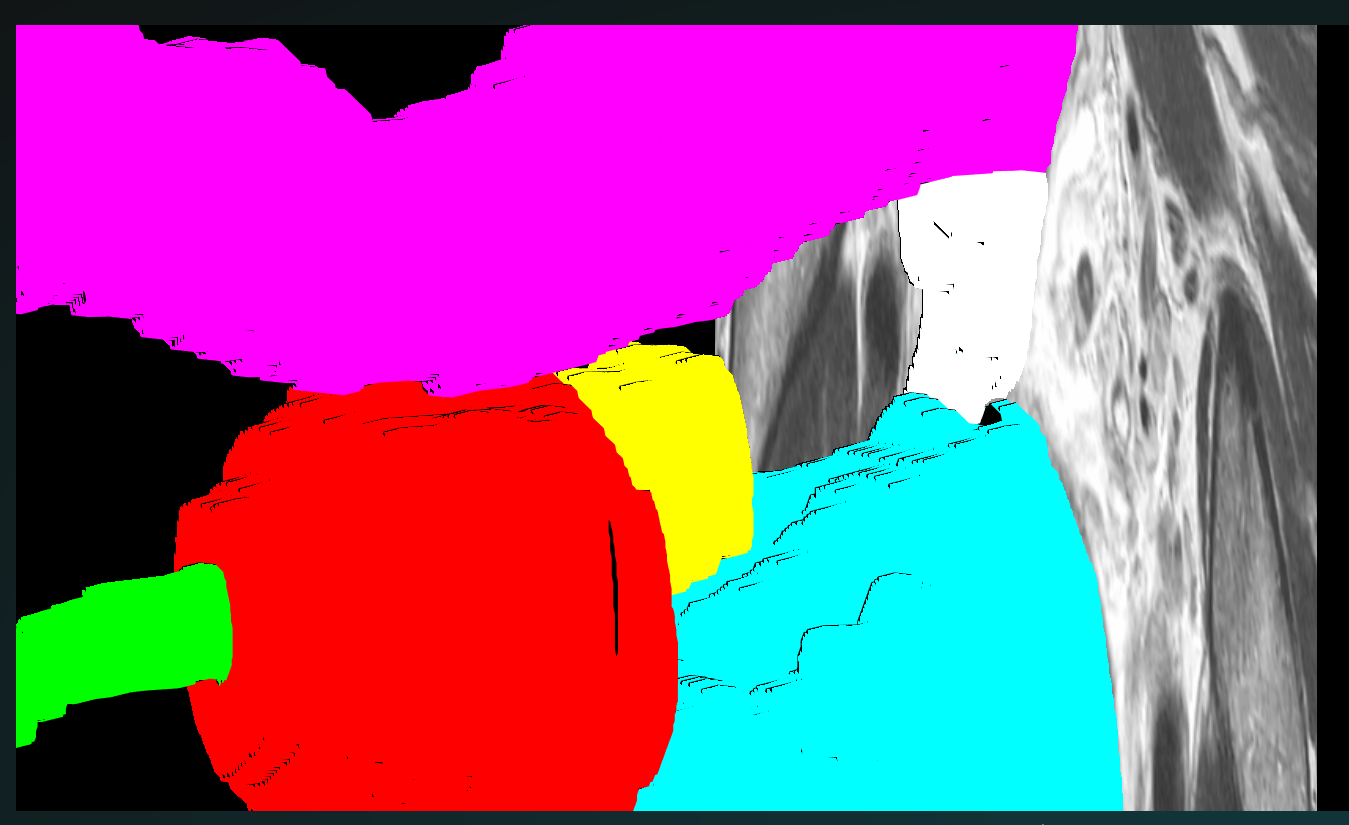
Does anyone know why I am seeing this weird black lines/edges when applying vtkFlyingEdges3D filter to a mask for a ROI?
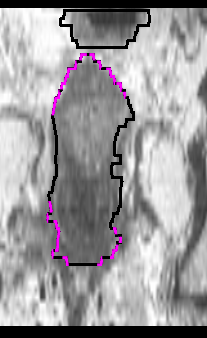
When using plane cutting to produce a contour this is the result:
---
### Author:  [@jaswantp](https://discourse.vtk.org/u/jaswantp)
#### Post date: [November 9, 2023, 3:48pm UTC](https://discourse.vtk.org/t/black-lines-on-a-vtkflyingedges3d-generated-isosurface/12665/2 "2023-11-09T15:48:35Z")
It kinda looks like an issue with the normal vectors. Does running `vtkPolyDataNormals` on the output of flying edges 3D remove the black lines?
---
### Author:  [@Bosingwa](https://discourse.vtk.org/u/Bosingwa)
#### Post date: [November 9, 2023, 4:09pm UTC](https://discourse.vtk.org/t/black-lines-on-a-vtkflyingedges3d-generated-isosurface/12665/3 "2023-11-09T16:09:58Z")
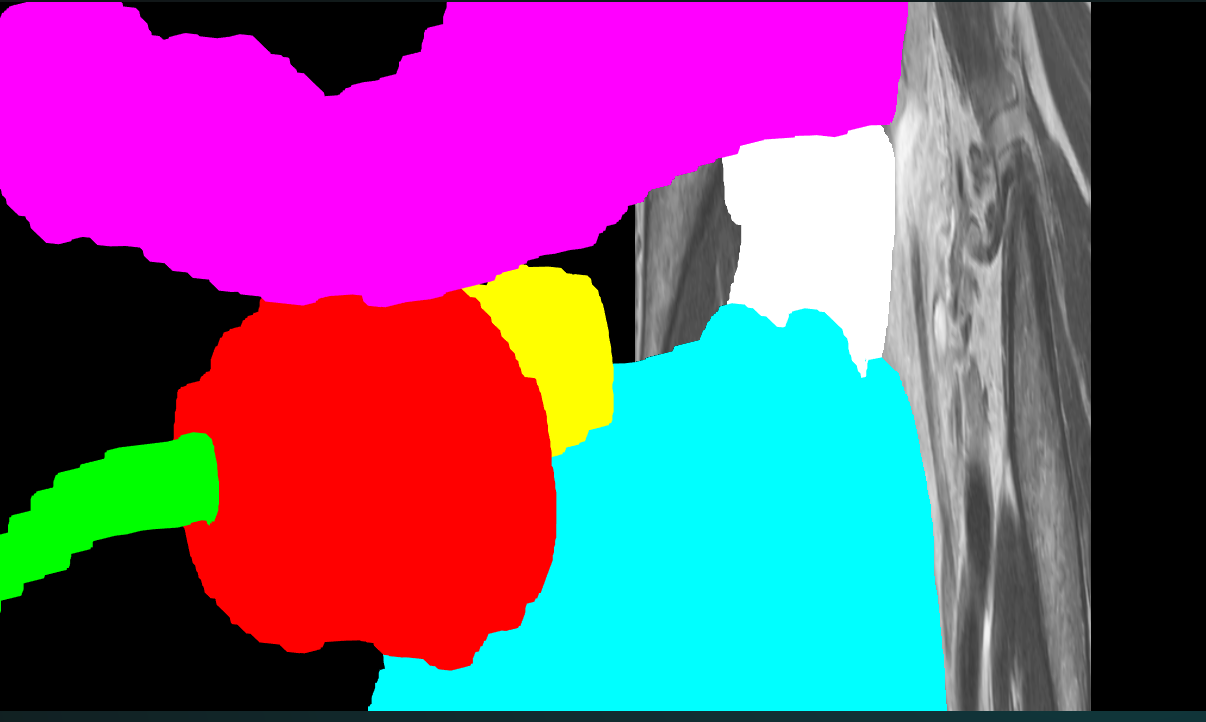
It seems to solve it looking at the volume rendering:
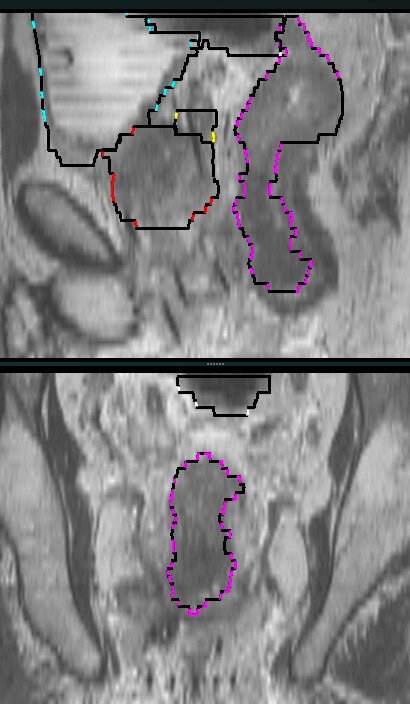
But when using vtkPlaneCutter in two diferent orientations the problem seems to remain:
---
### Author:  [@Bosingwa](https://discourse.vtk.org/u/Bosingwa)
#### Post date: [November 9, 2023, 4:19pm UTC](https://discourse.vtk.org/t/black-lines-on-a-vtkflyingedges3d-generated-isosurface/12665/4 "2023-11-09T16:19:02Z")
[Solved it]
I had to disable shading with:
```auto
vtkActor->GetProperty()->LightingOff();
```
Thanks for your help @jaswantp