# Centerline extraction
**URL:** https://discourse.vtk.org/t/centerline-extraction/8138
**Category:** Support
**Created:** [March 24, 2022, 5:46pm UTC](https://discourse.vtk.org/t/centerline-extraction/8138 "2022-03-24T17:46:41Z")
**Posts on this page:** 5
**Page:** 1
### Author:  [@ekmungi](https://discourse.vtk.org/u/ekmungi)
#### Post date: [March 24, 2022, 5:46pm UTC](https://discourse.vtk.org/t/centerline-extraction/8138/1 "2022-03-24T17:46:41Z")
I am new to VTK. I have a 3D model of a tubular structure and I am looking for a way to extract the centerline for it. Could someone help?
So far, I have tried using VMTK but it requires a closed model (end points are closed), but in my case I have a model with open ends. I read in one of the forums that one can use vmtkNetworkExtraction but I am not having much success with it.
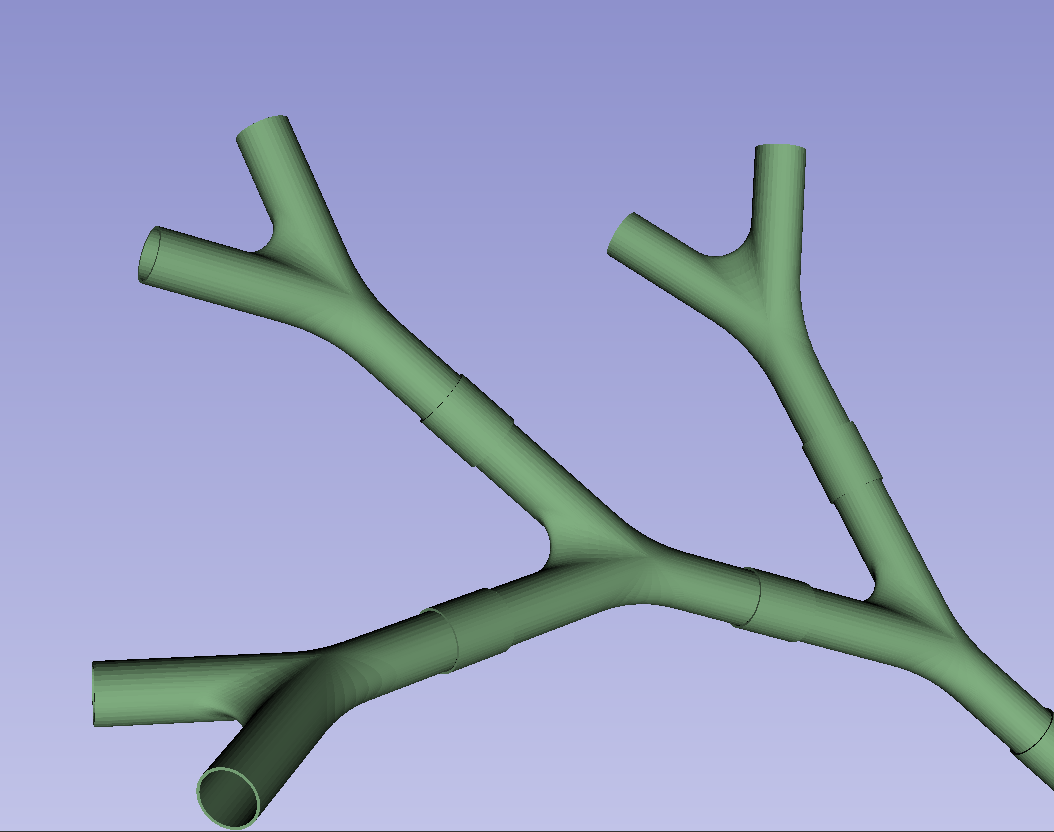
I am looking for suggestions on how I can extract the centerline for this model. Thank you.
---
### Author:  [@Jens\_Munk\_Hansen](https://discourse.vtk.org/u/Jens_Munk_Hansen)
#### Post date: [March 25, 2022, 6:16am UTC](https://discourse.vtk.org/t/centerline-extraction/8138/2 "2022-03-25T06:16:28Z")
Hi Anant
I had the same problem a while ago. I created a small clipper tool which can be used for closing the surface. [https://kitware.github.io/vtk-examples/site/Cxx/Meshes/CapClip/](https://kitware.github.io/vtk-examples/site/Cxx/Meshes/CapClip/) is a good starting point. You can use the vtkPlaneWidget for moving a plane around interactively for cutting your mesh. After cutting, you can use vtkAppendPolyData for joining the boundary and the output of the clipper and afterwards you can use vtkCleanPolyData
I also used VMTK for centerline extraction, but I found binary thinning good enough for my purpose.
/Jens
---
### Author:  [@ekmungi](https://discourse.vtk.org/u/ekmungi)
#### Post date: [March 25, 2022, 2:48pm UTC](https://discourse.vtk.org/t/centerline-extraction/8138/3 "2022-03-25T14:48:33Z")
Thanks Jens. A stupid question. How do I select the location of the clipping plane? Can this be done interactively? I have multiple locations where I would need to close the surface.
---
### Author:  [@ekmungi](https://discourse.vtk.org/u/ekmungi)
#### Post date: [March 25, 2022, 5:12pm UTC](https://discourse.vtk.org/t/centerline-extraction/8138/4 "2022-03-25T17:12:01Z")
I managed to convert my model to a volume and then use VMTK.
---
### Author:  [@Jens\_Munk\_Hansen](https://discourse.vtk.org/u/Jens_Munk_Hansen)
#### Post date: [April 3, 2022, 10:09pm UTC](https://discourse.vtk.org/t/centerline-extraction/8138/5 "2022-04-03T22:09:02Z")
I am glad you found out. If you want to select a clipping plane interactively, I can recommend using the vtkPlaneWidget. It has some issue with scaling the handles properly, but it does the job.