# Color a mesh by height and width
**URL:** https://discourse.vtk.org/t/color-a-mesh-by-height-and-width/9965
**Category:** Support
**Created:** [November 26, 2022, 1:43pm UTC](https://discourse.vtk.org/t/color-a-mesh-by-height-and-width/9965 "2022-11-26T13:43:27Z")
**Posts on this page:** 2
**Page:** 1
### Author:  [@Hamid\_Fsian](https://discourse.vtk.org/u/Hamid_Fsian)
#### Post date: [November 26, 2022, 1:43pm UTC](https://discourse.vtk.org/t/color-a-mesh-by-height-and-width/9965/1 "2022-11-26T13:43:27Z")
Dear Community,
I am trying to color an object based on the width of this later. I tried to inspire myself from this [code](https://kitware.github.io/vtk-examples/site/Python/Meshes/ColoredElevationMap/) But this later is for the height. And I want to set a color map based on the width for each z-slice, like the figure below
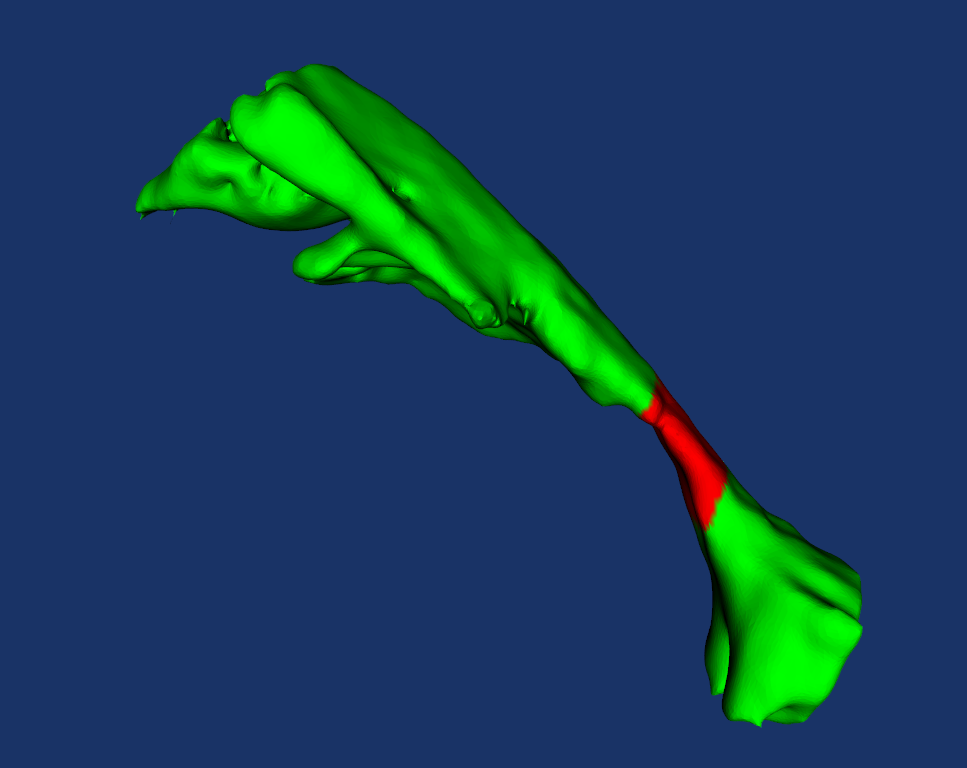
Can you please help me.
Thank you
---
### Author:  [@Paulo\_Carvalho](https://discourse.vtk.org/u/Paulo_Carvalho)
#### Post date: [December 4, 2022, 3:10pm UTC](https://discourse.vtk.org/t/color-a-mesh-by-height-and-width/9965/2 "2022-12-04T15:10:49Z")
Duplicate: [Color a vtk object by width](https://discourse.vtk.org/t/color-a-vtk-object-by-width/9969)