# ColoredElevationMap speed
**URL:** https://discourse.vtk.org/t/coloredelevationmap-speed/1279
**Category:** Support
**Created:** [July 5, 2019, 8:57am UTC](https://discourse.vtk.org/t/coloredelevationmap-speed/1279 "2019-07-05T08:57:12Z")
**Posts on this page:** 7
**Page:** 1
### Author:  [@silajim](https://discourse.vtk.org/u/silajim)
#### Post date: [July 5, 2019, 8:57am UTC](https://discourse.vtk.org/t/coloredelevationmap-speed/1279/1 "2019-07-05T08:57:13Z")
Hi,
I’ve been searching the interwebs for the past days (3-4) but I cannot find a solution to my problem. I want to color a pointcloud of about 40 million points by height, I took a look into the ColoredElevationMap example but it’s way to slow, basically it crashes before finishing, after a minute or so.
What could be done? I am new to all this.
---
### Author:  [@marcomusy](https://discourse.vtk.org/u/marcomusy)
#### Post date: [July 5, 2019, 10:53am UTC](https://discourse.vtk.org/t/coloredelevationmap-speed/1279/2 "2019-07-05T10:53:39Z")
This takes ~40s on my system:
```python
from vtkplotter import *
from random import uniform as u
N = 4000000
rgb = [(u(0, 255), u(0, 255), u(0, 255)) for i in range(N)]
pts = Points(rgb, c=rgb, alpha=1, r=1)
show(pts, bg="white")
```
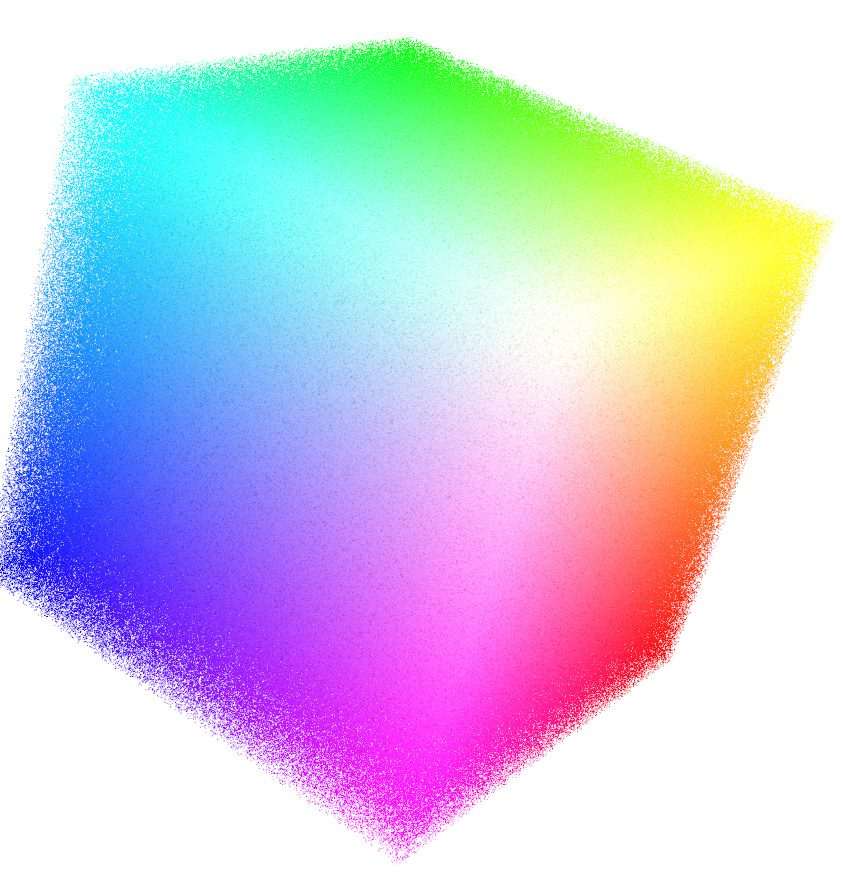
Internally it uses the `vtkVertexGlyphFilter`:
```python
src = vtk.vtkPointSource()
src.SetNumberOfPoints(n)
src.Update()
vgf = vtk.vtkVertexGlyphFilter()
vgf.SetInputData(src.GetOutput())
vgf.Update()
pd = vgf.GetOutput()
ucols = vtk.vtkUnsignedCharArray()
ucols.SetNumberOfComponents(3)
ucols.SetName("pointsRGB")
for i in range(len(plist)):
ucols.InsertNextTuple3(c[0], c[1], c[2])
pd.GetPoints().SetData(numpy_to_vtk(plist, deep=True))
pd.GetPointData().SetScalars(ucols)
```
---
### Author:  [@silajim](https://discourse.vtk.org/u/silajim)
#### Post date: [July 5, 2019, 11:00am UTC](https://discourse.vtk.org/t/coloredelevationmap-speed/1279/3 "2019-07-05T11:00:18Z")
Even 40 seconds is too much… I need it to be less than 0.5secs to be acceptable
---
### Author:  [@silajim](https://discourse.vtk.org/u/silajim)
#### Post date: [July 9, 2019, 11:45am UTC](https://discourse.vtk.org/t/coloredelevationmap-speed/1279/4 "2019-07-09T11:45:09Z")
Bump!
---
### Author:  [@lassoan](https://discourse.vtk.org/u/lassoan)
#### Post date: [July 26, 2019, 11:51am UTC](https://discourse.vtk.org/t/coloredelevationmap-speed/1279/5 "2019-07-26T11:51:49Z")
What do you expect to take 0.5sec? Rendering time may be much shorter than that. However, you need to start the application, load data, perform initialization, etc. and you cannot expect to complete all these within half second.
---
### Author:  [@silajim](https://discourse.vtk.org/u/silajim)
#### Post date: [July 29, 2019, 10:45am UTC](https://discourse.vtk.org/t/coloredelevationmap-speed/1279/6 "2019-07-29T10:45:20Z")
I got to color the points using glsl.
But rendering of 7M points takes about 4 seconds, I am talking about renderWindow-\>render(), which is quite slow, since the actor (or the actor data) will be changing every ~3-5 seconds.
To render the data I pass the data though a vtkVertexGlyphFilter and then vtkOpenGLPolyDataMapper.
The whole ordeal is running on an Integrated Intel HD630 and having more powerful hardware is not an option…
Any ideas?
---
### Author:  [@lassoan](https://discourse.vtk.org/u/lassoan)
#### Post date: [July 29, 2019, 12:57pm UTC](https://discourse.vtk.org/t/coloredelevationmap-speed/1279/7 "2019-07-29T12:57:29Z")
If you have hardware that is so underpowered for the task, then you have to implement very smart software to reach your performance goals.
I would recommend trying hardware-accelerated using vtkGlyph3DMapper and/or level-of-detail (LOD) rendering. If you are stuck with an integrated graphics card then it may be still too slow. Frequent full updates may be challenging, too. Starting with performance profiling could help you identifying bottlenecks then focus on resolving those.