# Compute the air zone or negative mesh
**URL:** https://discourse.vtk.org/t/compute-the-air-zone-or-negative-mesh/7915
**Category:** Support
**Created:** [February 24, 2022, 5:23pm UTC](https://discourse.vtk.org/t/compute-the-air-zone-or-negative-mesh/7915 "2022-02-24T17:23:25Z")
**Posts on this page:** 6
**Page:** 1
### Author:  [@DFlyer](https://discourse.vtk.org/u/DFlyer)
#### Post date: [February 24, 2022, 5:23pm UTC](https://discourse.vtk.org/t/compute-the-air-zone-or-negative-mesh/7915/1 "2022-02-24T17:23:25Z")
I have a varying height mesh hovering over a structured mesh (a plane). I need a mesh/surface that crops the air zone between them. Attached a figure for reference.
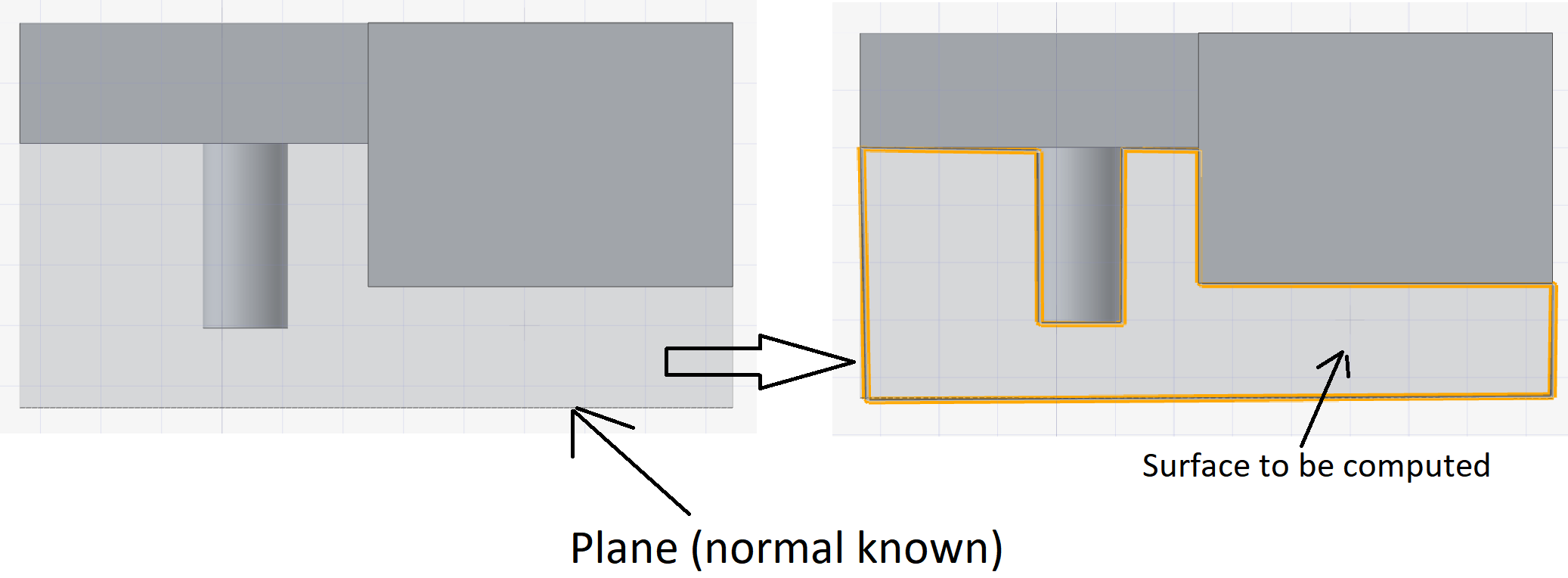
**Method tried :**
Create lines from the plane and use locators to get the distance
Apply the distance scalars to the plane polydata
vtkWrap filter to compute the top surface
**Cons:**
Heavily dependent on the mesh resolution
Takes more time for complex models
Output surface has more noise than tolerable.
Is there a filter to create this distance map on the plane faster?
---
### Author:  [@marcomusy](https://discourse.vtk.org/u/marcomusy)
#### Post date: [February 25, 2022, 6:10pm UTC](https://discourse.vtk.org/t/compute-the-air-zone-or-negative-mesh/7915/2 "2022-02-25T18:10:31Z")
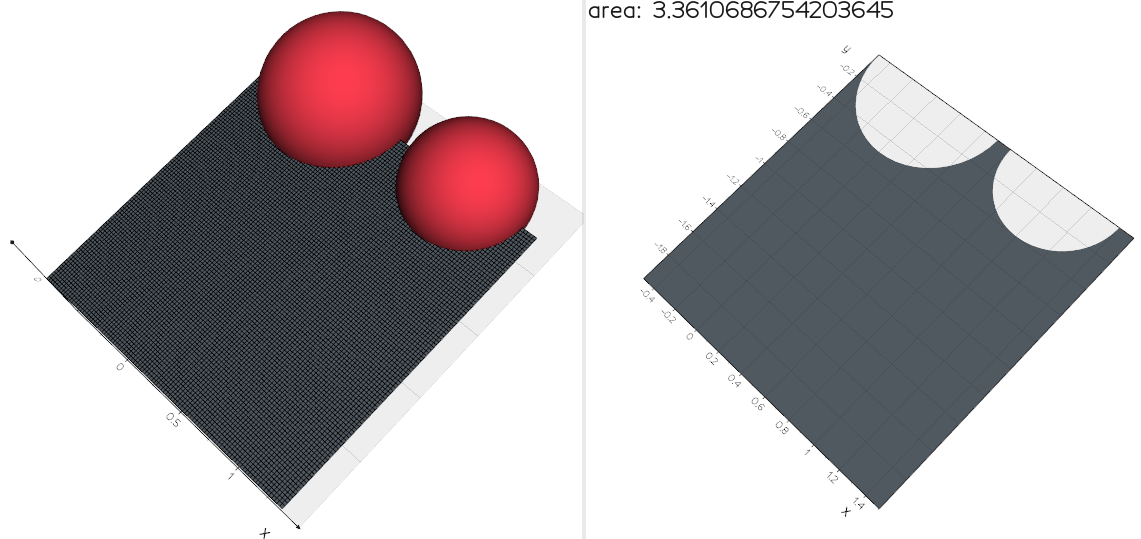
I guess you can look at the `vtkImplicitPolyDataDistance` class.
```python
from vedo import *
msh = merge(Sphere(r=0.5), Sphere(r=0.5).x(1).scale(0.8)) # whatever
# msh = Mesh(my_vtkstructmesh)
plane = Grid(resx=100, resy=100).scale(2).pos(0.5,-1).wireframe(False)
cplane = plane.clone().cutWithMesh(msh, invert=True).triangulate()
show([[msh, plane], [cplane, f"area: {cplane.area()}"]], N=2, axes=1)
```
---
### Author:  [@DFlyer](https://discourse.vtk.org/u/DFlyer)
#### Post date: [February 26, 2022, 11:09am UTC](https://discourse.vtk.org/t/compute-the-air-zone-or-negative-mesh/7915/3 "2022-02-26T11:09:16Z")
Thank you so much for the reply!
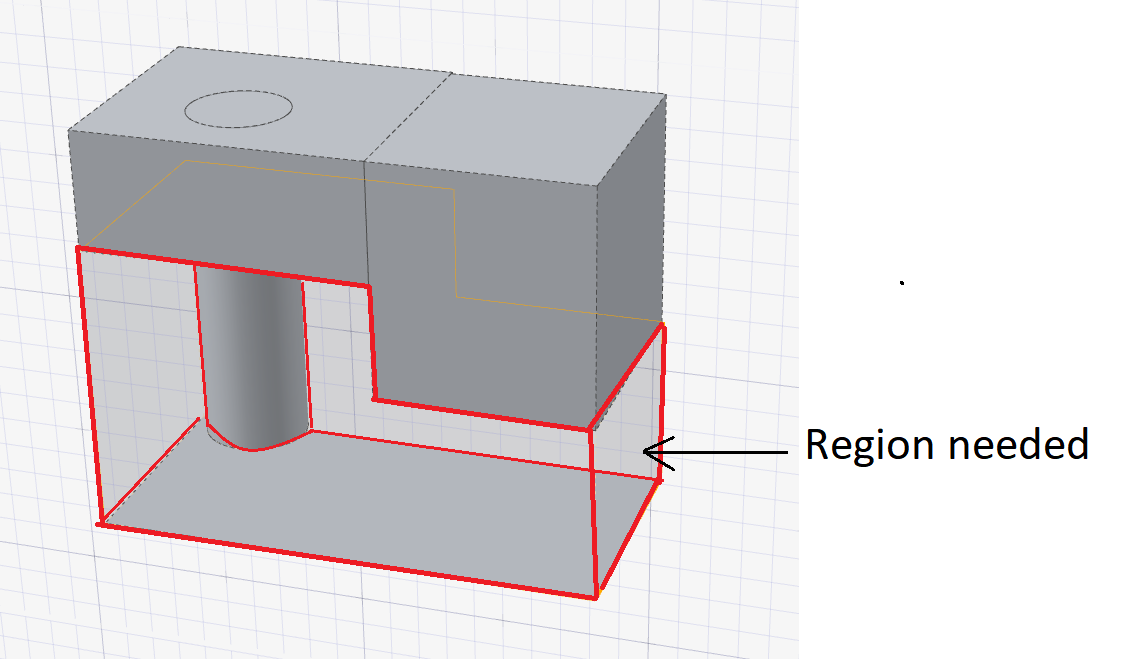
Sorry I might have not put up the problem statement well. The image I shown before is just front view and the top hovering meshes does not intersect with the bottom plane, I have attached the 3D view here.
---
### Author:  [@marcomusy](https://discourse.vtk.org/u/marcomusy)
#### Post date: [February 26, 2022, 12:13pm UTC](https://discourse.vtk.org/t/compute-the-air-zone-or-negative-mesh/7915/4 "2022-02-26T12:13:22Z")
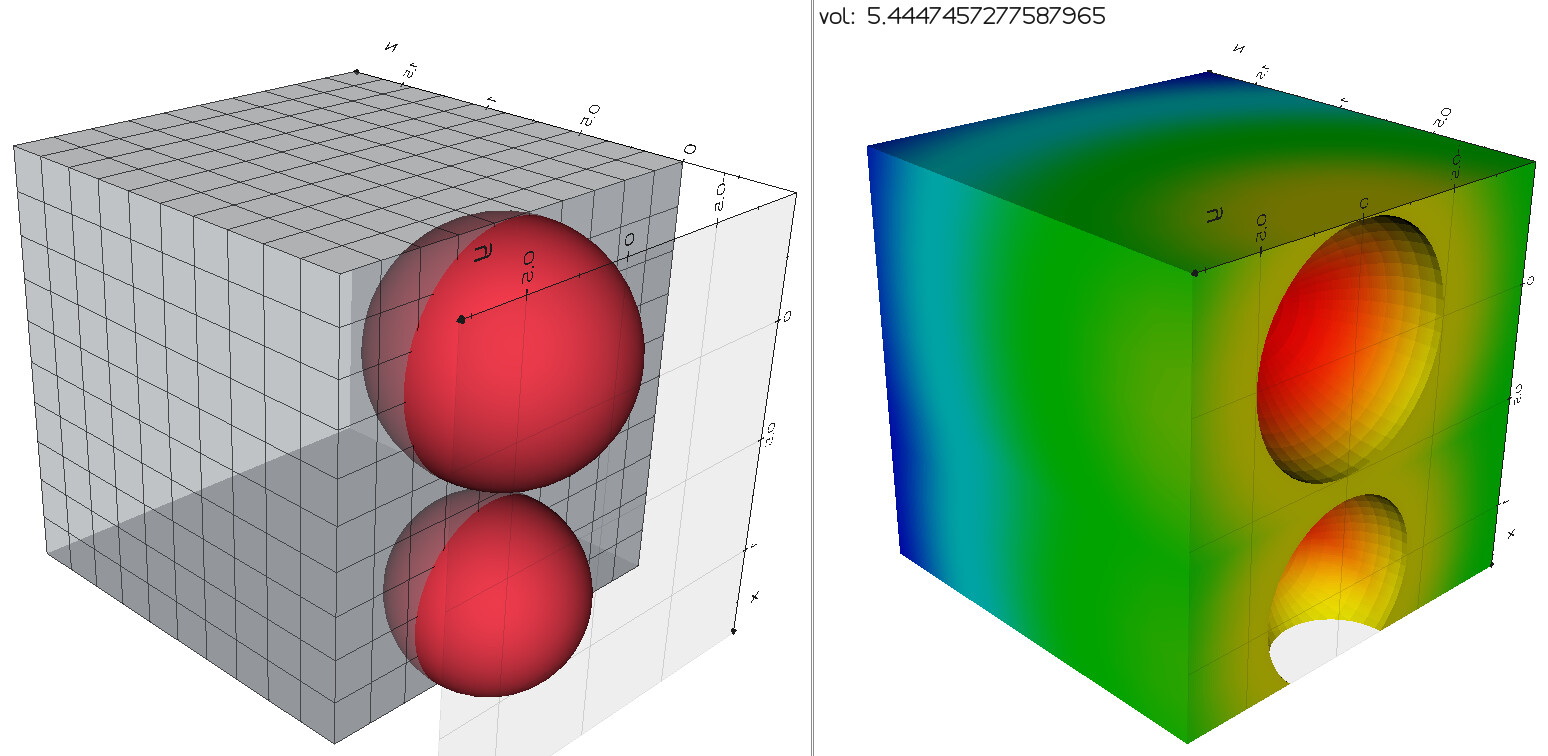
oh but then you need the volume? then it’s `vtkBooleanOperationPolyDataFilter `
```python
from vedo import *
msh = merge(Sphere(r=0.5), Sphere(r=0.5).x(1).scale(0.8))
box = TessellatedBox().scale(0.2).pos(-0.5,-1)
bmm = box.clone().triangulate().boolean('-', msh).computeNormals()
show([[msh, box], [bmm, f"vol: {bmm.volume()}"]], N=2, axes=1)
```
---
### Author:  [@DFlyer](https://discourse.vtk.org/u/DFlyer)
#### Post date: [February 26, 2022, 12:24pm UTC](https://discourse.vtk.org/t/compute-the-air-zone-or-negative-mesh/7915/5 "2022-02-26T12:24:52Z")
I have tried that, it works for simple models but for complex models it takes more time and even crashes. There are threads with says VTK Boolean is not good for complex cases.
I am looking for something like create a distance map on the plane below and use vtkWrap filter to elevate and create the mesh. I cannot figure out how to get this distance map fast with good precision. Could we use ZBuffer ? it is hard to comprehend from the documentation and examples.
Thanks
---
### Author:  [@marcomusy](https://discourse.vtk.org/u/marcomusy)
#### Post date: [March 1, 2022, 12:55am UTC](https://discourse.vtk.org/t/compute-the-air-zone-or-negative-mesh/7915/6 "2022-03-01T00:55:50Z")
I don’t know about the zbuffer… two things that come to my mind…
with probing planes:
```python
from vedo import *
msh = merge(Sphere(r=0.5), Sphere(r=0.5).x(1).scale(0.8)) # whatever mesh
step = 0
planes = []
for i in range(8):
step += 0.1
p = Grid(resx=100, resy=100).scale(2).pos(0.5,-1, -0.5+step)
planes.append(p)
planes = merge(planes).wireframe(0).c("grey5")
cplanes = planes.clone().cutWithBox(msh).cutWithMesh(msh, invert=1).triangulate()
show([[msh, planes], [cplanes, f"volume: {cplanes.area()*0.1}"]], N=2, axes=1)
```
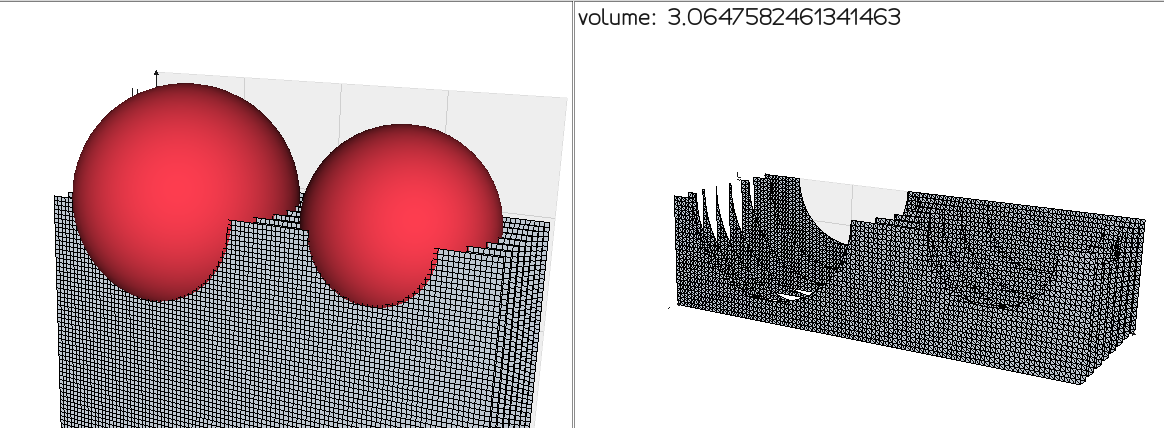
or you can use `vtkOBBTree.IntersectWithLine()` from a grid of points on your plane to the mesh and then multiply by the size of the grid element… I don’t know if it’s faster.