# Convert png to vti
**URL:** https://discourse.vtk.org/t/convert-png-to-vti/1649
**Category:** Support
**Created:** [August 26, 2019, 8:49am UTC](https://discourse.vtk.org/t/convert-png-to-vti/1649 "2019-08-26T08:49:11Z")
**Posts on this page:** 5
**Page:** 1
### Author:  [@rjsgml5698](https://discourse.vtk.org/u/rjsgml5698)
#### Post date: [August 26, 2019, 8:49am UTC](https://discourse.vtk.org/t/convert-png-to-vti/1649/1 "2019-08-26T08:49:11Z")
Hello!
I want to convert png to vti.
However, the following code does not work correctly.
> import os
> import cv2
> import numpy as np
> import pydicom
> import matplotlib.pylab as plt
>
> from glob import glob
>
> def dividePath(dataPath):
> imgFileList =
>
> ```
> for idx, name in enumerate(dataPath):
> imgFileList.append(name)
> imgFileList.sort()
>
> return imgFileList
>
> ```
>
> def imageLoad(imageFileName):
> firstImage = cv2.imread(os.path.join(path, imageFileName[0]))
>
> ```
> if len(firstImage.shape) == 2:
> imgRows, imgCols = firstImage.shape[:2]
> imageList = np.zeros((len(imageFileName), imgRows, imgCols, 1))
>
> else:
> imgRows, imgCols, imgColor = firstImage.shape[:3]
> imageList = np.zeros((len(imageFileName), imgRows, imgCols, imgColor))
>
> for idx, fileName in enumerate(imageFileName):
> imageData = cv2.imread(os.path.join(path, fileName))
> copyImageData = imageData.copy()
>
> imageList[idx, :, :, :] = copyImageData
>
> #print(imageList.shape)
> return imageList
>
> ```
>
> global path
> global dataPath
> path = “C:/JLKINSPECTION\_NUC/Material/PNG/patient002\_image”
> dataPath = os.listdir(path)
>
> imageFileList= dividePath(dataPath)
>
> imageList = imageLoad(imageFileList)
> print(imageList)
>
> from pyevtk.hl import imageToVTK
>
> imageToVTK(“./brainResult8”, pointData={“DICOMImages” : imageList})
However, the following error occurs.
> "Bad array shape: " + str(data.shape)
I think there is a problem with png’s data array to convert to vti. But I can’t find a solution.
Can anyone tell me if I know about this?
---
### Author:  [@banesullivan](https://discourse.vtk.org/u/banesullivan)
#### Post date: [August 27, 2019, 5:54am UTC](https://discourse.vtk.org/t/convert-png-to-vti/1649/2 "2019-08-27T05:54:35Z")
Could you provide a sample PNG image?
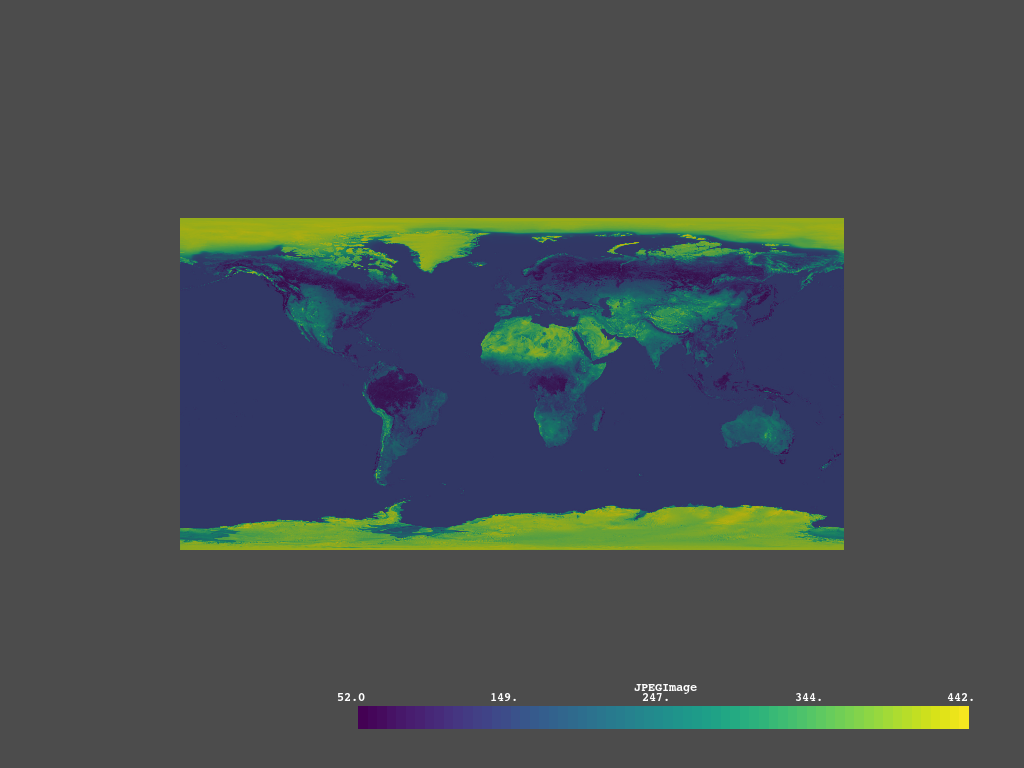
You may want to use VTK’s `vtkPNGReader` class which [PyVista](http://docs.pyvista.org) leverages to load image files as `vtkImageData` (vti). Here’s an example using a PNG that is shipped with PyVista:
```auto
import pyvista as pv
from pyvista import examples
# This is a jpeg but could be a PNG
image_file = examples.mapfile
image = pv.read(image_file)
image.save('my_image.vti')
image.plot(cpos='xy')
```
---
### Author:  [@rjsgml5698](https://discourse.vtk.org/u/rjsgml5698)
#### Post date: [August 27, 2019, 8:31am UTC](https://discourse.vtk.org/t/convert-png-to-vti/1649/3 "2019-08-27T08:31:13Z")
Thank you for your reply,
It really helped me a lot.
Can I load a png as a directory instead of just one?
---
### Author:  [@Sebastien\_Jourdain](https://discourse.vtk.org/u/Sebastien_Jourdain)
#### Post date: [August 27, 2019, 3:58pm UTC](https://discourse.vtk.org/t/convert-png-to-vti/1649/4 "2019-08-27T15:58:06Z")
If you use ParaView with `pvpython` you can execute the following code sample
```auto
from paraview import simple
imageStack = simple.PNGSeriesReader(
FileNames=[
'/datasets/l00001.png',
'/datasets/l00002.png',
...
],
DataSpacing=[1,1,1])
simple.SaveData('/tmp/deleteMe.vti', proxy=imageStack, CompressorType='ZLib')
```
---
### Author:  [@rjsgml5698](https://discourse.vtk.org/u/rjsgml5698)
#### Post date: [August 28, 2019, 4:58am UTC](https://discourse.vtk.org/t/convert-png-to-vti/1649/5 "2019-08-28T04:58:44Z")
I was able to solve it with your help.
Thank you again!😀