### Author:  [@AndreAhmed](https://discourse.vtk.org/u/AndreAhmed)
#### Post date: [November 26, 2022, 4:31pm UTC](https://discourse.vtk.org/t/cut-a-mesh-using-lasso/9966/1 "2022-11-26T16:31:31Z")
Hello,
I’m doing a lasso that I converted on 3D Mesh. and now I cut a polydata with it using the following code
> vtkTriangleFilter\* triFil = vtkTriangleFilter::New();
> triFil-\>SetInputData(curvePoly);
> triFil-\>Update();
>
> vtkTriangleFilter\* triFil2 = vtkTriangleFilter::New();
> triFil2-\>SetInputData(mandiblePolyData);
> triFil2-\>Update();
>
> vtkIntersectionPolyDataFilter \* intersectionPolyDataFilter = vtkIntersectionPolyDataFilter::New();
> intersectionPolyDataFilter-\>SetInputData(
> 0, triFil-\>GetOutput());
>
> intersectionPolyDataFilter-\>SetInputData(
> 1, triFil2-\>GetOutput());
> intersectionPolyDataFilter-\>Update();
>
> intersectionPolyDataFilter-\>Print(std::cout);
>
> vtkNew plyWriter;
> plyWriter-\>SetFileName(“curve.obj”);
> plyWriter-\>SetInputData(intersectionPolyDataFilter-\>GetOutput());
> plyWriter-\>Write();
> std::cout \<\< “cut finished” \<\< endl;
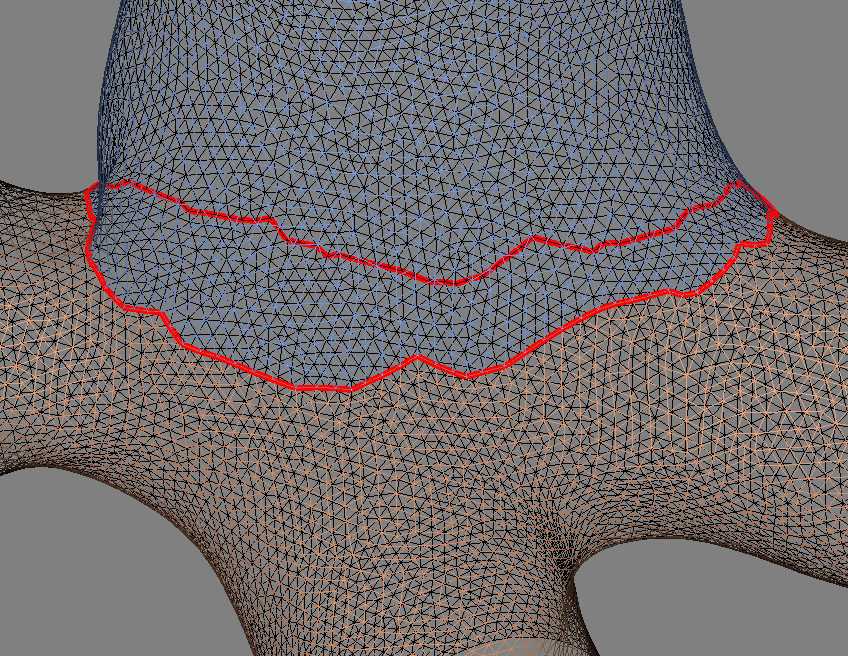
The problem is I get only contour and it fails most of the time.
---
### Author:  [@lassoan](https://discourse.vtk.org/u/lassoan)
#### Post date: [November 26, 2022, 8:32pm UTC](https://discourse.vtk.org/t/cut-a-mesh-using-lasso/9966/2 "2022-11-26T20:32:39Z")
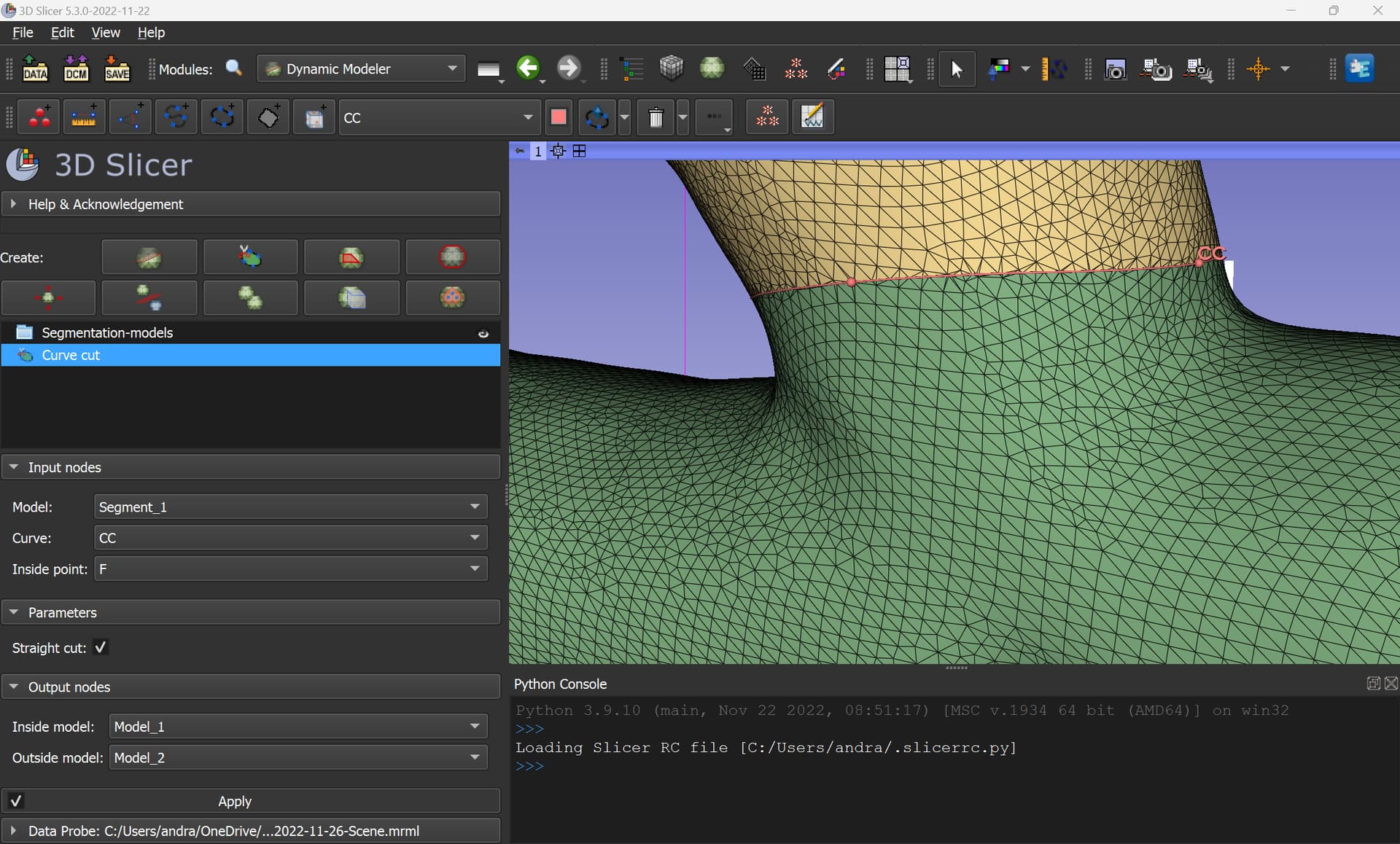
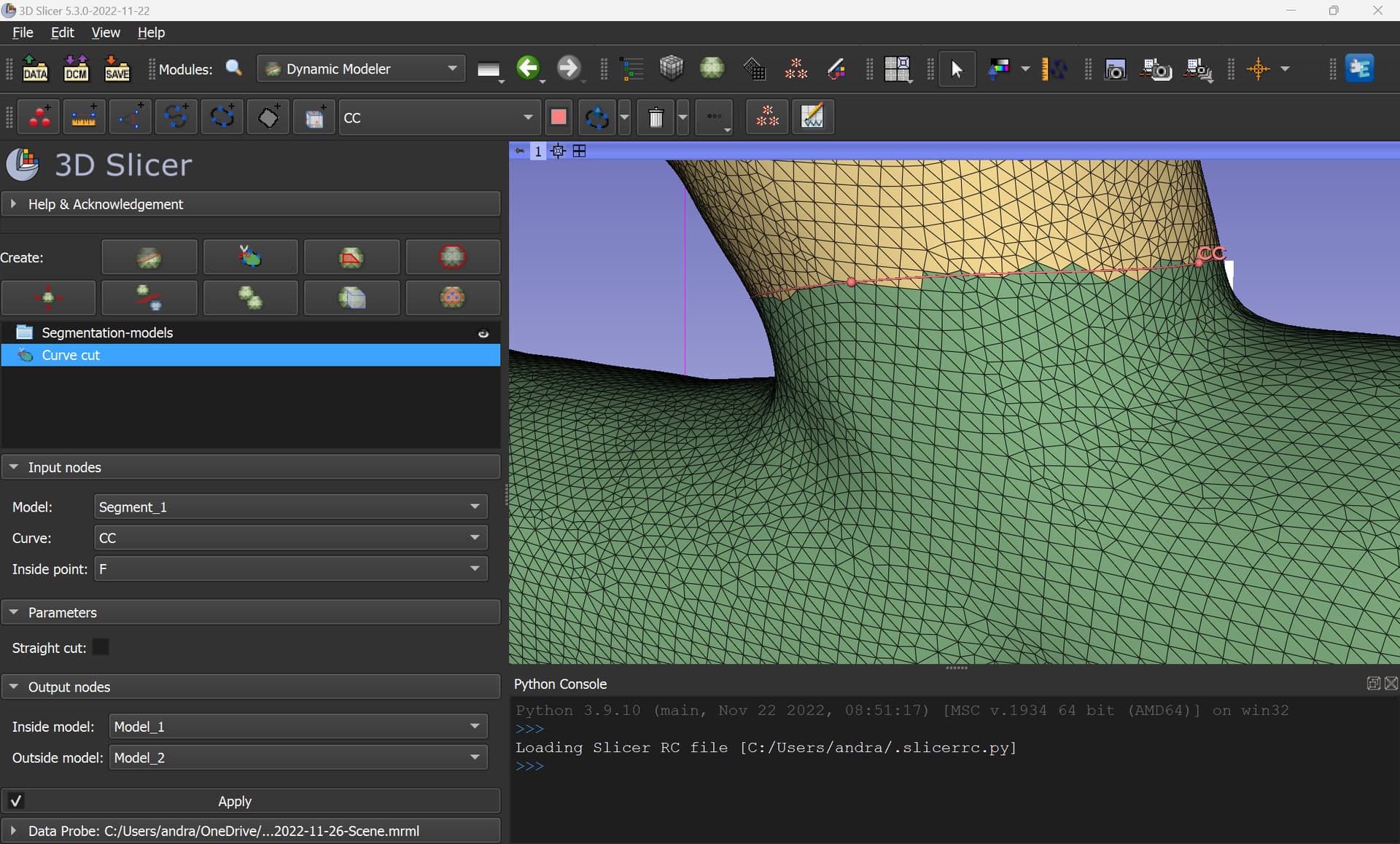
We worked a lot on implementing robust curve cutting in 3D Slicer and after some experimentation and VTK fixes we finally got it right. It is very robust and accurate and supports both straight and crinkle cuts:
Straight cut:
Crinkle cut (original cells are kept):
You can either use the tool as is (either via GUI or Python) or copy the implementation into your code:
>
---
### Author:  [@AndreAhmed](https://discourse.vtk.org/u/AndreAhmed)
#### Post date: [November 26, 2022, 9:26pm UTC](https://discourse.vtk.org/t/cut-a-mesh-using-lasso/9966/3 "2022-11-26T21:26:33Z")
@lassoan
The steps are so complicated, can you please show an excerpt where input is Mesh as curve, and another mesh as input too ? I would like to select the faces that the curve intersected.
---
### Author:  [@lassoan](https://discourse.vtk.org/u/lassoan)
#### Post date: [November 26, 2022, 9:32pm UTC](https://discourse.vtk.org/t/cut-a-mesh-using-lasso/9966/4 "2022-11-26T21:32:02Z")
The code is very short and a full, working example for cutting a mesh with a curve. I would recommend to copy the code into your project as is, and try to simplify it yourself.
---
### Author:  [@AndreAhmed](https://discourse.vtk.org/u/AndreAhmed)
#### Post date: [November 26, 2022, 9:33pm UTC](https://discourse.vtk.org/t/cut-a-mesh-using-lasso/9966/5 "2022-11-26T21:33:14Z")
@lassoan
What does OutputWorldToModelTransform do ?
and why its needed, it confuses me.
where is the input mesh, and input curve ?
---
### Author:  [@AndreAhmed](https://discourse.vtk.org/u/AndreAhmed)
#### Post date: [November 26, 2022, 9:34pm UTC](https://discourse.vtk.org/t/cut-a-mesh-using-lasso/9966/6 "2022-11-26T21:34:00Z")
My curve is a patch ( mesh ) not a bunch of points
---
### Author:  [@AndreAhmed](https://discourse.vtk.org/u/AndreAhmed)
#### Post date: [November 26, 2022, 9:40pm UTC](https://discourse.vtk.org/t/cut-a-mesh-using-lasso/9966/7 "2022-11-26T21:40:28Z")
this is my trial
> auto CleanFilter = vtkSmartPointer::New();
>
> CleanFilter-\>SetInputData(curvePoly);
>
> auto InputModelToWorldTransform = vtkSmartPointer::New();
> auto InputModelToWorldTransformFilter = vtkSmartPointer::New();
> InputModelToWorldTransformFilter-\>SetInputConnection(CleanFilter-\>GetOutputPort());
> InputModelToWorldTransformFilter-\>SetTransform(InputModelToWorldTransform);
>
> auto SelectionFilter = vtkSmartPointer::New();
> SelectionFilter-\>SetInputConnection(InputModelToWorldTransformFilter-\>GetOutputPort());
> SelectionFilter-\>SetEdgeSearchModeToDijkstra();
>
> // Further connections depend on cut mode (straight or whole cells)
> auto ClipFilter = vtkSmartPointer::New();
> ClipFilter-\>SetInputData(mandiblePolyData);
>
> auto ConnectivityFilter = vtkSmartPointer::New();
> ConnectivityFilter-\>SetInputConnection(ClipFilter-\>GetOutputPort());
>
> auto OutputWorldToModelTransform = vtkSmartPointer::New();
> auto OutputWorldToModelTransformFilter = vtkSmartPointer::New();
> OutputWorldToModelTransformFilter-\>SetTransform(OutputWorldToModelTransform);
>
> OutputWorldToModelTransformFilter-\>SetInputConnection(SelectionFilter-\>GetUnselectedOutputPort());
> OutputWorldToModelTransformFilter-\>Update();
> auto outputOutsideMesh = vtkSmartPointer::New();
> outputOutsideMesh-\>DeepCopy(OutputWorldToModelTransformFilter-\>GetOutput());
---
### Author:  [@AndreAhmed](https://discourse.vtk.org/u/AndreAhmed)
#### Post date: [November 26, 2022, 10:57pm UTC](https://discourse.vtk.org/t/cut-a-mesh-using-lasso/9966/8 "2022-11-26T22:57:10Z")
@lassoan
to be more accuracte I want to select what’s under the curve there… The curve is a 3D Mesh projected.

---
### Author:  [@AndreAhmed](https://discourse.vtk.org/u/AndreAhmed)
#### Post date: [November 27, 2022, 2:29pm UTC](https://discourse.vtk.org/t/cut-a-mesh-using-lasso/9966/9 "2022-11-27T14:29:54Z")
@lassoan
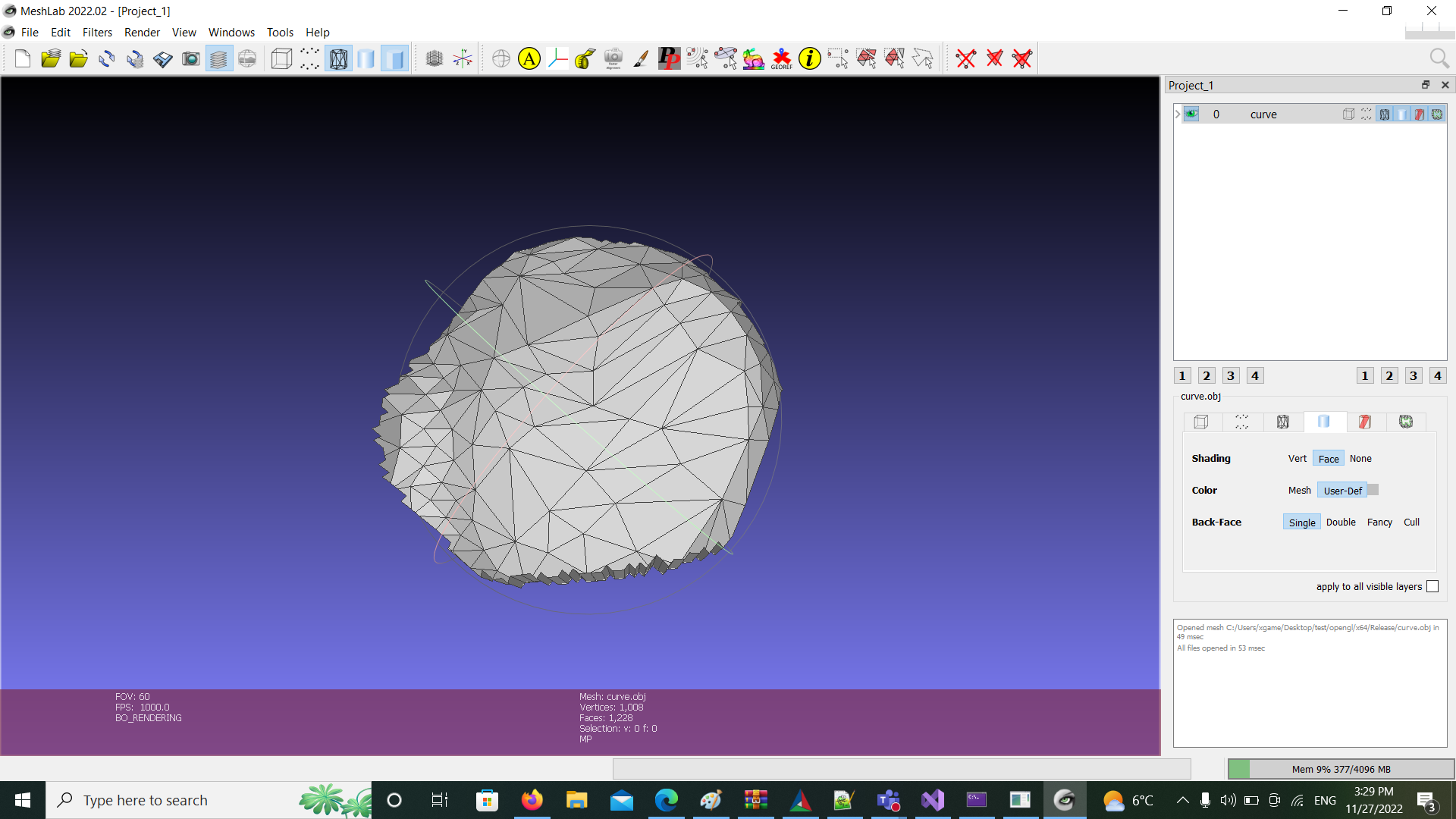
I would like to select the faces under that curve, the curve is not in X,Y,Z points, the curve is a 3D mesh
---
### Author:  [@lassoan](https://discourse.vtk.org/u/lassoan)
#### Post date: [November 27, 2022, 3:50pm UTC](https://discourse.vtk.org/t/cut-a-mesh-using-lasso/9966/10 "2022-11-27T15:50:06Z")
> [@AndreAhmed](#):
>
> What does OutputWorldToModelTransform do ?
> and why its needed, it confuses me.
3D Slicer allows performing any operations on arbitrarily transformed inputs. If the operation has multiple inputs then you need to convert all inputs to world coordinates, perform the operation, and then transform the result back to the object’s local coordinate system. If your objects are already all in world coordinate system then you can skip all the spatial transformations.
> [@AndreAhmed](#):
>
> where is the input mesh, and input curve ?
Input mesh is an object that stores a vtkPolyData containing a surface mesh.
Input curve is an object that stores a vtkPolyData containing a curve (a single line cell with many points).
> [@AndreAhmed](#):
>
> to be more accuracte I want to select what’s under the curve there
You can get edge points and both sides of the cut surface of the surface using vtkSelectPolyData.
If your original curve input points are far from the mesh then you may want to constrain the curve to the mesh (using projection, optionally combined with Dijkstra path search on the surface). This projection is a quite complex task, we implemented a custom VTK filter for it: [vtkProjectMarkupsCurvePointsFilter](https://github.com/Slicer/Slicer/blob/main/Modules/Loadable/Markups/MRML/vtkProjectMarkupsCurvePointsFilter.h).
---
### Author:  [@AndreAhmed](https://discourse.vtk.org/u/AndreAhmed)
#### Post date: [November 27, 2022, 10:35pm UTC](https://discourse.vtk.org/t/cut-a-mesh-using-lasso/9966/11 "2022-11-27T22:35:15Z")
@lassoan
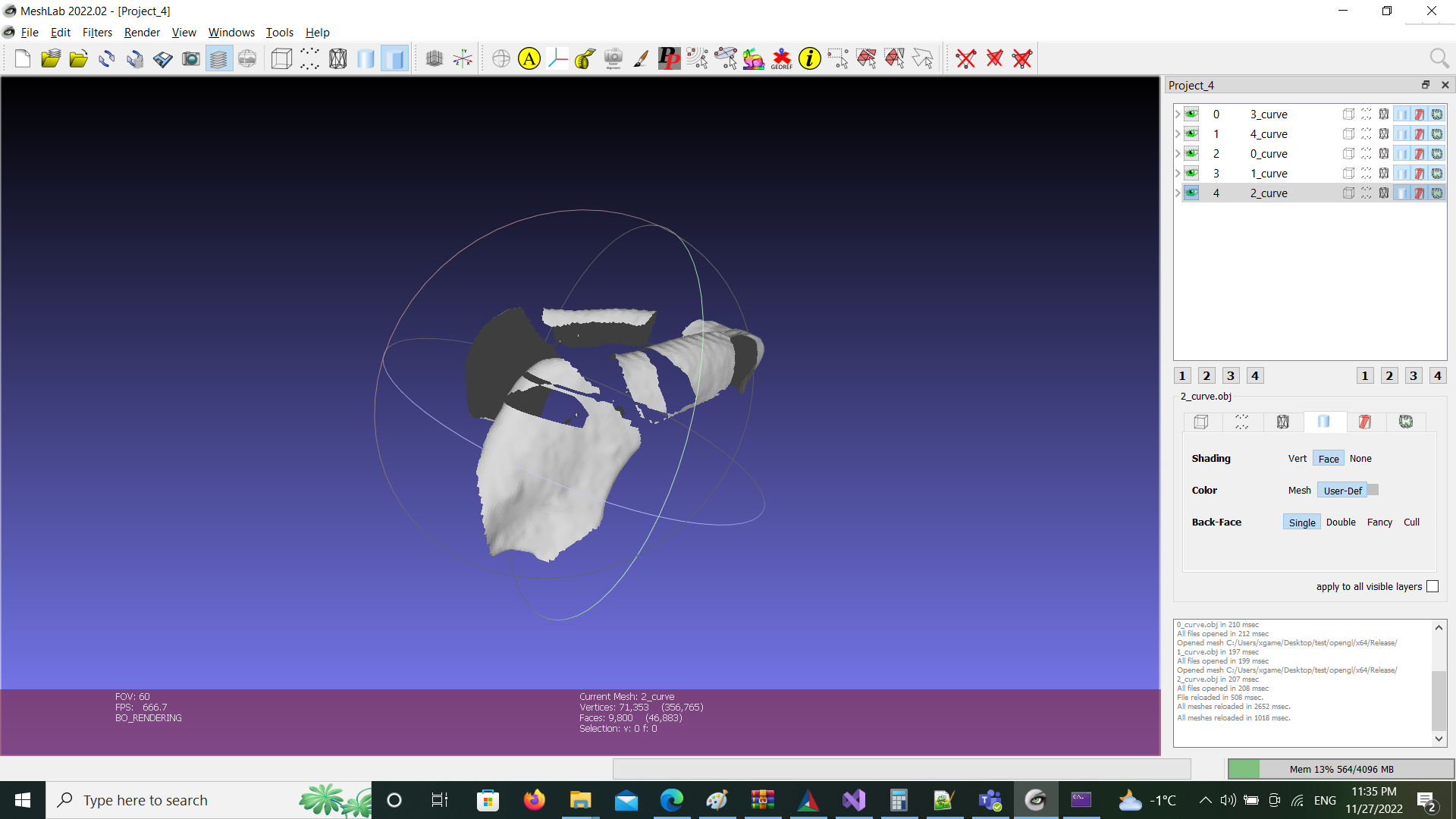
I use now VtkSlelectPolyData, but I get meshes that are artifcats, and random noises arounds the cuts…
---
### Author:  [@lassoan](https://discourse.vtk.org/u/lassoan)
#### Post date: [November 28, 2022, 7:58pm UTC](https://discourse.vtk.org/t/cut-a-mesh-using-lasso/9966/12 "2022-11-28T19:58:07Z")
I would recommend to try this first using the 3D Slicer GUI. If it works well there then you know that the problem is in how you extracted the code from Slicer and moved it into your project. If you find that something does not work in Slicer either then you can report it in the [Slicer forum](https://discourse.slicer.org/).