# Display based on vtk cannot be displayed normally on vmware virtual machine
**URL:** https://discourse.vtk.org/t/display-based-on-vtk-cannot-be-displayed-normally-on-vmware-virtual-machine/7586
**Category:** Support
**Created:** [January 7, 2022, 5:59am UTC](https://discourse.vtk.org/t/display-based-on-vtk-cannot-be-displayed-normally-on-vmware-virtual-machine/7586 "2022-01-07T05:59:31Z")
**Posts on this page:** 4
**Page:** 1
### Author:  [@WangZP10969](https://discourse.vtk.org/u/WangZP10969)
#### Post date: [January 7, 2022, 5:59am UTC](https://discourse.vtk.org/t/display-based-on-vtk-cannot-be-displayed-normally-on-vmware-virtual-machine/7586/1 "2022-01-07T05:59:32Z")
VMWare: 16
Windows10x64
VTK9 (compiled via vcpkg)
Operation: open the vtk window
Result:
VMWare rendering error

PC rendering normally
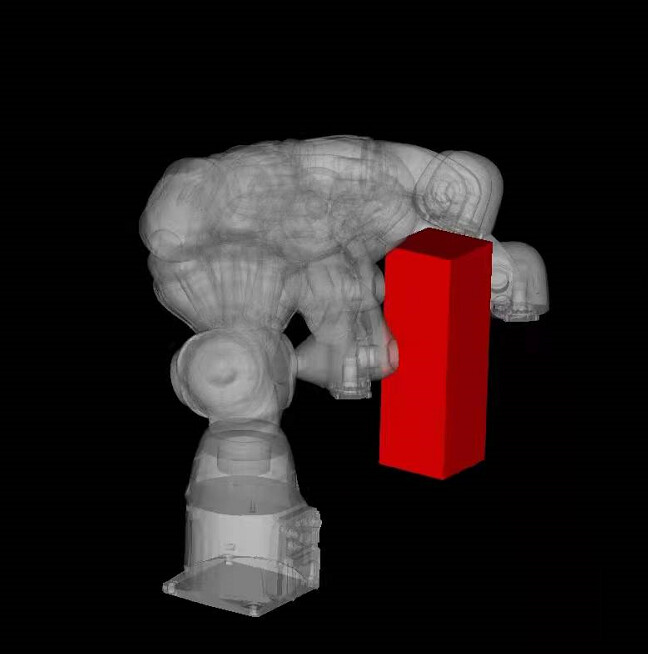
VTK did not prompt any warnings. What could cause this situation?
---
### Author:  [@mwestphal](https://discourse.vtk.org/u/mwestphal)
#### Post date: [January 7, 2022, 7:52am UTC](https://discourse.vtk.org/t/display-based-on-vtk-cannot-be-displayed-normally-on-vmware-virtual-machine/7586/2 "2022-01-07T07:52:58Z")
> [@WangZP10969](#):
>
> What could cause this situation?
Probably your VMWare graphic driver.
---
### Author:  [@WangZP10969](https://discourse.vtk.org/u/WangZP10969)
#### Post date: [January 7, 2022, 10:07am UTC](https://discourse.vtk.org/t/display-based-on-vtk-cannot-be-displayed-normally-on-vmware-virtual-machine/7586/3 "2022-01-07T10:07:37Z")
Thank you so much for your tips.
The graphics card of the PC is GTX1050m
In the device manager, the name of the display adapter is WMware SVGA 3D.
The virtual machine turns on the function of accelerating 3D graphics.
I’m not sure if there is anything that looks abnormal here.
---
### Author:  [@mwestphal](https://discourse.vtk.org/u/mwestphal)
#### Post date: [January 7, 2022, 10:10am UTC](https://discourse.vtk.org/t/display-based-on-vtk-cannot-be-displayed-normally-on-vmware-virtual-machine/7586/4 "2022-01-07T10:10:01Z")
I’d just use mesa in your case.