# Hole in a hollow cylinder
**URL:** https://discourse.vtk.org/t/hole-in-a-hollow-cylinder/5597
**Category:** Development
**Created:** [April 21, 2021, 7:55am UTC](https://discourse.vtk.org/t/hole-in-a-hollow-cylinder/5597 "2021-04-21T07:55:13Z")
**Posts on this page:** 6
**Page:** 1
### Author:  [@Anish\_Basnet](https://discourse.vtk.org/u/Anish_Basnet)
#### Post date: [April 21, 2021, 7:55am UTC](https://discourse.vtk.org/t/hole-in-a-hollow-cylinder/5597/1 "2021-04-21T07:55:13Z")
Hello everyone,
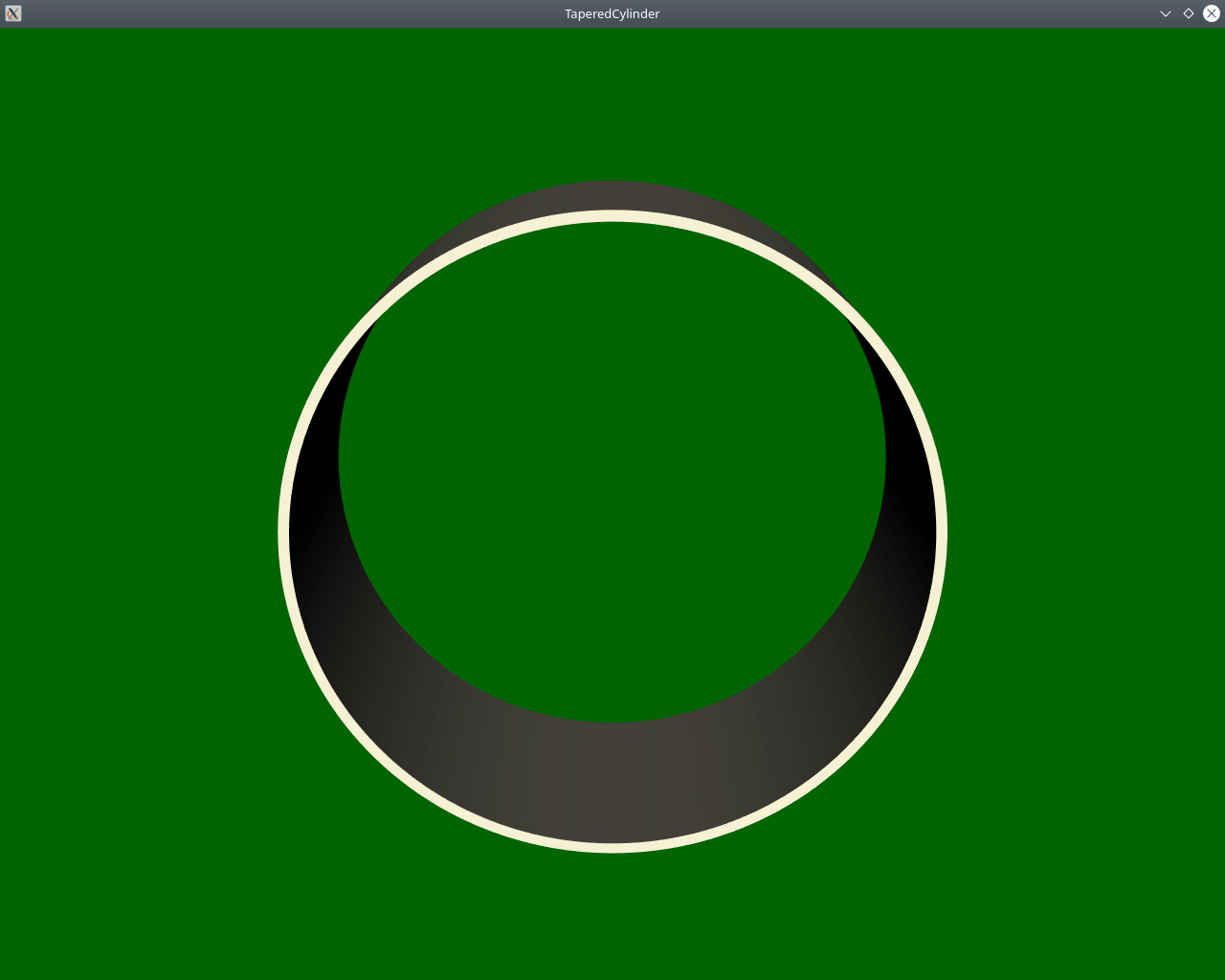
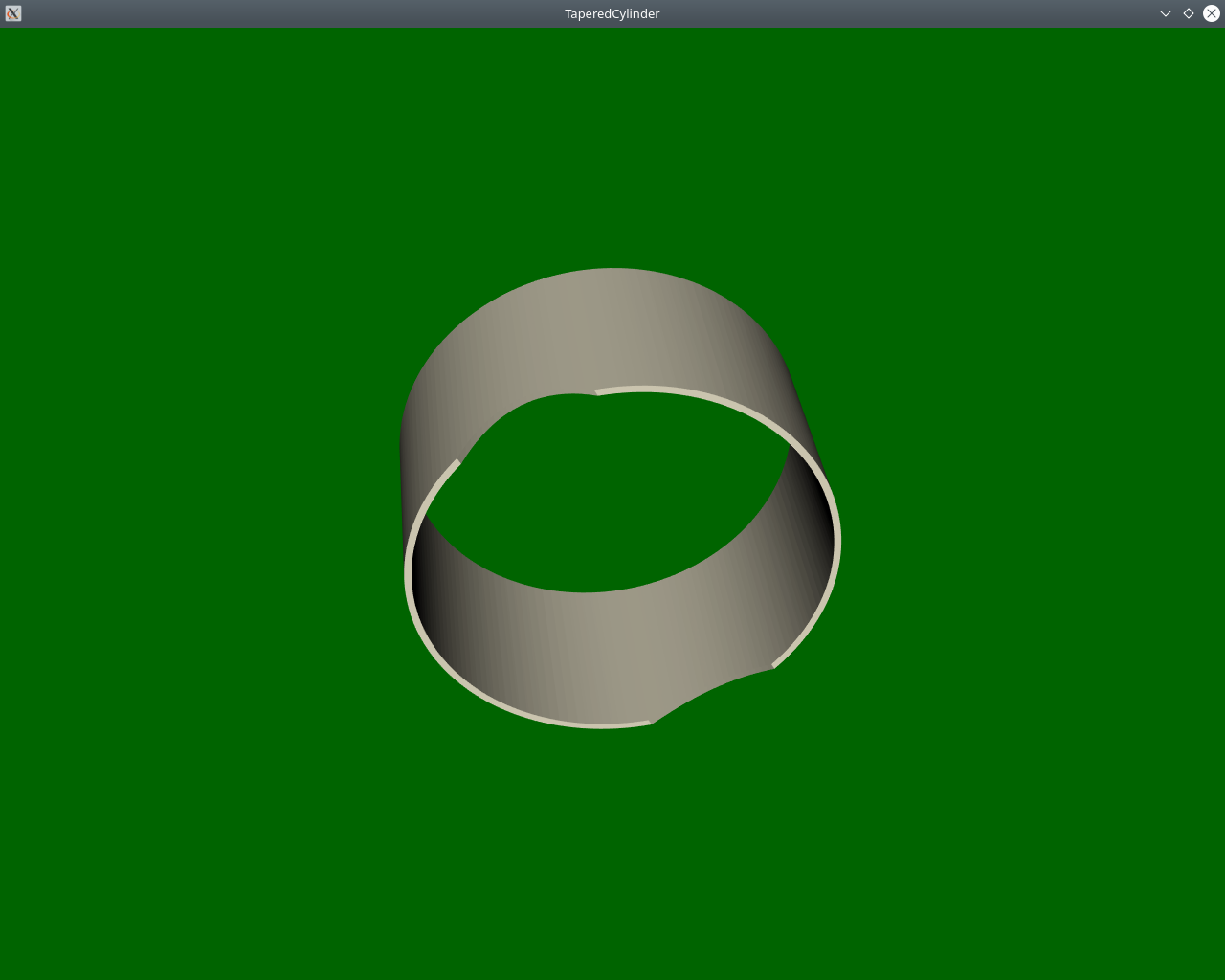
I have created a disk by cutting a plane source with 2 cylinders. Then created a Hollow cylinder using an Extrusion filter. When I tried to cut a hole in the cylinder using vtkCylinder, it doesn’t work. What is the best way to cut a hole in this case?
When I use cylinder1a.SetCenter(30 , 0 , 0); it creates a semicircle at the border i.e. cut at the border works. But inside it does not work.
Regards,
Anish
 [HoleInExtendedDisk.txt](https://discourse.vtk.org/uploads/short-url/aVU8wVAXGJAFpI1ATjLV7TLCLFe.txt) (2.1 KB)
---
### Author:  [@marcomusy](https://discourse.vtk.org/u/marcomusy)
#### Post date: [April 21, 2021, 10:55am UTC](https://discourse.vtk.org/t/hole-in-a-hollow-cylinder/5597/2 "2021-04-21T10:55:35Z")
I think you need to extrude the disc with resolution in z otherwise there won’t be vertices on the cylinder surface. (also, you can use `vtkDiskSource` you don’t need to cut a plane). E.g.:
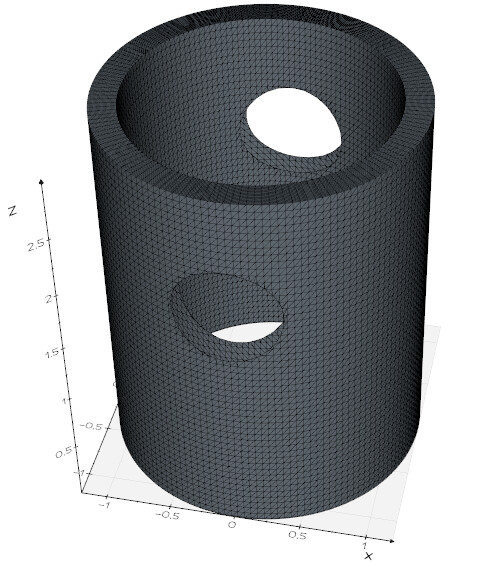
```python
from vedo import Disc, Cylinder
disc= Disc(r1=1, r2=1.2, res=25).lineWidth(1)
cut = Cylinder(r=0.4, height=4).rotateX(90).z(2)
disc.extrude(3, res=50).cutWithMesh(cut, invert=1).show(axes=1)
```
---
### Author:  [@dgobbi](https://discourse.vtk.org/u/dgobbi)
#### Post date: [April 21, 2021, 2:45pm UTC](https://discourse.vtk.org/t/hole-in-a-hollow-cylinder/5597/3 "2021-04-21T14:45:26Z")
Is the problem that the cylinder walls are “open” where they are cut? So you need the clipper to generate new polygons that seal the cut? That is a feature that vtkClipPolyData does not provide.
---
### Author:  [@dgobbi](https://discourse.vtk.org/u/dgobbi)
#### Post date: [April 21, 2021, 2:50pm UTC](https://discourse.vtk.org/t/hole-in-a-hollow-cylinder/5597/4 "2021-04-21T14:50:40Z")
Marco, your little example looks very impressive! I’ll have to take a closer look at vedo.
---
### Author:  [@marcomusy](https://discourse.vtk.org/u/marcomusy)
#### Post date: [April 21, 2021, 3:55pm UTC](https://discourse.vtk.org/t/hole-in-a-hollow-cylinder/5597/5 "2021-04-21T15:55:58Z")
Thanks David. What one can achieve with `vedo` (and `pyvista`) is to quickly check/debug an idea without having to worry too much about renderers and interactors… then one can go back to the pure vtk to implement it in a more performant way.
E.g. trying to cap the holes:
```python
from vedo import *
disc1= Disc(r1=1, r2=1.2, res=25)
cyl1 = disc1.extrude(3, res=50).lw(1)
disc2= Disc(r1=0.4, r2=0, res=25)
cyl2 = disc2.extrude(4, res=50).rotateX(90).pos(0,2,2)
part1 = cyl1.clone().cutWithMesh(cyl2, invert=1)
part2 = cyl2.clone().cutWithMesh(cyl1, invert=1).c("red4").lw(0)
msh = merge(part1, part2).c("gold").lw(0) # uses vtkAppend
show(part1, part2, msh, N=3, axes=1)
```
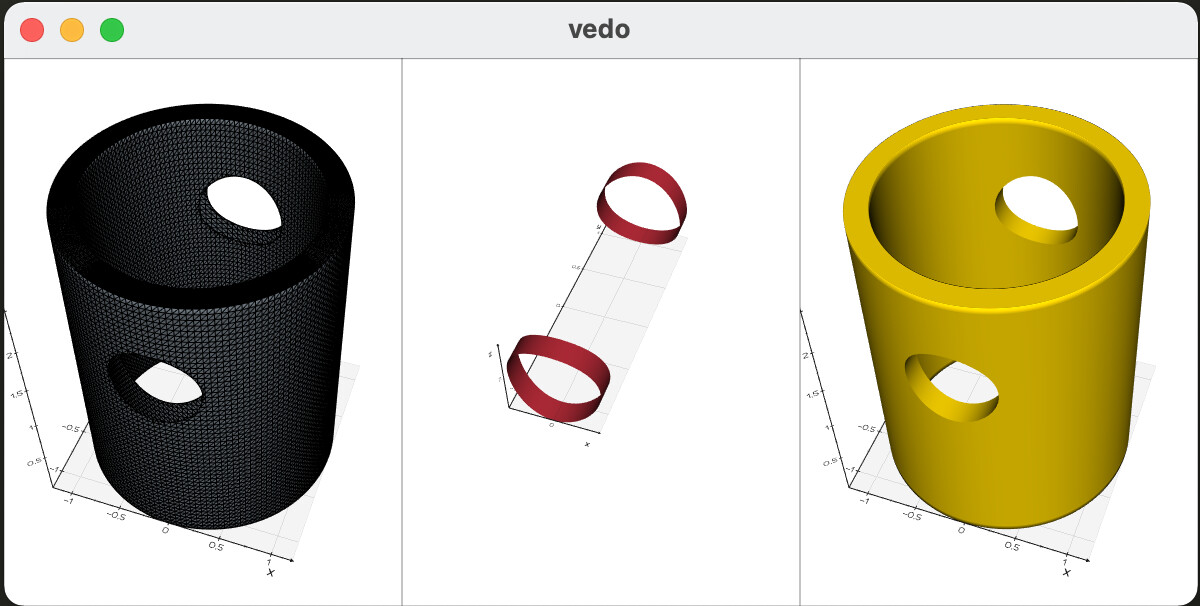
took me 5mins to write it! (yet it’s probably slow and not ideal, but could be close enough to a desired result…)
---
### Author:  [@Anish\_Basnet](https://discourse.vtk.org/u/Anish_Basnet)
#### Post date: [April 26, 2021, 7:59am UTC](https://discourse.vtk.org/t/hole-in-a-hollow-cylinder/5597/6 "2021-04-26T07:59:22Z")
Thank you @marcomusy for your quick response!
I used vtkLinearExtrusionFilter with extrusion type as VectorExtrusion because I wanted to extrude along a particular vector. Now I will use vtkRotationalExtrusionFilter for the generation of vertices in the extrusion direction and then rotate the cylinder in the required direction.