# How can I click one end of a line to drag, while the other end does not move.and the shape of the line segment is a catenary?
**URL:** https://discourse.vtk.org/t/how-can-i-click-one-end-of-a-line-to-drag-while-the-other-end-does-not-move-and-the-shape-of-the-line-segment-is-a-catenary/7235
**Category:** Support
**Created:** [November 21, 2021, 3:11pm UTC](https://discourse.vtk.org/t/how-can-i-click-one-end-of-a-line-to-drag-while-the-other-end-does-not-move-and-the-shape-of-the-line-segment-is-a-catenary/7235 "2021-11-21T15:11:34Z")
**Posts on this page:** 3
**Page:** 1
### Author:  [@szdxhwz](https://discourse.vtk.org/u/szdxhwz)
#### Post date: [November 21, 2021, 3:11pm UTC](https://discourse.vtk.org/t/how-can-i-click-one-end-of-a-line-to-drag-while-the-other-end-does-not-move-and-the-shape-of-the-line-segment-is-a-catenary/7235/1 "2021-11-21T15:11:34Z")
Hello, I am a novice, please advise. I’m working on a project. Click one end of a line to drag, while the other end is not moving, and the shape of the line segment is a catenary. May I ask if you have any suggestions or project recommendations. I have used linesource to click one end of a straight line and drag the other end, but when I set the line segment to a curve, the position of the other end of the line segment will not update with the click. What is the cause of this? Thank you all.
Below is the straight line code I implemented:
class MouseInteractorStyle(vtkInteractorStyleTrackballCamera):
```
def __init__ (self, origin,p0,actor):
self.AddObserver('MiddleButtonPressEvent', self.middle_down)
self.AddObserver('MiddleButtonReleaseEvent', self.middle_up)
self.lineActor=vtk.vtkActor()
self.lineSource=vtk.vtkLineSource()
self.points=vtk.vtkPoints()
self.polyLine=vtk.vtkPolyLine()
self.sphereSourcebegin=vtk.vtkSphereSource()
self.mapperbegin=vtk.vtkPolyDataMapper()
self.actorbegin=vtkActor()
self.lineMapper=vtk.vtkPolyDataMapper()
self.beginOrend = 0
self.origin = origin
self.p0=p0
self.renderer = vtkRenderer()
self.PointPicker=vtk.vtkPointPicker()
self.actor=actor
self.cells=vtk.vtkCellArray()
self.polyData=vtk.vtkPolyData()
self.filter=vtk.vtkTubeFilter()
self.spline=vtk.vtkParametricSpline()
self.functionSource=vtk.vtkParametricFunctionSource()
self.splineMapper=vtk.vtkPolyDataMapper()
def middle_down(self, obj, event):
self.colors = vtkNamedColors()
x = self.GetInteractor().GetEventPosition()[0]
y = self.GetInteractor().GetEventPosition()[1]
self.FindPokedRenderer(x, y)
self.PointPicker.Pick(self.GetInteractor().GetEventPosition()[0],
self.GetInteractor().GetEventPosition()[1],
0,
self.GetInteractor().GetRenderWindow().GetRenderers().GetFirstRenderer())
if self.PointPicker.GetPointId()==0:
self.beginOrend = 1
print('1')
self.OnMiddleButtonDown()
def middle_up(self, obj, event):
if self.beginOrend == 1:
clickPosbegin = self.GetInteractor().GetEventPosition()
self.origin[0]=clickPosbegin[0]
self.origin[1]=clickPosbegin[1]
self.GetInteractor().GetPicker().Pick(self.GetInteractor().GetEventPosition()[0],
self.GetInteractor().GetEventPosition()[1], 0,
self.GetInteractor().GetRenderWindow().GetRenderers().GetFirstRenderer())
self.WorldPointbegin=self.GetInteractor().GetPicker().GetPickPosition()
print(self.WorldPointbegin[0],self.WorldPointbegin[1],self.WorldPointbegin[2])
self.sphereSourcebegin.Update()
self.mapperbegin.SetInputConnection(self.sphereSourcebegin.GetOutputPort())
self.actorbegin.SetMapper(self.mapperbegin)
self.actorbegin.SetPosition(self.WorldPointbegin)
self.actorbegin.SetScale(0.008)
self.actorbegin.GetProperty().SetColor(1.0, 0.0, 1.0)
self.lineSource.SetPoint1(self.WorldPointbegin)
self.lineSource.SetPoint2(self.p0)
self.lineSource.Update()
self.splineMapper.SetInputConnection(self.lineSource.GetOutputPort())
#self.lineMapper.ScalarVisibilityOff()
self.lineActor.SetMapper(self.splineMapper)
self.lineActor.GetProperty().SetColor(0, 0, 0)
self.lineActor.GetProperty().SetOpacity(1)
self.GetInteractor().GetRenderWindow().GetRenderers().GetFirstRenderer().AddActor(self.actorbegin)
self.GetInteractor().GetRenderWindow().GetRenderers().GetFirstRenderer().AddActor(self.lineActor)
self.actor.VisibilityOff()
self.OnMiddleButtonUp()
```
def main(argv):
```
colors = vtkNamedColors()
origin = [0.0, 0.0, 0.0]
p0 = [1.0, 0.0, 0.0]
p1 = [1.0, 1.0, 0.0]
p2 = [1.0, 1.0, 1.0]
points=vtk.vtkPoints()
points.InsertNextPoint(origin)
points.InsertNextPoint(p0)
points.InsertNextPoint(p1)
points.InsertNextPoint(p2)
polyLine=vtk.vtkPolyLine()
polyLine.GetPointIds().SetNumberOfIds(2)
for i in range(2):
polyLine.GetPointIds().SetId(i,i)
cells=vtk.vtkCellArray()
cells.InsertNextCell(polyLine)
polyData=vtk.vtkPolyData()
polyData.SetPoints(points)
polyData.SetLines(cells)
glyphFilter=vtk.vtkVertexGlyphFilter()
glyphFilter.SetInputData(polyData)
glyphFilter.Update()
pointPicker=vtkPointPicker()
mapper=vtk.vtkPolyDataMapper()
mapper.SetInputData(polyData)
actor=vtkActor()
actor.SetMapper(mapper)
actor.GetProperty().SetColor(colors.GetColor3d("MistyRose"))
actor.GetProperty().SetPointSize(10)
actor.GetProperty().SetLineWidth(10)
renderer = vtkRenderer()
ren_win = vtkRenderWindow()
ren_win.AddRenderer(renderer)
ren_win.SetWindowName('CellPicking')
iren = vtkRenderWindowInteractor()
iren.SetRenderWindow(ren_win)
iren.SetPicker(pointPicker)
renderer.AddActor(actor)
# renderer.ResetCamera()
renderer.SetBackground(colors.GetColor3d('White'))
# Add the custom style.
style = MouseInteractorStyle(origin,p0,actor)
style.SetDefaultRenderer(renderer)
iren.SetInteractorStyle(style)
ren_win.Render()
iren.Initialize()
iren.Start()
```
if **name** == ‘ **main** ’:
```
import sys
main(sys.argv)
```
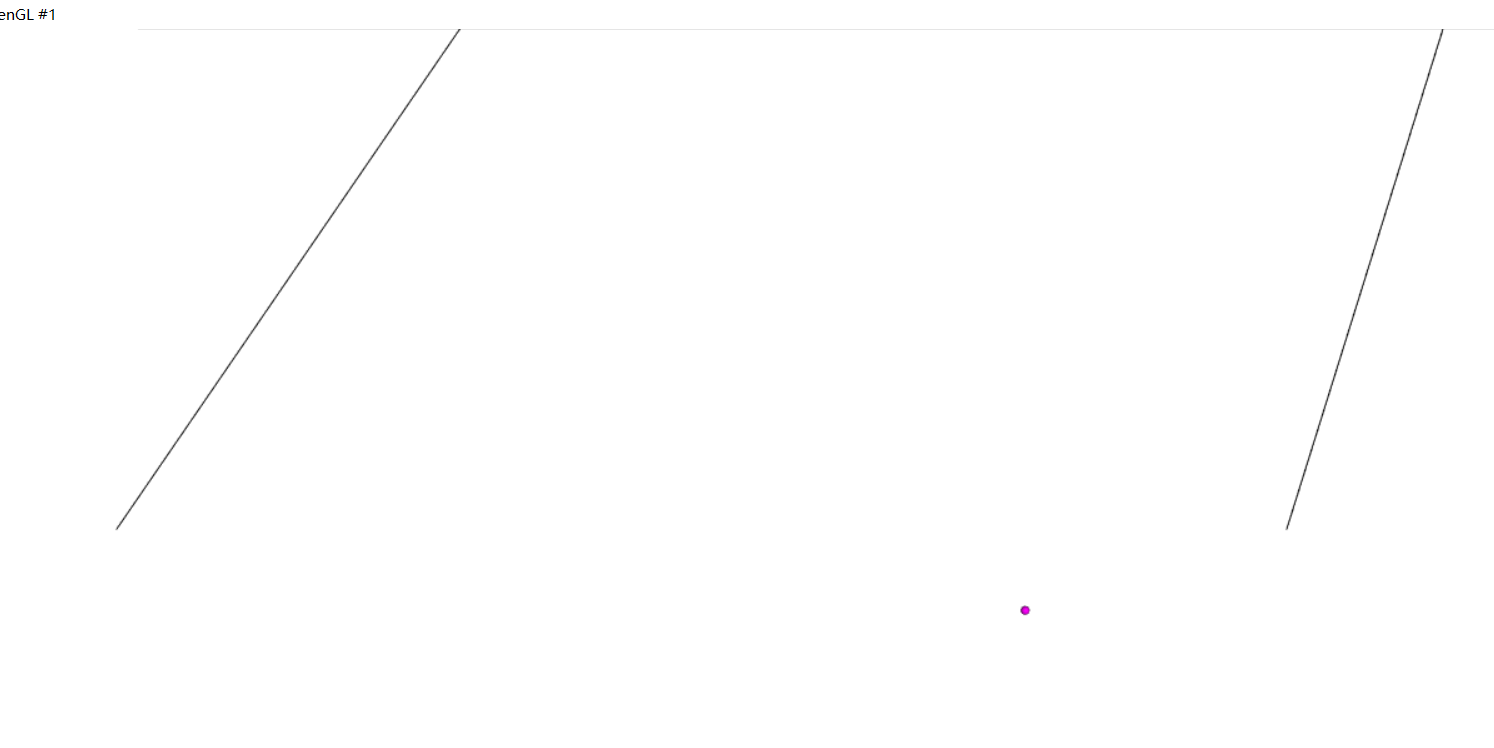
This is the curve I realized. The end point will be updated with the click, but the line will not be updated.
---
### Author:  [@marcomusy](https://discourse.vtk.org/u/marcomusy)
#### Post date: [November 21, 2021, 9:20pm UTC](https://discourse.vtk.org/t/how-can-i-click-one-end-of-a-line-to-drag-while-the-other-end-does-not-move-and-the-shape-of-the-line-segment-is-a-catenary/7235/2 "2021-11-21T21:20:26Z")
I have a very similar example in `vedo` maybe you find it useful:
```python
import numpy as np
import vedo
P1 = (0.0, 0.0)
P2 = (0.0, 0.0)
L = 1.8
n = 20
dA = 0.001
def move(evt):
if not evt.actor:
return
x0, y0 = P1
x1, y1, _ = evt.picked3d
dx = x1 - x0
xb = (x1 + x0) / 2
dy = y1 - y0
r = np.sqrt(L **2 - dy** 2) / dx
A = 0.01
left = r * A
right = np.sinh(A)
while left >= right:
left = r * A
right = np.sinh(A)
A = A + dA
A = A - dA
a = dx / (2 * A)
b = xb - a * 1/2 * np.log((1+dy/L)/(1-dy/L))
c = y0 - a * np.cosh((x0-b)/a)
x = x0
ddx = 0.001
pts = []
while x < x1:
y = a * np.cosh((x-b)/a) + c
x = x + ddx
pts.append([x, y])
pts.append([x1, y1])
coords = vedo.Spline(pts, res=n).points()
line.points(coords) # update coords
nodes.points(coords)
plt.render()
surf = vedo.Plane(sx=1, sy=1).shift(0.51,0,0)
line = vedo.Line(P1, P2, res=n, lw=10)
nodes= line.clone().c('red3').pointSize(8)
plt = vedo.Plotter()
plt.addCallback("MouseLeftButton", move)
plt.addCallback("Interaction", move)
plt.show("Click&Drag", surf, line, nodes, axes=1, mode='image')
```
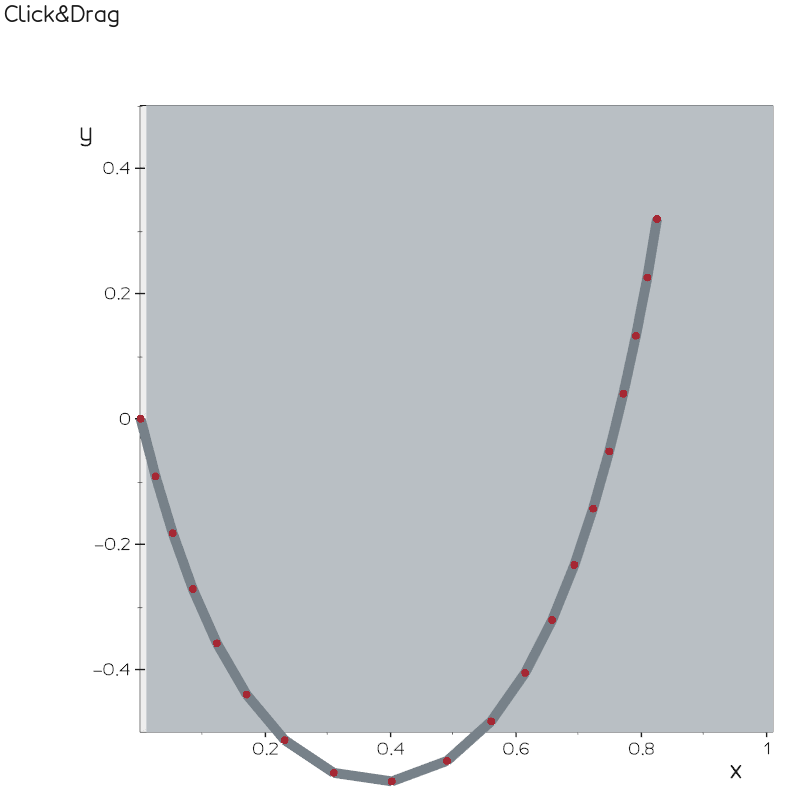
I grabbed and adapted some of the code from [here](https://trinket.io/glowscript/f938182b85).
---
### Author:  [@szdxhwz](https://discourse.vtk.org/u/szdxhwz)
#### Post date: [November 22, 2021, 7:47am UTC](https://discourse.vtk.org/t/how-can-i-click-one-end-of-a-line-to-drag-while-the-other-end-does-not-move-and-the-shape-of-the-line-segment-is-a-catenary/7235/3 "2021-11-22T07:47:18Z")
Thank you very much, I haven’t used vedo yet, it looks pretty cool!But I still wonder why the line segments generated using setpoint1 and setpoint2 in linesource can be updated, but the curve generated by setpoints cannot be updated? Do you know anything in this regard?
this is code for the curve:
self.points.InsertNextPoint(self.WorldPointbegin)
```
self.points.InsertNextPoint([1,1,1])
self.points.InsertNextPoint(self.origin)
self.lineSource.SetPoints(self.points)
self.lineSource.Update()
```