# How can i implement an interactive coordinate axis to move/rotate my actor
**URL:** https://discourse.vtk.org/t/how-can-i-implement-an-interactive-coordinate-axis-to-move-rotate-my-actor/13080
**Category:** Support
**Created:** [January 16, 2024, 3:36pm UTC](https://discourse.vtk.org/t/how-can-i-implement-an-interactive-coordinate-axis-to-move-rotate-my-actor/13080 "2024-01-16T15:36:41Z")
**Posts on this page:** 3
**Page:** 1
### Author:  [@musheng0624](https://discourse.vtk.org/u/musheng0624)
#### Post date: [January 16, 2024, 3:36pm UTC](https://discourse.vtk.org/t/how-can-i-implement-an-interactive-coordinate-axis-to-move-rotate-my-actor/13080/1 "2024-01-16T15:36:41Z")
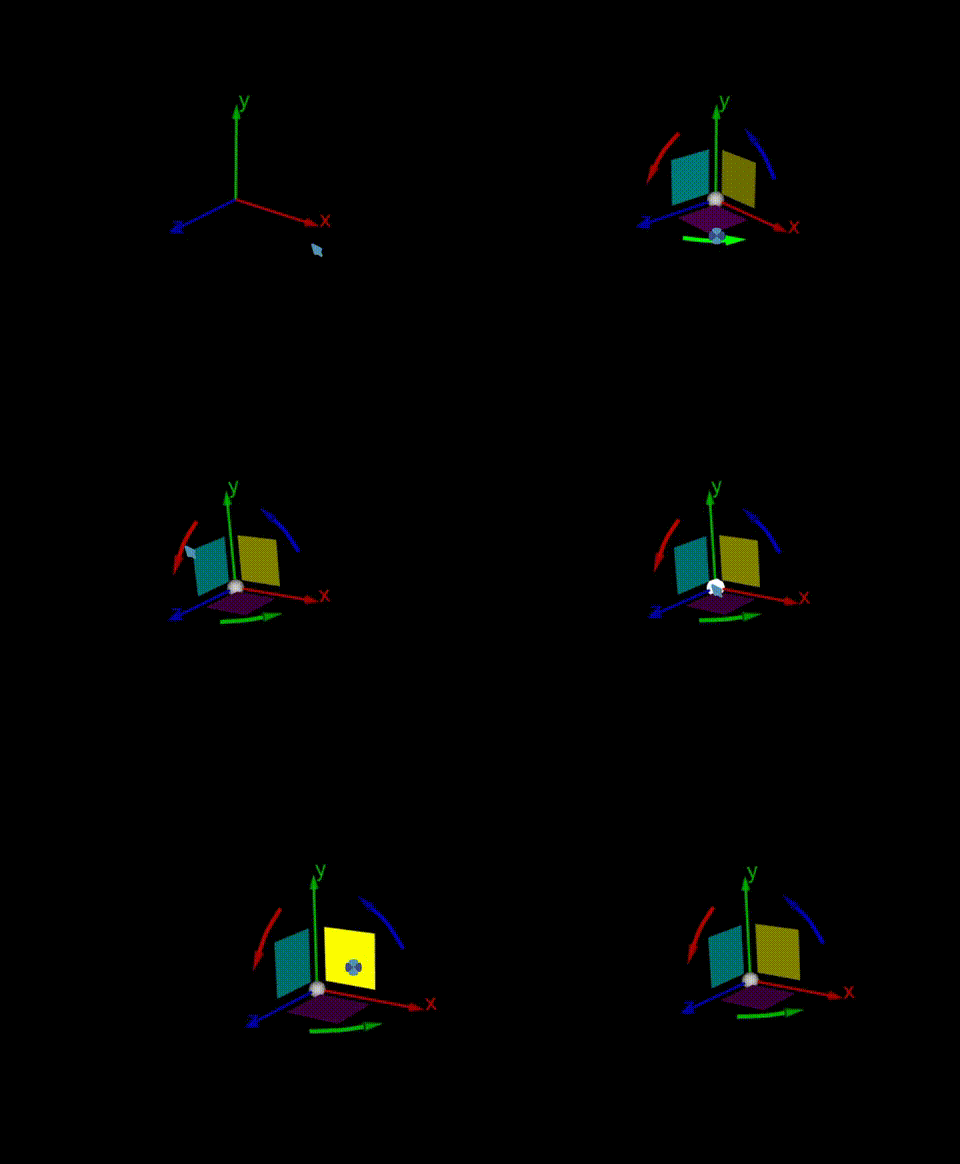
I am new to VTK. Now my project is going to render two actor. And I want to implement an interactive coordinate axis to move or rotate one of my actor, but i have no idea how to start my project. Is there any code sample for me to study?
---
### Author:  [@will.schroeder](https://discourse.vtk.org/u/will.schroeder)
#### Post date: [January 16, 2024, 6:10pm UTC](https://discourse.vtk.org/t/how-can-i-implement-an-interactive-coordinate-axis-to-move-rotate-my-actor/13080/2 "2024-01-16T18:10:38Z")
That’s a very nice looking widget! It would be very nice to have in VTK.
Just a word of warning: implementing a widget in VTK is very hard. Especially for a new comer because so many parts of the system come together and have to be coordinated properly for the widget to behave correctly.
From a high-level, the widgets consist of two parts: a _representation_ which is where the geometry/appearance is defined; and the _widget_ where events are processed and then passed to the representation which changes its appearance/state in response.
I’d suggest looking at the widget/representation pair vtkBoxWidget2 and vtkBoxRepresentation (in VTK/Interaction/Widgets). Then find the tests / examples that use this widget / representation pair and study them. There are many other widgets in Interaction/Widgets that you can study as well.
Good luck!
---
### Author:  [@michaelhogg](https://discourse.vtk.org/u/michaelhogg)
#### Post date: [October 15, 2024, 1:29am UTC](https://discourse.vtk.org/t/how-can-i-implement-an-interactive-coordinate-axis-to-move-rotate-my-actor/13080/3 "2024-10-15T01:29:52Z")
Hey musheng - Did you end up getting this working?