# How to apply individual scalars/textures to layers when using vtkOpenGLGlyph3DMapper for stacked point clouds?
**URL:** https://discourse.vtk.org/t/how-to-apply-individual-scalars-textures-to-layers-when-using-vtkopenglglyph3dmapper-for-stacked-point-clouds/16125
**Category:** Support
**Tags:** python, code
**Created:** [November 6, 2025, 8:12am UTC](https://discourse.vtk.org/t/how-to-apply-individual-scalars-textures-to-layers-when-using-vtkopenglglyph3dmapper-for-stacked-point-clouds/16125 "2025-11-06T08:12:39Z")
**Posts on this page:** 3
**Page:** 1
### Author:  [@guote](https://discourse.vtk.org/u/guote)
#### Post date: [November 6, 2025, 8:12am UTC](https://discourse.vtk.org/t/how-to-apply-individual-scalars-textures-to-layers-when-using-vtkopenglglyph3dmapper-for-stacked-point-clouds/16125/1 "2025-11-06T08:12:39Z")
Hi all,
I am working with a large point cloud dataset with a shape of (N, 7000), where N is the number of points on a surface, and 7000 represents the number of stacked depth layers for each point.
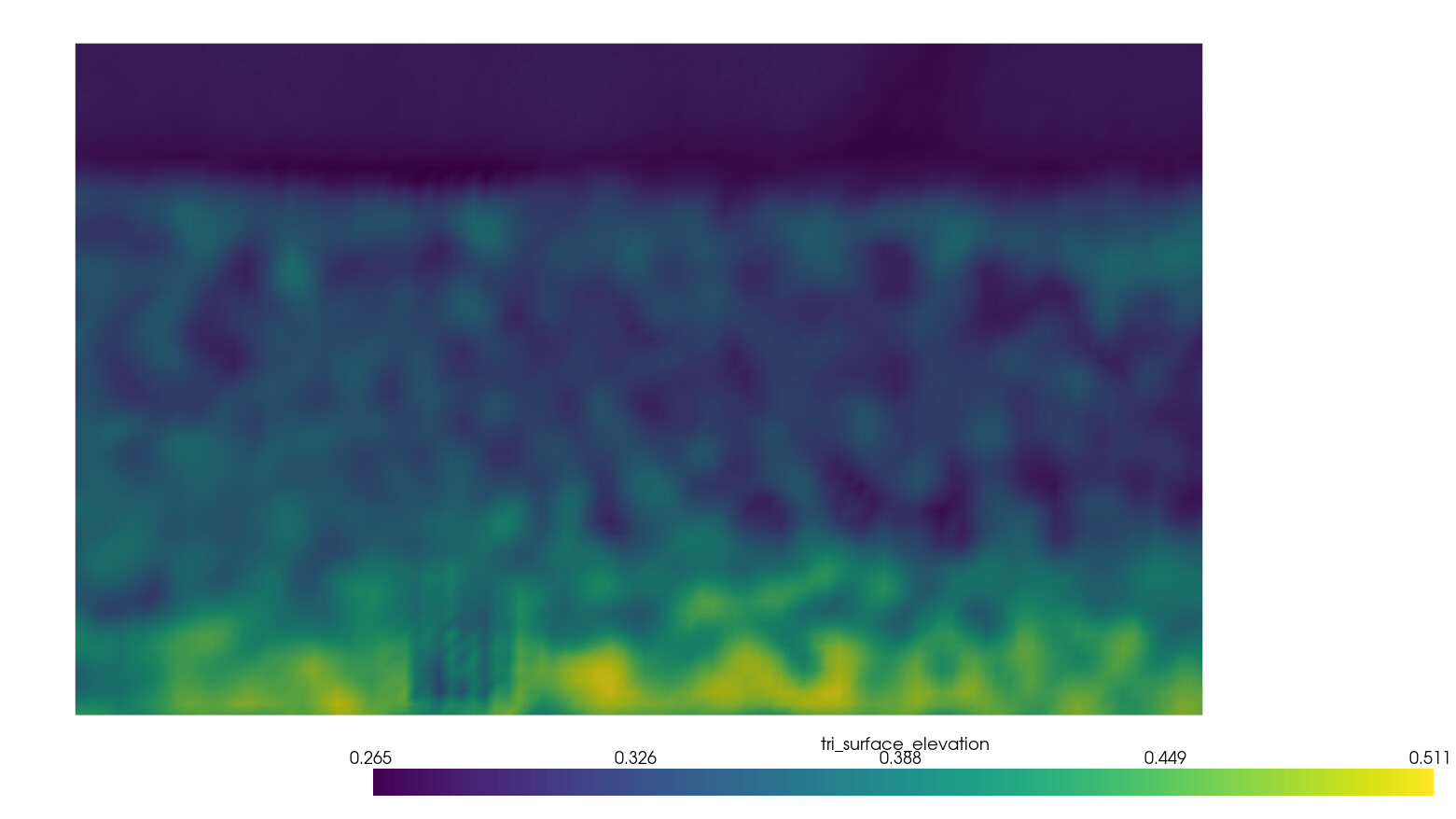
Currently, I can successfully generate and color the mesh for a single layer (e.g., the bottom layer), as shown below:
I tried creating 7000 polydata actors with scalars for each layer to display its own color information, but it was terribly slow.
To improve performance when visualizing all 7000 stacked layers, I tried using `vtkOpenGLGlyph3DMapper` to instance the layers. However, I am struggling to apply unique scalars (or textures) to each individual layer to achieve the same visual result as the single-layer image.
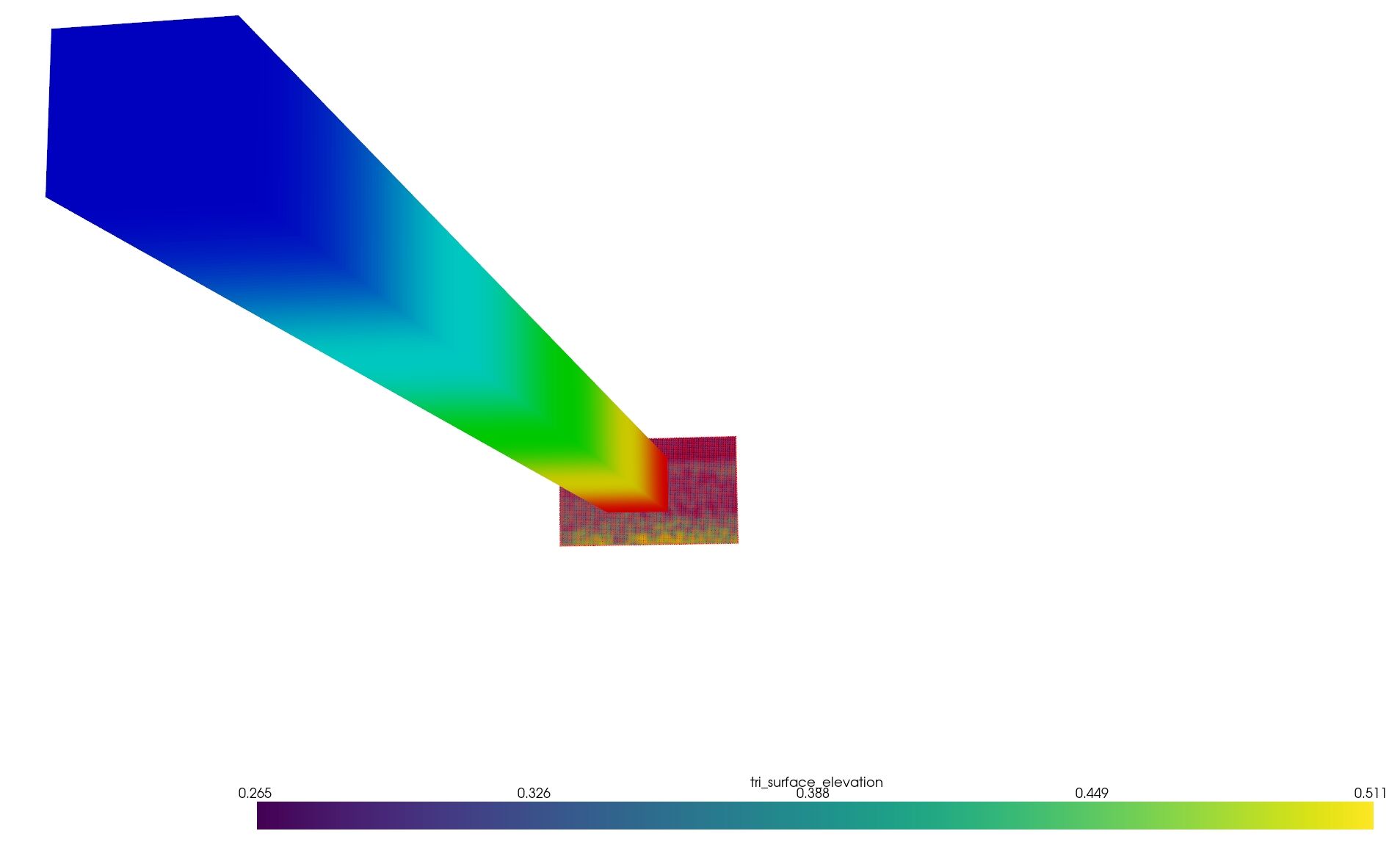
Is there a way to assign distinct scalars or textures to each instance/layer when using `vtkGlyph3DMapper`?
Thanks for your help!
---
### Author:  [@jaswantp](https://discourse.vtk.org/u/jaswantp)
#### Post date: [November 6, 2025, 2:21pm UTC](https://discourse.vtk.org/t/how-to-apply-individual-scalars-textures-to-layers-when-using-vtkopenglglyph3dmapper-for-stacked-point-clouds/16125/2 "2025-11-06T14:21:34Z")
Have you tried putting each layer in a composite dataset, and use the vtkCompositePolyDataMapper?
---
### Author:  [@guote](https://discourse.vtk.org/u/guote)
#### Post date: [November 7, 2025, 2:22am UTC](https://discourse.vtk.org/t/how-to-apply-individual-scalars-textures-to-layers-when-using-vtkopenglglyph3dmapper-for-stacked-point-clouds/16125/3 "2025-11-07T02:22:07Z")
Hi, I have tried the CompositePolyDataMpper, but I got similar results like before with PolyData, it was still heavy and slow, cost about 7GB of VRAM and up to 40GB of RAM when loading, and running on 10 FPS average.
My goal here is to plot 7000 layers of mesh, each layer is with 27000 vertices and 51000 faces, the only performance friendly way I found is the glyph, but I don’t know how to add heat map-like colors for each individual layer.