# How to expand the model bounding box in VTK.JS
**URL:** https://discourse.vtk.org/t/how-to-expand-the-model-bounding-box-in-vtk-js/10063
**Category:** Web
**Created:** [December 5, 2022, 8:09am UTC](https://discourse.vtk.org/t/how-to-expand-the-model-bounding-box-in-vtk-js/10063 "2022-12-05T08:09:49Z")
**Posts on this page:** 5
**Page:** 1
### Author:  [@sunlin0oo](https://discourse.vtk.org/u/sunlin0oo)
#### Post date: [December 5, 2022, 8:09am UTC](https://discourse.vtk.org/t/how-to-expand-the-model-bounding-box-in-vtk-js/10063/1 "2022-12-05T08:09:49Z")
I can get the boundary value of the model through mapper.getBounds(), which I understand is the value of the bounding box.
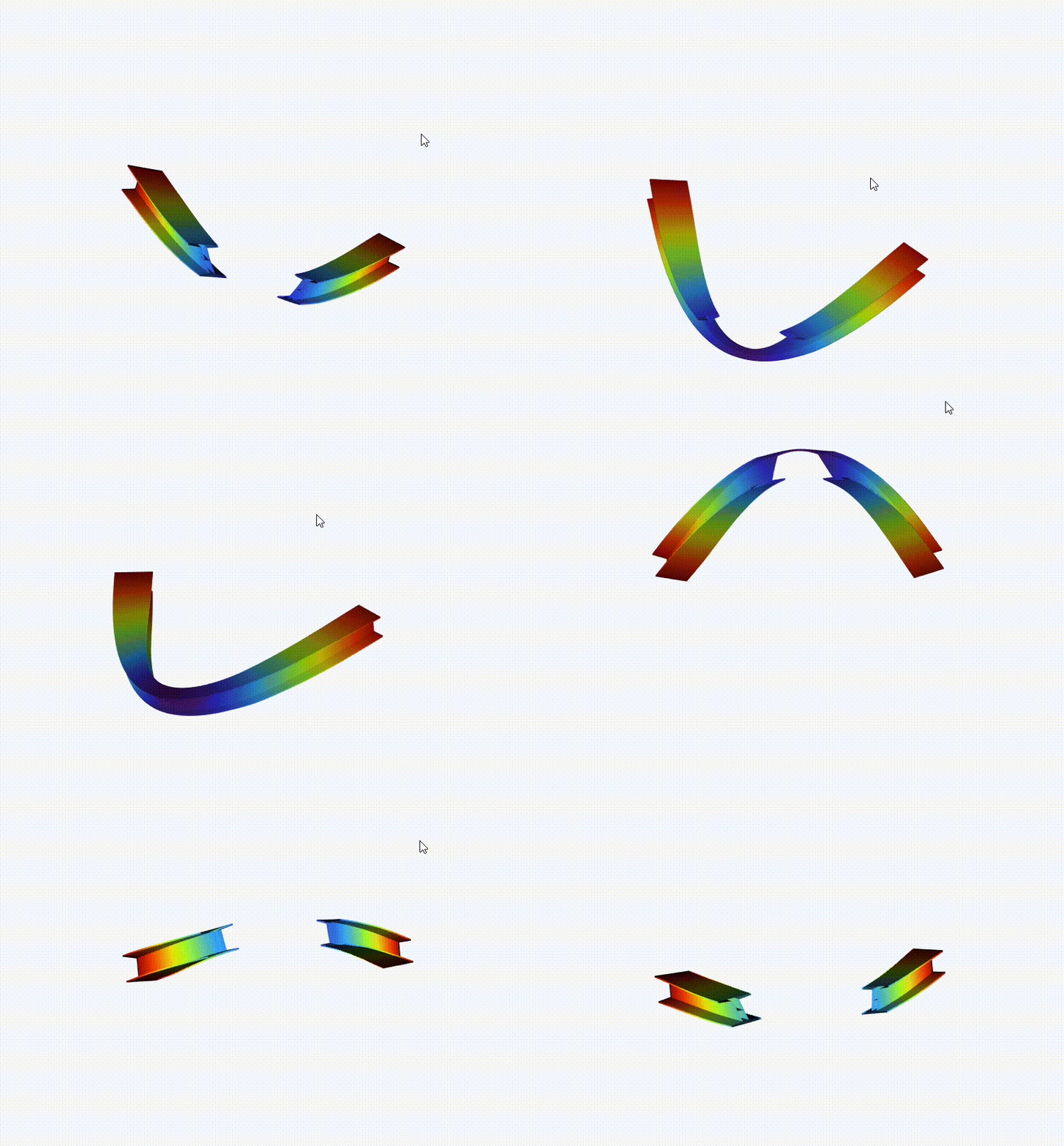
Right now I scale up (shrink) the model coordinates through the shader, causing parts of it to be clipped when rotated. So I want to expand its bounding box so it doesn’t get clipped. Is there any way to do it please?
---
### Author:  [@finetjul](https://discourse.vtk.org/u/finetjul)
#### Post date: [December 5, 2022, 9:38am UTC](https://discourse.vtk.org/t/how-to-expand-the-model-bounding-box-in-vtk-js/10063/2 "2022-12-05T09:38:59Z")
You can look at [vtkRenderer.resetCameraClippingRange()](https://kitware.github.io/vtk-js/api/Rendering_Core_Renderer.html#resetCameraClippingRange)
---
### Author:  [@sunlin0oo](https://discourse.vtk.org/u/sunlin0oo)
#### Post date: [December 5, 2022, 10:07am UTC](https://discourse.vtk.org/t/how-to-expand-the-model-bounding-box-in-vtk-js/10063/3 "2022-12-05T10:07:26Z")
Thank you for your answer.
I used this method before but it didn’t work.
I can fix it by setting actor.setPositoin, but I feel that the key problem is the bounding box rather than the position of the object, so I want to know how to change the bounding box of the mapper
---
### Author:  [@sankhesh](https://discourse.vtk.org/u/sankhesh)
#### Post date: [December 5, 2022, 2:54pm UTC](https://discourse.vtk.org/t/how-to-expand-the-model-bounding-box-in-vtk-js/10063/4 "2022-12-05T14:54:19Z")
@sunlin0oo The mapper uses the bounds from the prop. You have to make sure that the polydata is set up correctly for the mapper to compute its bounds. If you’d rather just have the renderer look at some custom bounds, take a look at the `vtkRenderer.resetCamera` method. It accepts `bounds` as an optional argument.
---
### Author:  [@sunlin0oo](https://discourse.vtk.org/u/sunlin0oo)
#### Post date: [December 5, 2022, 3:11pm UTC](https://discourse.vtk.org/t/how-to-expand-the-model-bounding-box-in-vtk-js/10063/5 "2022-12-05T15:11:52Z")
Thank you for your reply! I will explore according to your suggestions!