# How to mark different marked areas with different colors when marking with the paintWidget?
**URL:** https://discourse.vtk.org/t/how-to-mark-different-marked-areas-with-different-colors-when-marking-with-the-paintwidget/8396
**Category:** Web
**Created:** [April 28, 2022, 10:43am UTC](https://discourse.vtk.org/t/how-to-mark-different-marked-areas-with-different-colors-when-marking-with-the-paintwidget/8396 "2022-04-28T10:43:08Z")
**Posts on this page:** 5
**Page:** 1
### Author:  [@zuolx](https://discourse.vtk.org/u/zuolx)
#### Post date: [April 28, 2022, 10:43am UTC](https://discourse.vtk.org/t/how-to-mark-different-marked-areas-with-different-colors-when-marking-with-the-paintwidget/8396/1 "2022-04-28T10:43:08Z")
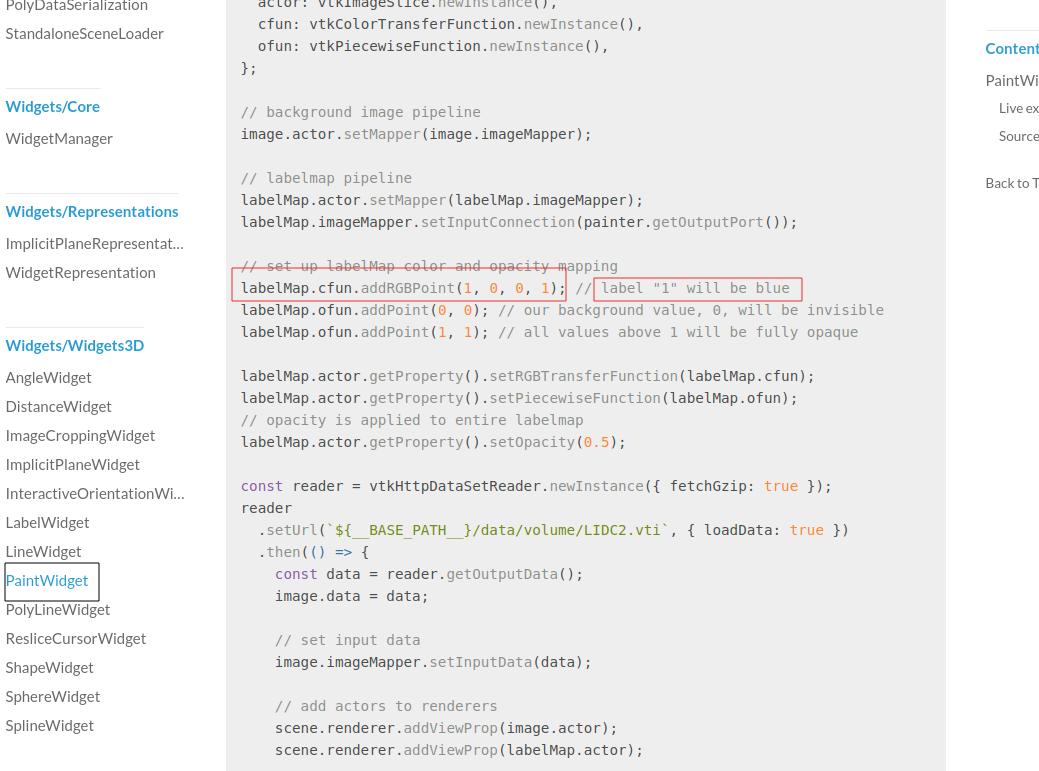
For PaintWidget([vtk.js](https://kitware.github.io/vtk-js/examples/PaintWidget.html)) In the examples of vtk.js website, I want to dynamic change the RGBpoint’s color, i have try many ways ,but not find a correct method. can you help me?
---
### Author:  [@Forrest](https://discourse.vtk.org/u/Forrest)
#### Post date: [April 28, 2022, 2:23pm UTC](https://discourse.vtk.org/t/how-to-mark-different-marked-areas-with-different-colors-when-marking-with-the-paintwidget/8396/2 "2022-04-28T14:23:40Z")
You should be able to modify the RGB points for a color transfer function. If not, you can always recreate the transfer function object whenever you modify your color map, and set the new object as the RGBTransferFunction.
---
### Author:  [@zuolx](https://discourse.vtk.org/u/zuolx)
#### Post date: [April 29, 2022, 1:35am UTC](https://discourse.vtk.org/t/how-to-mark-different-marked-areas-with-different-colors-when-marking-with-the-paintwidget/8396/3 "2022-04-29T01:35:42Z")
I have tried, but the color of all points marked before will be changed. My purpose is to change the color of the current mark, and the color of the previous points will not change
---
### Author:  [@Ewing](https://discourse.vtk.org/u/Ewing)
#### Post date: [April 29, 2022, 8:15am UTC](https://discourse.vtk.org/t/how-to-mark-different-marked-areas-with-different-colors-when-marking-with-the-paintwidget/8396/4 "2022-04-29T08:15:56Z")
If I want paint more label in labelmap( three or more label in labelmap ,like segmentation in 3DSlicer),
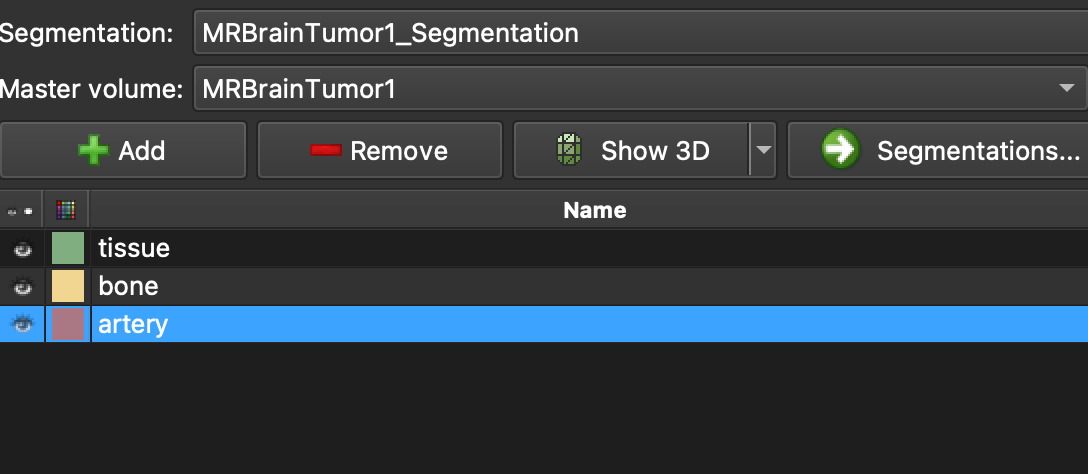
not only change color of the labelmap,what should I do?
Thank you a lot.
---
### Author:  [@Forrest](https://discourse.vtk.org/u/Forrest)
#### Post date: [May 11, 2022, 3:51pm UTC](https://discourse.vtk.org/t/how-to-mark-different-marked-areas-with-different-colors-when-marking-with-the-paintwidget/8396/5 "2022-05-11T15:51:33Z")
The paint widget itself doesn’t actually do the painting. It uses vtkPaintFilter, which controls what labels get painted. You will need to look at the paint widget example to see the use of the vtkPaintFilter and how it sets the current label value.