# How to merge two resliceActors one on top of other?
**URL:** https://discourse.vtk.org/t/how-to-merge-two-resliceactors-one-on-top-of-other/8005
**Category:** Web
**Created:** [March 8, 2022, 3:52pm UTC](https://discourse.vtk.org/t/how-to-merge-two-resliceactors-one-on-top-of-other/8005 "2022-03-08T15:52:45Z")
**Posts on this page:** 4
**Page:** 1
### Author:  [@stoune](https://discourse.vtk.org/u/stoune)
#### Post date: [March 8, 2022, 3:52pm UTC](https://discourse.vtk.org/t/how-to-merge-two-resliceactors-one-on-top-of-other/8005/1 "2022-03-08T15:52:45Z")
Hey, in a `ResliceCursorWidget`, I’m trying to display the brain volume, in addition to a fMRI mask on the top of it, so on each widget interaction we could see the changes in the brain slices and in fMRI slices,
I used almost the same code as the official example, and I added another instance of `ImageSlice`/ `ResliceActor`/ `ResliceMapper` and I made the fMRI actor transparent so we can see behind it, and I changed the color of the mask, as @finetjul told me (many thanks).
and I added the actors to the scene (the fMRI mask in last so we could see it on the top of the brain), and I added in each widget interaction `updateSlices` for the two actors (fmri mask and the brain).
But the fMRI mask is not displayed, only the brain in the scene, I know the fMRI mask actor is in the wrong position somewhere in the scene, because when I I do `widget.setImage()` on the image of the fMRI mask instead of the brain, I see the fMRI mask but the brain just below/above them like you see here:
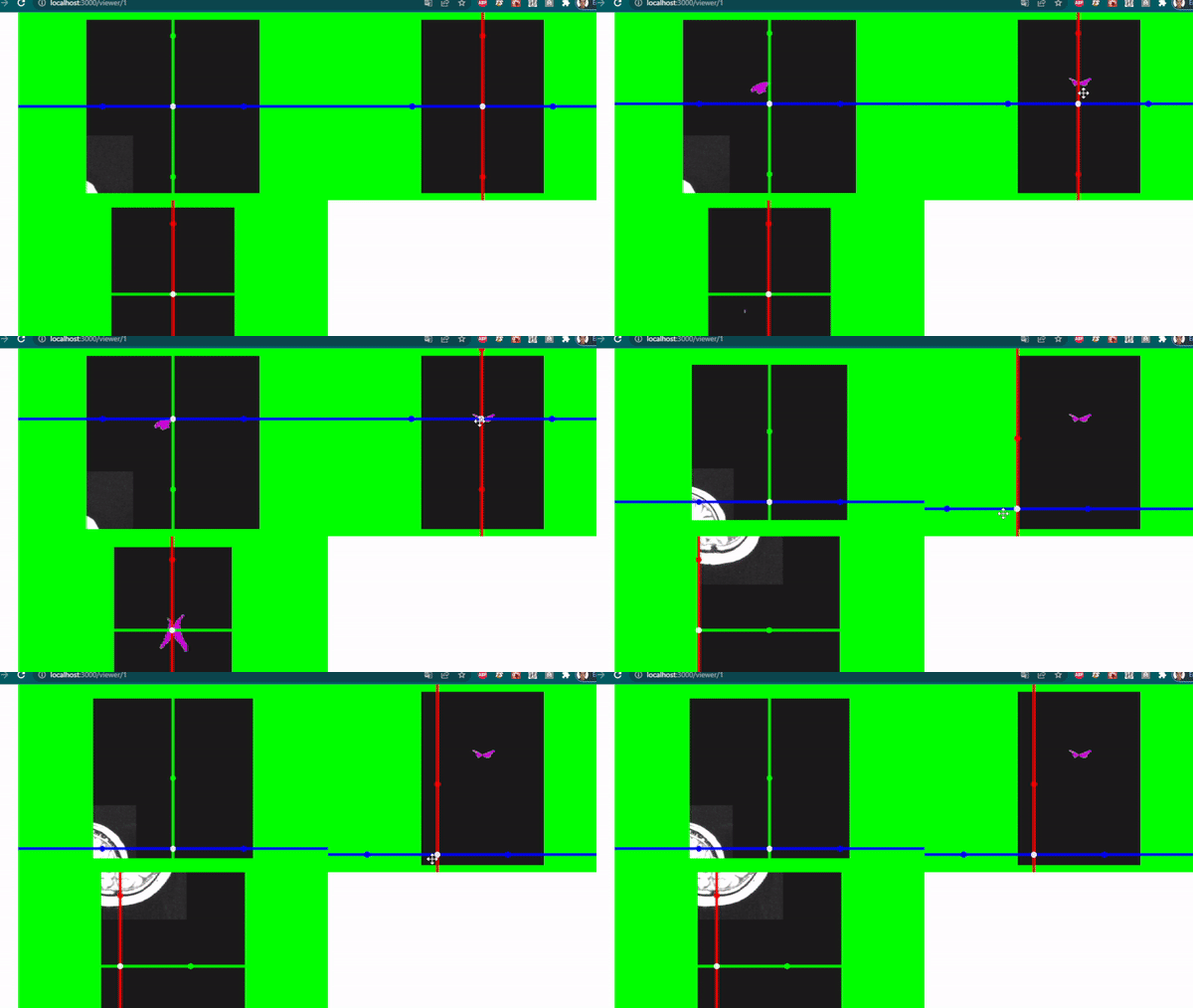
Here is a sandbox of my code, it is working, to see the difference you can do `widget.setImage(image); // the volume of the brain` or you can do `widget.setImage(image1); // the volume of the fMRI mask`
[https://codesandbox.io/](https://codesandbox.io/s/hardcore-johnson-x97lqd?file=/src/App.js:0-13812)
---
### Author:  [@finetjul](https://discourse.vtk.org/u/finetjul)
#### Post date: [March 9, 2022, 8:11am UTC](https://discourse.vtk.org/t/how-to-merge-two-resliceactors-one-on-top-of-other/8005/2 "2022-03-09T08:11:52Z")
Your images are not aligned:
volume.vti:
```auto
```
mask.vti
```auto
```
Your codesandbox sharing is helpful, you might also want to contribute your mask demo case to the existing “ResliceCursorWidget” example in VTK.js. One benefit is that it will be maintained by the community.
---
### Author:  [@stoune](https://discourse.vtk.org/u/stoune)
#### Post date: [March 9, 2022, 3:58pm UTC](https://discourse.vtk.org/t/how-to-merge-two-resliceactors-one-on-top-of-other/8005/3 "2022-03-09T15:58:01Z")
> [@finetjul](#):
>
> ResliceCursorWidget
Thank you for your helpful answer, I was able to solve it by adding `imagefMRI.setOrigin(imageBrain.getOrigin())`, but not totally solved, The extent and the spacing are not the same.
Yes I will be happy to contribute this demo, I searched in github `ResliceCursorWidget` example but it is not there, how do I contribute my demo instead?
---
### Author:  [@finetjul](https://discourse.vtk.org/u/finetjul)
#### Post date: [March 10, 2022, 12:17pm UTC](https://discourse.vtk.org/t/how-to-merge-two-resliceactors-one-on-top-of-other/8005/4 "2022-03-10T12:17:24Z")
You will find [here](https://github.com/Kitware/vtk-js/blob/master/Sources/Widgets/Widgets3D/ResliceCursorWidget/example/index.js) the code for the ResliceCursorWidget example: