# How to probe a polygonal mesh on a polydata?
**URL:** https://discourse.vtk.org/t/how-to-probe-a-polygonal-mesh-on-a-polydata/1323
**Category:** Support
**Created:** [July 11, 2019, 3:30pm UTC](https://discourse.vtk.org/t/how-to-probe-a-polygonal-mesh-on-a-polydata/1323 "2019-07-11T15:30:18Z")
**Posts on this page:** 5
**Page:** 1
### Author:  [@bdemin](https://discourse.vtk.org/u/bdemin)
#### Post date: [July 11, 2019, 3:30pm UTC](https://discourse.vtk.org/t/how-to-probe-a-polygonal-mesh-on-a-polydata/1323/1 "2019-07-11T15:30:18Z")
I’m running a multi-body simulation of a vehicle driving on a rocky terrain
and need to get the elevation data of the terrain.
The terrain is built from 2 parts:
1. 2D grid of elevation data.
2. “Rocks” which are defined as low-poly polygonal meshes, scattered on the grid.
I need to combine the 2 parts to get a single grid representing elevation
data, including the rocks. Note that the grid of the surface is finer than that of the polygonal mesh rock, which have only a few vertices.
I’m not sure if this is the right approach but I can store the terrain and polygonal mesh as separate vtkPolyData objects, probe the polygonal mesh on the terrain and extract a new object containing the combined elevation surface polydata.

Some guidelines to make this work would be appreciated.
Thank you.
---
### Author:  [@banesullivan](https://discourse.vtk.org/u/banesullivan)
#### Post date: [July 23, 2019, 2:57pm UTC](https://discourse.vtk.org/t/how-to-probe-a-polygonal-mesh-on-a-polydata/1323/2 "2019-07-23T14:57:15Z")
Maybe the `vtkAppendPolyData`/`vtkCleanPolyData` filter combo would work for you.
```python
import vtk
... # Get your meshes as poly data: `topo_grid` and `rock_poly`
app = vtk.vtkAppendPolyData()
app.AddInputData(topo_grid)
app.AddInputData(rock_poly)
app.Update()
cleaner = vtk.vtkCleanPolyData()
cleaner.SetInputData(app.GetOutput())
cleaner.Update()
result = cleaner.GetOutput()
```
---
### Author:  [@lorensen](https://discourse.vtk.org/u/lorensen)
#### Post date: [August 13, 2019, 4:26pm UTC](https://discourse.vtk.org/t/how-to-probe-a-polygonal-mesh-on-a-polydata/1323/3 "2019-08-13T16:26:00Z")
Here’s what I would do:
1. Use AppendPolyData to append all polydata into one polydata.
2. Use the vtkCellLocator::IntersectWithLine to sample the appended polydata.
See the second technique described in the [InterpolateTerrain](https://lorensen.github.io/VTKExamples/site/Cxx/PolyData/InterpolateTerrain/) example
I’ll try to write an example when I get some time.
Bill
---
### Author:  [@lorensen](https://discourse.vtk.org/u/lorensen)
#### Post date: [August 15, 2019, 3:04am UTC](https://discourse.vtk.org/t/how-to-probe-a-polygonal-mesh-on-a-polydata/1323/4 "2019-08-15T03:04:12Z")
@bdemin I just added an example that may do what your looking for. [ResampleAppendedPolyData](https://lorensen.github.io/VTKExamples/site/Cxx/PolyData/ResampleAppendedPolyData/).
The example populates a flat terrain with randomly placed platonic solids
Here is a screenshot showing the original appended polydata (left) and resampled (right) at a different resolution.
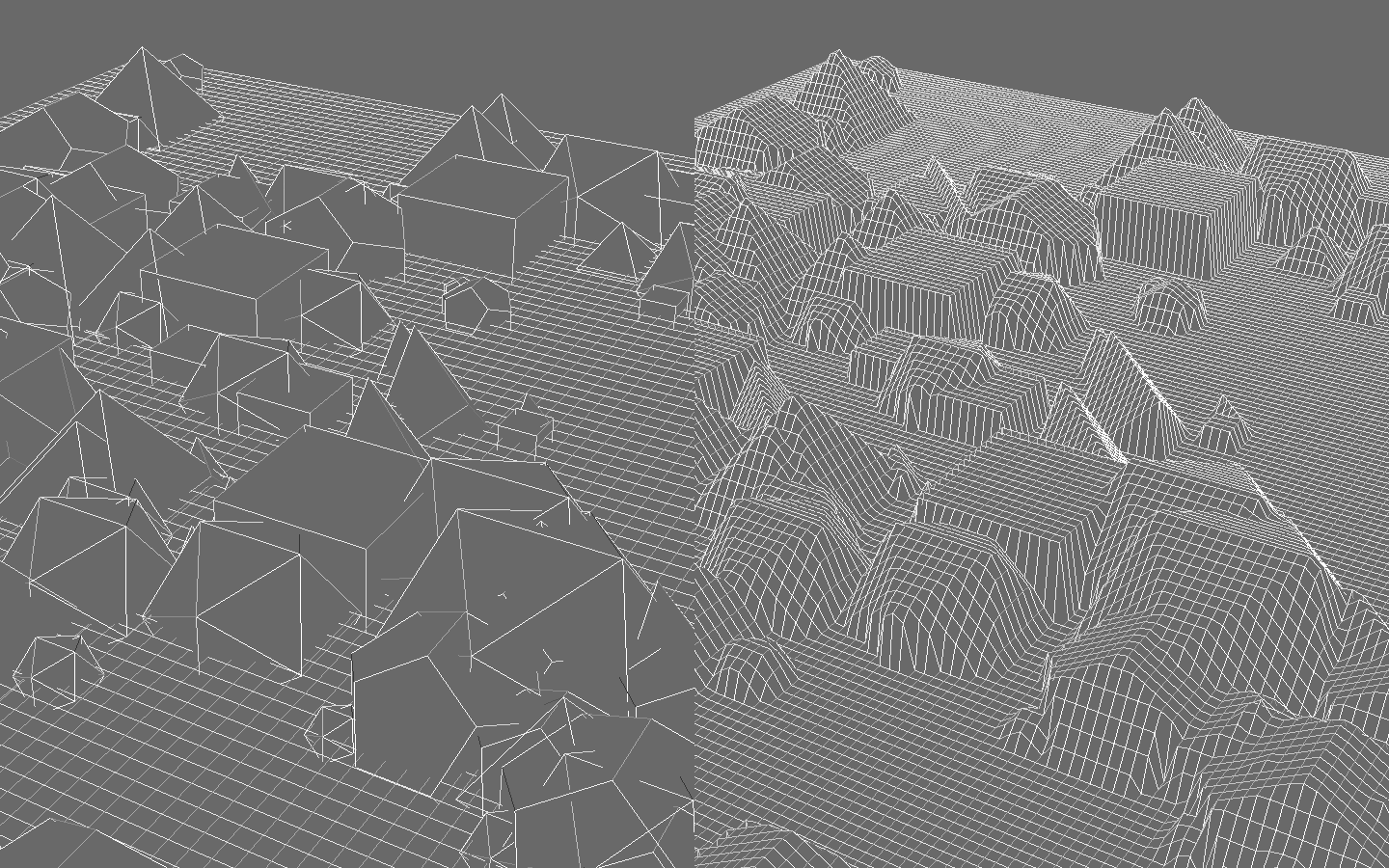 here is a screenshot.
---
### Author:  [@bdemin](https://discourse.vtk.org/u/bdemin)
#### Post date: [August 15, 2019, 10:46am UTC](https://discourse.vtk.org/t/how-to-probe-a-polygonal-mesh-on-a-polydata/1323/5 "2019-08-15T10:46:30Z")
That is incredible. Thank you very much for adding this example, it is exactly what I was looking for.