# How to sharpe the rendered volume?
**URL:** https://discourse.vtk.org/t/how-to-sharpe-the-rendered-volume/8019
**Category:** Web
**Created:** [March 10, 2022, 2:35pm UTC](https://discourse.vtk.org/t/how-to-sharpe-the-rendered-volume/8019 "2022-03-10T14:35:32Z")
**Posts on this page:** 6
**Page:** 1
### Author:  [@Yuvi-416](https://discourse.vtk.org/u/Yuvi-416)
#### Post date: [March 10, 2022, 2:35pm UTC](https://discourse.vtk.org/t/how-to-sharpe-the-rendered-volume/8019/1 "2022-03-10T14:35:32Z")
Hi there,
I tried to render the DICOM image using both VTK Python and VTK.js. The VTK Python output is more sharp and very good, whereas the output that I receive from VTK.js is not very good as I am using the same parameters in both cases.
How to improve the visual result of VTK.js?
This is the VTK Python result, which is very good.

And below one is the result of VTK.js
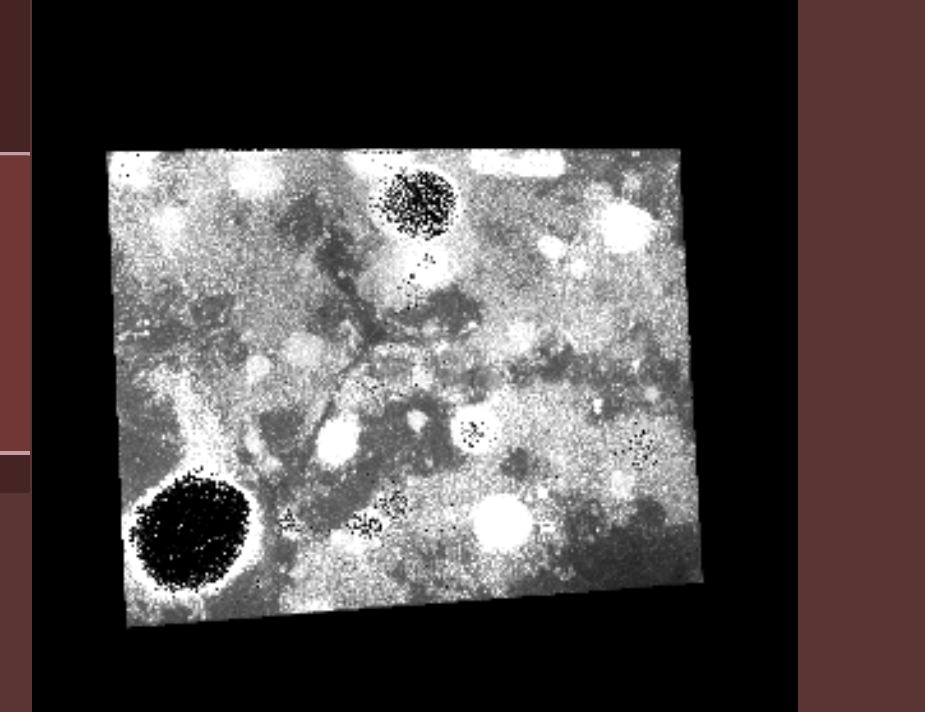
And below are the parameters which currently, i am passing to for vtkvolume actor in the case of VTK.js:
```auto
actor.getProperty().setRGBTransferFunction(0, lookupTable);
actor.getProperty().setScalarOpacity(0, ofun);
actor.getProperty().setScalarOpacityUnitDistance(0, 3.0);
actor.getProperty().setInterpolationTypeToLinear();
actor.getProperty().setGradientOpacityMinimumValue(0, 0);
actor.getProperty().setGradientOpacityMaximumValue(0, (dataRange[1] - dataRange[0]) * 0.05);
actor.getProperty().setShade(false);
actor.getProperty().setUseGradientOpacity(0, true);
actor.getProperty().setGradientOpacityMinimumOpacity(0, 0.0);
actor.getProperty().setGradientOpacityMaximumOpacity(0, 1.0);
actor.getProperty().setAmbient(0.2);
actor.getProperty().setDiffuse(0.7);
actor.getProperty().setSpecular(0.3);
actor.getProperty().setSpecularPower(8.0);
mapper.setInputData(imageData[i]);
```
```
mapper.setSampleDistance(1.0);
```
---
### Author:  [@Forrest](https://discourse.vtk.org/u/Forrest)
#### Post date: [March 10, 2022, 2:51pm UTC](https://discourse.vtk.org/t/how-to-sharpe-the-rendered-volume/8019/2 "2022-03-10T14:51:02Z")
Looks very pixelated. Maybe try a smaller sample distance, like 0.5? What does the volume look like in [Glance](https://kitware.github.io/paraview-glance/), if you loaded it there?
---
### Author:  [@Yuvi-416](https://discourse.vtk.org/u/Yuvi-416)
#### Post date: [March 10, 2022, 9:03pm UTC](https://discourse.vtk.org/t/how-to-sharpe-the-rendered-volume/8019/4 "2022-03-10T21:03:13Z")
Hi
I tried with 0.3 to 1 but the result is the same as above. I also checked the Glance viewer by uploading the images, but the result is not clear enough as a viewed image can be seen below:
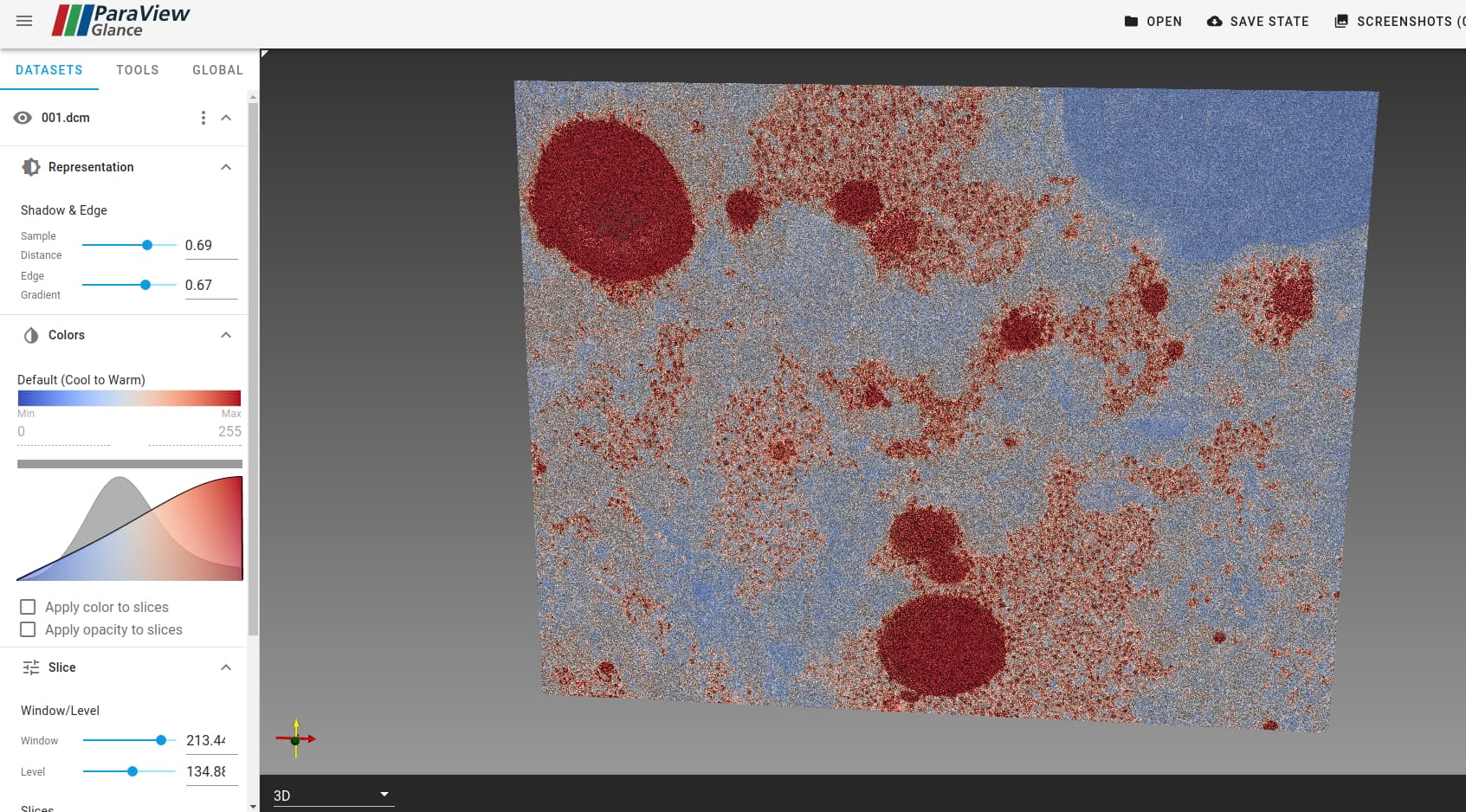
And I also check the image with Y, X, and Z orientation, but the image seems fine.

Whenever I tried to load the image with composite blendmode, I got the below image:

I couldn’t understand what I was doing wrong. I load other images like the below one and it seems fine, but for this particular image, the viewer is not showing a good result.

I am following this ([vtk.js](https://kitware.github.io/vtk-js/examples/VolumeMapperBlendModes.html)) to implement blend modes.
Can you suggest something that I can try to make it render in the correct form?
---
### Author:  [@Forrest](https://discourse.vtk.org/u/Forrest)
#### Post date: [March 11, 2022, 4:48pm UTC](https://discourse.vtk.org/t/how-to-sharpe-the-rendered-volume/8019/5 "2022-03-11T16:48:22Z")
This looks to be data specific. Can you compare the pixel data range and data type between the bad image and good images that you have?
---
### Author:  [@Yuvi-416](https://discourse.vtk.org/u/Yuvi-416)
#### Post date: [March 13, 2022, 2:49pm UTC](https://discourse.vtk.org/t/how-to-sharpe-the-rendered-volume/8019/7 "2022-03-13T14:49:06Z")
Hi there,
Both are 8-bit images with (0-255 pixel data range). I think there might be some noise on the FIB-SEM image, so it’s behaving like that.
You can get access to the image by the below link.
[https://uapt33090-my.sharepoint.com/:f:/g/personal/ygupta\_ua\_pt/En57Hz3Pbw5CrZ0HohXTG6ABehbKx1NmFzpXIQ\_q0KbqeA?e=ZhCYTr](https://uapt33090-my.sharepoint.com/:f:/g/personal/ygupta_ua_pt/En57Hz3Pbw5CrZ0HohXTG6ABehbKx1NmFzpXIQ_q0KbqeA?e=ZhCYTr)
---
### Author:  [@Yuvi-416](https://discourse.vtk.org/u/Yuvi-416)
#### Post date: [March 15, 2022, 5:41pm UTC](https://discourse.vtk.org/t/how-to-sharpe-the-rendered-volume/8019/8 "2022-03-15T17:41:40Z")
After adjusting the colour Transfer function.
I solved this problem.
Thank you