# ImageCPRMapper example help with cursor reslice widget and camera
**URL:** https://discourse.vtk.org/t/imagecprmapper-example-help-with-cursor-reslice-widget-and-camera/16420
**Category:** Web
**Created:** [May 18, 2026, 10:09am UTC](https://discourse.vtk.org/t/imagecprmapper-example-help-with-cursor-reslice-widget-and-camera/16420 "2026-05-18T10:09:56Z")
**Posts on this page:** 4
**Page:** 1
### Author:  [@cyl2506](https://discourse.vtk.org/u/cyl2506)
#### Post date: [May 18, 2026, 10:09am UTC](https://discourse.vtk.org/t/imagecprmapper-example-help-with-cursor-reslice-widget-and-camera/16420/1 "2026-05-18T10:09:56Z")
Hello, I’m trying to reproduce the example shown in [ImageCPRMapper](https://kitware.github.io/vtk-js/examples/ImageCPRMapper.html). I have provided my own volume and centerline coordinates like the following JSON:
```json
{
"position":
[
14.796443176269523,
-15.353499603271498,
1761.8749511718745,
14.962321589958357,
-15.291916255417995,
1761.9681812267881,
15.128200003647192,
-15.230332907564492,
1762.0614112817022,
15.294078417336028,
-15.168749559710989,
1762.154641336616,
...
```
I then compute the 4x4 orientation matrix from the orthonormal basis vectors (normal, tangent and bitangent) using the following functions for each point:
```js
const computeNormal = (centerlinePoints, pointIdx, numPoints) => {
let normal = vec3.create();
if (pointIdx === 0) {
vec3.subtract(normal, centerlinePoints[1], centerlinePoints[0]);
} else if (pointIdx === numPoints - 1) {
vec3.subtract(
normal,
centerlinePoints[numPoints - 1],
centerlinePoints[numPoints - 2],
);
} else {
vec3.subtract(
normal,
centerlinePoints[pointIdx + 1],
centerlinePoints[pointIdx],
);
}
vec3.normalize(normal, normal);
return normal;
};
const computeTangent = (normal, bitangent) => {
const tangent = vec3.create();
vec3.cross(tangent, bitangent, normal);
vec3.normalize(tangent, tangent);
return tangent;
};
const computeBitangent = (normal) => {
// Choose an up vector that is not nearly parallel to normal
let up = vec3.fromValues(0, 1, 0);
if (Math.abs(vec3.dot(normal, up)) > 0.99) {
up = vec3.fromValues(1, 0, 0);
}
let bitangent = vec3.create();
vec3.cross(bitangent, normal, up);
vec3.normalize(bitangent, bitangent);
return bitangent;
};
```
Then added to the centerline JSON the flattened orientation array using
```js
const computeOrientationsFromPoints = (centerlinePointsFlat) => {
// Convert input of flattened centerline points into array of vec3 points
const vecArr = [];
const numPoints = centerlinePointsFlat.length / 3;
console.debug("Got number of centerline points", numPoints);
for (let i = 0; i < centerlinePointsFlat.length; i += 3) {
const p = vec3.fromValues(
centerlinePointsFlat[i],
centerlinePointsFlat[i + 1],
centerlinePointsFlat[i + 2],
);
vecArr.push(p);
}
console.debug(
`Constructed vec3 array of centerline points with length ${vecArr.length}`,
);
// Build the 4x4 orientation matrix as flattened array for each centerline point
const orientations = new Float32Array(numPoints * 16);
for (let i = 0; i < numPoints; i++) {
const normal = computeNormal(vecArr, i, numPoints);
const bitangent = computeBitangent(normal);
const tangent = computeTangent(normal, bitangent);
const offset = i * 16;
const position = vecArr[i];
// tangent column
orientations[offset] = tangent[0];
orientations[offset + 1] = tangent[1];
orientations[offset + 2] = tangent[2];
orientations[offset + 3] = 0;
// bitangent column
orientations[offset + 4] = bitangent[0];
orientations[offset + 5] = bitangent[1];
orientations[offset + 6] = bitangent[2];
orientations[offset + 7] = 0;
// normal column
orientations[offset + 8] = normal[0];
orientations[offset + 9] = normal[1];
orientations[offset + 10] = normal[2];
orientations[offset + 11] = 0;
// translation column
orientations[offset + 12] = position[0];
orientations[offset + 13] = position[1];
orientations[offset + 14] = position[2];
orientations[offset + 15] = 1;
}
return orientations;
};
```
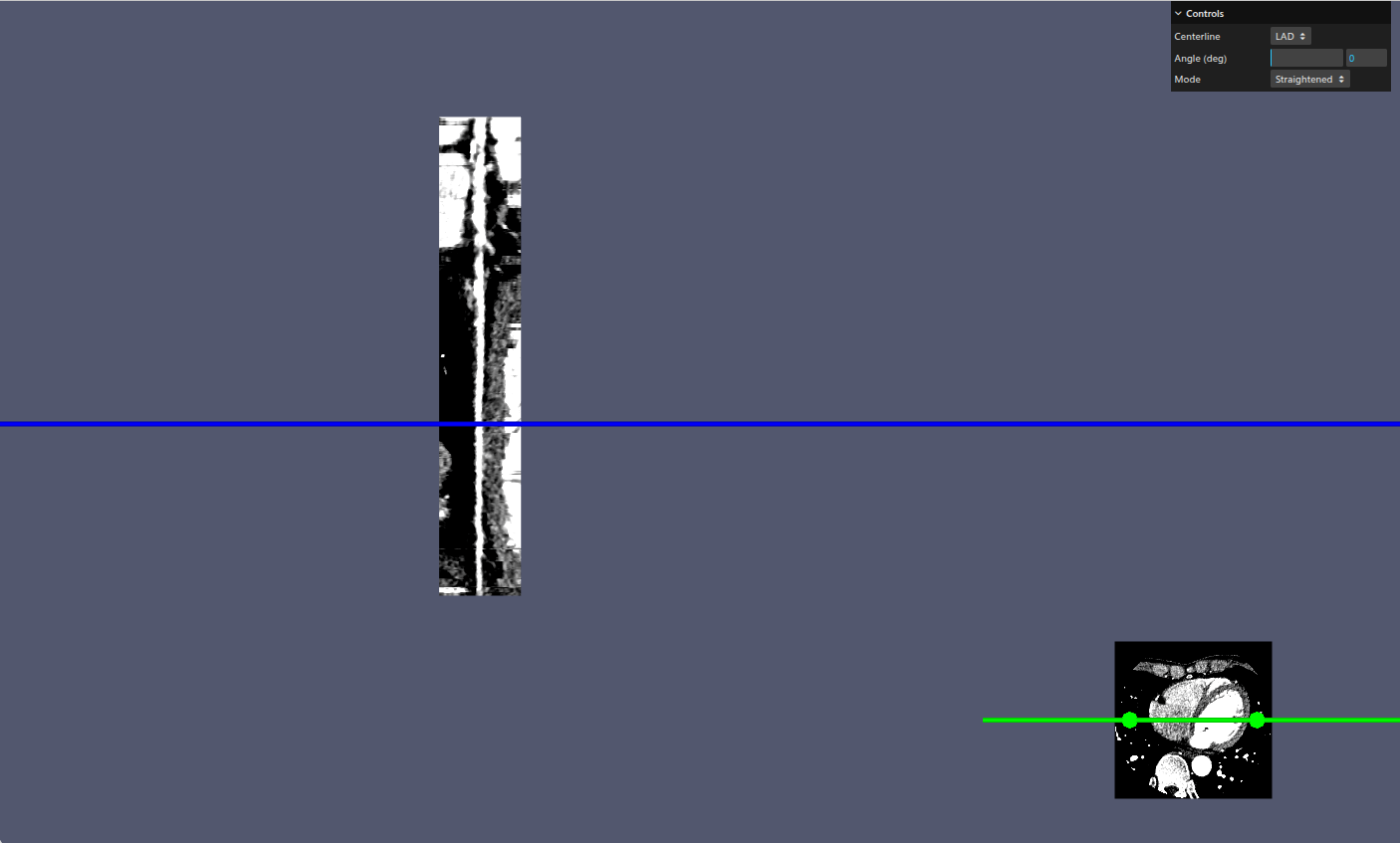
With this I’m able to obtain the correct straightened and stretched centerlines, however, the cross render and cursor widgets don’t seem to work, see [here](https://imgur.com/Tw9vYcU).
Commenting out the `updateDistanceAndDirection()` function restores the cross render view but I’m not sure which parts do I need to update to get it to work right, any advice would be much appreciated, thank you!
---
### Author:  [@finetjul](https://discourse.vtk.org/u/finetjul)
#### Post date: [May 18, 2026, 12:14pm UTC](https://discourse.vtk.org/t/imagecprmapper-example-help-with-cursor-reslice-widget-and-camera/16420/2 "2026-05-18T12:14:37Z")
Did you see that PR: [fix(vtkOpenGLImageCPRMapper): projectionScaledDirection should have vtkImageData direction matrix by TreatTrick · Pull Request #3508 · Kitware/vtk-js · GitHub](https://github.com/Kitware/vtk-js/pull/3508)
You can try with an image data without direction.
---
### Author:  [@cyl2506](https://discourse.vtk.org/u/cyl2506)
#### Post date: [May 18, 2026, 4:35pm UTC](https://discourse.vtk.org/t/imagecprmapper-example-help-with-cursor-reslice-widget-and-camera/16420/3 "2026-05-18T16:35:37Z")
Hi Julien, thanks for linking the PR, I have loaded my image data from a Nifti volume
```auto
const fetchVolumeAsVTKImage = async () => {
const response = await fetch("/volumes/unsampled.nii.gz");
if (!response.ok) {
throw new Error("Failed to fetch volume");
}
const blob = await response.blob();
const { image } = await readImage(new File([blob], "volume.nii.gz"));
const vtkImage = vtkITKHelper.convertItkToVtkImage(image);
vtkImage.setDirection([1, 0, 0, 0, 1, 0, 0, 0, 1]); // remove direction
return vtkImage;
};
```
I then set the direction matrix to identity. But the CPR render disappeared and the volume is flipped upside down, see [here](https://imgur.com/a/J9NQy0z)
---
### Author:  [@finetjul](https://discourse.vtk.org/u/finetjul)
#### Post date: [May 18, 2026, 5:10pm UTC](https://discourse.vtk.org/t/imagecprmapper-example-help-with-cursor-reslice-widget-and-camera/16420/4 "2026-05-18T17:10:48Z")
makes sense, the positions/directions would have to be updated accordingly.
You’d better work on some synthetic data…