# Interpolation On Points
**URL:** https://discourse.vtk.org/t/interpolation-on-points/12102
**Category:** Development
**Tags:** jobs, python, code, proposal, file-formats
**Created:** [August 5, 2023, 2:22pm UTC](https://discourse.vtk.org/t/interpolation-on-points/12102 "2023-08-05T14:22:25Z")
**Posts on this page:** 1
**Page:** 1
### Author:  [@A.M\_Shahpouri](https://discourse.vtk.org/u/A.M_Shahpouri)
#### Post date: [August 5, 2023, 2:22pm UTC](https://discourse.vtk.org/t/interpolation-on-points/12102/1 "2023-08-05T14:22:25Z")
Hello
I have a vtkImagedata (in this code : ContourData) which the value of inside points have 100 and on border 200 and outsides are 0.
```
vtkNew ContoureResliceMappers;
ContoureResliceMappers->SetInputData(ContourData);
ContoureResliceMappers->SetSlicePlane(plane);
ContoureResliceMappers->Update();
vtkNew lookupTable;
lookupTable->SetNumberOfColors(3);
lookupTable->SetTableValue(0, 0, 0, 0, 0); //set 0 opacity for outside values
lookupTable->SetTableValue(1,1,0,0, 0.2); //set 0.2 opacity and red color for border values
lookupTable->SetTableValue(2,1,0,0, 1); //set 1 opacity and red color for border values
vtkNew ContoureSlices;
ContoureSlices->SetMapper(ContoureResliceMappers);
ContoureSlices->GetProperty()->SetLookupTable(lookupTable);
ContoureSlices->.InterpolateOn();
//ContoureSlices->GetProperty().SetInterpolationTypeToNearest(); (a)
//ContoureSlices->GetProperty().SetInterpolationTypeToCubic(); (b)
//ContoureSlices->GetProperty().SetInterpolationTypeToLinear(); (c)
ContoureSlices->Update();
```
and for (a) , (b) and( c) I have these output
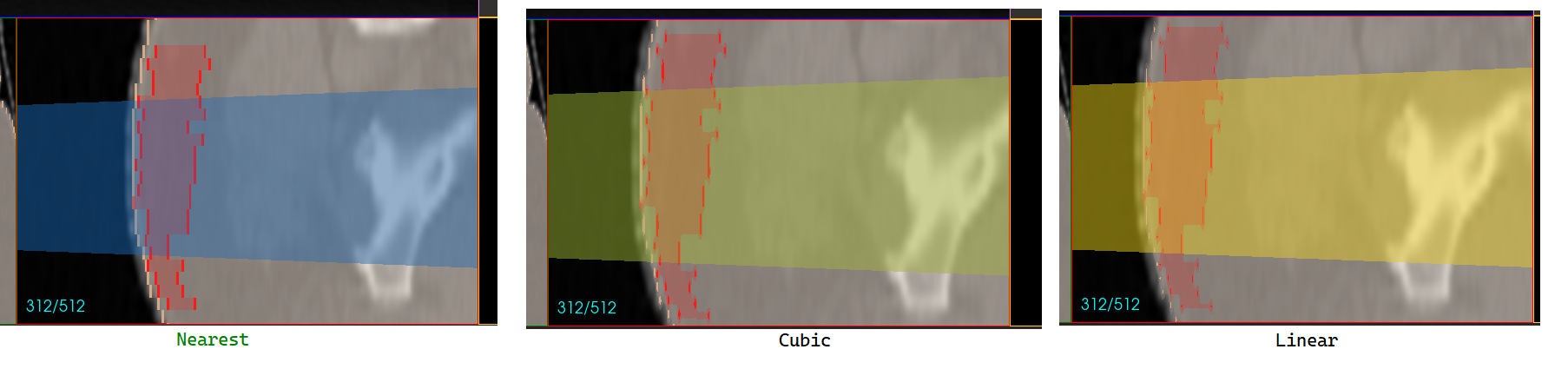
but I want a output like this
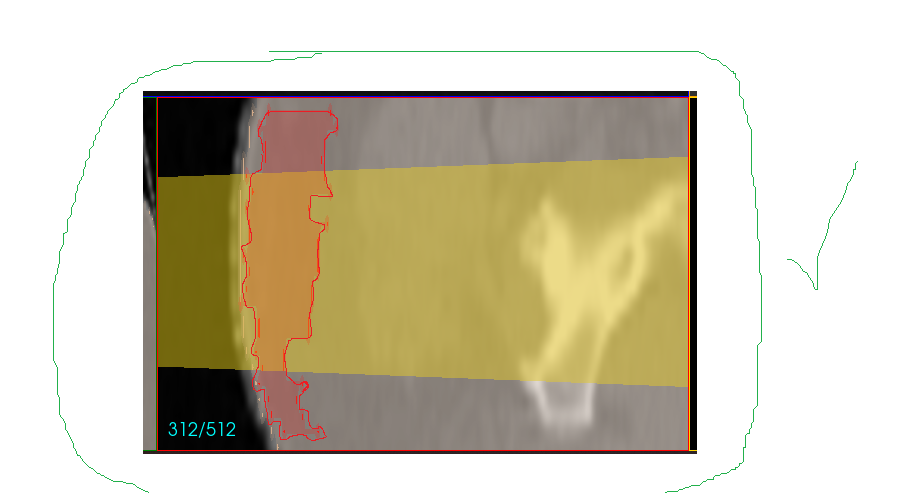
how can I do that?