# Issue about cmake VTK for QVTKOpenGLNativeWidget
**URL:** https://discourse.vtk.org/t/issue-about-cmake-vtk-for-qvtkopenglnativewidget/11909
**Category:** Development
**Created:** [July 10, 2023, 3:49am UTC](https://discourse.vtk.org/t/issue-about-cmake-vtk-for-qvtkopenglnativewidget/11909 "2023-07-10T03:49:48Z")
**Posts on this page:** 2
**Page:** 1
### Author:  [@yen](https://discourse.vtk.org/u/yen)
#### Post date: [July 10, 2023, 3:49am UTC](https://discourse.vtk.org/t/issue-about-cmake-vtk-for-qvtkopenglnativewidget/11909/1 "2023-07-10T03:49:48Z")
Hello, I am currently using Qt6 and VTK-9.2. When I want to use QVTKOpenGLNativeWidget, I re-compile my vtk by cmake-gui. However, when I finished configuring VTK, my building and install procedure kept encountering error. Here is my picture:
This is my result after I config and generate the VTK source file, and it look normal

However, when I click “go to project” and build & install in release mode through VS2022, the error appears:
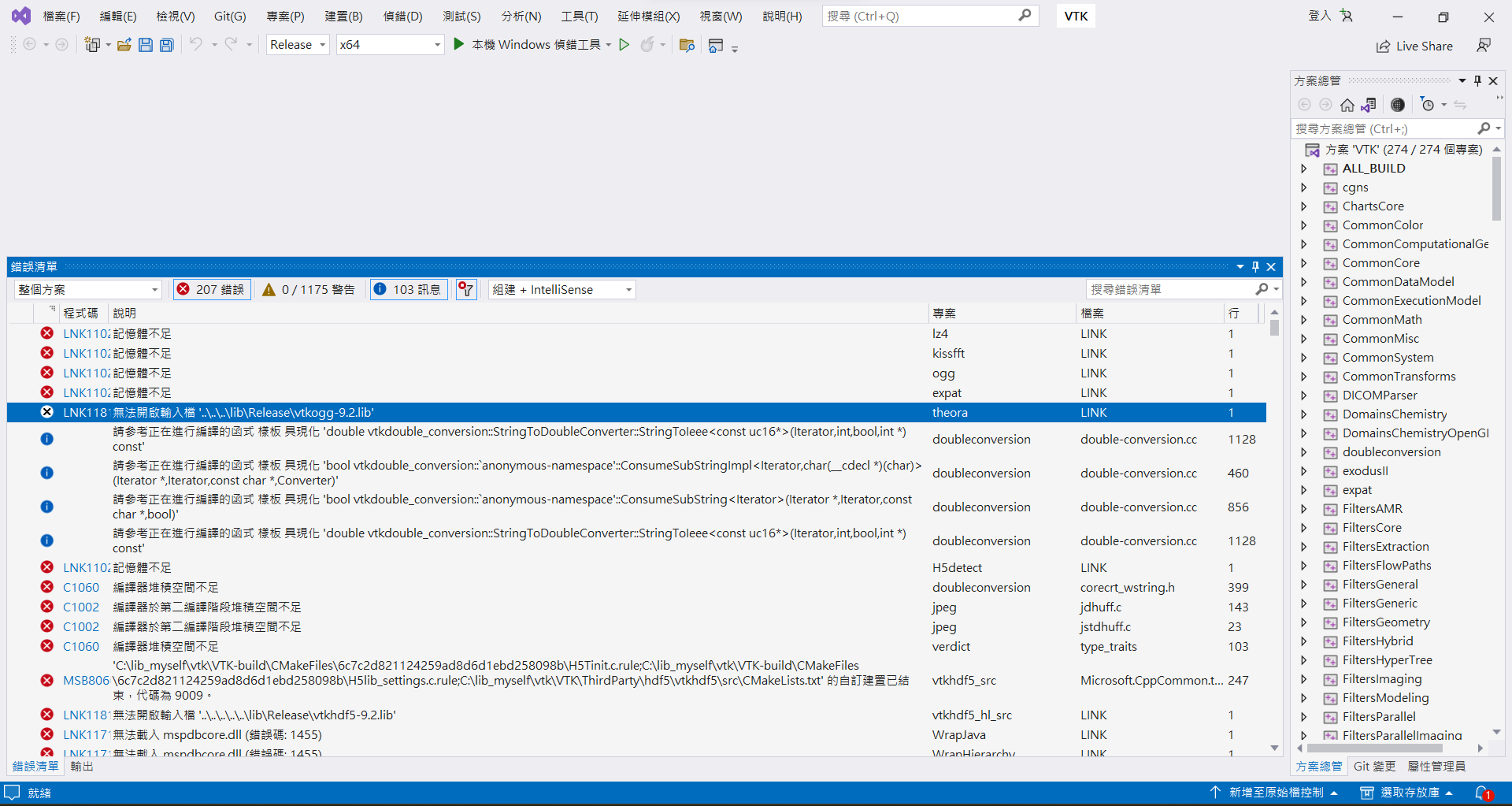
It said that my memory is not sufficient. Also, if I switch to Debug mode, it will work and I can see QVTKOpenGLNativeWidget successfully in the install directory. Am I set somewhere wrong? Why the debug mode worked while the release mode failed?
Thank you
---
### Author:  [@Paulo\_Carvalho](https://discourse.vtk.org/u/Paulo_Carvalho)
#### Post date: [July 11, 2023, 9:56pm UTC](https://discourse.vtk.org/t/issue-about-cmake-vtk-for-qvtkopenglnativewidget/11909/2 "2023-07-11T21:56:53Z")
Hi,
Is it possible to change the locale of VS to ENG-US and capture the errors again? A lot of quite useful info can be found in the error messages. Sorry, only saying it is running out of memory does not really help.
regards,
PC