# Lighting effects when using rgba component volumes with vr
**URL:** https://discourse.vtk.org/t/lighting-effects-when-using-rgba-component-volumes-with-vr/12362
**Category:** Web
**Tags:** code
**Created:** [September 26, 2023, 3:08pm UTC](https://discourse.vtk.org/t/lighting-effects-when-using-rgba-component-volumes-with-vr/12362 "2023-09-26T15:08:45Z")
**Posts on this page:** 7
**Page:** 1
### Author:  [@JohnSkinner](https://discourse.vtk.org/u/JohnSkinner)
#### Post date: [September 26, 2023, 3:08pm UTC](https://discourse.vtk.org/t/lighting-effects-when-using-rgba-component-volumes-with-vr/12362/1 "2023-09-26T15:08:45Z")
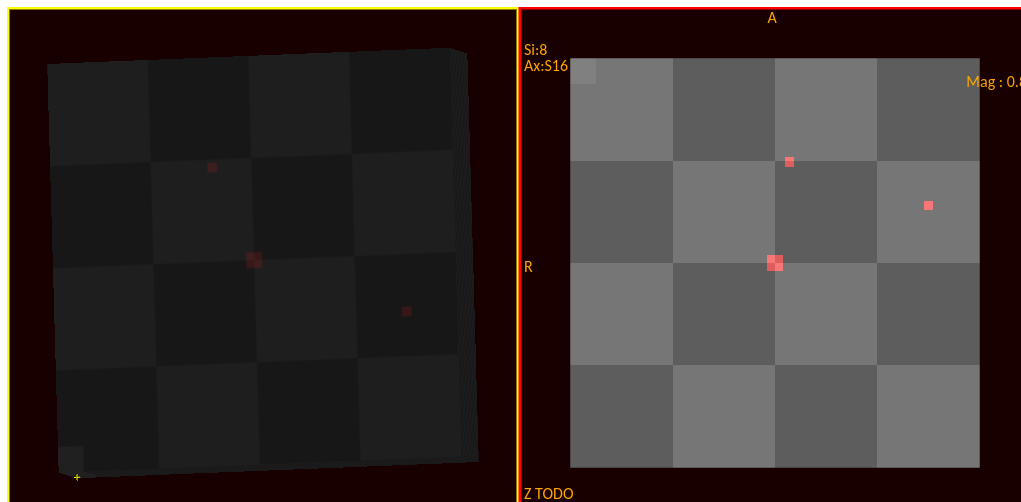
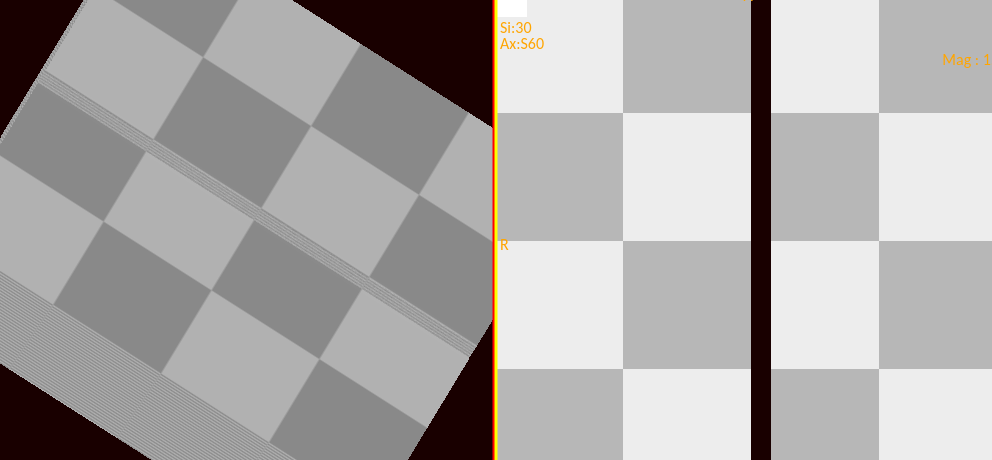
I am volume rendering a volume of rgba components, with actor.getProperty().setIndependentComponents(false).
The result are close to what i expect except the image is slightly darker.
I also tried adding vtkLight as setLightTypeToCameraLight() so the light source is by the camera all the time.
And then i tried various light settings such as setIntensity(1.0) in an effort to increase the intensity of the volume render to match the rendering from vtkImageSlice.
But so far, the setting have had no effect.
When using rgba and setting IndependentComponents to false, what
lighting effects are available that might help increase the brightness of the volume rendered image?
---
### Author:  [@sankhesh](https://discourse.vtk.org/u/sankhesh)
#### Post date: [September 26, 2023, 3:24pm UTC](https://discourse.vtk.org/t/lighting-effects-when-using-rgba-component-volumes-with-vr/12362/2 "2023-09-26T15:24:16Z")
Try increasing the `Ambient` and `Diffuse` values on the `vtkVolumeProperty`.
---
### Author:  [@JohnSkinner](https://discourse.vtk.org/u/JohnSkinner)
#### Post date: [September 26, 2023, 6:11pm UTC](https://discourse.vtk.org/t/lighting-effects-when-using-rgba-component-volumes-with-vr/12362/3 "2023-09-26T18:11:07Z")
Thanks Sankhesh,
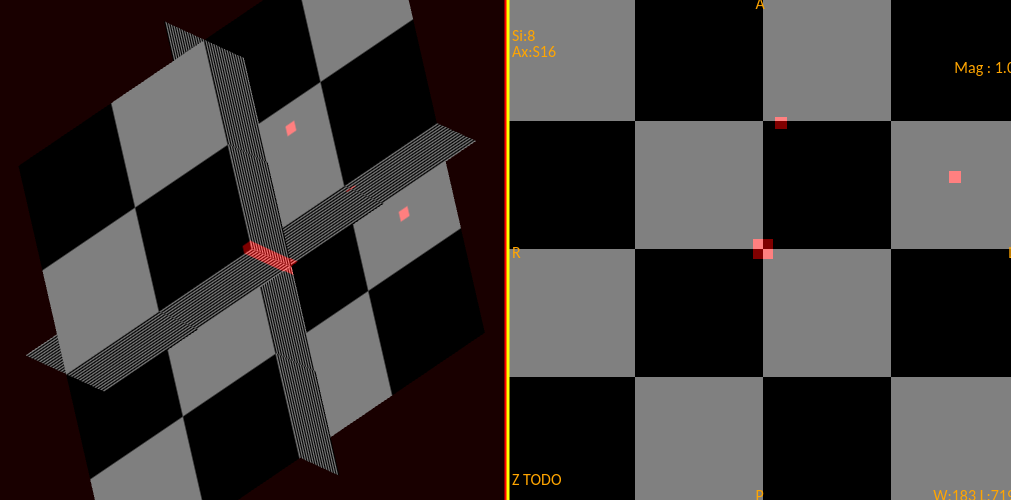
i set the ambient to 1 and diffuse to 1 and the shades match now!
---
### Author:  [@JohnSkinner](https://discourse.vtk.org/u/JohnSkinner)
#### Post date: [September 26, 2023, 6:23pm UTC](https://discourse.vtk.org/t/lighting-effects-when-using-rgba-component-volumes-with-vr/12362/4 "2023-09-26T18:23:14Z")
> [@sankhesh](#):
>
> y increasing the `Ambient` and `Diffuse` values on the `vtkVolumeProperty`
My mistake, i was looking at the triplaner view. The composite rendering still shows the same slightly darker appearance.
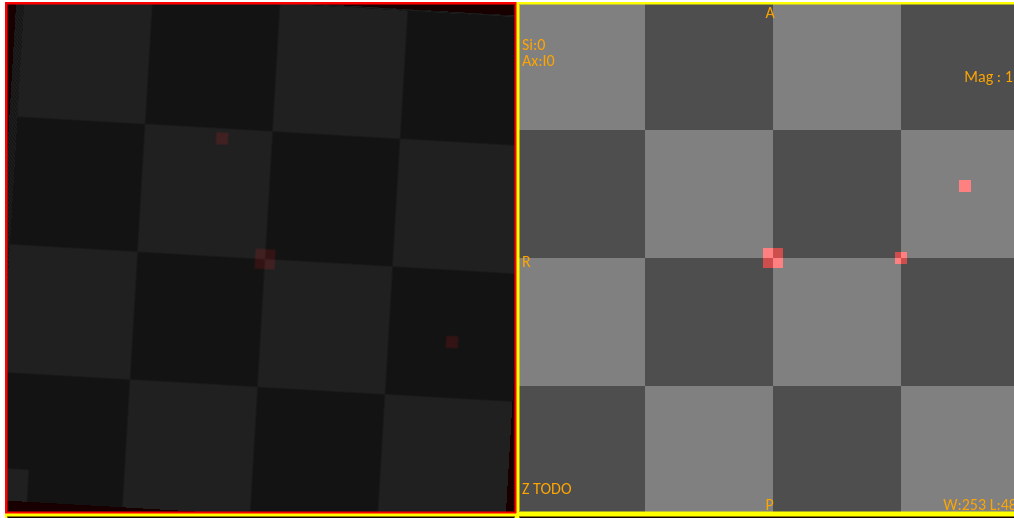
Any other settings on the vtkLight or vtkVolumeProperty i should try?
In a day or 2 I’ll extract a simple reproduction and post it from github.
---
### Author:  [@JohnSkinner](https://discourse.vtk.org/u/JohnSkinner)
#### Post date: [September 26, 2023, 6:50pm UTC](https://discourse.vtk.org/t/lighting-effects-when-using-rgba-component-volumes-with-vr/12362/5 "2023-09-26T18:50:09Z")
I’m looking at this case to see if it helps me.
> [@Color Volume Rendering: vtkDataArray Indexing](https://discourse.vtk.org/t/color-volume-rendering-vtkdataarray-indexing/5695):
>
> I’m trying to do a color volume rendering for a 3D segmentation that has RGB values. To have a color image, I started by drawing a Red box, for some reason I’m not able to get a color volume rendering of it at all. My questions is what is the order of RGB in the vtkDataArray? is it [R,G,B,R,G,B, …] ? To create a full red box, my code is: const numComponents = 3; const scalarData = new Float32Array( dimensions[0] \* dimensions[1] \* dimensions[2] \* numComponents ); const yStride = dimen…
---
### Author:  [@sankhesh](https://discourse.vtk.org/u/sankhesh)
#### Post date: [September 26, 2023, 7:38pm UTC](https://discourse.vtk.org/t/lighting-effects-when-using-rgba-component-volumes-with-vr/12362/6 "2023-09-26T19:38:37Z")
Hi John, It would be helpful if you could share a code snippet or what parameters you set on the property and mapper. If you can share a reproducible example, even better.
There is a test for 4 independent components with composite blending in the VTK source tree. I enabled lighting (shading) but don’t see the issue you’re running into.
---
### Author:  [@JohnSkinner](https://discourse.vtk.org/u/JohnSkinner)
#### Post date: [September 27, 2023, 11:13am UTC](https://discourse.vtk.org/t/lighting-effects-when-using-rgba-component-volumes-with-vr/12362/7 "2023-09-27T11:13:36Z")
I returned to explore the Ambient and Diffuse settings and found that if i increase Ambient to 3, I got very similar brightness between image rendering and vr rendering now!
So I think the original suggestion solves the issue. I just needed to increase the Ambient from 1 to 3.