# Multiple colorized sphere objects mapping
**URL:** https://discourse.vtk.org/t/multiple-colorized-sphere-objects-mapping/252
**Category:** Support
**Created:** [February 11, 2019, 2:32am UTC](https://discourse.vtk.org/t/multiple-colorized-sphere-objects-mapping/252 "2019-02-11T02:32:27Z")
**Posts on this page:** 2
**Page:** 1
### Author:  [@ljc19800331](https://discourse.vtk.org/u/ljc19800331)
#### Post date: [February 11, 2019, 2:32am UTC](https://discourse.vtk.org/t/multiple-colorized-sphere-objects-mapping/252/1 "2019-02-11T02:32:27Z")
Hello,
I am going to map the colorized point cloud to the sphere object (with multiple spheres) and generate a viewpoint-invariance object. The problem is that when I change the viewpoint close to the object the colorized point cloud become blur. My goal is to capture the image and keep the same color distribution with virtual camera from different viewpoint (close to far). One possible solution I am trying is to render each point cloud as sphere and assign the color to this sphere. My code is not working and I checked for multiple times and nothing works. Thanks.
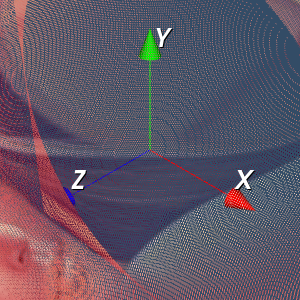
This is my code. Thanks.
VTK\_DATA\_ROOT = vtkGetDataRoot()
# Load the data for point cloud and colorized vectors
nc = vtk.vtkNamedColors()
test = BTL\_GL.BTL\_GL()
pcd, pc, pc\_color, MeshGrid, img\_color = test.GL\_NonFlat()
# The sphere model
sphere = vtk.vtkSphereSource()
sphere.SetPhiResolution(5)
sphere.SetThetaResolution(5)
sphere.SetRadius(0.0025 \* 2)
# The sphere object is vtkSphereSource
print("The sphere object is ", sphere)
# Add the points to object
Points = vtk.vtkPoints()
# Add the color array to the object
Colors = vtk.vtkUnsignedCharArray()
Colors.SetNumberOfComponents(3)
Colors.SetName(“Colors”)
Colors.InsertNextTuple3(255, 0, 0)
# vtkUnsignedCharArray –
print("The color object is ", Colors)
for i in range(len(pc)):
Points.InsertNextPoint(pc[i, 0], pc[i, 1], pc[i, 2])
Colors.InsertNextTuple3(pc\_color[i, 0] / 255, pc\_color[i, 1] / 255, pc\_color[i, 2] / 255)
# Design the polydata object
polydata = vtk.vtkPolyData()
polydata.SetPoints(Points)
# Check the sphere object
sphere.GetOutput().GetCellData().SetScalars(Colors)
sphere.Update()
appendData = vtk.vtkAppendPolyData()
appendData.AddInputConnection(sphere.GetOutputPort())
appendData.Update()
# Design the mapper
point\_mapper = vtk.vtkGlyph3DMapper()
point\_mapper.SetInputData(polydata)
point\_mapper.SetSourceConnection(appendData.GetOutputPort())
point\_mapper.SetScalarModeToUseCellData()
# Set background color
actor = vtk.vtkActor()
actor.SetMapper(point\_mapper)
actor.GetProperty().LightingOff()
actor.GetProperty().BackfaceCullingOn()
ren = vtk.vtkRenderer()
ren.SetBackground(.2, .3, .4)
ren.AddActor(actor)
renWin = vtk.vtkRenderWindow()
renWin.AddRenderer(ren)
# Interactor
renderWindowInteractor = vtk.vtkRenderWindowInteractor()
renderWindowInteractor.SetRenderWindow(renWin)
# Begin Interaction
renWin.Render()
renderWindowInteractor.Start()
---
### Author:  [@marcomusy](https://discourse.vtk.org/u/marcomusy)
#### Post date: [February 11, 2019, 1:08pm UTC](https://discourse.vtk.org/t/multiple-colorized-sphere-objects-mapping/252/2 "2019-02-11T13:08:39Z")
Sorry, I answered here:
> [@Python VTK -- Can we get the mesh rendered from the colorized point cloud](https://discourse.vtk.org/t/python-vtk-can-we-get-the-mesh-rendered-from-the-colorized-point-cloud/200/6):
>
> I see 3 possibilities: use actor.GetProperty().RenderPointsAsSpheresOn() somewhere in your code. this works for me, using vtkVertexGlyphFilter : import vtk # Load the data for point cloud and colorized vectors # nc = vtk.vtkNamedColors() # test = BTL\_GL.BTL\_GL() # pcd, pc, pc\_color, MeshGrid, img\_color = test.GL\_NonFlat() n = 10 src = vtk.vtkPointSource() src.SetNumberOfPoints(n) src.Update() vgf = vtk.vtkVertexGlyphFilter() vgf.SetInputData(src.GetOutput()) vgf.Update() pcd = vgf.GetOutput…