# Opacity problem for selected scalar range
**URL:** https://discourse.vtk.org/t/opacity-problem-for-selected-scalar-range/3094
**Category:** Support
**Created:** [April 19, 2020, 1:06am UTC](https://discourse.vtk.org/t/opacity-problem-for-selected-scalar-range/3094 "2020-04-19T01:06:58Z")
**Posts on this page:** 15
**Page:** 1
### Author:  [@MarKara](https://discourse.vtk.org/u/MarKara)
#### Post date: [April 19, 2020, 1:06am UTC](https://discourse.vtk.org/t/opacity-problem-for-selected-scalar-range/3094/1 "2020-04-19T01:06:58Z")
Hi All
I’m using vtkDiscretizableColorTransferFunction to set opacity for selected scalar range in unstructured grid.
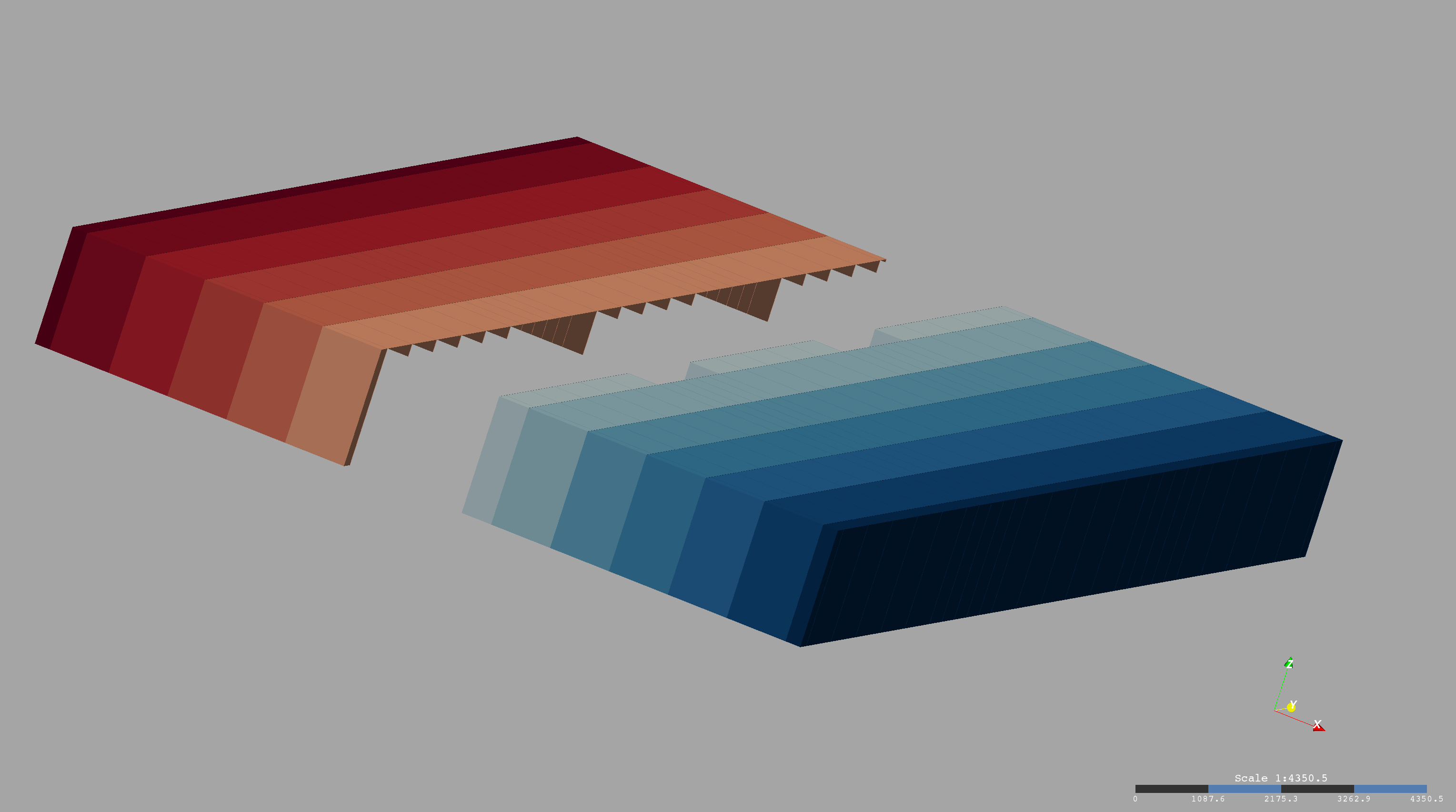
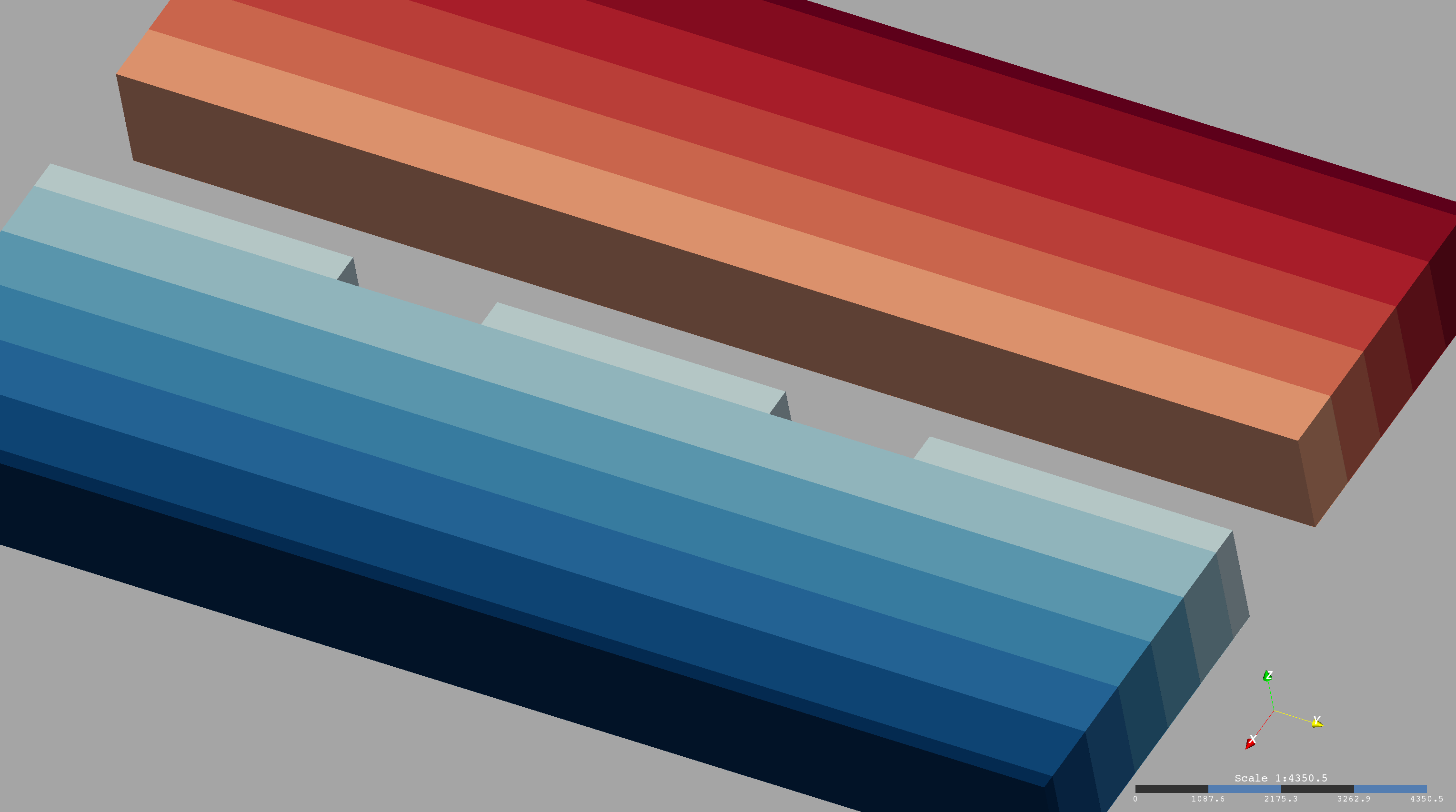
Depending of the camera position displayed unstructured grid shows some strange artifacts.
As you can see in attached image 1, from that angle it looks OK, but in images 2 and 3 parts of the same grid disappear. I tried to use different filters, vtkDataSetSurfaceFilter,vtkGeometryFilter etc, enabled deep peeling all the same.
Can you please give me idea where to look, I’m using Activiz VTK version 6.3 if that helps.
Thanks
MK
---
### Author:  [@Paulo\_Carvalho](https://discourse.vtk.org/u/Paulo_Carvalho)
#### Post date: [April 20, 2020, 12:44pm UTC](https://discourse.vtk.org/t/opacity-problem-for-selected-scalar-range/3094/2 "2020-04-20T12:44:13Z")
Hello, Markara,
I’ve also recently had those artifacts with translucent elements. Here’s what I did to render them properly (C++):
```cpp
// Prepare to render transparency/translucency adequately
_renderer->SetUseDepthPeeling(1);
_renderer->SetOcclusionRatio(0.1);
_renderer->SetMaximumNumberOfPeels(4);
_vtkwidget->GetRenderWindow()->SetMultiSamples(0);
_vtkwidget->GetRenderWindow()->SetAlphaBitPlanes(1);
```
The calls above should be added to the part of your code that is configuring the VTK widget, renderer, etc. You can experiment with the values above to different ones that suit you.
regards,
Paulo
---
### Author:  [@MarKara](https://discourse.vtk.org/u/MarKara)
#### Post date: [April 20, 2020, 1:20pm UTC](https://discourse.vtk.org/t/opacity-problem-for-selected-scalar-range/3094/3 "2020-04-20T13:20:03Z")
Hi Paulo
I have identical parameters in my settings. Only issue is that I can see for now is that i’m testing this on my laptop which doesn’t have dedicated graphic cart and remote desktop, (working from home, damn COVID) and that could be an issue, but i’m not sure
Thanks for you response
---
### Author:  [@Paulo\_Carvalho](https://discourse.vtk.org/u/Paulo_Carvalho)
#### Post date: [April 20, 2020, 6:28pm UTC](https://discourse.vtk.org/t/opacity-problem-for-selected-scalar-range/3094/4 "2020-04-20T18:28:01Z")
It surprises me that it even works remotely. So I guess it is not a VTK issue, then. I’d contact the technical support of whichever virtualization software you’re using to get a configuration that results in good OpenGL rendering. Maybe some OpenGL features are disabled by default. Maybe it’s using software emulation. Who knows…
---
### Author:  [@MarKara](https://discourse.vtk.org/u/MarKara)
#### Post date: [April 20, 2020, 7:03pm UTC](https://discourse.vtk.org/t/opacity-problem-for-selected-scalar-range/3094/5 "2020-04-20T19:03:08Z")
> [@MarKara](#):
>
> vtkDiscretizableColorTransferFunction
I’m developer of the software and previously didn’t use vtkDiscretizableColorTransferFunction but just regular vtkColorTransferFunction and was hoping to include transparency in new version. I will go in next couple days to the office and check it on my desktop, but I have a feeling that deep peeling is not an issue. I imported the same grid into ParaView and even there wasn’t perfect although wasn’t the same as in images I attached.
---
### Author:  [@Paulo\_Carvalho](https://discourse.vtk.org/u/Paulo_Carvalho)
#### Post date: [April 20, 2020, 8:58pm UTC](https://discourse.vtk.org/t/opacity-problem-for-selected-scalar-range/3094/6 "2020-04-20T20:58:13Z")
It’s not only deep peeling. It’s a combination of parameters! Did you to check the other 4 parameters as shown in the code I posted?
---
### Author:  [@MarKara](https://discourse.vtk.org/u/MarKara)
#### Post date: [April 20, 2020, 10:07pm UTC](https://discourse.vtk.org/t/opacity-problem-for-selected-scalar-range/3094/7 "2020-04-20T22:07:33Z")
Yes, I have identical parameters. I checked even on my laptop if deep peeling was used using function
CurrentRenderer.GetLastRenderingUsedDepthPeeling() and returned value was 1.
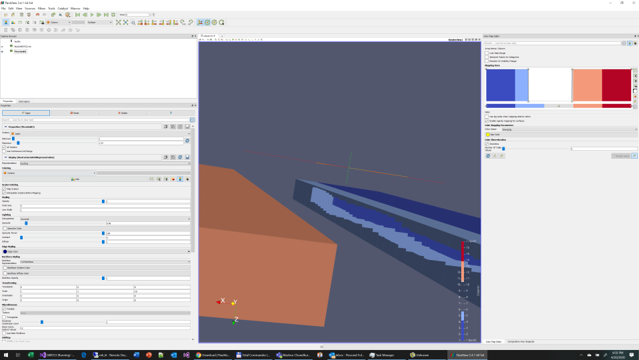
I used the same grid in Paraview, eve there are some artifact depending of the angle, but much less compared to my application.
---
### Author:  [@Paulo\_Carvalho](https://discourse.vtk.org/u/Paulo_Carvalho)
#### Post date: [April 21, 2020, 11:28am UTC](https://discourse.vtk.org/t/opacity-problem-for-selected-scalar-range/3094/8 "2020-04-21T11:28:42Z")
You said that you are using Activiz VTK version 6.3. Does that mean VTK 6.3? If so, I strongly recommend upgrading to a recent version (8 or 9).
---
### Author:  [@MarKara](https://discourse.vtk.org/u/MarKara)
#### Post date: [April 21, 2020, 11:54am UTC](https://discourse.vtk.org/t/opacity-problem-for-selected-scalar-range/3094/9 "2020-04-21T11:54:36Z")
I’m not sure that’ll help, again, even Paraview with I guess VTK version 8 has the same problem
---
### Author:  [@cory.quammen](https://discourse.vtk.org/u/cory.quammen)
#### Post date: [April 21, 2020, 2:08pm UTC](https://discourse.vtk.org/t/opacity-problem-for-selected-scalar-range/3094/10 "2020-04-21T14:08:30Z")
Can you share the dataset that shows this problem?
---
### Author:  [@MarKara](https://discourse.vtk.org/u/MarKara)
#### Post date: [April 21, 2020, 2:31pm UTC](https://discourse.vtk.org/t/opacity-problem-for-selected-scalar-range/3094/11 "2020-04-21T14:31:12Z")
[BQUGHENTGZ.vtu](https://discourse.vtk.org/uploads/short-url/lRStfCTWWGttiR3RRG39ZTtUzcn.vtu) (82.8 KB)
Yes, here it is
---
### Author:  [@MarKara](https://discourse.vtk.org/u/MarKara)
#### Post date: [April 21, 2020, 2:33pm UTC](https://discourse.vtk.org/t/opacity-problem-for-selected-scalar-range/3094/12 "2020-04-21T14:33:05Z")
[Test.pvsm](https://discourse.vtk.org/uploads/short-url/jk0FA1NrS9JCLkfLbhoMynwFOv1.pvsm) (262.9 KB)
And her is the PVSM file
---
### Author:  [@MarKara](https://discourse.vtk.org/u/MarKara)
#### Post date: [April 23, 2020, 1:37am UTC](https://discourse.vtk.org/t/opacity-problem-for-selected-scalar-range/3094/13 "2020-04-23T01:37:49Z")
Hi Cory I found another issue. If I have negative scalars opacity is not working at all not in my application nor in Paraview. Not sure if there is way around, but I couldn’t find it.
Please see attached image and paraview file.
Thank you for looking

[OpacityWitNegScalats.pvsm](https://discourse.vtk.org/uploads/short-url/9DGl8EBssDwXZuXK36YhJxw2EDb.pvsm) (226.8 KB)
[HMVLXKNXET.vtu](https://discourse.vtk.org/uploads/short-url/vYixA6bNw4lRraxzAq5jsB1dPzu.vtu) (14.1 KB)
---
### Author:  [@cory.quammen](https://discourse.vtk.org/u/cory.quammen)
#### Post date: [December 10, 2021, 2:43pm UTC](https://discourse.vtk.org/t/opacity-problem-for-selected-scalar-range/3094/14 "2021-12-10T14:43:50Z")
Hi @MarKara. Closing the loop on this: the issue with negative scalars should be resolved in VTK 9.1 and ParaView 5.10.
---
### Author:  [@MarKara](https://discourse.vtk.org/u/MarKara)
#### Post date: [December 10, 2021, 5:57pm UTC](https://discourse.vtk.org/t/opacity-problem-for-selected-scalar-range/3094/15 "2021-12-10T17:57:49Z")
Thanks Cory