# Possible to use different interaction styles across viewports?
**URL:** https://discourse.vtk.org/t/possible-to-use-different-interaction-styles-across-viewports/1926
**Category:** Support
**Created:** [October 14, 2019, 3:29pm UTC](https://discourse.vtk.org/t/possible-to-use-different-interaction-styles-across-viewports/1926 "2019-10-14T15:29:16Z")
**Posts on this page:** 4
**Page:** 1
### Author:  [@banesullivan](https://discourse.vtk.org/u/banesullivan)
#### Post date: [October 14, 2019, 3:29pm UTC](https://discourse.vtk.org/t/possible-to-use-different-interaction-styles-across-viewports/1926/1 "2019-10-14T15:29:16Z")
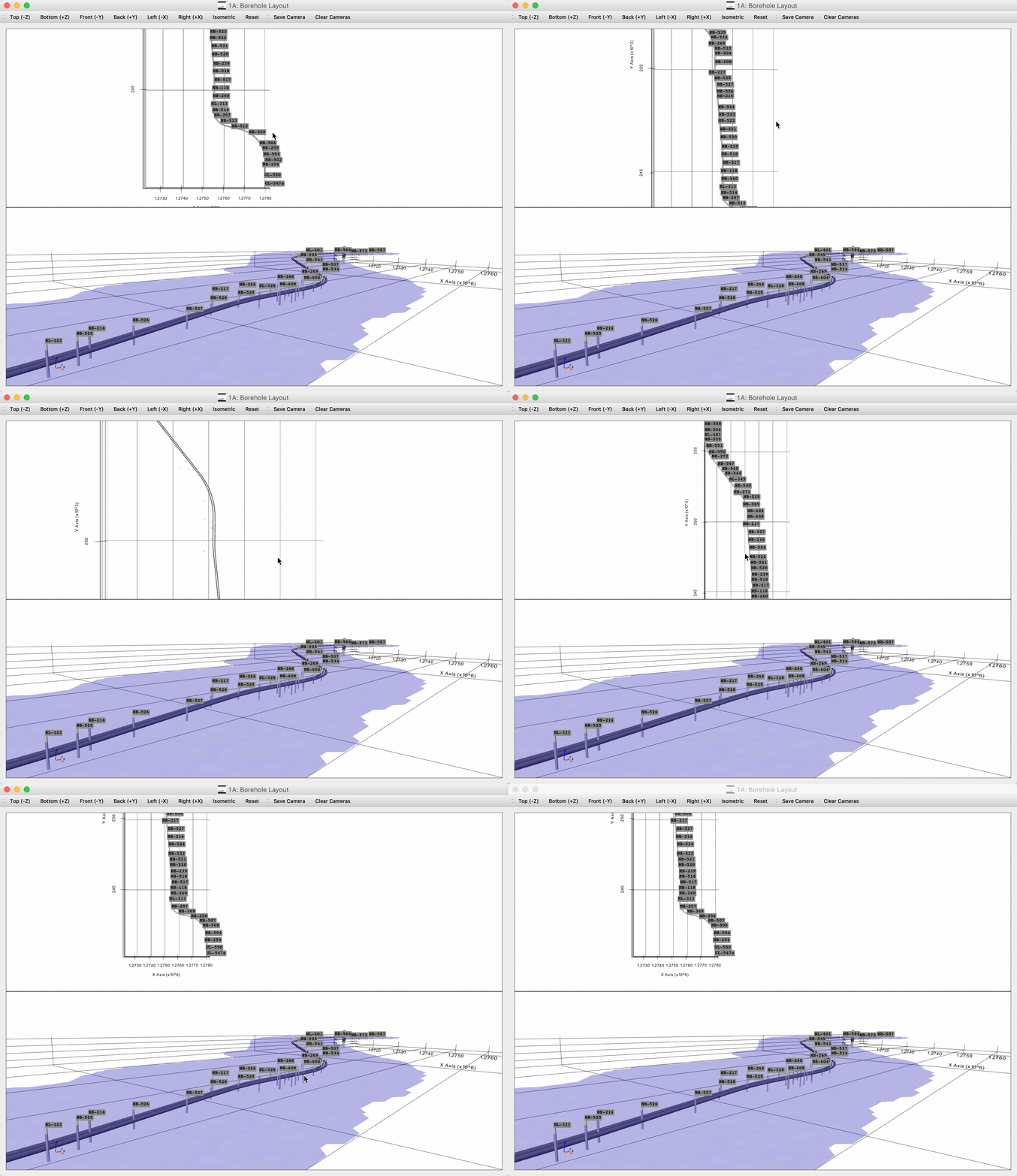
When having several viewports in one `vtkRenderWindowInteractor`, is it possible to set a different interactor style for each viewport such that one viewport shows a renderer with trackball style and another shows with image style.
Use case: the following scene where I want a top-down view as well as a full 3D interactive view. The top-down view should stay locked in its orientation and only allow zooming/panning.
---
### Author:  [@banesullivan](https://discourse.vtk.org/u/banesullivan)
#### Post date: [October 14, 2019, 4:07pm UTC](https://discourse.vtk.org/t/possible-to-use-different-interaction-styles-across-viewports/1926/2 "2019-10-14T16:07:45Z")
Assuming there isn’t a way to use multiple interactor styles across viewports, does anyone have ideas on how the same effect could be achieved?
---
### Author:  [@toddy](https://discourse.vtk.org/u/toddy)
#### Post date: [October 14, 2019, 11:30pm UTC](https://discourse.vtk.org/t/possible-to-use-different-interaction-styles-across-viewports/1926/3 "2019-10-14T23:30:08Z")
Assuming you’ve already created two different interactor styles and associated each with a different default renderer, I would suggest you handle the MouseMove event, to detect when your active viewport changes with
> vtkRenderWindowInteractor.GetInteractorStyle().GetDefaultRenderer()
and then switch the interactor style with
> vtkRenderWindowInteractor.SetInteractorStyle()
---
### Author:  [@banesullivan](https://discourse.vtk.org/u/banesullivan)
#### Post date: [October 17, 2019, 9:07pm UTC](https://discourse.vtk.org/t/possible-to-use-different-interaction-styles-across-viewports/1926/4 "2019-10-17T21:07:39Z")
Uh, that should work well! Thanks @toddy