# Python 3D volume rendering problem which I pass series of LSM Dicom image.
**URL:** https://discourse.vtk.org/t/python-3d-volume-rendering-problem-which-i-pass-series-of-lsm-dicom-image/6503
**Category:** Support
**Created:** [August 30, 2021, 5:54pm UTC](https://discourse.vtk.org/t/python-3d-volume-rendering-problem-which-i-pass-series-of-lsm-dicom-image/6503 "2021-08-30T17:54:47Z")
**Posts on this page:** 4
**Page:** 1
### Author:  [@Yuvi-416](https://discourse.vtk.org/u/Yuvi-416)
#### Post date: [August 30, 2021, 5:54pm UTC](https://discourse.vtk.org/t/python-3d-volume-rendering-problem-which-i-pass-series-of-lsm-dicom-image/6503/1 "2021-08-30T17:54:47Z")
Hello guys,
I am trying to visualize series of dicomized microscope LSM into 3D visualization using the VTK python package. I wrote the below code which works perfectly for the CT Dicom image but not for the LSM image. I also use **ParaView** to check the **vtkColorTransferFunction** and **vtkPiecewiseFunction** value. Even though I use the same values of **vtkColorTransferFunction** and **vtkPiecewiseFunction** as ParaView in python but it doesn’t show me the image beside the blue colour. And when I try to pass series of LSM Dicom images the viewer gets stuck and it shows a white screen.
Code:
```auto
import vtk
dir1 = "/home/yuvi/Desktop/Rough/inputs/output/"
dir = "/home/yuvi/Desktop/Rough/inputs/CT_dcm/"
reader = vtk.vtkDICOMImageReader()
reader.SetDirectoryName(dir1)
reader.Update()
imageData = reader.GetOutput()
scalar_range1 = imageData.GetScalarRange()
alphaChannelFunc = vtk.vtkPiecewiseFunction()
alphaChannelFunc.AddPoint(2, 0)
alphaChannelFunc.AddPoint(228, 1)
color = vtk.vtkColorTransferFunction()
color.AddRGBPoint(2, 0.231373, 0.298039, 0.752941)
color.AddRGBPoint(115, 0.865003, 0.865003, 0.865003)
color.AddRGBPoint(228, 0.705882, 0.0156863, 0.14902)
#############################################################################
volumeMapper = vtk.vtkGPUVolumeRayCastMapper()
volumeMapper.SetInputConnection(reader.GetOutputPort())
###########################################################################
volumeProperty = vtk.vtkVolumeProperty()
volumeProperty.ShadeOff()
volumeProperty.SetInterpolationType(vtk.VTK_LINEAR_INTERPOLATION)
volumeProperty.SetScalarOpacity(alphaChannelFunc)
volumeProperty.SetColor(color)
volume = vtk.vtkVolume()
volume.SetMapper(volumeMapper)
volume.SetProperty(volumeProperty)
ren1 = vtk.vtkRenderer()
renWin = vtk.vtkRenderWindow()
renWin.AddRenderer(ren1)
iren = vtk.vtkRenderWindowInteractor()
iren.SetRenderWindow(renWin)
ren1.AddVolume(volume)
ren1.SetBackground(1, 1, 1)
renWin.SetSize(800, 800)
def exitCheck(obj, event):
if obj.GetEventPending() != 0:
obj.SetAbortRender(1)
# Tell the application to use the function as an exit check.
renWin.AddObserver("AbortCheckEvent", exitCheck)
iren.Initialize()
renWin.Render()
iren.Start()
```
And here’s the Paraview values for **vtkColorTransferFunction** and **vtkPiecewiseFunction** :
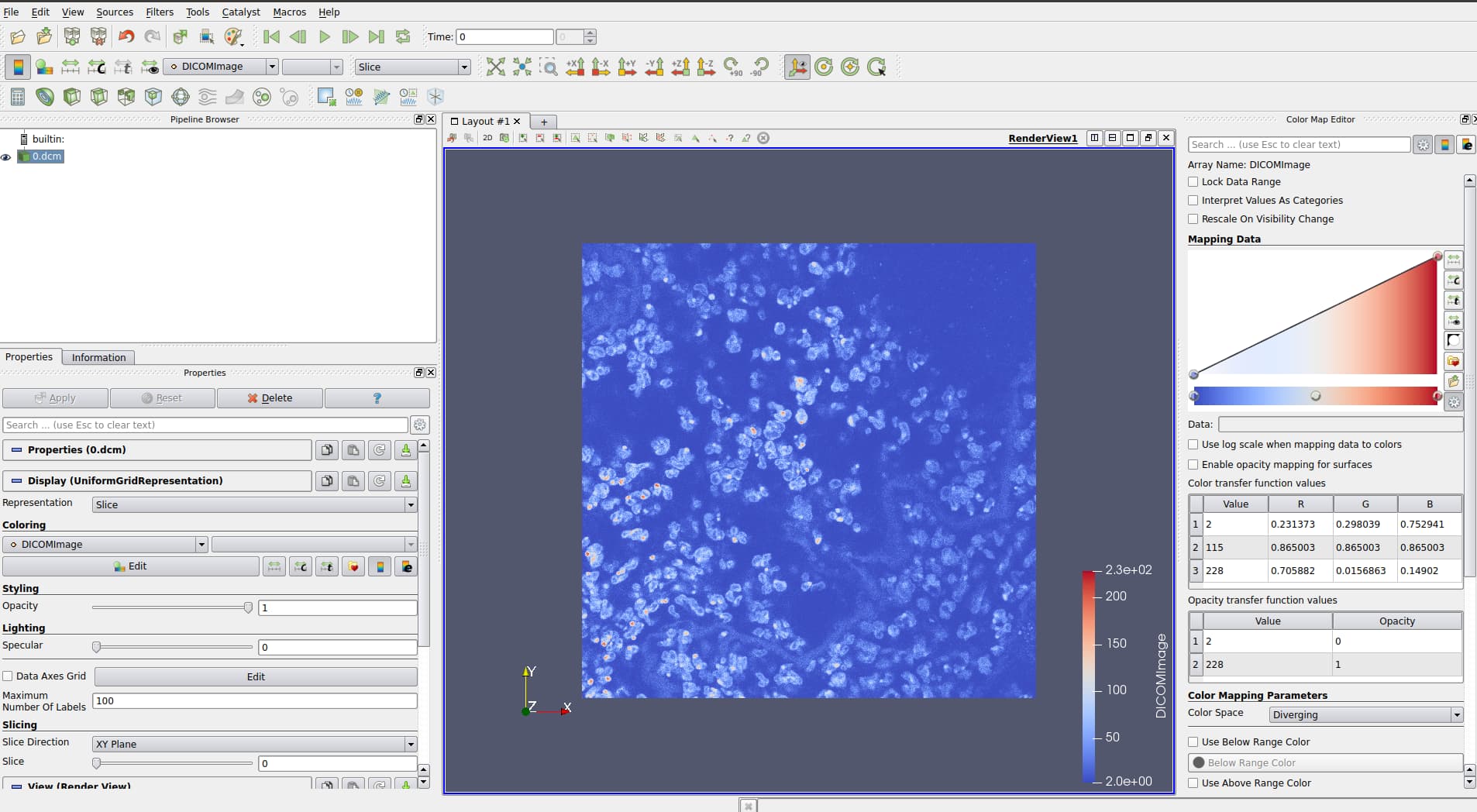
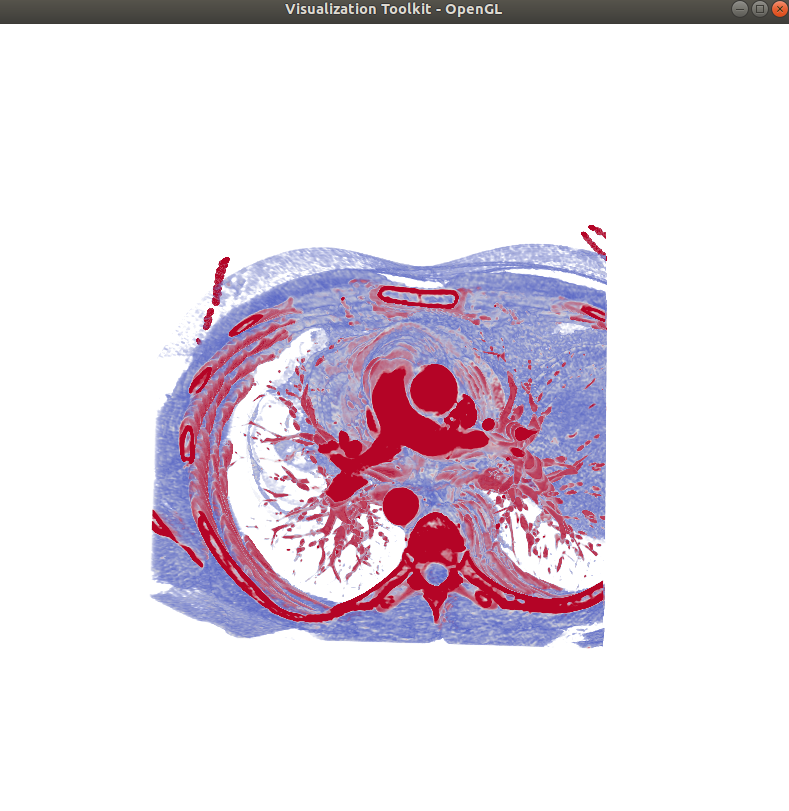
And this the output when I pass CT image: which is perfect.
And when I pass just one single Dicom LSM image it shows me the below output: just blue colur
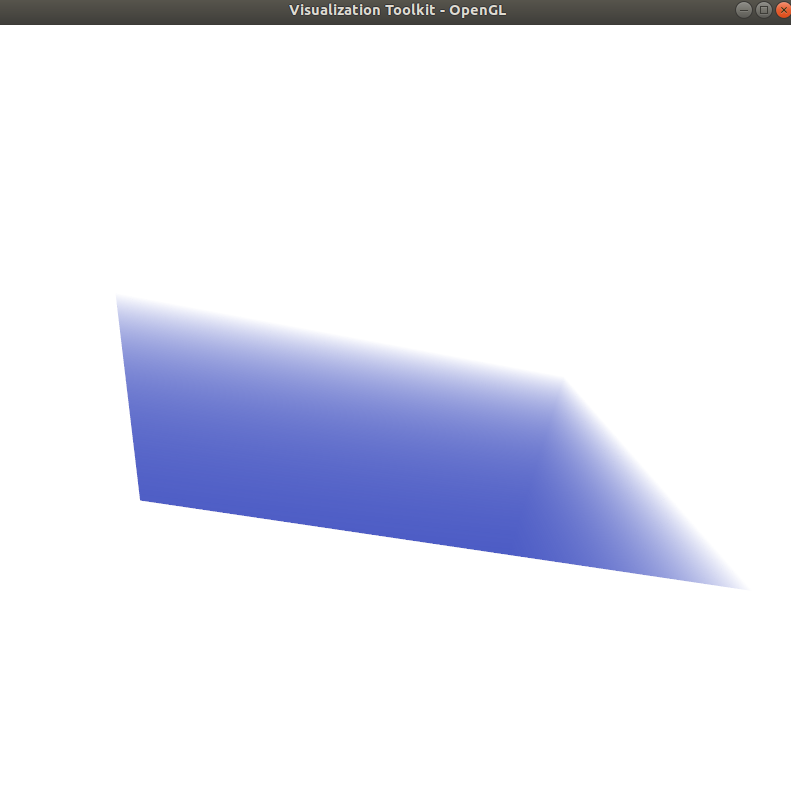
And when I pass series of LSM Dicom image, system get stuck and later viewer shows below image:

I don’t understand what I am doing wrong, same code work for CT without a problem but when I pass series of LSM Dicom image it gets stuck and doesn’t show the image at all.
I am running the above code on NVIDIA Gefore RTX 2060 6GB graphic card on a laptop.
Please provide me with some suggestions to overcome this problem.
Thank you!
---
### Author:  [@lassoan](https://discourse.vtk.org/u/lassoan)
#### Post date: [August 31, 2021, 6:11pm UTC](https://discourse.vtk.org/t/python-3d-volume-rendering-problem-which-i-pass-series-of-lsm-dicom-image/6503/2 "2021-08-31T18:11:02Z")
Probably you just need to adjust the sampling distance in the volume renderer, or normalize the voxel spacing to be in a more “reasonable” range (between 0.05 - 5.0).
---
### Author:  [@Yuvi-416](https://discourse.vtk.org/u/Yuvi-416)
#### Post date: [August 31, 2021, 6:59pm UTC](https://discourse.vtk.org/t/python-3d-volume-rendering-problem-which-i-pass-series-of-lsm-dicom-image/6503/3 "2021-08-31T18:59:40Z")
Thank you for your reply.
I solved my previous problem by normalizing the pixel intensity.
I have another problem.
Can you tell me how to visualize two objects in the same visualization screen in the case of volume rendering? I can visualize two objects utilizing vtkActor in the isosurface part but I couldn’t figure out how to do that in the volume rendering part. Although I pass the AddVolume function twice but it just shows the first object and second colour transfer function.
```auto
```
…
…
…
alphaChannelFunc1 = vtk.vtkPiecewiseFunction()
alphaChannelFunc1.AddPoint(ii1\_0, 0)
alphaChannelFunc1.AddPoint(ii1\_1, 0.1)
colorFunc1 = vtk.vtkColorTransferFunction()
colorFunc1.AddRGBPoint(ii1\_0, 0.0015, 0.0005, 0.0139)
colorFunc1.AddRGBPoint(ii1\_mid1, 0.5692, 0.1675, 0.5041)
colorFunc1.AddRGBPoint(ii1\_1, 0.9871, 0.9914, 0.7495)
alphaChannelFunc2 = vtk.vtkPiecewiseFunction()
alphaChannelFunc2.AddPoint(ii2\_0, 0)
alphaChannelFunc2.AddPoint(ii2\_1, 1)
colorFunc2 = vtk.vtkColorTransferFunction()
colorFunc2.AddRGBPoint(ii2\_0, 1.0000, 1.0000, 0.9882)
colorFunc2.AddRGBPoint(ii2\_mid1, 0.9412, 0.6784, 0.1490)
colorFunc2.AddRGBPoint(ii2\_1, 0.3020, 0.0471, 0.0902)
#############################################################
volumeProperty1 = vtk.vtkVolumeProperty()
volumeProperty1.SetColor(colorFunc1)
volumeProperty1.SetScalarOpacity(alphaChannelFunc1)
volumeMapper1 = vtk.vtkGPUVolumeRayCastMapper()
volumeMapper1.SetInputConnection(dataImporter1.GetOutputPort())
volume1 = vtk.vtkVolume()
volume1.SetMapper(volumeMapper1)
volume1.SetProperty(volumeProperty1)
####################################################
volumeProperty2 = vtk.vtkVolumeProperty()
volumeProperty2.SetColor(colorFunc2)
volumeProperty2.SetScalarOpacity(alphaChannelFunc2)
volumeMapper2 = vtk.vtkGPUVolumeRayCastMapper()
volumeMapper2.SetInputConnection(dataImporter2.GetOutputPort())
volume2 = vtk.vtkVolume()
volume2.SetMapper(volumeMapper2)
volume2.SetProperty(volumeProperty2)
######################################################
ren = vtk.vtkRenderer()
renWin = vtk.vtkRenderWindow()
renWin.AddRenderer(ren)
iren = vtk.vtkRenderWindowInteractor()
iren.SetRenderWindow(renWin)
ren.AddVolume(volume1)
ren.AddVolume(volume2)
ren.SetBackground(0, 0, 0)
renWin.SetSize(800, 800)
iren.Initialize()
renWin.Render()
iren.Start()
```auto
```
Please suggest me something!
Thank you
---
### Author:  [@Yuvi-416](https://discourse.vtk.org/u/Yuvi-416)
#### Post date: [August 31, 2021, 9:01pm UTC](https://discourse.vtk.org/t/python-3d-volume-rendering-problem-which-i-pass-series-of-lsm-dicom-image/6503/4 "2021-08-31T21:01:12Z")
I found the solution.
Please follow this link: [Is it possible to overlay two raycast volumes in the same render window? - #5 by lassoan](https://discourse.vtk.org/t/is-it-possible-to-overlay-two-raycast-volumes-in-the-same-render-window/2177/5)