# QVTKOpenGLNativeWidget requires a \`vtkGenericOpenGLRenderWindow\`. \` vtkWin32OpenGLRenderWindow \` is not supported.
**URL:** https://discourse.vtk.org/t/qvtkopenglnativewidget-requires-a-vtkgenericopenglrenderwindow-vtkwin32openglrenderwindow-is-not-supported/4127
**Category:** Support
**Created:** [September 2, 2020, 1:44pm UTC](https://discourse.vtk.org/t/qvtkopenglnativewidget-requires-a-vtkgenericopenglrenderwindow-vtkwin32openglrenderwindow-is-not-supported/4127 "2020-09-02T13:44:44Z")
**Posts on this page:** 18
**Page:** 1
### Author:  [@giri\_lakshman](https://discourse.vtk.org/u/giri_lakshman)
#### Post date: [September 2, 2020, 1:44pm UTC](https://discourse.vtk.org/t/qvtkopenglnativewidget-requires-a-vtkgenericopenglrenderwindow-vtkwin32openglrenderwindow-is-not-supported/4127/1 "2020-09-02T13:44:44Z")
Hi,
I am using Qt 5.15.0 framework and my VTK version is 9.0.
I am new to VTK and I am working on reading the DICOM image application in Qt framework using VTK. The application is showing the DICOM image in a separate window, but I want the DICOM image to be executed in the MainWindow.
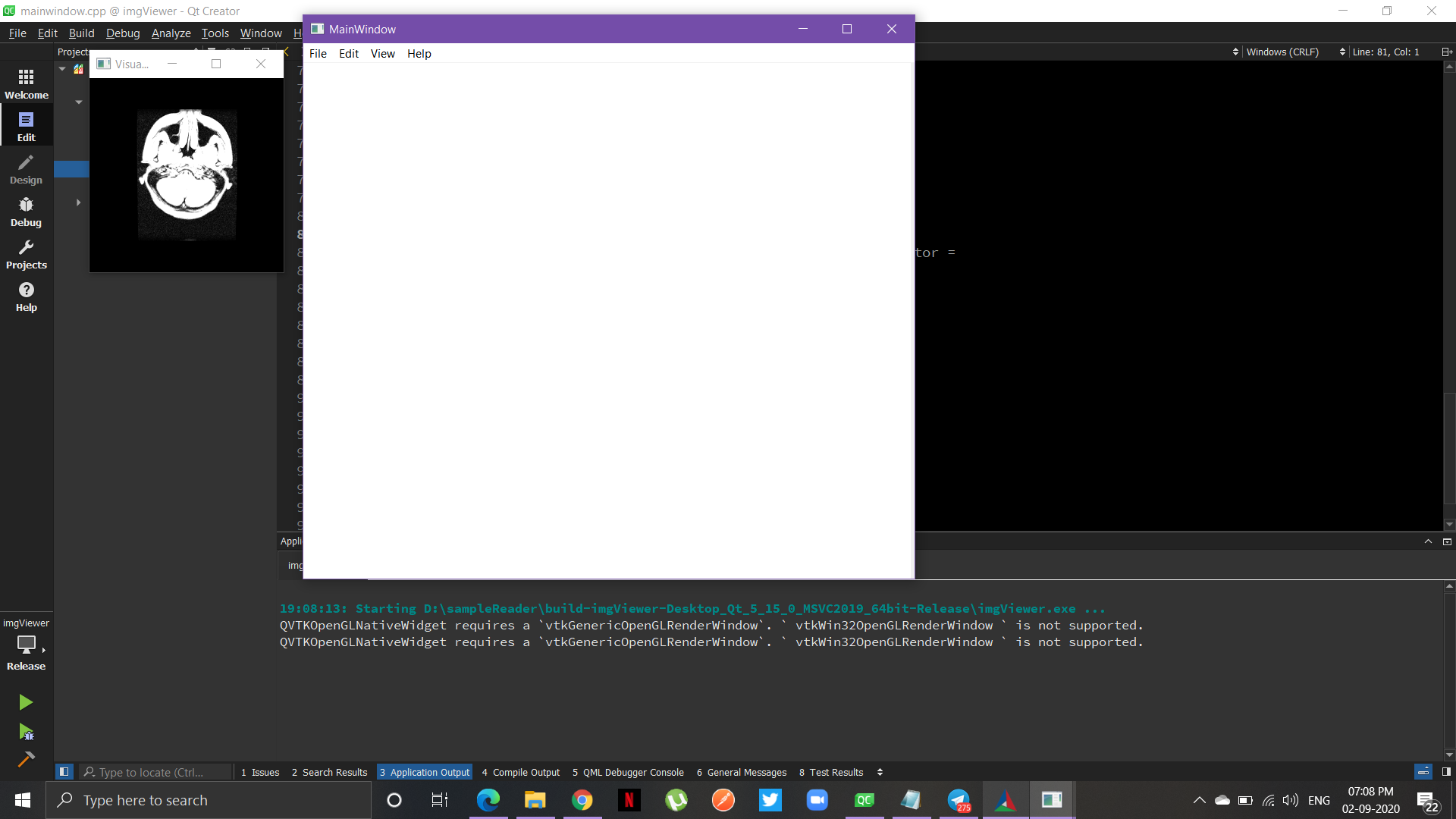
I have attached a screenshot of the error and also I got the following error.
QVTKOpenGLNativeWidget requires a `vtkGenericOpenGLRenderWindow`. `vtkWin32OpenGLRenderWindow` is not supported.
How to deal with this?
Thanks in advance.
---
### Author:  [@mwestphal](https://discourse.vtk.org/u/mwestphal)
#### Post date: [September 2, 2020, 1:47pm UTC](https://discourse.vtk.org/t/qvtkopenglnativewidget-requires-a-vtkgenericopenglrenderwindow-vtkwin32openglrenderwindow-is-not-supported/4127/2 "2020-09-02T13:47:41Z")
Use a vtkGenericOpenGLRenderWindow instead of a vtkWin32OpenGLRenderWindow.
---
### Author:  [@giri\_lakshman](https://discourse.vtk.org/u/giri_lakshman)
#### Post date: [September 2, 2020, 3:20pm UTC](https://discourse.vtk.org/t/qvtkopenglnativewidget-requires-a-vtkgenericopenglrenderwindow-vtkwin32openglrenderwindow-is-not-supported/4127/3 "2020-09-02T15:20:41Z")
But, I checked my code, I have replaced vtkWin32OpenGLRenderWindow with vtkGenericOpenGLRenderWindow and it still shows the same error.
Is there any other place i have to look anywhere like in VTK sources files?
---
### Author:  [@mwestphal](https://discourse.vtk.org/u/mwestphal)
#### Post date: [September 2, 2020, 3:52pm UTC](https://discourse.vtk.org/t/qvtkopenglnativewidget-requires-a-vtkgenericopenglrenderwindow-vtkwin32openglrenderwindow-is-not-supported/4127/4 "2020-09-02T15:52:21Z")
Nope, it must be in your code.
Just put a breakpoint in the vtkWin32OpenGLRenderWindow constructor.
---
### Author:  [@giri\_lakshman](https://discourse.vtk.org/u/giri_lakshman)
#### Post date: [September 3, 2020, 10:57am UTC](https://discourse.vtk.org/t/qvtkopenglnativewidget-requires-a-vtkgenericopenglrenderwindow-vtkwin32openglrenderwindow-is-not-supported/4127/5 "2020-09-03T10:57:05Z")
I tried and it’s still the same. I also created a new project and I built , still the error is same.
Is there any alternate solution or any other library ?
Thanks in advance.
---
### Author:  [@Amnesie](https://discourse.vtk.org/u/Amnesie)
#### Post date: [September 11, 2020, 12:46pm UTC](https://discourse.vtk.org/t/qvtkopenglnativewidget-requires-a-vtkgenericopenglrenderwindow-vtkwin32openglrenderwindow-is-not-supported/4127/6 "2020-09-11T12:46:34Z")
Maybe post you code will be better.
---
### Author:  [@besoft](https://discourse.vtk.org/u/besoft)
#### Post date: [October 9, 2020, 11:03am UTC](https://discourse.vtk.org/t/qvtkopenglnativewidget-requires-a-vtkgenericopenglrenderwindow-vtkwin32openglrenderwindow-is-not-supported/4127/7 "2020-10-09T11:03:02Z")
I have encountered the same problem. I had an old code using obsolete QVTKWidget that could not compile with VTK 9 until I replaced QVTKWidget with QVTKOpenGLNativeWidget. The runtime error was caused by passing an instance of vtkRenderWindow as a parameter of SetRenderWindow method. I guess that years ago QVTWidget did not create RenderWindow automatically and that was the solution. Unfortunately, vtkRenderWindow is in fact vtkWin32OpenGLRenderWindow, which is not supported in QVTKOpenGLNativeWidget. My solution: simply remove the line with SetRenderWindow.
---
### Author:  [@phan-anh](https://discourse.vtk.org/u/phan-anh)
#### Post date: [November 5, 2021, 3:25pm UTC](https://discourse.vtk.org/t/qvtkopenglnativewidget-requires-a-vtkgenericopenglrenderwindow-vtkwin32openglrenderwindow-is-not-supported/4127/8 "2021-11-05T15:25:29Z")
@besoft @giri_lakshman maybe you want to follow the example in this link: [https://kitware.github.io/vtk-examples/site/Cxx/Qt/SideBySideRenderWindowsQt/](https://kitware.github.io/vtk-examples/site/Cxx/Qt/SideBySideRenderWindowsQt/) it works for me.
@mwestphal I have another issue when switching from vtk8 to vtk9. The rendering time is roughly 5 times slower than vtk8. I think it’s because of using the vtkGenericOpenGLRenderWindow instead of vtkWin32OpenGLRenderWindow. What a pity that I cannot use vtkWin32OpenGLRenderWindow anymore. Also vtkWin32OpenGLRenderWindow has some advantage of reusing the opengl shared context. My biggest problem now is the poor rendering time. Is there anything else affecting the performance between vtk8 and vtk9?
---
### Author:  [@mwestphal](https://discourse.vtk.org/u/mwestphal)
#### Post date: [November 5, 2021, 3:29pm UTC](https://discourse.vtk.org/t/qvtkopenglnativewidget-requires-a-vtkgenericopenglrenderwindow-vtkwin32openglrenderwindow-is-not-supported/4127/9 "2021-11-05T15:29:43Z")
> [@phan-anh](#):
>
> The rendering time is roughly 5 times slower than vtk8
This is unlikely.
---
### Author:  [@phan-anh](https://discourse.vtk.org/u/phan-anh)
#### Post date: [November 5, 2021, 3:34pm UTC](https://discourse.vtk.org/t/qvtkopenglnativewidget-requires-a-vtkgenericopenglrenderwindow-vtkwin32openglrenderwindow-is-not-supported/4127/10 "2021-11-05T15:34:18Z")
> [@mwestphal](#):
>
> This is unlikely.
my application has a lot of QVTKOpenGLNativeWidget/vtkGenericOpenGLRenderWindow let’s say 18 instances. when I reduce the number of QVTKOpenGLNativeWidget to 4 it is getting better but way more slower than the version using vtk8. What’s your opinion?
---
### Author:  [@mwestphal](https://discourse.vtk.org/u/mwestphal)
#### Post date: [November 5, 2021, 4:07pm UTC](https://discourse.vtk.org/t/qvtkopenglnativewidget-requires-a-vtkgenericopenglrenderwindow-vtkwin32openglrenderwindow-is-not-supported/4127/11 "2021-11-05T16:07:16Z")
> What’s your opinion?
VTK is used by a number of applications, including ParaView. A 5x rendering time increase would definitely have been noticed.
That being said, it is possible that your application experience slowness after making some changes, but it can’t be generalized.
BTW you can try opening 18 windows in ParaView and see if you have the same problem.
---
### Author:  [@phan-anh](https://discourse.vtk.org/u/phan-anh)
#### Post date: [November 15, 2021, 4:03pm UTC](https://discourse.vtk.org/t/qvtkopenglnativewidget-requires-a-vtkgenericopenglrenderwindow-vtkwin32openglrenderwindow-is-not-supported/4127/12 "2021-11-15T16:03:46Z")
> [@mwestphal](#):
>
> VTK is used by a number of applications, including ParaView. A 5x rendering time increase would definitely have been noticed.
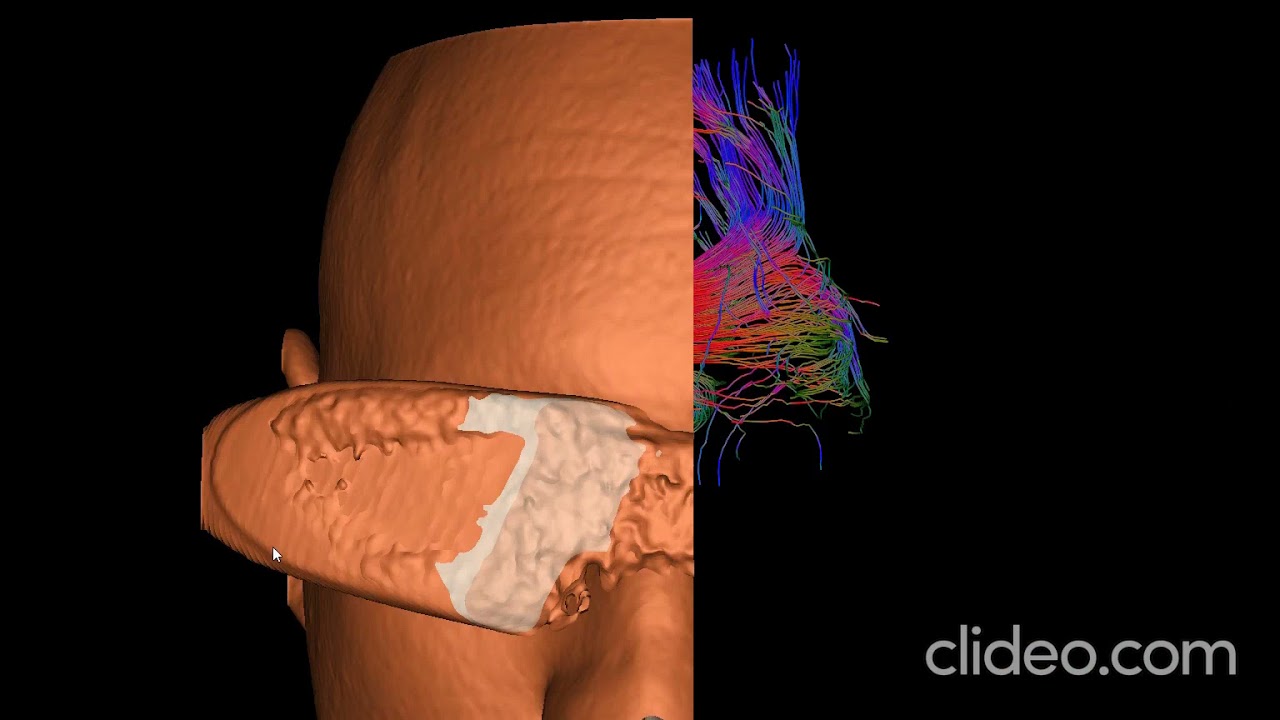
I have tested vtk9 with QVTKWidget (recovered from the commit: “Removing QVTKWidget and all related classes”
f55f45faced3ddd37d30ef811558b009ae6d6746) and it’s as fast as the vtk8, please see the following link:
[ ](https://www.youtube.com/watch?v=Io7pRDm3CbM)
However, with if I use QVTKOpenGLNativeWidget, it will be very laggy as shown in the video link below:
[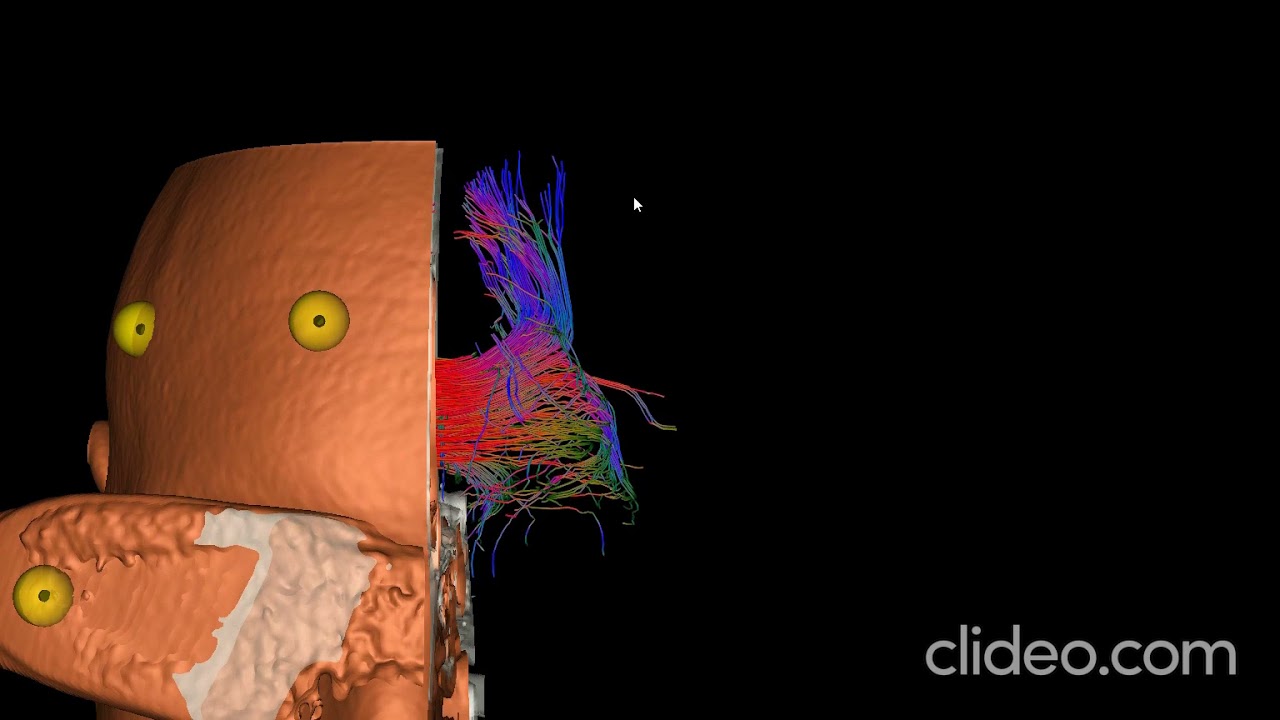 ](https://www.youtube.com/watch?v=ReRQeGPH73U)
I suspect it has something to do with the new QOpenGLWidget concept. It would be nice if you could confirm and maybe have some idea to improve the rendering performance of QVTKOpenGLNativeWidget. Otherwise I have to use the QVTKWidget in my own forked branch. Which is hard to maintain and not optimal. Many thanks.
---
### Author:  [@mwestphal](https://discourse.vtk.org/u/mwestphal)
#### Post date: [November 15, 2021, 4:05pm UTC](https://discourse.vtk.org/t/qvtkopenglnativewidget-requires-a-vtkgenericopenglrenderwindow-vtkwin32openglrenderwindow-is-not-supported/4127/13 "2021-11-15T16:05:13Z")
> [@phan-anh](#):
>
> QVTKOpenGLNativeWidget
You can try the QVTKOpenGLStereoWidget if you want.
---
### Author:  [@phan-anh](https://discourse.vtk.org/u/phan-anh)
#### Post date: [November 16, 2021, 11:25am UTC](https://discourse.vtk.org/t/qvtkopenglnativewidget-requires-a-vtkgenericopenglrenderwindow-vtkwin32openglrenderwindow-is-not-supported/4127/14 "2021-11-16T11:25:15Z")
> [@mwestphal](#):
>
> You can try the QVTKOpenGLStereoWidget if you want.
it renders as fast as expected. Thank you very much!
---
### Author:  [@phan-anh](https://discourse.vtk.org/u/phan-anh)
#### Post date: [November 17, 2021, 2:19pm UTC](https://discourse.vtk.org/t/qvtkopenglnativewidget-requires-a-vtkgenericopenglrenderwindow-vtkwin32openglrenderwindow-is-not-supported/4127/15 "2021-11-17T14:19:46Z")
@mwestphal the QVTKOpenGLStereoWidget has the limitations of [“Stacking order; The embedded window will stack on top of the widget hierarchy as an opaque box”](https://doc.qt.io/qt-5/qwidget.html#createWindowContainer). I need to render some widgets on top of it so my only option is to come back to the deprecated QVTKWidget
---
### Author:  [@mwestphal](https://discourse.vtk.org/u/mwestphal)
#### Post date: [November 17, 2021, 2:20pm UTC](https://discourse.vtk.org/t/qvtkopenglnativewidget-requires-a-vtkgenericopenglrenderwindow-vtkwin32openglrenderwindow-is-not-supported/4127/16 "2021-11-17T14:20:53Z")
> the deprecated QVTKWidget
Which is deprecated because Qt deprecated the mechanism on top of which it was based, just sayin.
---
### Author:  [@phan-anh](https://discourse.vtk.org/u/phan-anh)
#### Post date: [November 19, 2021, 9:41am UTC](https://discourse.vtk.org/t/qvtkopenglnativewidget-requires-a-vtkgenericopenglrenderwindow-vtkwin32openglrenderwindow-is-not-supported/4127/17 "2021-11-19T09:41:04Z")
now when using the QVTKWidget, I cannot get the correct depth data from the function `vtkOpenGLRenderWindow::GetZbufferData`. What do I need to change to make it work again?
---
### Author:  [@phan-anh](https://discourse.vtk.org/u/phan-anh)
#### Post date: [January 19, 2022, 12:04pm UTC](https://discourse.vtk.org/t/qvtkopenglnativewidget-requires-a-vtkgenericopenglrenderwindow-vtkwin32openglrenderwindow-is-not-supported/4127/18 "2022-01-19T12:04:31Z")
I found a work around to this issue by not using any of `QVTKOpenGLNativeWidget/QVTKOpenGLStereoWidget/QVTKWidget`. Instead, I just pass the `QWidget.windId` to the `vtkWin32OpenGLRenderWindow` as follows:
```auto
QFrame* viewFrame = new QFrame;
mainLayout->addWidget(viewFrame, 0, 0, 2, 2);
vtkNew renderWindow;
renderWindow->SetParentId((HWND)viewFrame->winId());
```
The important point here is that I use `SetParentId` and have to handle mouse events myself and depth picking works well.