# QVTKOpenglNativeWidget resizing issue with QmainWindow
**URL:** https://discourse.vtk.org/t/qvtkopenglnativewidget-resizing-issue-with-qmainwindow/16336
**Category:** Support
**Created:** [March 17, 2026, 6:17pm UTC](https://discourse.vtk.org/t/qvtkopenglnativewidget-resizing-issue-with-qmainwindow/16336 "2026-03-17T18:17:03Z")
**Posts on this page:** 2
**Page:** 1
### Author:  [@Mesbah](https://discourse.vtk.org/u/Mesbah)
#### Post date: [March 17, 2026, 6:17pm UTC](https://discourse.vtk.org/t/qvtkopenglnativewidget-resizing-issue-with-qmainwindow/16336/1 "2026-03-17T18:17:03Z")
Hi,
My goal is to use vtk to render different TPMS structure for bone scaffolding. Initially I am trying to render just a simple cylinder to get the GUI layout correct so I can add the buttons and sliders later to get the interactive TPMS app.
I am using Windows 10 with msvs 2022 and qt 6.8.3. I compiled the library and did render a cylinder in QMainWindow.
The code snippet:
```auto
void cylinder::render(vtkSmartPointer *QtMainWindowRendered)
{
vtkNew cylinderMapper;cylinderMapper->SetInputConnection(cylinderSource->GetOutputPort());
vtkNew cylinderActor;
cylinderActor->SetMapper(cylinderMapper);
cylinderActor->GetProperty()->SetColor(colors->GetColor4d("Tomato").GetData());
cylinderActor->RotateX(30.0);
cylinderActor->RotateY(-45.0);
renderer->AddActor(cylinderActor);
renderer->SetBackground(colors->GetColor3d("BkgColor").GetData());
renderer->ResetCamera();
renderer->GetActiveCamera()->Zoom(1.5);
*QtMainWindowRendered = this->renderer.Get();
}
```
```auto
MainWindow::MainWindow(QWidget *parent): QMainWindow(parent)
, ui(new Ui::MainWindow)
, vtkWidget(nullptr)
{
c = new cylinder(5,10);ui->setupUi(this);
vtkWidget = ui->vtkWidget;
if (!vtkWidget) {
qCritical() << "ERROR: Could not find QVTKOpenGLNativeWidget in UI! "
<< "Check that the promoted widget's objectName is exactly 'vtkWidget'";
return;
}
// === RENDER THE CYLINDER ===
vtkSmartPointer renderer;
c->render(&renderer);
// create a render window
renderWindow = vtkSmartPointer::New();
vtkWidget->setRenderWindow(renderWindow); // set the render window
// add renderer
renderWindow->AddRenderer(renderer);
renderWindow->Render();
}
```
```auto
void MainWindow::resizeEvent(QResizeEvent *event)
{
// Window size
QSize windowSize = this->size();qDebug() << “MainWindow size:” << windowSize.width() << “x” << windowSize.height();
// VTK widget size
if (ui->vtkWidget)
{
QSize vtkSize = ui->vtkWidget->size();
qDebug() << "VTK Widget size:" << vtkSize.width() << "x" <<
vtkSize.height();
}
// Call base class implementation
QMainWindow::resizeEvent(event);
}
```
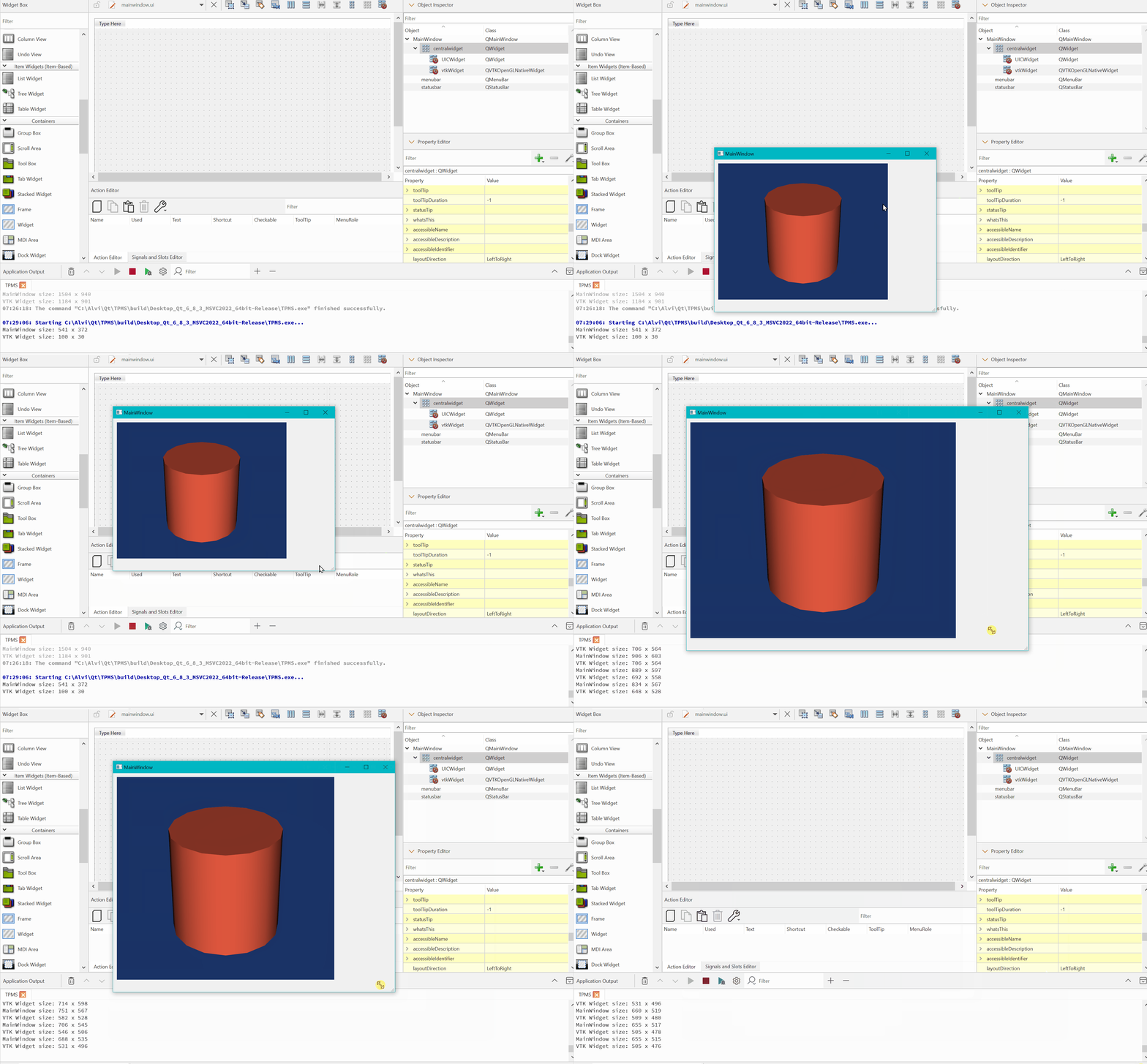
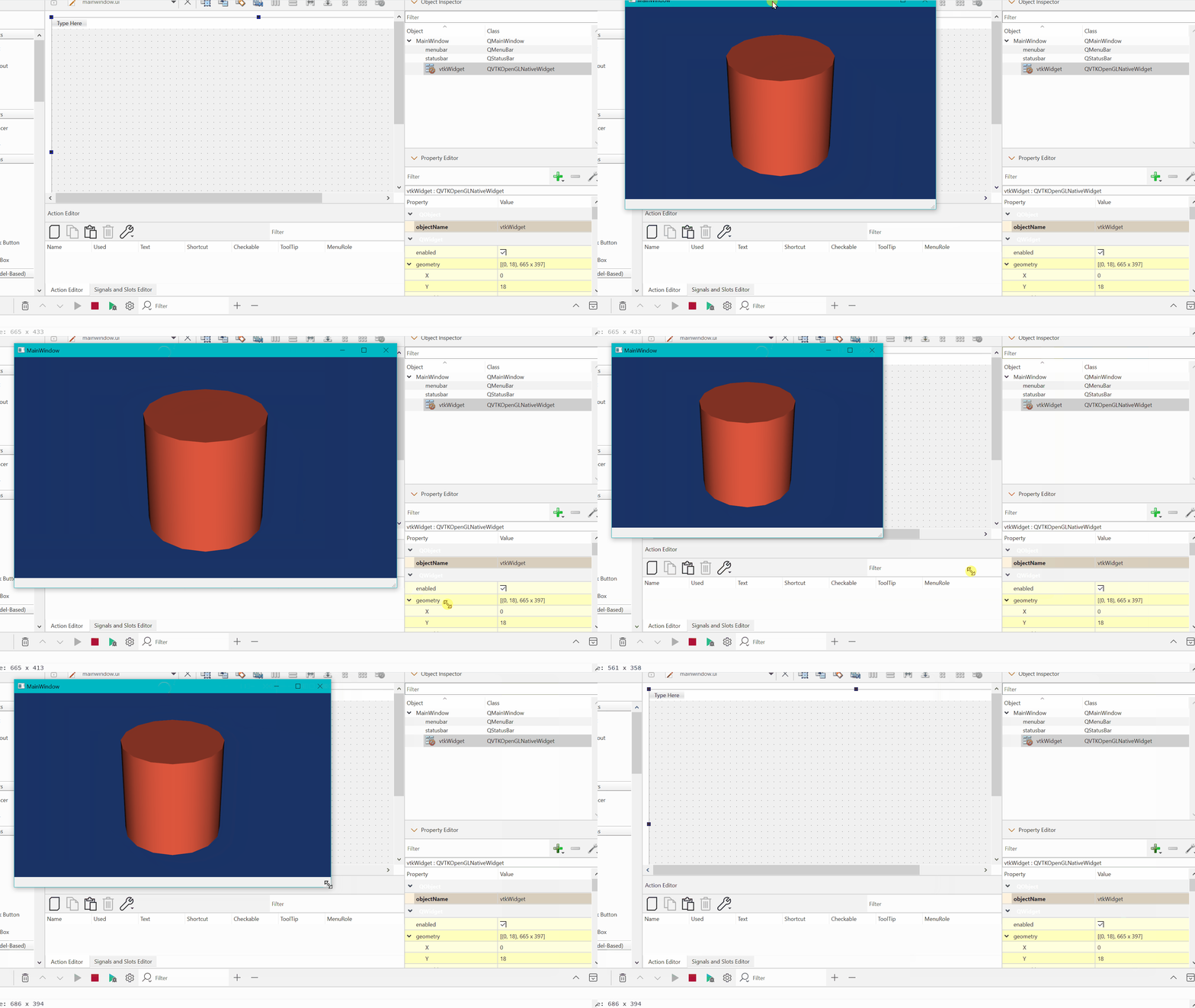
Now mainwindow.ui consists a mainwindow, centralwidget and toolbar as a default design. The central widget is inherent part of mainwindow. I can promote the central widget(renamed vtkWidget) to QVTKOpenGLNativeWidget. So when I maximize or minimise the main window that will scale and fill the entire main window.
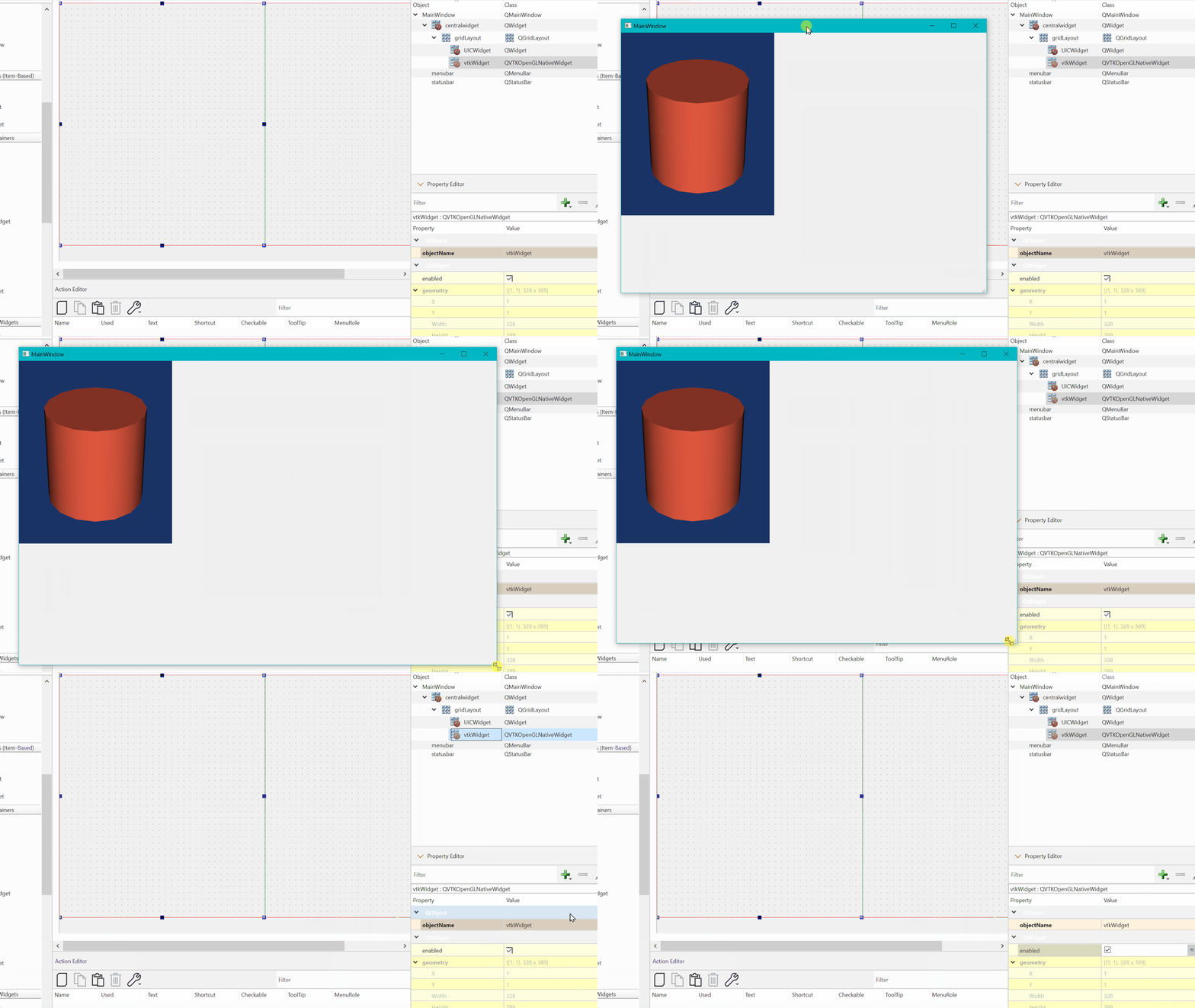
But to have buttons and sliders I need some grid layout so that scaling happens automatically. I tried by mainwindow→centralwidget→gridlayout→ QVTKOpenGLNativeWidget + QWidget(general one to hold the buttons etc.). When I try to resize or maximise the mainwindow, the QVTKOpenGLNativeWidget do not resize. It stays its default size. I know the centralwidget can sync with main window to resize. My understanding is that child gridlayout is not connected to centralwidget. How can I make the QVTK…..window response to mainwindow resizing?
---
### Author:  [@Mesbah](https://discourse.vtk.org/u/Mesbah)
#### Post date: [March 17, 2026, 8:28pm UTC](https://discourse.vtk.org/t/qvtkopenglnativewidget-resizing-issue-with-qmainwindow/16336/2 "2026-03-17T20:28:03Z")
All is needed is that right click mainwindow, layout to layout in a grid. this will embed grid layout in centralwidget and everything will scale. I asked a very trivial question but might help for future reference.