# Rendering artifact
**URL:** https://discourse.vtk.org/t/rendering-artifact/8830
**Category:** Support
**Created:** [June 29, 2022, 2:58pm UTC](https://discourse.vtk.org/t/rendering-artifact/8830 "2022-06-29T14:58:28Z")
**Posts on this page:** 1
**Page:** 1
### Author:  [@rprueckl](https://discourse.vtk.org/u/rprueckl)
#### Post date: [June 29, 2022, 2:58pm UTC](https://discourse.vtk.org/t/rendering-artifact/8830/1 "2022-06-29T14:58:28Z")
Dear all,
I am writing extensions for 3D Slicer and encountered some rendering artifacts:
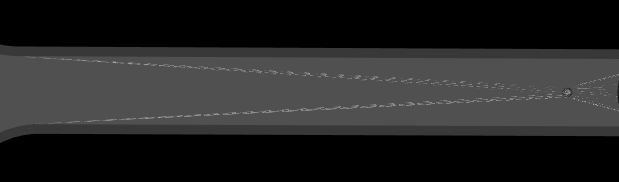
I manually load an obj and a texture and want to display this. The result is as follows:
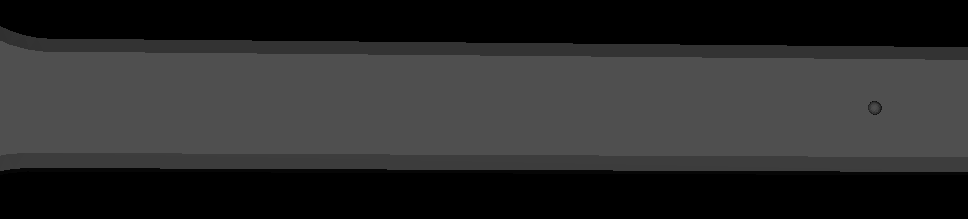
When I use the same code, but add the actor to one of the standard slicer 3d views, the result looks like this (as expected):
I found a workaround to remove the artifact: The object in question basically only has two colors. I initially created the texture mapping such that triangles of the same color would map to the same texture coordinates. This means that texture coordinates of the same-color triangles overlapped. This is when I saw the artifact.
I changed mapping such that each triangle now has its own space on the texture (i.e. no overlap anymore), and the artifact was gone.
I have no idea about the root-cause for this. Maybe someone of you does.
This was done with VTK version v7.0.0.rc1-9087-g31dc6a08b8.
The display pipeline is as follows:
```auto
// input:
vtkSmartPointer geometry; // read from hdd with vtkOBJReader
vtkSmartPointer texture; // read from hdd with vtkPNGReader
// prepare geometry
vtkNew polyDataMapper;
polyDataMapper->SetInputData(geometry);
// prepare texture
int extent[6];
texture->GetExtent(extent);
vtkNew selectionOverlay;
selectionOverlay->SetScalarTypeToUnsignedChar();
selectionOverlay->SetExtent(extent);
selectionOverlay->SetNumberOfScalarComponents(3);
selectionOverlay->SetDrawColor(1.0, 0.0, 0.0);
selectionOverlay->FillBox(extent[0], extent[1], extent[2], extent[3]);
selectionOverlay->Update();
textureBlender = vtkSmartPointer::New();
textureBlender->AddInputData(texture);
textureBlender->AddInputData(selectionOverlay->GetOutput());
textureBlender->SetOpacity(0, 1.0);
textureBlender->SetOpacity(1, 0.0);
vtkNew textureObject;
textureObject->SetInputConnection(textureBlender->GetOutputPort());
textureObject->Update();
// prepare actor
actor = vtkSmartPointer::New();
actor->SetMapper(polyDataMapper);
actor->SetTexture(textureObject);
renderer->AddActor(actor);
```