### Author:  [@kerim](https://discourse.vtk.org/u/kerim)
#### Post date: [February 7, 2020, 11:11pm UTC](https://discourse.vtk.org/t/run-vtk-example-in-qt/2569/1 "2020-02-07T23:11:28Z")
Hi,
I’m beginner at VTK and I need help to start working with that.
I built VTK library. I can run examples from [official site](https://lorensen.github.io/VTKExamples/site/Cxx/). But to run them I add the following code:
> #include \
> VTK\_MODULE\_INIT(vtkRenderingOpenGL2);
> VTK\_MODULE\_INIT(vtkRenderingContextOpenGL2); // this is for 2D graphics [link](http://vtk.1045678.n5.nabble.com/Error-no-override-found-for-vtkContextDevice2D-td5741533.html)
> VTK\_MODULE\_INIT(vtkInteractionStyle);
> VTK\_MODULE\_INIT(vtkRenderingFreeType);
I found that in Internet but I don’t understand why should I add these lines?
So when I run these examples a new window appear where I can see the created objects. But how to display VTK objects in Qt window? I have `QVTKWidget` (see picture below, I just put `QVTKWidgetPlugin.dll` in `...Qt\Tools\qtcreator-4.11.0\bin\plugins\designer`) but I dont know how to use it. Could you please give me some simple example of doing that?
I use Windows 10 x64, Qt 5.14, MSVC 2017 x64 compilator
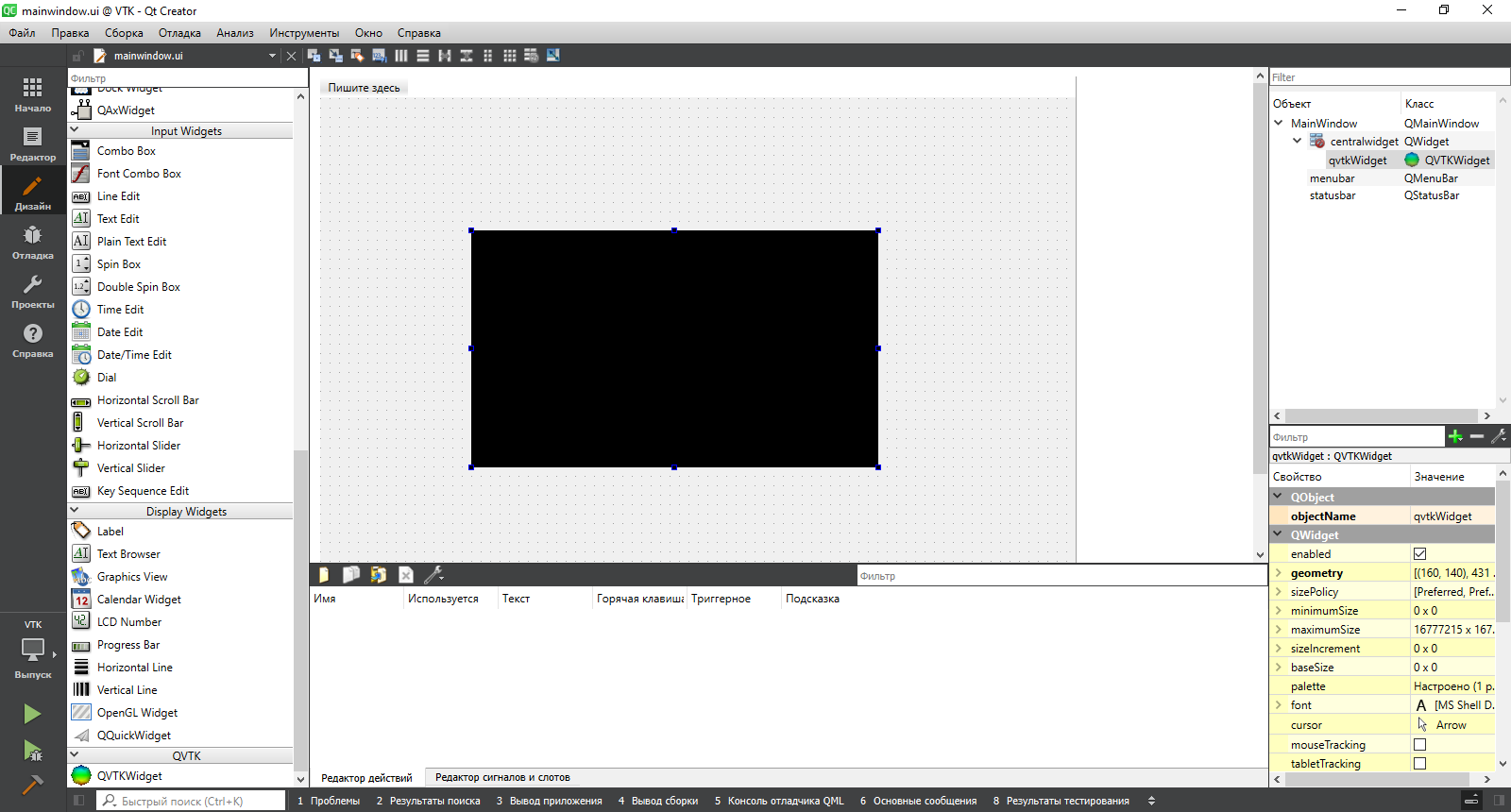
Best regards,
Kerim
---
### Author:  [@kerim](https://discourse.vtk.org/u/kerim)
#### Post date: [February 8, 2020, 12:31pm UTC](https://discourse.vtk.org/t/run-vtk-example-in-qt/2569/2 "2020-02-08T12:31:31Z")
Hi,
I’ve found information that `QVTKWidget` is deprecated and for latest versions of VTK (I use VTK 8.2.0) one should use `QVTKOpenGLWidget`.
Is there a way of creating window where VTK object is displayed in Qt designer? For example if I want that VTK object takes only half of UI window I would like to draw this area in Qt designer.
kerim
---
### Author:  [@Paulo\_Carvalho](https://discourse.vtk.org/u/Paulo_Carvalho)
#### Post date: [February 9, 2020, 12:51pm UTC](https://discourse.vtk.org/t/run-vtk-example-in-qt/2569/3 "2020-02-09T12:51:27Z")
Hello, Kerim,
To use a non-vanilla Qt class in Qt Creator you can resort to something called “promotion”. You add, for example a `QWidget`, then select it in the widgets tree and choose “promote to” in the context menu. A dialog will appear, prompting you to enter the name of the class and to choose the header file that defines it. More details on the promotion process can be found [here](http://www.informit.com/articles/article.aspx?p=1405227&seqNum=3). This the easy way to do it, but the drawback is that Qt Creator will not be aware of any custom properties the new class may have.
To have full access to `QVTKOpenGLWidget`'s properties, you need to add VTK’s Qt Creator plug-in .DLL/.SO to the `plugins` directory in Qt Creator installation directory. Details on this you can find [here](https://stackoverflow.com/questions/26585499/getting-the-vtk-widget-working-with-qt-creator).
regards,
Paulo
---
### Author:  [@kerim](https://discourse.vtk.org/u/kerim)
#### Post date: [February 10, 2020, 2:27pm UTC](https://discourse.vtk.org/t/run-vtk-example-in-qt/2569/4 "2020-02-10T14:27:46Z")
Hi Paulo,
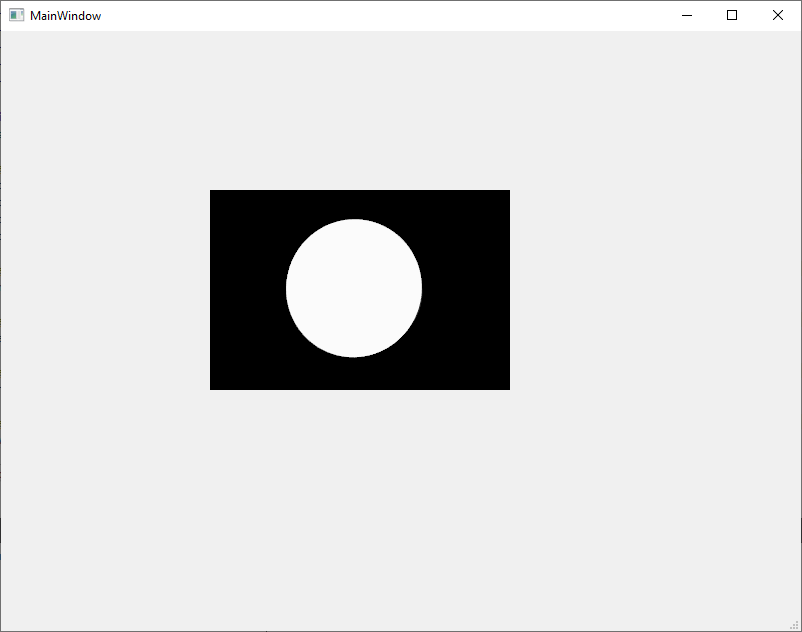
Yes, yesterday I coud run example via Widget promotion like on the see picture and I was so happy 🙂
I also have QVTKWidgetPlugin.dll but I’ve found information that `QVTKWidget` is deprecated. Does that mean that I should use VTK Widget in Qt that we can see on widget list after adding QVTKWidgetPlugin.dll in QtCreator’s plugins?
Kerim
---
### Author:  [@Paulo\_Carvalho](https://discourse.vtk.org/u/Paulo_Carvalho)
#### Post date: [February 10, 2020, 2:44pm UTC](https://discourse.vtk.org/t/run-vtk-example-in-qt/2569/5 "2020-02-10T14:44:02Z")
> [@kerim](#):
>
> Does that mean that I should use VTK Widget in Qt that we can see on widget list after adding QVTKWidgetPlugin.dll in QtCreator’s plugins?
Yes, unfortunatelly. You need a plug-in that encapsulates a `QVTKOpenGLWidget` in order to use the recommended class. If the plug-in doesn’t add `QVTKOpenGLWidget` to your widgets list, then you’re better off just using promotion.
---
### Author:  [@kerim](https://discourse.vtk.org/u/kerim)
#### Post date: [February 10, 2020, 3:32pm UTC](https://discourse.vtk.org/t/run-vtk-example-in-qt/2569/6 "2020-02-10T15:32:56Z")
Tank you!
I will keep in mind this information