# Status of VTK 9.0 with respect to off screen rendering under Ubuntu with pip install
**URL:** https://discourse.vtk.org/t/status-of-vtk-9-0-with-respect-to-off-screen-rendering-under-ubuntu-with-pip-install/5631
**Category:** Support
**Created:** [April 23, 2021, 6:59pm UTC](https://discourse.vtk.org/t/status-of-vtk-9-0-with-respect-to-off-screen-rendering-under-ubuntu-with-pip-install/5631 "2021-04-23T18:59:21Z")
**Posts on this page:** 8
**Page:** 1
### Author:  [@aborsic](https://discourse.vtk.org/u/aborsic)
#### Post date: [April 23, 2021, 6:59pm UTC](https://discourse.vtk.org/t/status-of-vtk-9-0-with-respect-to-off-screen-rendering-under-ubuntu-with-pip-install/5631/1 "2021-04-23T18:59:21Z")
Hello All,
I have been experimenting with off screen rendering under Ubuntu 20.04 LTS and VTK 9.0.1 installed on Python 3.8 using pip3 install. I have simply set SetOffScreenRendering(1) on a rendering window on a small example. When the example is run it causes a core dump.
I am wondering, does the PYPi distribution of VTK support off screen at all? Should I recompile VTK with appropriate settings for having off screen working?
Thanks for any advise,
Best Regards,
Andrea
---
### Author:  [@estan](https://discourse.vtk.org/u/estan)
#### Post date: [April 23, 2021, 7:13pm UTC](https://discourse.vtk.org/t/status-of-vtk-9-0-with-respect-to-off-screen-rendering-under-ubuntu-with-pip-install/5631/2 "2021-04-23T19:13:20Z")
I’ve been doing offscreen rendering using VTK 9.0.1 from PyPI in one of our applications, also under Ubuntu 20.04 / Python 3.8.
Would help to see your small example.
---
### Author:  [@estan](https://discourse.vtk.org/u/estan)
#### Post date: [April 23, 2021, 7:35pm UTC](https://discourse.vtk.org/t/status-of-vtk-9-0-with-respect-to-off-screen-rendering-under-ubuntu-with-pip-install/5631/3 "2021-04-23T19:35:21Z")
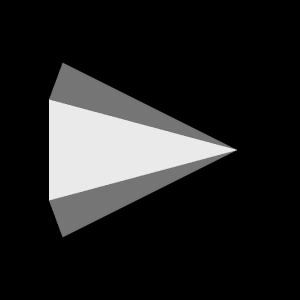
E.g. this example works on my system:
```python
#!/usr/bin/env python
import vtk
def main():
coneSource = vtk.vtkConeSource()
mapper = vtk.vtkPolyDataMapper()
mapper.SetInputConnection(coneSource.GetOutputPort())
actor = vtk.vtkActor()
actor.SetMapper(mapper)
renderer = vtk.vtkRenderer()
renderer.AddActor(actor)
renderWindow = vtk.vtkRenderWindow()
renderWindow.AddRenderer(renderer)
renderWindow.SetOffScreenRendering(1)
renderWindow.Render()
windowToImage = vtk.vtkWindowToImageFilter()
windowToImage.SetInput(renderWindow)
writer = vtk.vtkPNGWriter()
writer.SetFileName("/tmp/test.png")
writer.SetInputConnection(windowToImage.GetOutputPort())
writer.Write()
if __name__ == ' __main__':
main()
```
And produces the following PNG:
```auto
(studioenv) estan@edison:~$ pip list --local | grep vtk
vtk 9.0.1
(studioenv) estan@edison:~$ cat /etc/lsb-release
DISTRIB_ID=Ubuntu
DISTRIB_RELEASE=20.04
DISTRIB_CODENAME=focal
DISTRIB_DESCRIPTION="Ubuntu 20.04.2 LTS"
(studioenv) estan@edison:~$
```
---
### Author:  [@aborsic](https://discourse.vtk.org/u/aborsic)
#### Post date: [April 23, 2021, 9:18pm UTC](https://discourse.vtk.org/t/status-of-vtk-9-0-with-respect-to-off-screen-rendering-under-ubuntu-with-pip-install/5631/4 "2021-04-23T21:18:29Z")
Hi Elvis,
Thanks so much for providing the example code. When I tried the code you have provided it causes a core dump. The system I am testing it on is a vSphere virtual machine with attached 4 GPUs (used for DeepLearning, not for display). I will try this on a VM with not GPU (and nvidia drivers attached) to see if that changes things. If it does I am still not sure how to fix the problem, but at least I would know it is related to the presence of certain drivers.
Do you have any graphic adapter on your server?
Thanks and Best Regards,
Andrea
---
### Author:  [@estan](https://discourse.vtk.org/u/estan)
#### Post date: [April 24, 2021, 11:31am UTC](https://discourse.vtk.org/t/status-of-vtk-9-0-with-respect-to-off-screen-rendering-under-ubuntu-with-pip-install/5631/5 "2021-04-24T11:31:24Z")
This was on my laptop with Intel drivers. I don’t have access to an NVIDIA machine with a running X server at the moment, or a vSphere VM.
It may be worth running your Python process under GDB and try to get backtrace.
---
### Author:  [@estan](https://discourse.vtk.org/u/estan)
#### Post date: [April 24, 2021, 11:34am UTC](https://discourse.vtk.org/t/status-of-vtk-9-0-with-respect-to-off-screen-rendering-under-ubuntu-with-pip-install/5631/6 "2021-04-24T11:34:44Z")
Can it simply be that you have no running X server on your vSphere VM? I believe an X server must still be running for rendering to work. E.g. if I run with `DISPLAY` unset:
```auto
(studioenv) estan@edison:~$ python3 offscreen.py
2021-04-24 13:33:39.712 ( 0.137s) [D10BE740]vtkXOpenGLRenderWindow.:449 ERR| vtkXOpenGLRenderWindow (0x1329f60): bad X server connection. DISPLAY=
Aborted (core dumped)
(studioenv) estan@edison:~$
```
And I believe this is to be expected (someone correct me if I’m wrong).
---
### Author:  [@estan](https://discourse.vtk.org/u/estan)
#### Post date: [April 24, 2021, 11:42am UTC](https://discourse.vtk.org/t/status-of-vtk-9-0-with-respect-to-off-screen-rendering-under-ubuntu-with-pip-install/5631/7 "2021-04-24T11:42:49Z")
In that case, what you could do is run under `Xvfb` with `xvfb-run`, e.g:
```
xvfb-run python3 offscreen.py
```
But you would not get hardware accelerated rendering using your GPU that way.
---
### Author:  [@aborsic](https://discourse.vtk.org/u/aborsic)
#### Post date: [April 24, 2021, 3:41pm UTC](https://discourse.vtk.org/t/status-of-vtk-9-0-with-respect-to-off-screen-rendering-under-ubuntu-with-pip-install/5631/8 "2021-04-24T15:41:56Z")
Hi Elvis,
Thanks so much for the appreciated tip. Xvfb works perfectly and I can use now off screen rendering.
Have a great day and thanks for providing this useful information,
Best Regards,
Andrea