# Streamlines generation using polydata

**URL:** https://discourse.vtk.org/t/streamlines-generation-using-polydata/1949
**Category:** Development
**Created:** [October 18, 2019, 12:26pm UTC](https://discourse.vtk.org/t/streamlines-generation-using-polydata/1949 "2019-10-18T12:26:23Z")
**Posts on this page:** 4
**Page:** 1

<div class="post-metadata">

### Author: ![Sathiya\_Moorthy](https://discourse.vtk.org/user_avatar/discourse.vtk.org/sathiya_moorthy/32/990_2.png) [@Sathiya\_Moorthy](https://discourse.vtk.org/u/Sathiya_Moorthy)
#### Post date: [October 18, 2019, 12:26pm UTC](https://discourse.vtk.org/t/streamlines-generation-using-polydata/1949/1 "2019-10-18T12:26:23Z")

</div>

How can i use the vtkStreamtracer to generate a streamline with my polydata  
Sample code is here:

auto poly\_data = GetPolyData(entity);  
( This polydata contains Points and Verts)

```
            // Here I am setting Velocity scalr values
            poly_data->GetPointData()->SetScalars(scalars_values);
            poly_data->GetPointData()->SetVectors(scalars_values);
            poly_data->GetPointData()->SetActiveVectors("velocity");            
            
            // Point source
            vtkSmartPointer<vtkPointSource> seeds = vtkSmartPointer<vtkPointSource>::New();
            seeds->SetCenter(poly_data->GetCenter());
            seeds->SetRadius(0.2);
            seeds->SetDistributionToUniform();
            seeds->SetNumberOfPoints(4);

            vtkSmartPointer<vtkStreamTracer> stream_line = vtkSmartPointer<vtkStreamTracer>::New();
            stream_line->SetInputData(poly_data);
            stream_line->SetSourceConnection(seeds->GetOutputPort());
            stream_line->SetInputArrayToProcess(0, 0, 0, vtkDataObject::FIELD_ASSOCIATION_POINTS, "velocity");
            stream_line->SetComputeVorticity(true);
            stream_line->SetMaximumPropagation(500);
            stream_line->SetMaximumIntegrationStep(0.1);
            stream_line->SetMinimumIntegrationStep(0.01);
            stream_line->SetInitialIntegrationStep(0.05);
            stream_line->SetIntegrationDirectionToBoth();
            stream_line->SetIntegratorTypeToRungeKutta45();
            stream_line->Update();
            

            //Compute the velocity magnitues and create the ribbons
             vtkNew<vtkArrayCalculator> magCalc;
             magCalc->SetInputConnection(stream_line->GetOutputPort());
             magCalc->AddVectorArrayName("velocity");
             magCalc->SetResultArrayName("MagVelocity");
             magCalc->SetFunction("mag(velocity)");

             magCalc->Update();

            //Create and render the ribbons
             vtkNew<vtkRibbonFilter> ribbonFilter;
             ribbonFilter->SetInputConnection(magCalc->GetOutputPort());
             ribbonFilter->SetWidth(0.05);

            vtkNew<vtkPolyDataMapper> streamLineMapper;
            streamLineMapper->SetInputConnection(ribbonFilter->GetOutputPort());
            streamLineMapper->SelectColorArray("MagVelocity");
            streamLineMapper->SetScalarRange(poly_data->GetPointData()->GetScalars()->GetRange());

            vtkNew<vtkActor> streamLineActor;
            streamLineActor->SetMapper(streamLineMapper.Get());
            
            auto outline = vtkSmartPointer<vtkOutlineFilter>::New();
            outline->SetInputData(poly_data);

            auto mapOutline = vtkSmartPointer<vtkPolyDataMapper>::New();
            mapOutline->SetInputConnection(outline->GetOutputPort());

            auto outlineActor = vtkSmartPointer<vtkActor>::New();
            outlineActor->SetMapper(mapOutline);
            outlineActor->GetProperty()->SetColor(0, 0, 0);
            
            renderer_->AddActor(streamLineActor.Get());
            renderer_->AddActor(outlineActor);
            
            //Rest of the pipeline goes here
            .....
```

---

<div class="post-metadata">

### Author: ![banesullivan](https://discourse.vtk.org/user_avatar/discourse.vtk.org/banesullivan/32/7143_2.png) [@banesullivan](https://discourse.vtk.org/u/banesullivan)
#### Post date: [October 21, 2019, 2:27pm UTC](https://discourse.vtk.org/t/streamlines-generation-using-polydata/1949/2 "2019-10-21T14:27:55Z")

</div>

You probably need to change your source term to make sure the particles start somewhere within the input’s domain. When your dataset input is 2D, this can get really tricky. I see you’re using a point source - make sure it is centered somewhere on the input dataset and then blow up the number of points to some really high value as points are randomly distributing in a 3D sphere (thus they could not start on your surface and never produce streamlines).

Maybe use a line source or other sources that you can better control

---

<div class="post-metadata">

### Author: ![Sathiya\_Moorthy](https://discourse.vtk.org/user_avatar/discourse.vtk.org/sathiya_moorthy/32/990_2.png) [@Sathiya\_Moorthy](https://discourse.vtk.org/u/Sathiya_Moorthy)
#### Post date: [October 22, 2019, 10:10am UTC](https://discourse.vtk.org/t/streamlines-generation-using-polydata/1949/3 "2019-10-22T10:10:00Z")

</div>

Hi Bane Sullivan,

Thank you for the response.

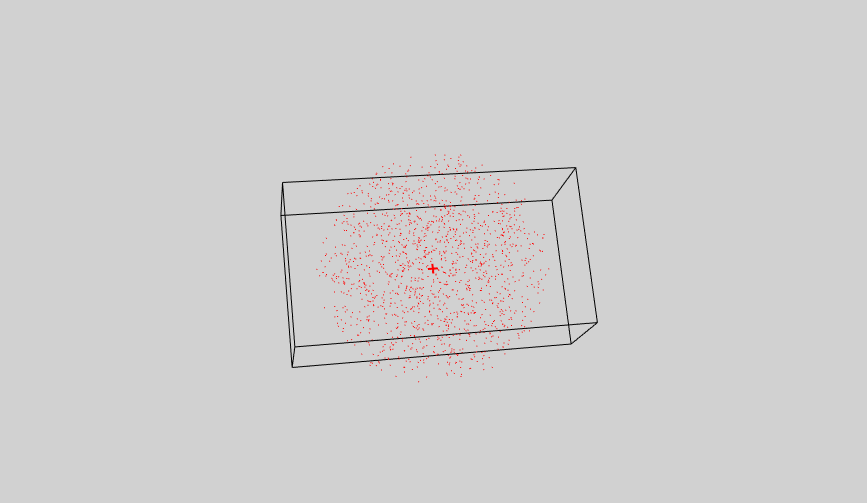
As you said, I have created a point source with radius(2) and number of points(1500) and put this point source exactly at the center of my Domain. But with this also I cannot see any output.

Also I tried with LineSource without any luck.

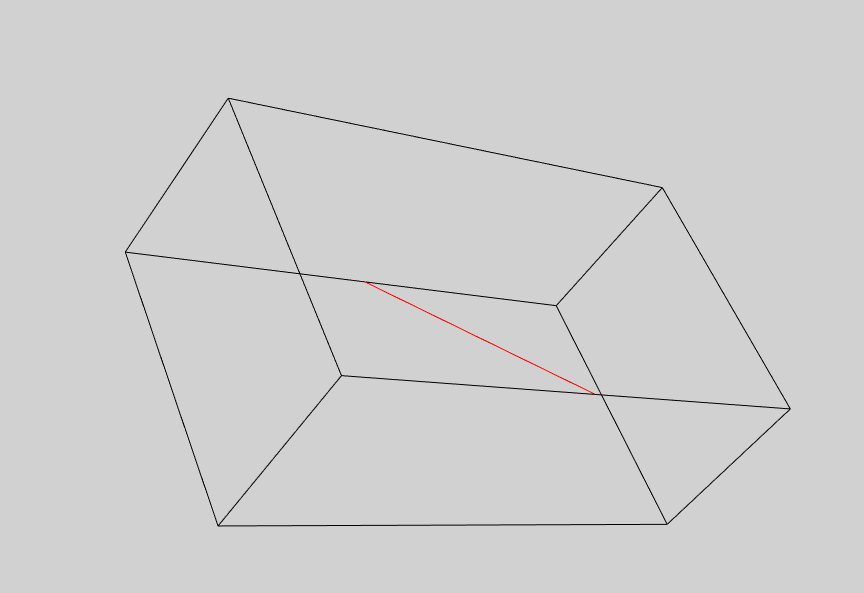
I am attaching the outputs with PointSource and Line source which are placed inside the Domain below.

As my data is a Particle data(Contains only Points and Vertex (CellArray)) and doesn’t have any scalars, so I am injecting scalars to it. Is there anything that I need to do to my particle data?
 ![PointSourceAsSeeds](https://discourse.vtk.org/uploads/default/original/2X/5/553775b4fb558c432147d7958490e65063027ff4.png) ![LineSourceAsSeeds](https://discourse.vtk.org/uploads/default/original/2X/6/687d3b10f92df292af314421c5c159f24acebe83.png)

---

<div class="post-metadata">

### Author: ![banesullivan](https://discourse.vtk.org/user_avatar/discourse.vtk.org/banesullivan/32/7143_2.png) [@banesullivan](https://discourse.vtk.org/u/banesullivan)
#### Post date: [October 22, 2019, 5:08pm UTC](https://discourse.vtk.org/t/streamlines-generation-using-polydata/1949/4 "2019-10-22T17:08:04Z")

</div>

> [@Sathiya\_Moorthy](#):
>
> As my data is a Particle data(Contains only Points and Vertex (CellArray)) and doesn’t have any scalars, so I am injecting scalars to it. Is there anything that I need to do to my particle data?
I could be wrong here, but I am pretty sure the `vtkStreamTracer` requires 2-3D cells and connectivity (vertex cells are 1D and not connected to each other). Thus when the tracer integrates the vector field, there’s no way for a particle to instantaneously jump from vertex to vertex.

Try interpolating your point cloud onto a volume or surface mesh
