# Subdivision filter
**URL:** https://discourse.vtk.org/t/subdivision-filter/3642
**Category:** Support
**Created:** [June 25, 2020, 9:45am UTC](https://discourse.vtk.org/t/subdivision-filter/3642 "2020-06-25T09:45:41Z")
**Posts on this page:** 7
**Page:** 1
### Author:  [@pourarab](https://discourse.vtk.org/u/pourarab)
#### Post date: [June 25, 2020, 9:45am UTC](https://discourse.vtk.org/t/subdivision-filter/3642/1 "2020-06-25T09:45:41Z")
Hello dear users / developers,
As input i have a polygon like following image :
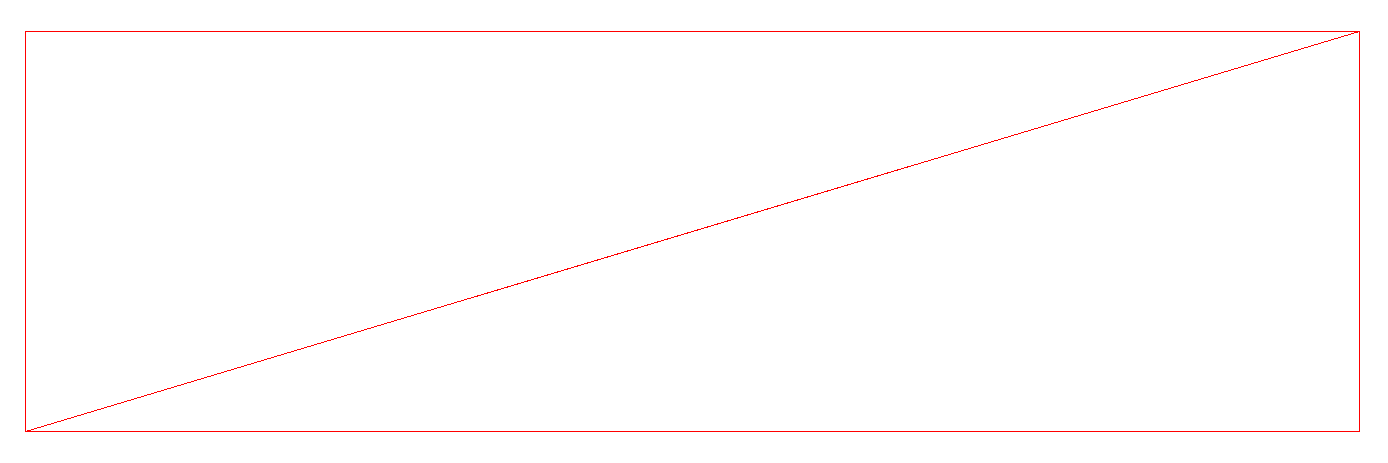
I used vtkLinearSubdivisionFilter to subdivide these triangles so i got this result :
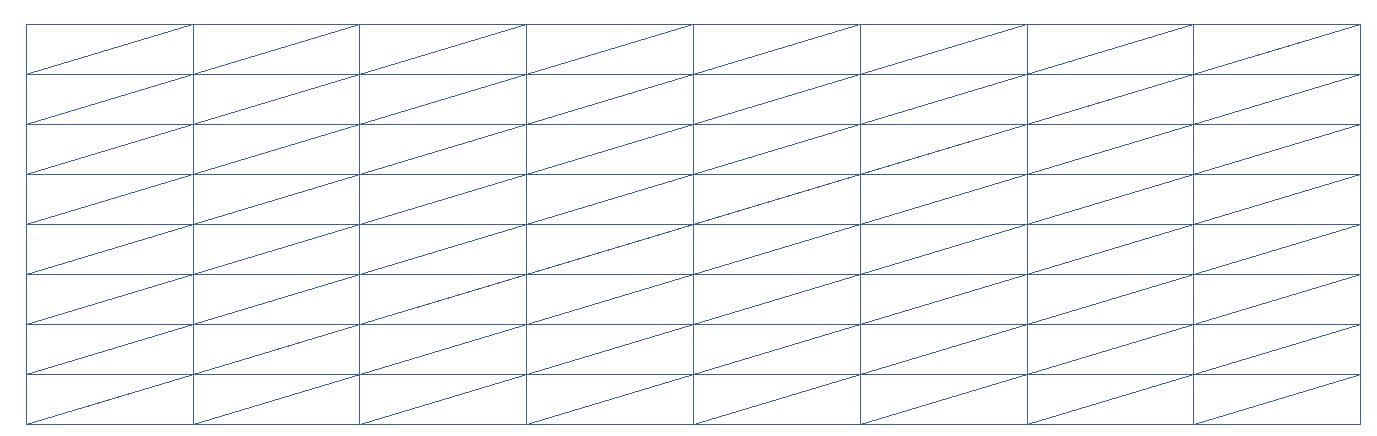
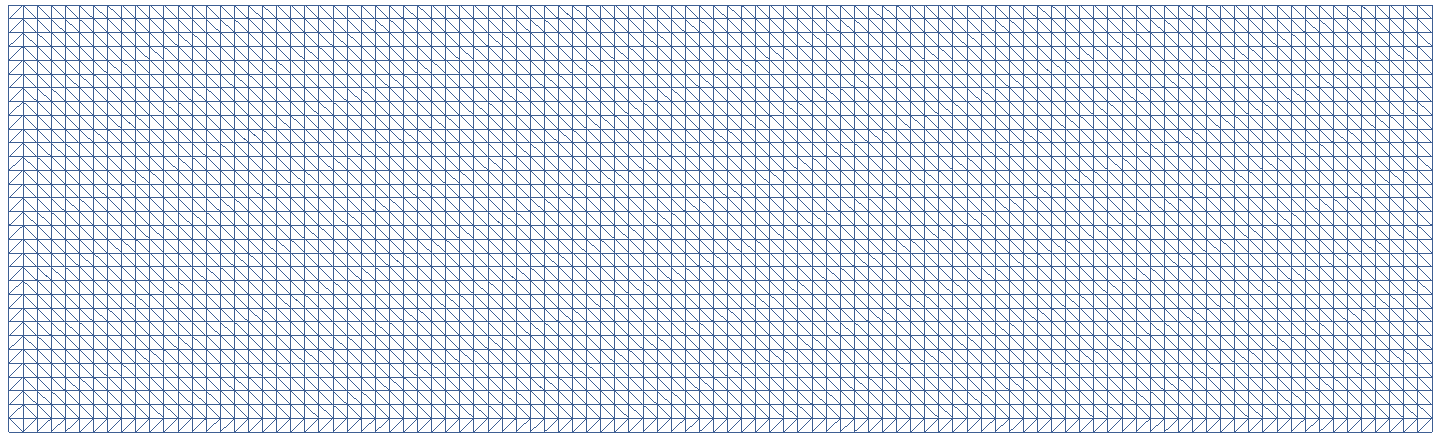
I want to have equilateral triangles as result, could you propose a solution for this, please ?
Thanks in advance
---
### Author:  [@Paulo\_Carvalho](https://discourse.vtk.org/u/Paulo_Carvalho)
#### Post date: [June 26, 2020, 8:22pm UTC](https://discourse.vtk.org/t/subdivision-filter/3642/2 "2020-06-26T20:22:07Z")
Hello, Danial,
VTK is great library but for advanced mesh generation out of some boundary lines (I suppose you’d like a mesh to run some finite element method) I recommend using CGAL: [https://doc.cgal.org/latest/Mesh\_2/index.html](https://doc.cgal.org/latest/Mesh_2/index.html) .
kind regards,
Paulo
---
### Author:  [@lassoan](https://discourse.vtk.org/u/lassoan)
#### Post date: [June 26, 2020, 9:25pm UTC](https://discourse.vtk.org/t/subdivision-filter/3642/3 "2020-06-26T21:25:06Z")
To generate a uniform mesh, do not subdivide a large polygon but use the appropriate source, such as [vtkPlaneSource](https://vtk.org/doc/nightly/html/classvtkPlaneSource.html) and then triangulate it if needed.
For remeshing an arbitrary polygon, you can use [vtkAdaptiveSubdivisionFilter](https://vtk.org/doc/nightly/html/classvtkAdaptiveSubdivisionFilter.html) and there are a few [other subdivision filters](https://vtk.org/doc/nightly/html/classvtkSubdivisionFilter.html) in VTK. If you need more sophisticated solutions then there are other free mesh remeshing libraries, such as [OpenSubdiv](https://graphics.pixar.com/opensubdiv).
CGAL’s mesh refinement filters do not seem to be much better than VTK’s and the package (as most of CGAL) comes with [commercial/GPL license](https://doc.cgal.org/latest/Manual/packages.html), so you must pay if you want to use it in non-open-source products.
---
### Author:  [@Paulo\_Carvalho](https://discourse.vtk.org/u/Paulo_Carvalho)
#### Post date: [June 27, 2020, 8:27pm UTC](https://discourse.vtk.org/t/subdivision-filter/3642/4 "2020-06-27T20:27:25Z")
> [@lassoan](#):
>
> CGAL’s mesh refinement filters do not seem to be much better than VTK’s and the package (as most of CGAL) comes with [commercial/GPL license](https://doc.cgal.org/latest/Manual/packages.html), so you must pay if you want to use it in non-open-source products.
Sorry for nit-picking, but what I suggested was not mesh refinement, but mesh generation, which is an etirely different game, you know. With it, one can generate all the vertexes and edges given only the four corners in the case of the original post.
---
### Author:  [@pourarab](https://discourse.vtk.org/u/pourarab)
#### Post date: [July 1, 2020, 8:50am UTC](https://discourse.vtk.org/t/subdivision-filter/3642/5 "2020-07-01T08:50:25Z")
Hello Paulo,
Thank you for your answer and for proposing CGAL.
Actually my project is totally based on VTK library and i think it’s a really powerful library. I also want to use open source libraries, so i think using CGAL could not be a good solution for me.
Best regards,
Danial
---
### Author:  [@pourarab](https://discourse.vtk.org/u/pourarab)
#### Post date: [July 1, 2020, 9:16am UTC](https://discourse.vtk.org/t/subdivision-filter/3642/6 "2020-07-01T09:16:55Z")
Hello Andras,
Thank you for your answer.
Is it possible to use vtkPlaneSource to generate non-rectangular polygons or non-convex polygons ?
Actually i tried vtkAdaptiveSubdivisionFilter but it was not worked. i did not find an example to find out how use it properly so i did it as follow :
```
vtkSmartPointer points = vtkSmartPointer::New();
// Create the polygon
auto boundaries = vtkSmartPointer::New();
boundaries->GetPointIds()->SetNumberOfIds(4);
points->InsertNextPoint(5000.0, 1500.0, 0.0);
elevationArray->InsertNextValue(0.0);
boundaries->GetPointIds()->SetId(0, 0);
points->InsertNextPoint(-5000.0, 1500.0, 0.0);
elevationArray->InsertNextValue(0.0);
boundaries->GetPointIds()->SetId(1, 1);
points->InsertNextPoint(-5000.0, -1500.0, 0.0);
elevationArray->InsertNextValue(0.0);
boundaries->GetPointIds()->SetId(2, 2);
points->InsertNextPoint(5000.0, -1500.0, 0.0);
elevationArray->InsertNextValue(0.0);
boundaries->GetPointIds()->SetId(3, 3);
// Add the polygon to a list of polygons
vtkSmartPointer polygons = vtkSmartPointer::New();
polygons->InsertNextCell(boundaries);
// Field exterior boundary
auto boundary = vtkSmartPointer::New();
boundary->SetPoints(points);
boundary->SetPolys(polygons);
auto aPolygon = vtkSmartPointer::New();
aPolygon->SetPoints(points);
auto triangles = vtkSmartPointer::New();
triangles->SetInputData(aPolygon);
triangles->SetSourceData(boundary);
triangles->Update();
polyData2D = vtkSmartPointer::New();
polyData2D->DeepCopy(triangles->GetOutput());
auto subdivision = vtkSmartPointer::New();
subdivision->SetInputData(polyData2D);
subdivision->SetMaximumEdgeLength(300.0);
subdivision->Update();
```
It took so long with no return and no error. Is this code correct ?
Best regards,
Danial
---
### Author:  [@pourarab](https://discourse.vtk.org/u/pourarab)
#### Post date: [July 1, 2020, 9:44am UTC](https://discourse.vtk.org/t/subdivision-filter/3642/7 "2020-07-01T09:44:02Z")
I just found my solution. i did it as follow :
```
vtkSmartPointer points = vtkSmartPointer::New();
// Create the polygon
auto boundaries = vtkSmartPointer::New();
boundaries->GetPointIds()->SetNumberOfIds(4);
points->InsertNextPoint(5000.0, 1500.0, 0.0);
elevationArray->InsertNextValue(0.0);
boundaries->GetPointIds()->SetId(0, 0);
points->InsertNextPoint(-5000.0, 1500.0, 0.0);
elevationArray->InsertNextValue(0.0);
boundaries->GetPointIds()->SetId(1, 1);
points->InsertNextPoint(-5000.0, -1500.0, 0.0);
elevationArray->InsertNextValue(0.0);
boundaries->GetPointIds()->SetId(2, 2);
points->InsertNextPoint(5000.0, -1500.0, 0.0);
elevationArray->InsertNextValue(0.0);
boundaries->GetPointIds()->SetId(3, 3);
// Add the polygon to a list of polygons
vtkSmartPointer polygons = vtkSmartPointer::New();
polygons->InsertNextCell(boundaries);
auto polyData2D = vtkSmartPointer::New();
boundary->SetPoints(points);
boundary->SetPolys(polygons);
auto sample = vtkSmartPointer::New();
sample->SetInputData(polyData2D);
sample->SetDistance(100.0);
sample->Update();
auto triangles = vtkSmartPointer::New();
triangles->SetInputData(sample->GetOutput());
triangles->Update();
```
And i got this result :