# The code execution cannot proceed because the following dlls were not found
**URL:** https://discourse.vtk.org/t/the-code-execution-cannot-proceed-because-the-following-dlls-were-not-found/12679
**Category:** Support
**Created:** [November 10, 2023, 5:45pm UTC](https://discourse.vtk.org/t/the-code-execution-cannot-proceed-because-the-following-dlls-were-not-found/12679 "2023-11-10T17:45:23Z")
**Posts on this page:** 8
**Page:** 1
### Author:  [@Silokhin\_Ilya](https://discourse.vtk.org/u/Silokhin_Ilya)
#### Post date: [November 10, 2023, 5:45pm UTC](https://discourse.vtk.org/t/the-code-execution-cannot-proceed-because-the-following-dlls-were-not-found/12679/1 "2023-11-10T17:45:23Z")
I wanted to test vtk-9.3 with an example. Example [here](https://examples.vtk.org/site/Cxx/GeometricObjects/CylinderExample/). But when I opened .exe I got the following errors:
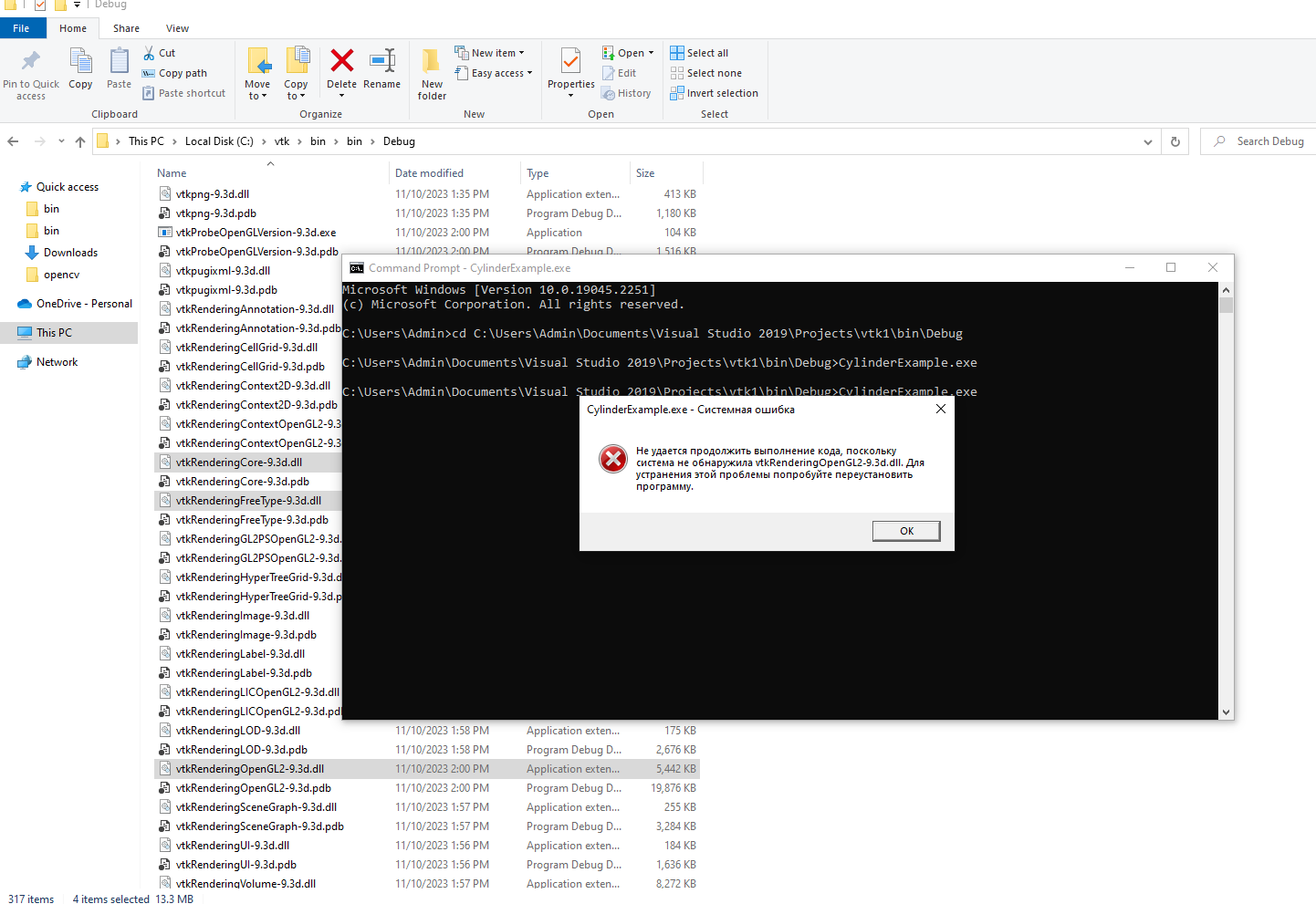
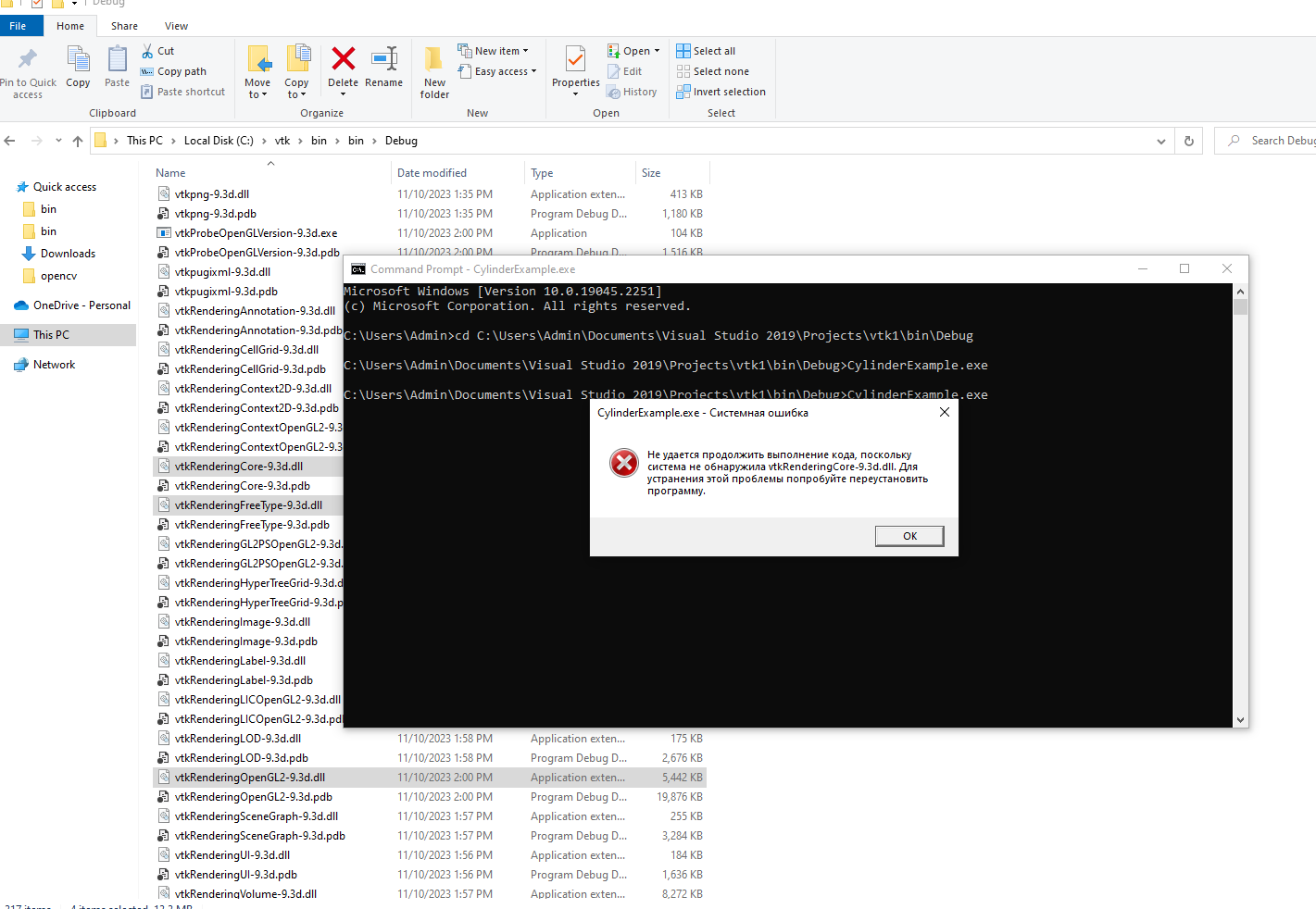
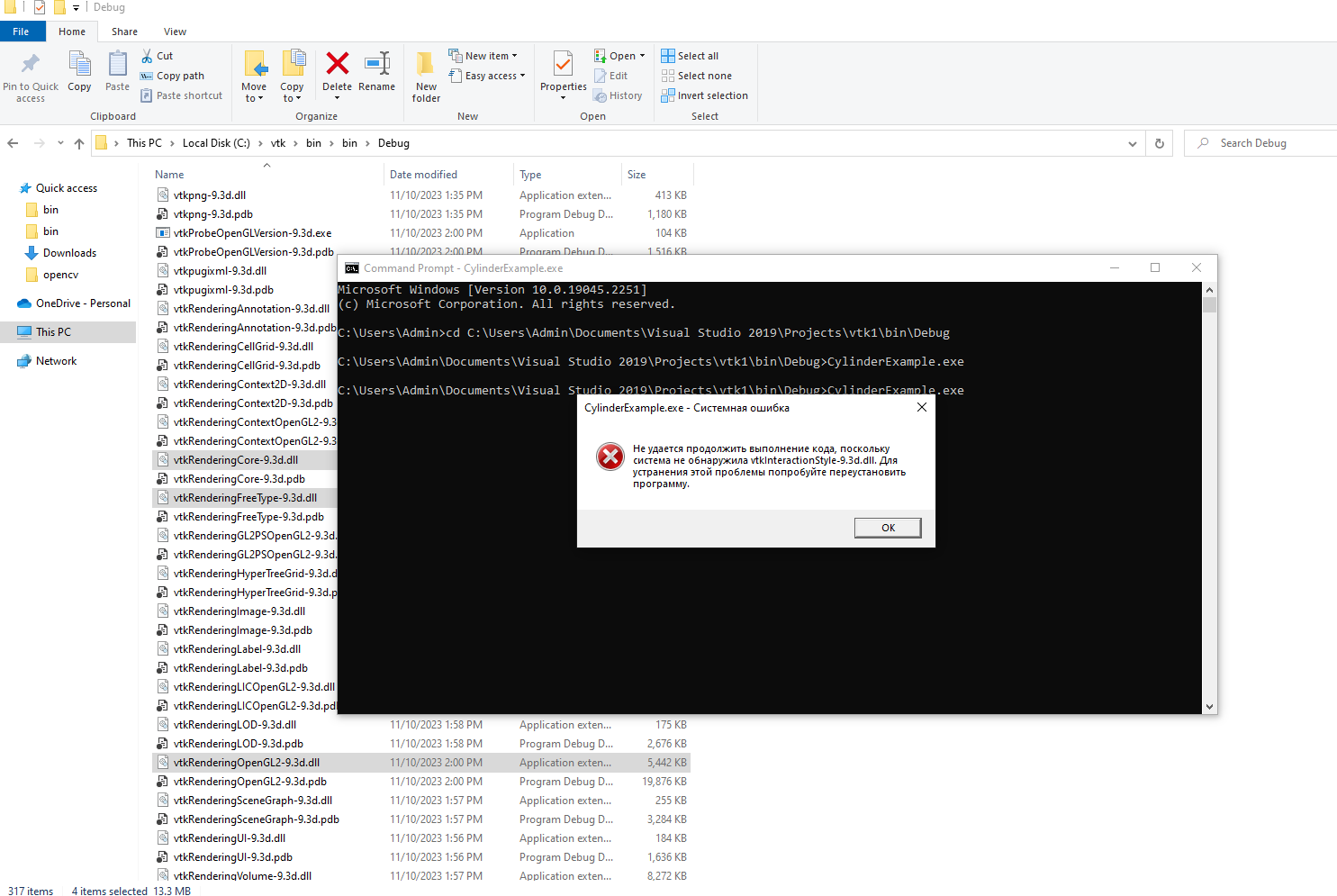
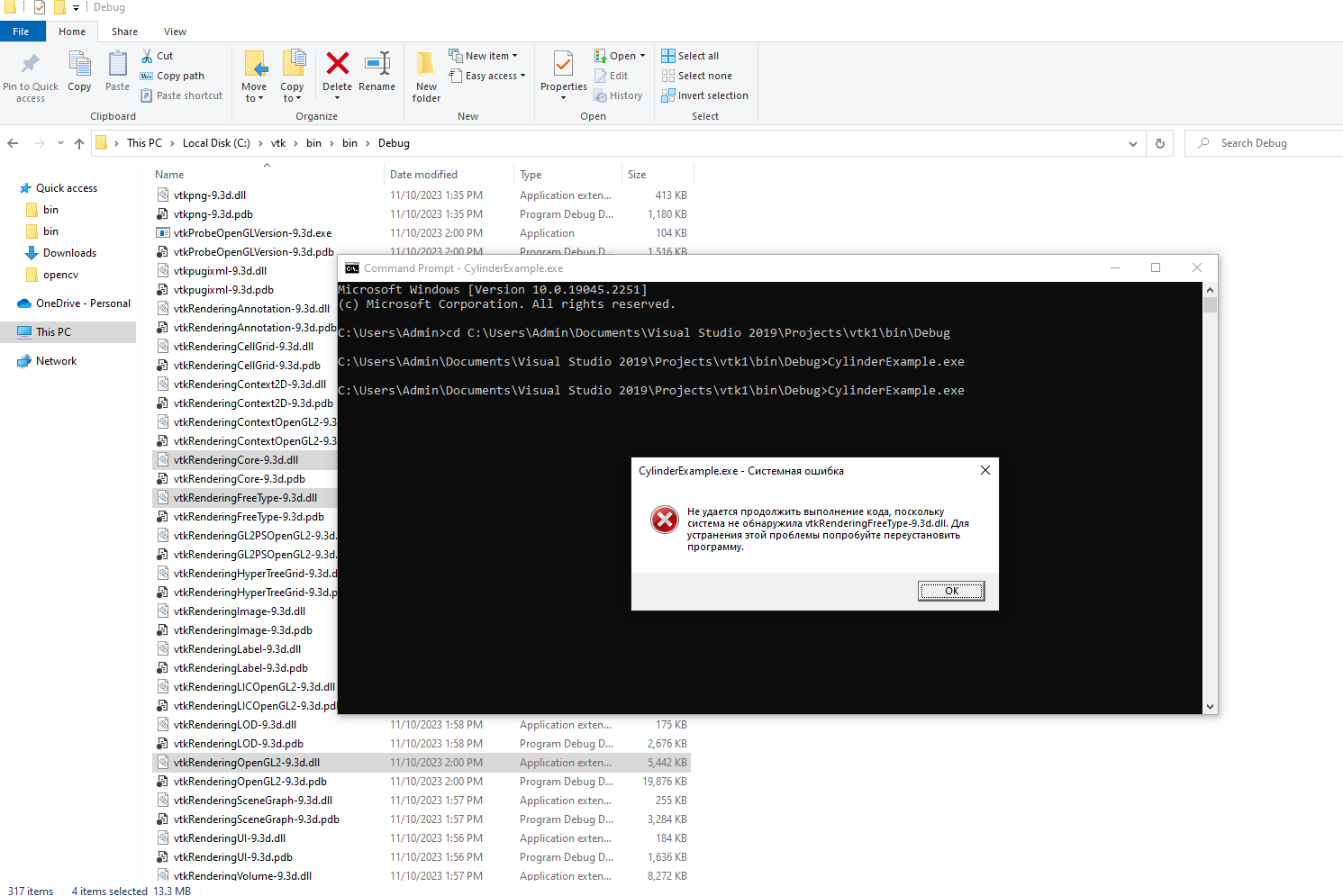. There is an issue with vtkRenderingFreeType, vtkInteractionStyle, vtkRenderingCore, vtkRenderingOpenGL2. How can I fix them?
---
### Author:  [@mwestphal](https://discourse.vtk.org/u/mwestphal)
#### Post date: [November 10, 2023, 5:48pm UTC](https://discourse.vtk.org/t/the-code-execution-cannot-proceed-because-the-following-dlls-were-not-found/12679/2 "2023-11-10T17:48:48Z")
Add VTK binary dir to your `PATH` [PATH (variable) - Wikipedia](https://en.wikipedia.org/wiki/PATH_(variable))
---
### Author:  [@Silokhin\_Ilya](https://discourse.vtk.org/u/Silokhin_Ilya)
#### Post date: [November 10, 2023, 6:22pm UTC](https://discourse.vtk.org/t/the-code-execution-cannot-proceed-because-the-following-dlls-were-not-found/12679/3 "2023-11-10T18:22:32Z")
I’ve already added vtk\bin to PATH, but it does not work.
---
### Author:  [@mwestphal](https://discourse.vtk.org/u/mwestphal)
#### Post date: [November 10, 2023, 9:19pm UTC](https://discourse.vtk.org/t/the-code-execution-cannot-proceed-because-the-following-dlls-were-not-found/12679/4 "2023-11-10T21:19:13Z")
reboot your computer.
---
### Author:  [@jaswantp](https://discourse.vtk.org/u/jaswantp)
#### Post date: [November 10, 2023, 11:13pm UTC](https://discourse.vtk.org/t/the-code-execution-cannot-proceed-because-the-following-dlls-were-not-found/12679/5 "2023-11-10T23:13:33Z")
I’ve seen that logging out and back in or restarting the `explorer` process from task manager refreshes the path.
---
### Author:  [@dgobbi](https://discourse.vtk.org/u/dgobbi)
#### Post date: [November 10, 2023, 11:54pm UTC](https://discourse.vtk.org/t/the-code-execution-cannot-proceed-because-the-following-dlls-were-not-found/12679/6 "2023-11-10T23:54:24Z")
A good [dependency tracker](https://github.com/lucasg/Dependencies) can often help, because sometimes Windows reports a missing DLL, when the DLL is truly there, but can’t be loaded.
But still, the best place to start is to be 100% sure PATH is set correctly. Simple test from CMD:
```plaintext
echo %PATH%
```
Another test is to copy CylinderExample.exe into the same directory as the VTK DLLs, and then try to run it from there. This should work even if PATH is not set. And if it does not work, you know that PATH is not the only problem.
---
### Author:  [@jaswantp](https://discourse.vtk.org/u/jaswantp)
#### Post date: [November 13, 2023, 1:55pm UTC](https://discourse.vtk.org/t/the-code-execution-cannot-proceed-because-the-following-dlls-were-not-found/12679/7 "2023-11-13T13:55:22Z")
Didn’t know the old depends.exe had an open source modern alternative!
---
### Author:  [@mwestphal](https://discourse.vtk.org/u/mwestphal)
#### Post date: [November 13, 2023, 3:15pm UTC](https://discourse.vtk.org/t/the-code-execution-cannot-proceed-because-the-following-dlls-were-not-found/12679/8 "2023-11-13T15:15:47Z")
And it can even be used from the command line 🙂