# the visibility of the cursor in vtkResliceImageViewer
**URL:** https://discourse.vtk.org/t/the-visibility-of-the-cursor-in-vtkresliceimageviewer/4388
**Category:** Support
**Created:** [October 9, 2020, 2:53pm UTC](https://discourse.vtk.org/t/the-visibility-of-the-cursor-in-vtkresliceimageviewer/4388 "2020-10-09T14:53:14Z")
**Posts on this page:** 3
**Page:** 1
### Author:  [@yuhuimoon](https://discourse.vtk.org/u/yuhuimoon)
#### Post date: [October 9, 2020, 2:53pm UTC](https://discourse.vtk.org/t/the-visibility-of-the-cursor-in-vtkresliceimageviewer/4388/1 "2020-10-09T14:53:14Z")
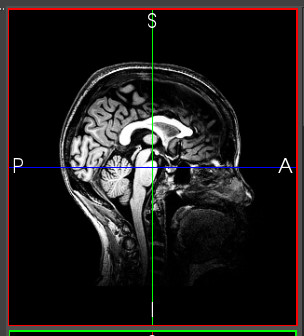
I use my custom class (SliceViewRender) derived from **vtkResliceImageViewer** to show vtkImageData slice. I have called SetResliceModeToOblique and the crosshair can display exactly. I want to change the visibility of the crosshair cursor with the following code:
```
void SliceViewRender::slotSetCursorVisible(bool visible)
{
// vtkResliceCursorLineRepresentation* cursorLineRep = vtkResliceCursorLineRepresentation::SafeDownCast(GetResliceCursorWidget()->GetRepresentation());
vtkResliceCursorLineRepresentation* cursorLineRep = dynamic_cast(GetResliceCursorWidget()->GetRepresentation());
// this->GetResliceCursorWidget()->GetResliceCursorRepresentation()->SetVisibility(visible);
// this->GetResliceCursorWidget()->GetResliceCursorRepresentation()->Modified();
cursorLineRep->GetResliceCursorActor()->SetVisibility(visible);
cursorLineRep->GetResliceCursorActor()->Modified();
GetRenderWindow()->Render();
}
```
I failed to hidden the cursor. If I use GetVisibility(), I can get the correct result(false). But the cursor is always visible. Is there anything wrong with my code?
My VTK version is 8.2.0. Thanks in advance.
---
### Author:  [@Jens\_Munk\_Hansen](https://discourse.vtk.org/u/Jens_Munk_Hansen)
#### Post date: [February 13, 2021, 3:13pm UTC](https://discourse.vtk.org/t/the-visibility-of-the-cursor-in-vtkresliceimageviewer/4388/2 "2021-02-13T15:13:19Z")
You can change the property of the centerlines of the the cursor actor.
```
for (int i = 0 ; i < 3 ; i++) {
auto prop = this->GetResliceCursorWidget()->GetResliceCursorRepresentation()->GetResliceCursorActor()->GetCenterlineProperty(i);
prop->SetOpacity(0.0);
}
```
This solution worked for me
---
### Author:  [@yuhuimoon](https://discourse.vtk.org/u/yuhuimoon)
#### Post date: [February 14, 2021, 2:35am UTC](https://discourse.vtk.org/t/the-visibility-of-the-cursor-in-vtkresliceimageviewer/4388/3 "2021-02-14T02:35:35Z")
It’s a good idea. Thank you 😀