### Author:  [@sunita](https://discourse.vtk.org/u/sunita)
#### Post date: [July 31, 2023, 1:33pm UTC](https://discourse.vtk.org/t/unable-to-display-the-render-window-inside-html-canvas/12066/1 "2023-07-31T13:33:32Z")
Dear All,
We are trying to show the render window inside the html canvas using following example.
> **[vtk.js](https://kitware.github.io/vtk-js/examples/SimpleCone.html)**
>
> SimpleConeLive example Sourceimport '@kitware/vtk.js/favicon';// Load the rendering pieces we want to use (for both WebGL and WebGPU)import '@kitware/vtk.js/Rendering/Profiles/Geometry
However, we can not see the image in the html canvas.
The code we used is as follows.
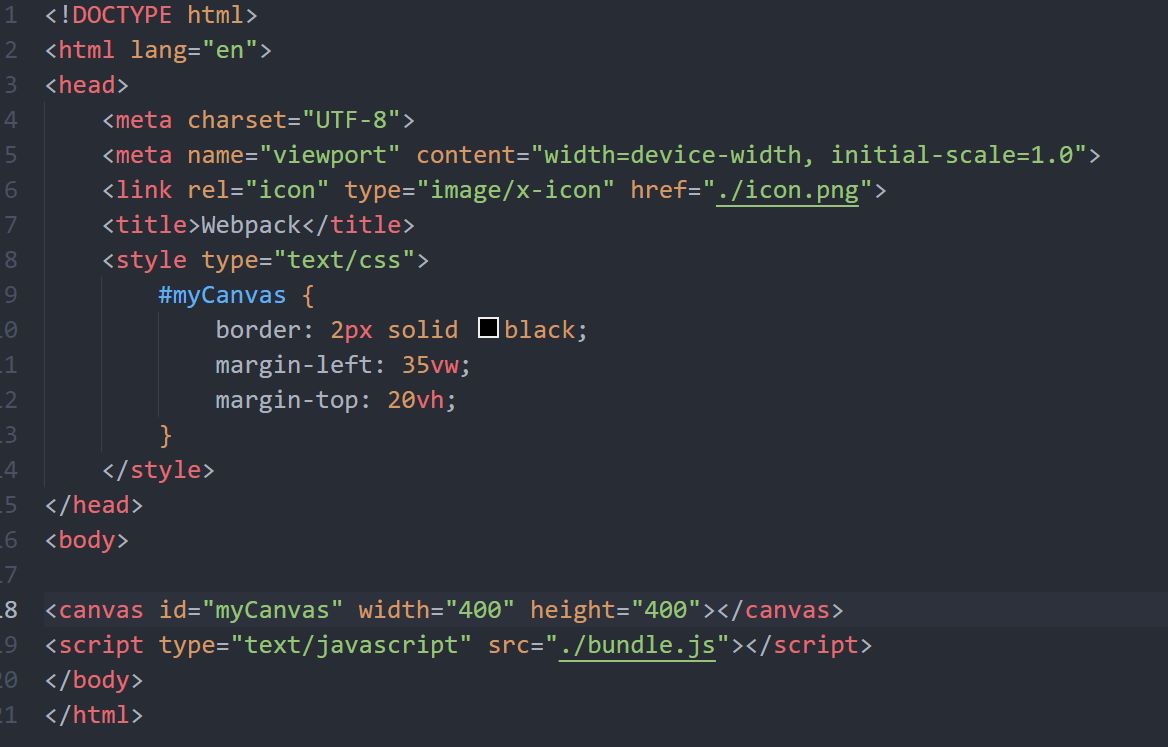
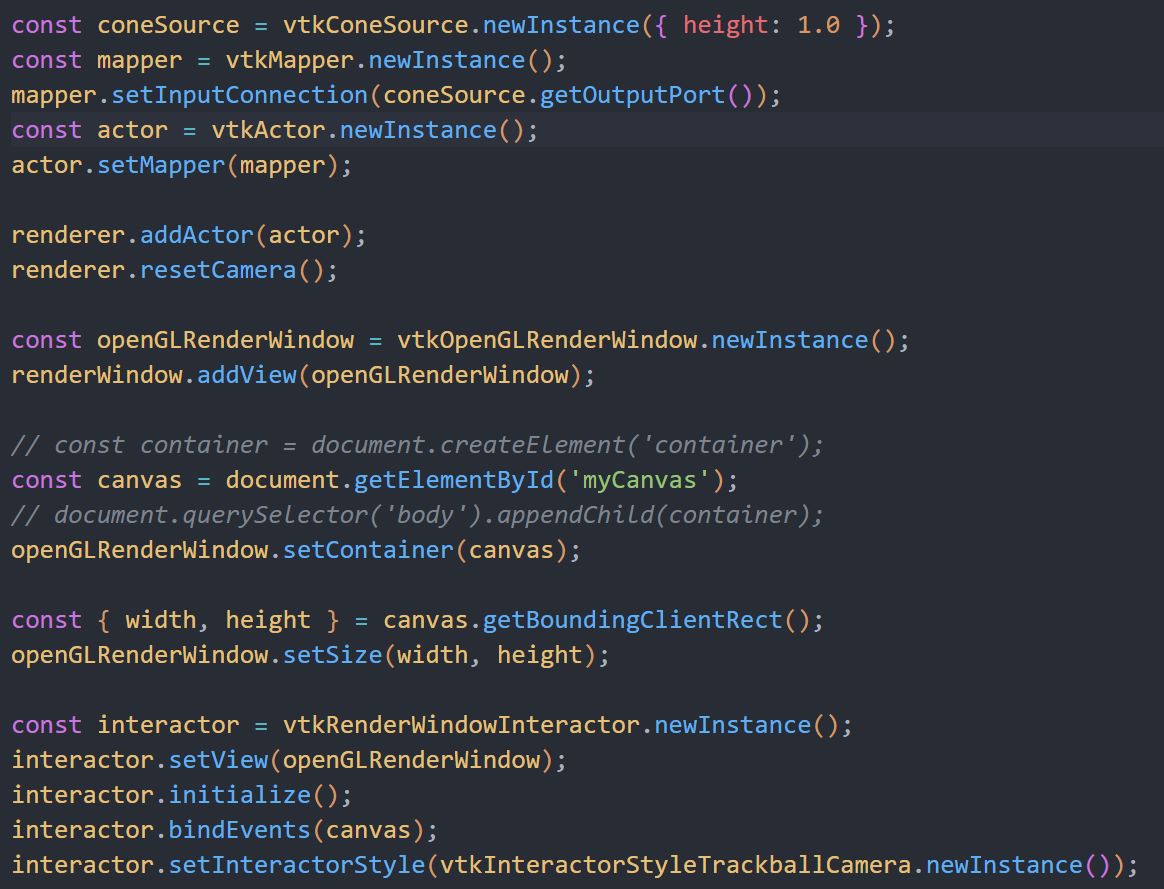
The image looks blank. There is no error message so it is difficult to figure out what is the problem.
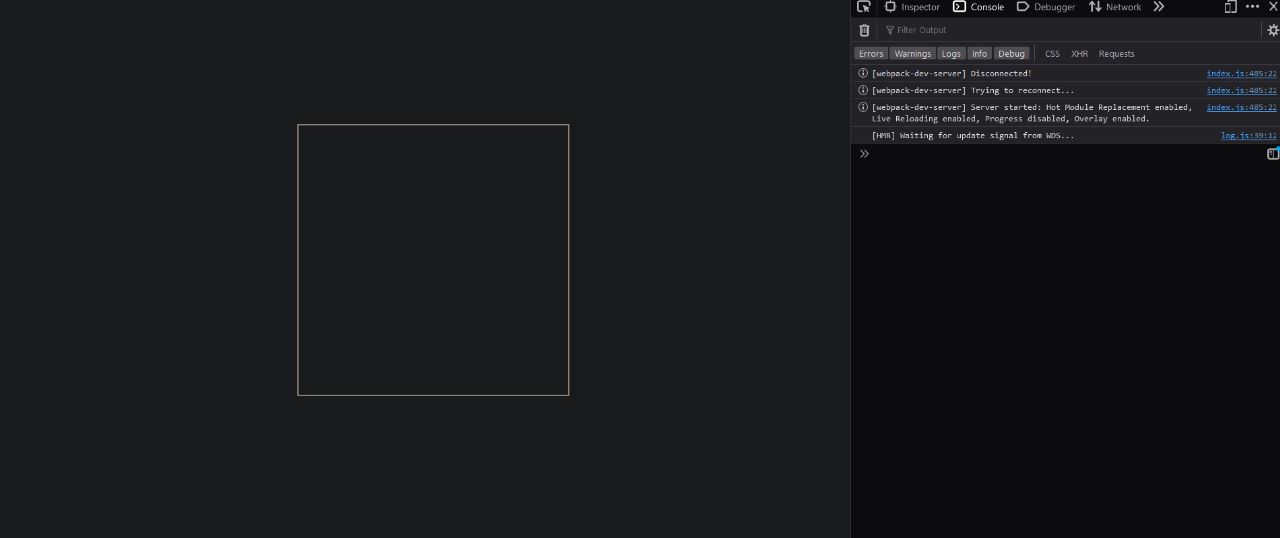
We are struct in this problem.
Kindly please help. Your help will be highly appreciated.
Thank you so much.
Best regards,
Sunita
---
### Author:  [@Sebastien\_Jourdain](https://discourse.vtk.org/u/Sebastien_Jourdain)
#### Post date: [July 31, 2023, 3:41pm UTC](https://discourse.vtk.org/t/unable-to-display-the-render-window-inside-html-canvas/12066/2 "2023-07-31T15:41:38Z")
It can not be a canvas. vtk.js will build the canvas for you. You just need to provide a DOM container like a ``.
---
### Author:  [@sunita](https://discourse.vtk.org/u/sunita)
#### Post date: [August 3, 2023, 10:50am UTC](https://discourse.vtk.org/t/unable-to-display-the-render-window-inside-html-canvas/12066/3 "2023-08-03T10:50:36Z")
Hi Sebastien,
This problem is solved. Now, we trying to open multiple vtp files in the same canvas. However, the files are opened as a separate canvas.
The code used is as follows
```
// Load the rendering pieces we want to use (for both WebGL and WebGPU)
import "@kitware/vtk.js/Rendering/Profiles/Geometry";
import vtkActor from "@kitware/vtk.js/Rendering/Core/Actor";
import vtkMapper from "@kitware/vtk.js/Rendering/Core/Mapper";
import vtkXMLPolyDataReader from "@kitware/vtk.js/IO/XML/XMLPolyDataReader";
import vtkOpenGLRenderWindow from "@kitware/vtk.js/Rendering/OpenGL/RenderWindow";
import vtkRenderWindow from "@kitware/vtk.js/Rendering/Core/RenderWindow";
import vtkRenderWindowInteractor from "@kitware/vtk.js/Rendering/Core/RenderWindowInteractor";
import vtkRenderer from "@kitware/vtk.js/Rendering/Core/Renderer";
import vtkInteractorStyleTrackballCamera from "@kitware/vtk.js/Interaction/Style/InteractorStyleTrackballCamera";
//
function show(data) {
const vtpReader = vtkXMLPolyDataReader.newInstance();
vtpReader.parseAsArrayBuffer(data);
const renderWindow = vtkRenderWindow.newInstance();
const renderer = vtkRenderer.newInstance({ background: [0, 0, 0] });
renderWindow.addRenderer(renderer);
const mapper = vtkMapper.newInstance();
mapper.setInputConnection(vtpReader.getOutputPort());
const actor = vtkActor.newInstance();
actor.setMapper(mapper);
renderer.addActor(actor);
renderer.resetCamera();
const openGLRenderWindow = vtkOpenGLRenderWindow.newInstance();
renderWindow.addView(openGLRenderWindow);
const container = document.getElementById("contain");
openGLRenderWindow.setContainer(container);
const { width, height } = container.getBoundingClientRect();
openGLRenderWindow.setSize(width, height);
const interactor = vtkRenderWindowInteractor.newInstance();
interactor.setView(openGLRenderWindow);
interactor.initialize();
interactor.bindEvents(container);
interactor.setInteractorStyle(
vtkInteractorStyleTrackballCamera.newInstance()
);
}
//
function loadFile(file) {
const reader = new FileReader();
reader.onload = function onLoad(e) {
show(reader.result);
};
reader.readAsArrayBuffer(file);
}
//
function fileConvert(fileUrl, fileName) {
return fetch(fileUrl)
.then((response) => response.blob())
.then((blob) => new File([blob], fileName, { type: blob.type }));
}
//
async function demo(url) {
const fileObject = await fileConvert(url, "file");
loadFile(fileObject);
}
//
function main() {
const keyA = document.getElementById("keyA").value;
const keyB = document.getElementById("keyB").value;
demo(keyA);
demo(keyB);
}
main();
```
keyA and keyB are the url of the files to load on the canvas.
We want to change the color of the two vtp files. Could you please provide some hint on how to do it.
Thanks for help.
Best regards,
Sunita
---
### Author:  [@Sebastien\_Jourdain](https://discourse.vtk.org/u/Sebastien_Jourdain)
#### Post date: [August 3, 2023, 10:39pm UTC](https://discourse.vtk.org/t/unable-to-display-the-render-window-inside-html-canvas/12066/4 "2023-08-03T22:39:01Z")
Just add the new actor into the previous renderWindow.