# Unable to move around in VR
**URL:** https://discourse.vtk.org/t/unable-to-move-around-in-vr/10450
**Category:** VR/AR
**Created:** [January 14, 2023, 4:41am UTC](https://discourse.vtk.org/t/unable-to-move-around-in-vr/10450 "2023-01-14T04:41:33Z")
**Posts on this page:** 3
**Page:** 1
### Author:  [@banesullivan](https://discourse.vtk.org/u/banesullivan)
#### Post date: [January 14, 2023, 4:41am UTC](https://discourse.vtk.org/t/unable-to-move-around-in-vr/10450/1 "2023-01-14T04:41:33Z")
I’ve managed to build a VTK python wheel with OpenVR enabled and I’m toying with the following example.
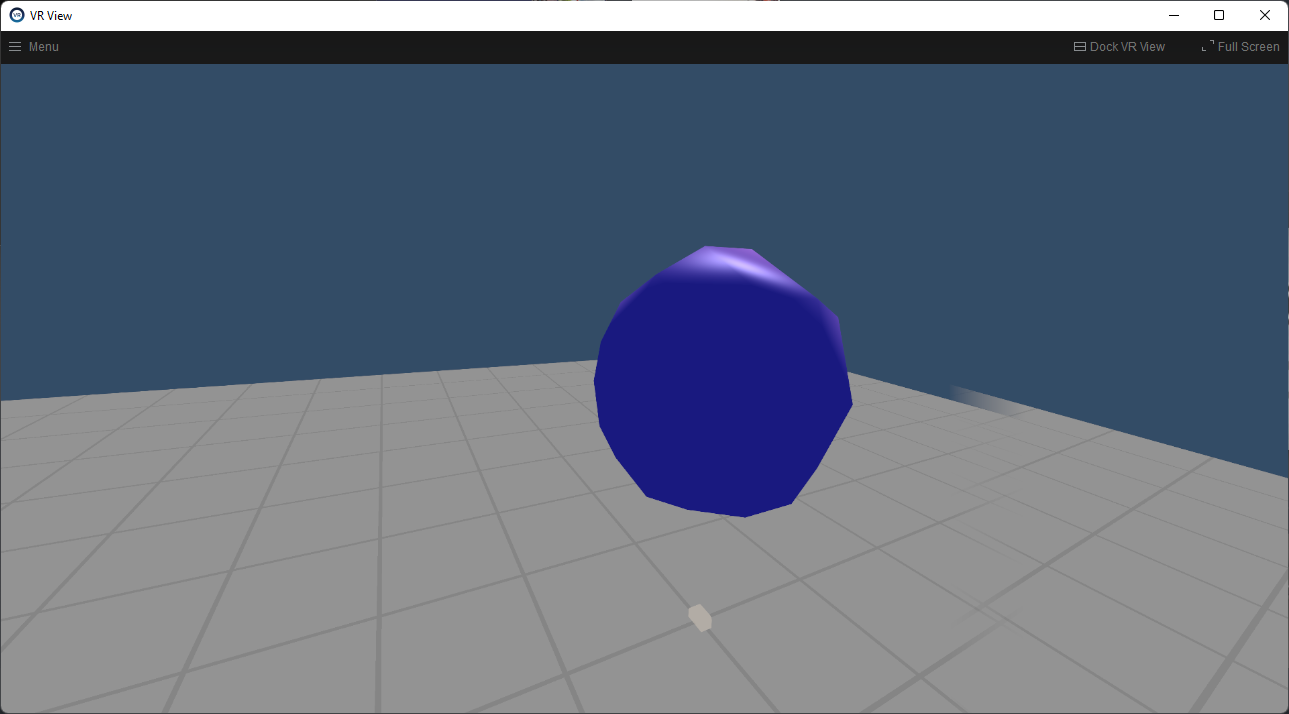
I’m unable to move around the scene. The sphere renders, but I cannot fly around or translate.
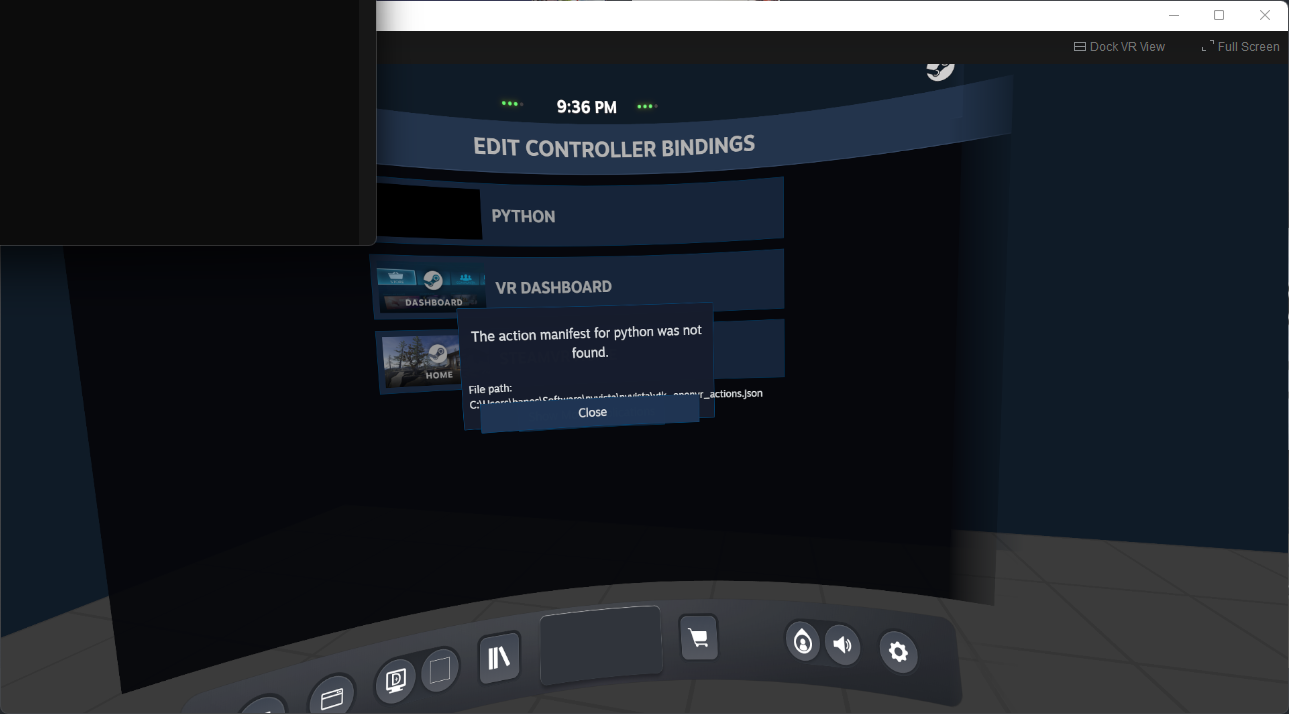
I notice an error on start up that might be relevant: “The action manifest for python was not found.”
```python
import vtk
from vtkmodules.vtkRenderingOpenVR import (
vtkOpenVRCamera,
vtkOpenVRRenderer,
vtkOpenVRRenderWindow,
vtkOpenVRRenderWindowInteractor,
)
renderer = vtk.vtkOpenVRRenderer()
renderWindow =vtk.vtkOpenVRRenderWindow()
iren = vtk.vtkOpenVRRenderWindowInteractor()
cam = vtk.vtkOpenVRCamera()
renderer.SetShowFloor(True)
renderer.SetBackground(0.2, 0.3, 0.4);
renderWindow.AddRenderer(renderer);
iren.SetRenderWindow(renderWindow);
renderer.SetActiveCamera(cam);
light = vtk.vtkLight()
light.SetLightTypeToSceneLight();
light.SetPosition(1.0, 1.0, 1.0);
renderer.AddLight(light);
#crazy frame rate requirement
#need to look into that at some point
renderWindow.SetDesiredUpdateRate(350.0);
iren.SetDesiredUpdateRate(350.0);
iren.SetStillUpdateRate(350.0);
renderer.RemoveCuller(renderer.GetCullers().GetLastItem());
# renderer.UseShadowsOn();
source = vtk.vtkSphereSource()
actor = vtk.vtkActor()
renderer.AddActor(actor);
# mapper = vtk.vtkOpenGLPolyDataMapper()
mapper = vtk.vtkDataSetMapper()
mapper.SetInputConnection(source.GetOutputPort());
# mapper.SetVBOShiftScaleMethod(vtk.vtkOpenGLVertexBufferObject.AUTO_SHIFT_SCALE);
actor.SetMapper(mapper);
actor.GetProperty().SetAmbientColor(0.2, 0.2, 1.0);
actor.GetProperty().SetDiffuseColor(1.0, 0.65, 0.7);
actor.GetProperty().SetSpecular(0.5);
actor.GetProperty().SetDiffuse(0.7);
actor.GetProperty().SetAmbient(0.5);
actor.GetProperty().SetSpecularPower(20.0);
actor.GetProperty().SetOpacity(1.0);
# actor.GetProperty().SetRepresentationToWireframe();
#actor.SetCoordinateSystemToPhysical();
#actor.SetCoordinateSystemRenderer(renderer);
#actor.UseBoundsOff();
# the HMD may not be turned on/etc
renderWindow.Initialize();
# if renderWindow.GetHMD():
renderer.ResetCamera();
renderWindow.Render();
iren.Start()
```
---
### Author:  [@banesullivan](https://discourse.vtk.org/u/banesullivan)
#### Post date: [January 16, 2023, 9:07pm UTC](https://discourse.vtk.org/t/unable-to-move-around-in-vr/10450/2 "2023-01-16T21:07:58Z")
Placing the `.json` files from under the `Rendering\OpenVR\` module in the working directory got this to work.
```auto
Rendering\OpenVR\vtk_openvr_actions.json
Rendering\OpenVR\vtk_openvr_binding_hpmotioncontroller.json
Rendering\OpenVR\vtk_openvr_binding_knuckles.json
Rendering\OpenVR\vtk_openvr_binding_oculus_touch.json
Rendering\OpenVR\vtk_openvr_binding_vive_controller.json
```
---
### Author:  [@mwestphal](https://discourse.vtk.org/u/mwestphal)
#### Post date: [January 17, 2023, 8:34am UTC](https://discourse.vtk.org/t/unable-to-move-around-in-vr/10450/3 "2023-01-17T08:34:58Z")
Yup, currently this is a bit limited but this will be improved very soon.
Alternatively you can set the json locations using `SetActionManifestFileName` method.