# unable to set colormap range correctly (MWE)

**URL:** https://discourse.vtk.org/t/unable-to-set-colormap-range-correctly-mwe/8412
**Category:** Web
**Created:** [May 2, 2022, 9:51am UTC](https://discourse.vtk.org/t/unable-to-set-colormap-range-correctly-mwe/8412 "2022-05-02T09:51:44Z")
**Posts on this page:** 3
**Page:** 1

<div class="post-metadata">

### Author: ![eudoxos](https://discourse.vtk.org/user_avatar/discourse.vtk.org/eudoxos/32/4761_2.png) [@eudoxos](https://discourse.vtk.org/u/eudoxos)
#### Post date: [May 2, 2022, 9:51am UTC](https://discourse.vtk.org/t/unable-to-set-colormap-range-correctly-mwe/8412/1 "2022-05-02T09:51:44Z")

</div>

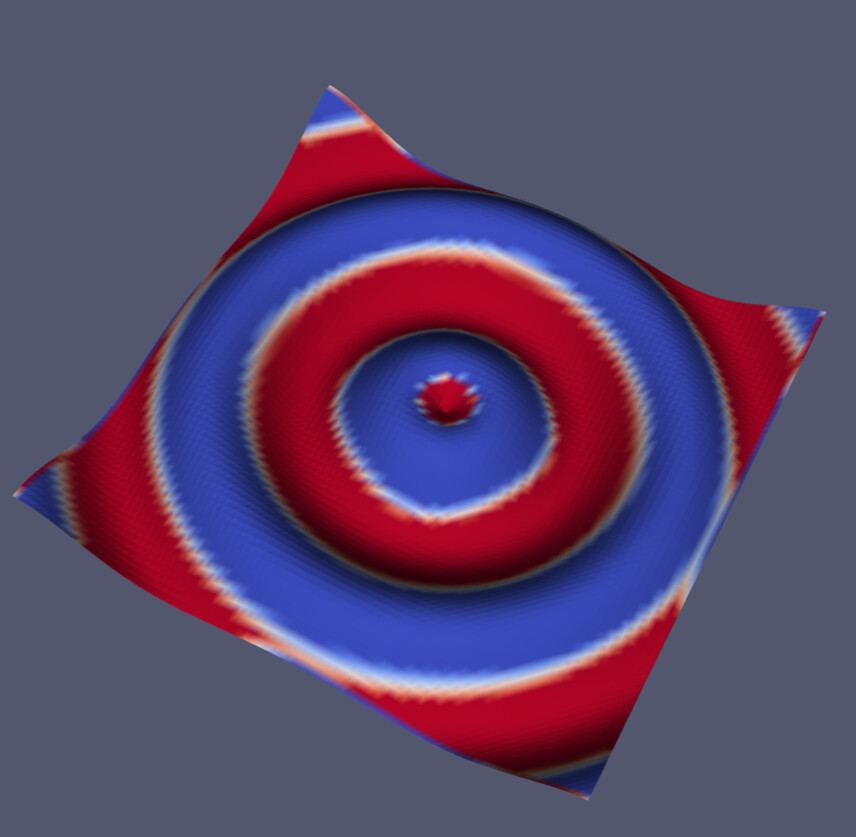
I have the following MWE where I try to set colormap and colormap range on a simple .vtp file; the point data scalar is the function curvature. I am able to set the colormap to “Cool to Warm” with vtk.js but I can’t seem to set the range for the colormap directly:

 ![image](https://discourse.vtk.org/uploads/default/original/2X/9/9ec3d3db2a4acd0901d90201fe4e5678eb453f5a.jpeg)

For comparison, the following screenshot is from Paraview which correctly shows the desired -0.1 … 0.1 range:
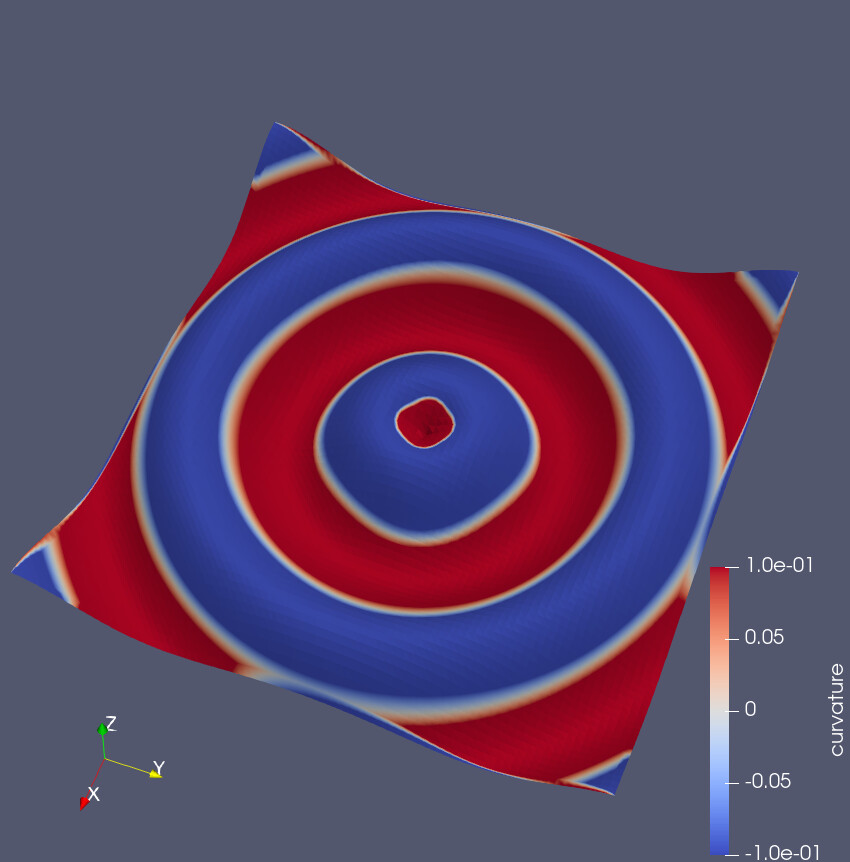
 ![image](https://discourse.vtk.org/uploads/default/original/2X/c/c531d35dc1b24ca94d271227c010e81ef5059256.jpeg)

Is there something obvious I am ignoring?

This is the MWE webpage :

```javascript
<!DOCTYPE html>
<html>
<body>
<script type="text/javascript" src="https://unpkg.com/@babel/polyfill@7.0.0/dist/polyfill.js"></script>
<script type="text/javascript" src="https://unpkg.com/vtk.js"></script>
<script type="text/javascript">
	var fullScreenRenderer = vtk.Rendering.Misc.vtkFullScreenRenderWindow.newInstance();
	var actor = vtk.Rendering.Core.vtkActor.newInstance();
	var mapper = vtk.Rendering.Core.vtkMapper.newInstance();
	var renderer = fullScreenRenderer.getRenderer();
	var renderWindow = fullScreenRenderer.getRenderWindow();
	vtk.IO.Core.DataAccessHelper.get('http').fetchBinary(`05-test-grid.vtp`).then((binary)=>{
		const reader = vtk.IO.XML.vtkXMLPolyDataReader.newInstance();
		reader.parseAsArrayBuffer(binary);
		mapper.setInputData(reader.getOutputData());

		console.log(vtk.Rendering.Core.vtkColorTransferFunction.vtkColorMaps.rgbPresetNames);
		const vtkColorMaps = vtk.Rendering.Core.vtkColorTransferFunction.vtkColorMaps;
		const cmap = vtkColorMaps.getPresetByName('Cool to Warm');
		const lut = vtk.Rendering.Core.vtkColorTransferFunction.newInstance();
		// FIXME: for some reason, the colormap seems not to respect the mapping range much
		// and the mesh only uses its beginning, without mapping -0.1…0.1 → 0…1
		lut.setMappingRange(-0.1,0.1);
		lut.updateRange();
		lut.applyColorMap(cmap);
		lut.build();
		mapper.setLookupTable(lut);

		  actor.setMapper(mapper);
		  renderer.addActor(actor);
		  renderer.resetCamera();
		  renderWindow.render();
	});
</script>
</body>
</html>

```

and the `.05-test-grid.vtp` file was generated via PyVista as

```python
import numpy as np
import pyvista as pv
from pyvista import examples
x = np.arange(-10, 10, 0.25)
y = np.arange(-10, 10, 0.25)
x, y = np.meshgrid(x, y)
r = np.sqrt(x **2 + y** 2)
z = np.sin(r)
grid = pv.StructuredGrid(x, y, z)
surf=grid.cast_to_unstructured_grid().extract_surface()
surf.point_data['curvature']=surf.curvature()
surf.save('05-test-grid.vtp')

```

---

<div class="post-metadata">

### Author: ![Sebastien\_Jourdain](https://discourse.vtk.org/user_avatar/discourse.vtk.org/sebastien_jourdain/32/100_2.png) [@Sebastien\_Jourdain](https://discourse.vtk.org/u/Sebastien_Jourdain)
#### Post date: [May 2, 2022, 11:51pm UTC](https://discourse.vtk.org/t/unable-to-set-colormap-range-correctly-mwe/8412/2 "2022-05-02T23:51:16Z")

</div>

I think you are missing [that setting](https://github.com/Kitware/vtk-js/blob/master/Examples/Applications/GeometryViewer/index.js#L228).

---

<div class="post-metadata">

### Author: ![eudoxos](https://discourse.vtk.org/user_avatar/discourse.vtk.org/eudoxos/32/4761_2.png) [@eudoxos](https://discourse.vtk.org/u/eudoxos)
#### Post date: [May 3, 2022, 5:35am UTC](https://discourse.vtk.org/t/unable-to-set-colormap-range-correctly-mwe/8412/3 "2022-05-03T05:35:35Z")

</div>

Thanks for the hint. It was the `vtkMapper.newInstance({useLookupTableScalarRange:true})` and also that `setMappingRange` must be called **after** `applyColorMap(cmap)`. This is working now:

```auto
<!DOCTYPE html>
<html>
<body>
<script type="text/javascript" src="https://unpkg.com/@babel/polyfill@7.0.0/dist/polyfill.js"></script>
<script type="text/javascript" src="https://unpkg.com/vtk.js"></script>
<script type="text/javascript">
	var fullScreenRenderer = vtk.Rendering.Misc.vtkFullScreenRenderWindow.newInstance();
	var actor = vtk.Rendering.Core.vtkActor.newInstance();
	var mapper = vtk.Rendering.Core.vtkMapper.newInstance({useLookupTableScalarRange:true}); /* !!! */
	var renderer = fullScreenRenderer.getRenderer();
	var renderWindow = fullScreenRenderer.getRenderWindow();
	vtk.IO.Core.DataAccessHelper.get('http').fetchBinary(`05-test-grid.vtp`).then((binary)=>{
		const reader = vtk.IO.XML.vtkXMLPolyDataReader.newInstance();
		reader.parseAsArrayBuffer(binary);
		mapper.setInputData(reader.getOutputData());

		console.log(vtk.Rendering.Core.vtkColorTransferFunction.vtkColorMaps.rgbPresetNames);
		const vtkColorMaps = vtk.Rendering.Core.vtkColorTransferFunction.vtkColorMaps;
		const cmap = vtkColorMaps.getPresetByName('Cool to Warm');
		const lut = vtk.Rendering.Core.vtkColorTransferFunction.newInstance();

		lut.updateRange();
		lut.applyColorMap(cmap);
		// setMappingRange **must** be called after applyColorMap
		lut.setMappingRange(-0.1,0.1);
		lut.build();
		mapper.setLookupTable(lut);

		actor.setMapper(mapper);
		renderer.addActor(actor);
		renderer.resetCamera();
		renderWindow.render();
	});
</script>
</body>
</html>

```

 ![image](https://discourse.vtk.org/uploads/default/original/2X/8/8a789410f3be2879c57077f550f7308b20b54797.jpeg)