# vtk.js AxesActor
**URL:** https://discourse.vtk.org/t/vtk-js-axesactor/11884
**Category:** Web
**Created:** [July 5, 2023, 9:16pm UTC](https://discourse.vtk.org/t/vtk-js-axesactor/11884 "2023-07-05T21:16:11Z")
**Posts on this page:** 11
**Page:** 1
### Author:  [@alexDrinkwater](https://discourse.vtk.org/u/alexDrinkwater)
#### Post date: [July 5, 2023, 9:16pm UTC](https://discourse.vtk.org/t/vtk-js-axesactor/11884/1 "2023-07-05T21:16:11Z")
I’m trying to utilize AxesActor in vtk.js to show an axes triad similar to paraview, the [documentation](https://kitware.github.io/vtk-js/api/Rendering_Core_AxesActor.html) states “the user can set the text for the three axes.” however I don’t see any methods to set the text in the documentation and text does not appear when using the AxesActor.
I noticed that the Introduction description to AxesActor also is the exact same as the VTK C++ docs, I’m assuming text labels were never implemented in vtk.js and this was accidently copied from the C++ docs?
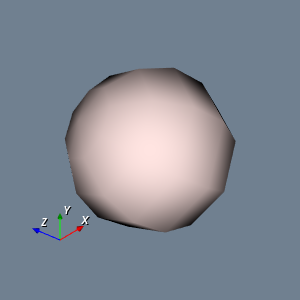
Are their any examples of showing an axes triad similar to how it is shown in paraview or this [example](https://examples.vtk.org/site/Cxx/Visualization/DisplayCoordinateAxes/)?
---
### Author:  [@jaswantp](https://discourse.vtk.org/u/jaswantp)
#### Post date: [July 5, 2023, 9:20pm UTC](https://discourse.vtk.org/t/vtk-js-axesactor/11884/2 "2023-07-05T21:20:25Z")
@Forrest
---
### Author:  [@Sebastien\_Jourdain](https://discourse.vtk.org/u/Sebastien_Jourdain)
#### Post date: [July 6, 2023, 12:12am UTC](https://discourse.vtk.org/t/vtk-js-axesactor/11884/3 "2023-07-06T00:12:02Z")
yes indeed, the text part was never implemented. @sankhesh may have some ideas on how to enable those.
---
### Author:  [@sankhesh](https://discourse.vtk.org/u/sankhesh)
#### Post date: [July 6, 2023, 12:16pm UTC](https://discourse.vtk.org/t/vtk-js-axesactor/11884/4 "2023-07-06T12:16:24Z")
@alexDrinkwater Yup, you are right in your assumption. The documentation was copied over but the functionality is missing. This is because text in vtk-js is implemented as an svg layer that is different from the C++ version. One can add it similar to how the label widget or shape widget adds it.
---
### Author:  [@AlbertoP](https://discourse.vtk.org/u/AlbertoP)
#### Post date: [October 29, 2023, 8:37pm UTC](https://discourse.vtk.org/t/vtk-js-axesactor/11884/5 "2023-10-29T20:37:23Z")
Following up on this, can the arrows be translated so that they start from a common point as in paraview, rather than crossing each other as in the default?
---
### Author:  [@gzt036](https://discourse.vtk.org/u/gzt036)
#### Post date: [November 13, 2023, 4:48pm UTC](https://discourse.vtk.org/t/vtk-js-axesactor/11884/6 "2023-11-13T16:48:34Z")
you need to change default configuration, I’m not sure what is the standard way to change this, but the code below should be work
```auto
import vtkAxesActor,{DEFAULT_VALUES as vtkAxesActor_DEFAULT_VALUES} from 'vtk.js/Sources/Rendering/Core/AxesActor';
const config = vtkAxesActor_DEFAULT_VALUES.config;
config.recenter = false;
const actor = vtkAxesActor.newInstance({config});
```
hope this helps.
---
### Author:  [@AlbertoP](https://discourse.vtk.org/u/AlbertoP)
#### Post date: [November 24, 2023, 1:37am UTC](https://discourse.vtk.org/t/vtk-js-axesactor/11884/8 "2023-11-24T01:37:29Z")
That code does not seem functional (using vtk.js with typescript here): no config member of vtkAxesActor\_DEFAULT\_VALUES and no recenter option if an instance of the vtkAxesActor\_DEFAULT\_VALUES is created are the issues I see.
---
### Author:  [@gzt036](https://discourse.vtk.org/u/gzt036)
#### Post date: [November 26, 2023, 5:13am UTC](https://discourse.vtk.org/t/vtk-js-axesactor/11884/9 "2023-11-26T05:13:47Z")
I’m not quite sure about TS code, normal JS code should work. Basically you need to change the default configuration of vtkAxesActor.
---
### Author:  [@AlbertoP](https://discourse.vtk.org/u/AlbertoP)
#### Post date: [December 3, 2023, 6:52am UTC](https://discourse.vtk.org/t/vtk-js-axesactor/11884/10 "2023-12-03T06:52:29Z")
> [@gzt036](#):
>
> ```auto
> const config = vtkAxesActor_DEFAULT_VALUES.config;
> config.recenter = false;
>
> ```
Yes, the code above won’t work in TypeScript but works in plain Javascript
The syntax for TypeScript is:
```auto
const axes = vtkAxesActor.newInstance({
pickable: false
});
axes.setConfig({recenter: false});
```
No need to import DEFAULT\_VALUES.
Thank you for pointing me in the right direction! 😃
---
### Author:  [@jiamin0329](https://discourse.vtk.org/u/jiamin0329)
#### Post date: [March 8, 2024, 10:19am UTC](https://discourse.vtk.org/t/vtk-js-axesactor/11884/11 "2024-03-08T10:19:27Z")
Hi @sankhesh, is there any workaround to achieve the text (“X”, “Y” and “Z”) in three axes of the vtkAxesActor? I am using a vtkOrientationMarkerWdget with vtkAxesActor to build the coordinate marker. I really appreciate it very much if you could kindly give me some insights… or what you are saying is that add a vtkLabelWidget to the vtkOrientationMarkerWidget?
---
### Author:  [@sridhar-mani](https://discourse.vtk.org/u/sridhar-mani)
#### Post date: [March 7, 2025, 11:07am UTC](https://discourse.vtk.org/t/vtk-js-axesactor/11884/12 "2025-03-07T11:07:27Z")
any updates on this issue