# \[vtk.js\] imagestream/DefaultProtocol.js incompatible with VTK
**URL:** https://discourse.vtk.org/t/vtk-js-imagestream-defaultprotocol-js-incompatible-with-vtk/1734
**Category:** Web
**Created:** [September 10, 2019, 8:45am UTC](https://discourse.vtk.org/t/vtk-js-imagestream-defaultprotocol-js-incompatible-with-vtk/1734 "2019-09-10T08:45:06Z")
**Posts on this page:** 8
**Page:** 1
### Author:  [@ckolb](https://discourse.vtk.org/u/ckolb)
#### Post date: [September 10, 2019, 8:45am UTC](https://discourse.vtk.org/t/vtk-js-imagestream-defaultprotocol-js-incompatible-with-vtk/1734/1 "2019-09-10T08:45:07Z")
Hello!
I was trying to setup a server with VTK and wslink and connect to it via vtk.js, but I am getting several errors in the web application. For example:
“TypeError(‘updateCamera() takes 5 positional arguments but 6 were given’)”
Is it possible that the Protocol, defined in vtk.js/Sources/IO/Core/ImageStream/DefaultProtocol.js is not compatible with the one in VTK/Web/Python/vtkmodules/web/protocols.py ?
If so: why is that, and is there a fix planned? Or did I use it wrong?
Thank you in advance
Christoph
---
### Author:  [@Sebastien\_Jourdain](https://discourse.vtk.org/u/Sebastien_Jourdain)
#### Post date: [September 10, 2019, 3:30pm UTC](https://discourse.vtk.org/t/vtk-js-imagestream-defaultprotocol-js-incompatible-with-vtk/1734/2 "2019-09-10T15:30:07Z")
Thanks for reporting the issue. The fix is [here](https://gitlab.kitware.com/vtk/vtk/merge_requests/5970) but ideally if you need also to use a parallel camera, you will need to use the `useCameraParameters` option on the image stream which will push to `viewport.camera.update.params` RPC that does not exist but that you can implement this way minus the difference between VTK and ParaView since the code below is for ParaView.
```auto
@exportRpc("viewport.camera.update.params")
def updateCameraParamters(self, viewId, params, forceUpdate = True):
view = self.getView(viewId)
if 'focalPoint' in params:
view.CameraFocalPoint = params['focalPoint']
if 'viewUp' in params:
view.CameraViewUp = params['viewUp']
if 'position' in params:
view.CameraPosition = params['position']
if 'parallelProjection' in params:
view.CameraParallelProjection = params['parallelProjection']
if 'viewAngle' in params:
view.CameraViewAngle = params['viewAngle']
if 'parallelScale' in params:
view.CameraParallelScale = params['parallelScale']
if forceUpdate:
self.getApplication().InvalidateCache(view.SMProxy)
self.getApplication().InvokeEvent('UpdateEvent')
```
---
### Author:  [@ckolb](https://discourse.vtk.org/u/ckolb)
#### Post date: [September 19, 2019, 1:17pm UTC](https://discourse.vtk.org/t/vtk-js-imagestream-defaultprotocol-js-incompatible-with-vtk/1734/3 "2019-09-19T13:17:01Z")
Hello Sebastien,
thank you for your quick reply and fix! I have no more errors in my client / server setup but something is still wrong. I have basically just taken the server script from the [paraview example](https://kitware.github.io/paraviewweb/examples/RemoteRenderer.html) and tried to connect to it with the [[vtk.js](https://kitware.github.io/vtk-js/examples/ImageStream.html)]([http://vtk.js](http://vtk.js) ImageStream example).
The mouse interactions are streamed correctly, but only white images are streamed to the client:
For every mouse click only one white jpeg is uploaded

during interaction, the python server changes its size to the original window, and after the interaction it gets the size of the vtk.js renderer
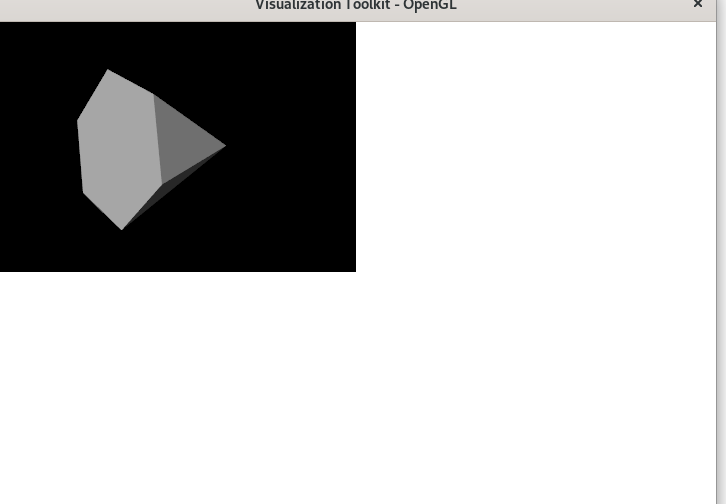
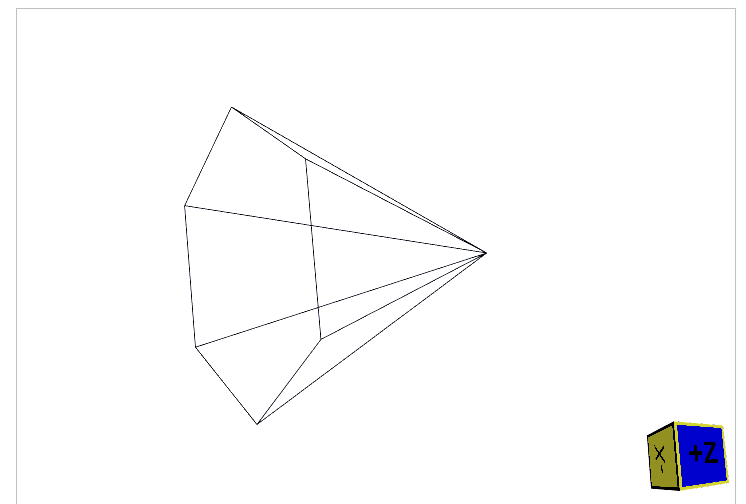
the web window only shows the locally rendered cone
On this note, I would like to draw attention to the questions asked by bekos in the support channel:
> [@Confusion with tool selection: VTK vs ParaView for Web-based volume rendering of large data sets](https://discourse.vtk.org/t/confusion-with-tool-selection-vtk-vs-paraview-for-web-based-volume-rendering-of-large-data-sets/1384):
>
> Hello, I want to develop a Web-based application which performs interactive/real-time volume rendering on a remote server and displays the result on a Web browser. After some reading it appears that VTK, Paraview, and related technologies are the way to go. However I am really overwhelmed with all the information and the reading I need to do in order to even begin to understand how all these technologies work. Furthermore, I am having a hard time finding documentation for the components my appl…
The reason I am trying to change from a paraview client to ImageStream is that it enables binary image transfers. But I would also like to know what your roadmap for paraviewweb and vtk.js looks like.
---
### Author:  [@Sebastien\_Jourdain](https://discourse.vtk.org/u/Sebastien_Jourdain)
#### Post date: [September 19, 2019, 2:45pm UTC](https://discourse.vtk.org/t/vtk-js-imagestream-defaultprotocol-js-incompatible-with-vtk/1734/4 "2019-09-19T14:45:40Z")
Why don’t you use the server-side provided in the [vtk.js example](https://kitware.github.io/vtk-js/examples/ImageStream.html) that you are trying out as a client?
---
### Author:  [@ckolb](https://discourse.vtk.org/u/ckolb)
#### Post date: [September 19, 2019, 2:52pm UTC](https://discourse.vtk.org/t/vtk-js-imagestream-defaultprotocol-js-incompatible-with-vtk/1734/5 "2019-09-19T14:52:52Z")
That example only links to a paraview server which uses paraview.simple to construct a scene.
---
### Author:  [@Sebastien\_Jourdain](https://discourse.vtk.org/u/Sebastien_Jourdain)
#### Post date: [September 19, 2019, 2:58pm UTC](https://discourse.vtk.org/t/vtk-js-imagestream-defaultprotocol-js-incompatible-with-vtk/1734/6 "2019-09-19T14:58:00Z")
The server side you are using is not exposing the image delivery protocol that the client is expecting.
Try the code provided at the end of that [thread](https://github.com/Kitware/paraviewweb/issues/502)
---
### Author:  [@ckolb](https://discourse.vtk.org/u/ckolb)
#### Post date: [September 20, 2019, 1:25pm UTC](https://discourse.vtk.org/t/vtk-js-imagestream-defaultprotocol-js-incompatible-with-vtk/1734/7 "2019-09-20T13:25:31Z")
Thank you again @Sebastien_Jourdain ! I am now using vtkRemoteView and this is working perfectly 🙂
I made a minimal example, maybe you can have a look if I am using it as intended?
For now, only mouse interactions are working:
> import vtkRemoteView from ‘vtk.js/Sources/Rendering/Misc/RemoteView’;
> import SmartConnect from ‘wslink/src/SmartConnect’;
>
> const remoteView = vtkRemoteView.newInstance();
>
> const container = document.createElement(‘div’);
> document.querySelector(‘body’).appendChild(container);
> remoteView.setContainer(container);
>
> const config = { sessionURL: ‘ws://localhost:1234/ws’ };
> const smartConnect = SmartConnect.newInstance({ config });
> smartConnect.onConnectionReady((connection) =\> {
> // Network
> const session = connection.getSession();
> remoteView.setSession(session);
> vtkRemoteView.connectImageStream(session);
> remoteView.setViewId(-1);
> });
>
> smartConnect.onConnectionError(console.error);
> smartConnect.onConnectionClose(console.error);
> smartConnect.connect();
---
### Author:  [@Sebastien\_Jourdain](https://discourse.vtk.org/u/Sebastien_Jourdain)
#### Post date: [September 20, 2019, 2:53pm UTC](https://discourse.vtk.org/t/vtk-js-imagestream-defaultprotocol-js-incompatible-with-vtk/1734/8 "2019-09-20T14:53:21Z")
You are doing it right but since you plan to have some API call to the server, you should probably use the vtk.js/WSLinkClient.
```auto
import vtkWSLinkClient from 'vtk.js/Sources/IO/Core/WSLinkClient';
// Bind vtkWSLinkClient to our SmartConnect
vtkWSLinkClient.setSmartConnectClass(SmartConnect);
const clientToConnect = vtkWSLinkClient.newInstance({ configDecorator });
clientToConnect.setProtocols({
WhatYouWant: yourProtocol,
});
clientToConnect
.connect(config)
.then((validClient) => {
validClient.getRemote().WhatYouWant.getApplicationState();
[...]
// clientToConnect === validClient
});
```
where yourProtocol can look like that
```auto
export default function createMethods(session) {
return {
zoom: (scale) => session.call('appname.view.zoom', [scale]),
[...]
};
}
```