# VTK.JS (Painting and erasing tool radius size)
**URL:** https://discourse.vtk.org/t/vtk-js-painting-and-erasing-tool-radius-size/16007
**Category:** Support
**Tags:** code, vtkjs
**Created:** [September 1, 2025, 5:31am UTC](https://discourse.vtk.org/t/vtk-js-painting-and-erasing-tool-radius-size/16007 "2025-09-01T05:31:22Z")
**Posts on this page:** 2
**Page:** 1
### Author:  [@selimcanozgur](https://discourse.vtk.org/u/selimcanozgur)
#### Post date: [September 1, 2025, 5:31am UTC](https://discourse.vtk.org/t/vtk-js-painting-and-erasing-tool-radius-size/16007/1 "2025-09-01T05:31:22Z")
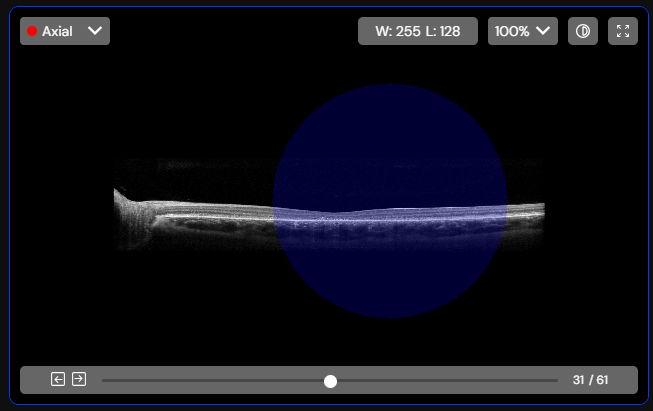
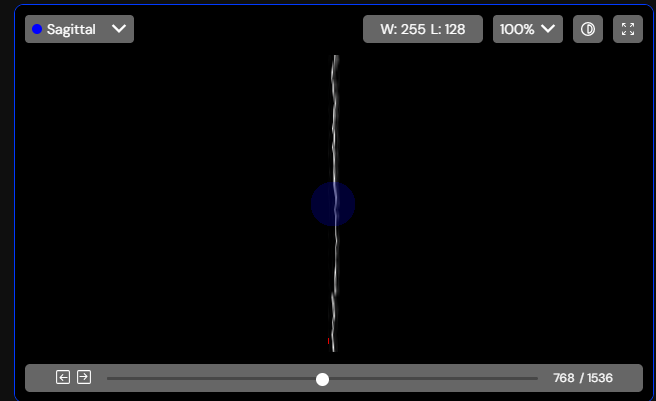
I have painting and erasing tools, and their radius sizes appear differently on the coronal screen and on the sagittal screen and on the axial screen. Is there a way to show them at the same size on all screens? And is this the right way to do it?
---
### Author:  [@finetjul](https://discourse.vtk.org/u/finetjul)
#### Post date: [September 1, 2025, 10:28am UTC](https://discourse.vtk.org/t/vtk-js-painting-and-erasing-tool-radius-size/16007/2 "2025-09-01T10:28:00Z")
By default, size is defined in world coordinates.
Did you try to set “scaleInPixels” to true ?