# VTK.js - Using vtkImageReslice displaying black rectangle with ouput dimensionality set to 2
**URL:** https://discourse.vtk.org/t/vtk-js-using-vtkimagereslice-displaying-black-rectangle-with-ouput-dimensionality-set-to-2/1425
**Category:** Web
**Created:** [July 26, 2019, 1:27pm UTC](https://discourse.vtk.org/t/vtk-js-using-vtkimagereslice-displaying-black-rectangle-with-ouput-dimensionality-set-to-2/1425 "2019-07-26T13:27:07Z")
**Posts on this page:** 5
**Page:** 1
### Author:  [@diaztula](https://discourse.vtk.org/u/diaztula)
#### Post date: [July 26, 2019, 1:27pm UTC](https://discourse.vtk.org/t/vtk-js-using-vtkimagereslice-displaying-black-rectangle-with-ouput-dimensionality-set-to-2/1425/1 "2019-07-26T13:27:07Z")
Hello!
I’m trying to use vtkImageReslice to display a CT in the axial orientation. I’m using the latest [vtk.js](https://github.com/Kitware/vtk-js) with React and following the code from [here](https://github.com/Kitware/vtk-js/blob/master/Sources/Imaging/Core/ImageReslice/test/testImageReslice.js).
The problem is that it displays a black rectangle:
This is the main code snippet:
```auto
import React, { Component } from 'react';
import { withStyles } from '@material-ui/core/styles';
import vtkImageMapper from 'vtk.js/Sources/Rendering/Core/ImageMapper';
import vtkImageSlice from 'vtk.js/Sources/Rendering/Core/ImageSlice';
import vtkGenericRenderWindow from 'vtk.js/Sources/Rendering/Misc/GenericRenderWindow';
import vtkImageReslice from 'vtk.js/Sources/Imaging/Core/ImageReslice';
const styles = () => ({
canvas: {
width: '800px',
height: '800px',
position: 'relative',
margin: '0',
padding: '0',
top: '0',
left: '0',
overflow: 'hidden',
},
});
class ResliceExample extends Component {
constructor(props) {
super(props);
this.containerRef = React.createRef();
}
componentDidMount() {
try {
const { series } = this.props; // SERIES IS A vtkImageData created with convertItkToVtkImage
// Render window
const genericRenderWindow = vtkGenericRenderWindow.newInstance({
background: [0.32, 0.34, 0.43],
});
genericRenderWindow.setContainer(this.containerRef.current);
// Renderer
const renderer = genericRenderWindow.getRenderer();
// Reslice
const imageReslice = vtkImageReslice.newInstance();
imageReslice.setOutputDimensionality(2);
imageReslice.setInputData(series);
imageReslice.setBorder(true);
imageReslice.setOutputScalarType('Uint16Array');
imageReslice.setScalarScale(65535 / 255);
imageReslice.setAutoCropOutput(true);
// Mapper
const resliceMapper = vtkImageMapper.newInstance();
resliceMapper.setInputConnection(imageReslice.getOutputPort());
resliceMapper.setKSlice(0);
// Actor
const resliceActor = vtkImageSlice.newInstance();
resliceActor.setMapper(resliceMapper);
resliceActor.getProperty().setColorLevel(65535 / 2);
resliceActor.getProperty().setColorWindow(65535);
renderer.addActor(resliceActor);
renderer.getActiveCamera().setParallelProjection(true);
renderer.resetCamera();
// Render
const renderWindow = genericRenderWindow.getRenderWindow();
renderWindow.render();
} catch(e) {
console.log('Error: ', e);
}
}
render() {
const { classes } = this.props;
return (
);
}
}
export default withStyles(styles)(ResliceExample);
```
If I just comment the line `imageReslice.setOutputDimensionality(2)` I can see a slice from the CT:
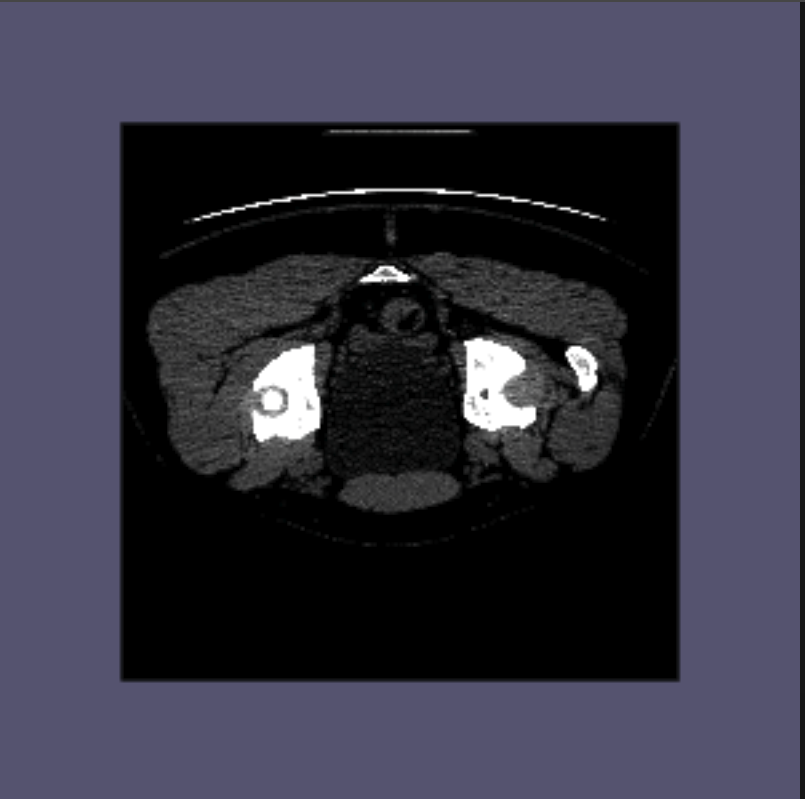
I guess I’m doing something wrong when trying to get a slice from the CT in 2D. Any help would be appreciated!
Thanks in advance
Antonio
---
### Author:  [@Sebastien\_Jourdain](https://discourse.vtk.org/u/Sebastien_Jourdain)
#### Post date: [July 26, 2019, 1:53pm UTC](https://discourse.vtk.org/t/vtk-js-using-vtkimagereslice-displaying-black-rectangle-with-ouput-dimensionality-set-to-2/1425/2 "2019-07-26T13:53:12Z")
Any specific reason to use the reslice filter while the mapper already has the role to extract a slice from the volumetric data?
---
### Author:  [@diaztula](https://discourse.vtk.org/u/diaztula)
#### Post date: [July 26, 2019, 1:55pm UTC](https://discourse.vtk.org/t/vtk-js-using-vtkimagereslice-displaying-black-rectangle-with-ouput-dimensionality-set-to-2/1425/3 "2019-07-26T13:55:31Z")
Hi Sebastien,
Thanks for replying! Yes, I’m planning to obtain oblique slices.
Cheers!
---
### Author:  [@Sebastien\_Jourdain](https://discourse.vtk.org/u/Sebastien_Jourdain)
#### Post date: [July 26, 2019, 1:58pm UTC](https://discourse.vtk.org/t/vtk-js-using-vtkimagereslice-displaying-black-rectangle-with-ouput-dimensionality-set-to-2/1425/4 "2019-07-26T13:58:29Z")
@finetjul @agirault any idea since it is more along what you are doing with vtk.js?
---
### Author:  [@diaztula](https://discourse.vtk.org/u/diaztula)
#### Post date: [September 23, 2019, 1:46pm UTC](https://discourse.vtk.org/t/vtk-js-using-vtkimagereslice-displaying-black-rectangle-with-ouput-dimensionality-set-to-2/1425/5 "2019-09-23T13:46:38Z")
Hello colleagues,
I found the cause of this. For output dimensionality = 2 I need to specify a translation to go inside the volume.
For example, to show the slice at the center of the volume in the Z direction, I added this code:
```
const center = series.getCenter();
const axes = mat4.create();
mat4.fromTranslation(axes, vec3.fromValues(center[0], center[1], center[2]));
imageReslice.setResliceAxes(axes);
```
To show a specific slice I would use `series.indexToWorld()` to convert the index to world coordinates and then use this value for the translation.
Hope this help somebody.
Cheers