window_to_image_filter;
// Let the render window go through the filter
window_to_image_filter->SetInput(renWin);
window_to_image_filter->SetInputBufferTypeToRGB(); // record from the back buffer with RGB colors
window_to_image_filter->ReadFrontBufferOff(); // read from back buffer (read about double buffering to understand font and back buffers)
window_to_image_filter->Update();
// Write to the file
pngWriter->SetFileName("cone_aliased.png");
pngWriter->SetInputConnection(window_to_image_filter->GetOutputPort());
pngWriter->Write();
return EXIT_SUCCESS;
}
```
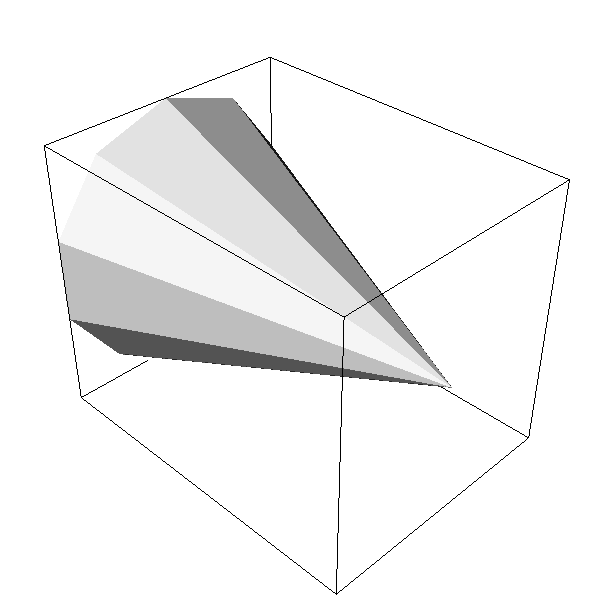
The code above without window interactor creates the following aliased image,
If we turn the interactor on and switch off off-screen rendering, I get the following smooth anti-aliased image
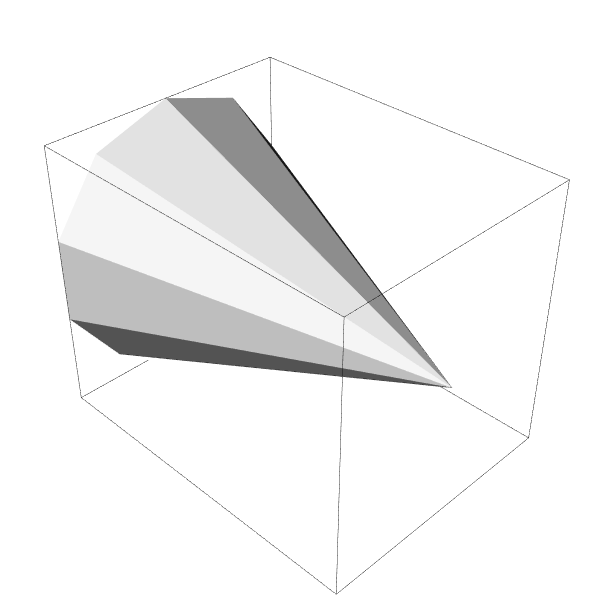
I am wondering why this is happening ? Is this because I am not using OSMESA drivers ? In the VTK user guide, it is mentioned that Multisampling depends on OpenGL implementation. Is there anyway I can get rid of aliasing when rendering off screen (using GPU) ? I tried setting `renWin->SetMultiSamples(8)` as well, but that did not help.
Thank you and best regards.
---
### Author:  [@singularity](https://discourse.vtk.org/u/singularity)
#### Post date: [March 12, 2019, 12:11am UTC](https://discourse.vtk.org/t/vtk-produces-aliased-images-when-off-screen-rendering-is-on-how-do-we-get-rid-of-it/398/2 "2019-03-12T00:11:48Z")
Any solutions ? Thank you.
---
### Author:  [@allison.vacanti](https://discourse.vtk.org/u/allison.vacanti)
#### Post date: [March 16, 2019, 3:34pm UTC](https://discourse.vtk.org/t/vtk-produces-aliased-images-when-off-screen-rendering-is-on-how-do-we-get-rid-of-it/398/3 "2019-03-16T15:34:18Z")
IIRC, we turn on some multisampling antialiasing by default for platform specific render targets, and this might not be happening on the offscreen renderers.
Try explicitly enabling it on the render window:
```auto
renWin->SetMultiSamples(8);
```
and see if that helps.
---
### Author:  [@singularity](https://discourse.vtk.org/u/singularity)
#### Post date: [March 16, 2019, 11:34pm UTC](https://discourse.vtk.org/t/vtk-produces-aliased-images-when-off-screen-rendering-is-on-how-do-we-get-rid-of-it/398/4 "2019-03-16T23:34:01Z")
Allison, thank you for the response. I think I forgot to mention in my post that I did try setting `renWin->SetMultiSamples(8)` and it didn’t work. That is the main reason I posted the question here.
---
### Author:  [@allison.vacanti](https://discourse.vtk.org/u/allison.vacanti)
#### Post date: [March 17, 2019, 12:18am UTC](https://discourse.vtk.org/t/vtk-produces-aliased-images-when-off-screen-rendering-is-on-how-do-we-get-rid-of-it/398/5 "2019-03-17T00:18:15Z")
Hmm, maybe the gl implementation you’re using doesn’t support multisampling for offscreen targets. Did you try FXAA as well? That’s implemented in software so it should work everywhere.
---
### Author:  [@singularity](https://discourse.vtk.org/u/singularity)
#### Post date: [March 17, 2019, 9:27am UTC](https://discourse.vtk.org/t/vtk-produces-aliased-images-when-off-screen-rendering-is-on-how-do-we-get-rid-of-it/398/6 "2019-03-17T09:27:44Z")
Allison, thanks a lot. Setting `ren1->UseFXAAOn()` worked as far as anti-aliasing goes but for some reason the thickness of the outline is not controllable. Even in the pictures above, the outlines are of different thicknesses. I had earlier thought that this was due to aliasing. But even with FXAA on, the outline is too thick for my liking and it doesn’t change even if I change the value in the setting `outlineProperty->SetLineWidth(0.1)`. I am basically getting the following image at this moment
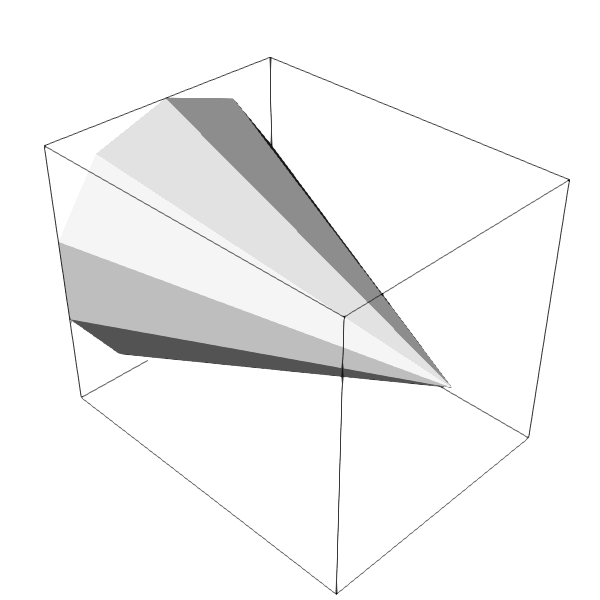
Update: I tried changing the resolution of the image by setting `renWin->SetSize(1200,1200)`. This made the image better and reduced the thickness, but it is confusing, since the second image in my original post (with nice anti-aliasing) was produced using 600x600 resolution. Why does the second image (anti-aliased) in my original post doesn’t match the off screen rendered image produced using FXAA on ?
Thanks again.
---
### Author:  [@allison.vacanti](https://discourse.vtk.org/u/allison.vacanti)
#### Post date: [March 17, 2019, 12:00pm UTC](https://discourse.vtk.org/t/vtk-produces-aliased-images-when-off-screen-rendering-is-on-how-do-we-get-rid-of-it/398/7 "2019-03-17T12:00:07Z")
My guess is that the GL implementation is always drawing the line 1px wide, and then FXAA works by selectively blurring the line at the rough edges. This blurring is smearing the line out a bit, making it thicker. To get the same exact image, you’d need to use the same anti-aliasing method.
It seems strange that MSAA isn’t working for your offscreen targets, though. @ken-martin, do you have any idea why MSAA isn’t working here?
---
### Author:  [@allison.vacanti](https://discourse.vtk.org/u/allison.vacanti)
#### Post date: [March 18, 2019, 4:57pm UTC](https://discourse.vtk.org/t/vtk-produces-aliased-images-when-off-screen-rendering-is-on-how-do-we-get-rid-of-it/398/8 "2019-03-18T16:57:15Z")
If I remember correctly, you can use `glxinfo` on linux to retrieve the valid framebuffer configurations for gl:
There’s a large table like this at the end:
```auto
76 GLX Visuals
visual x bf lv rg d st colorbuffer sr ax dp st accumbuffer ms cav
id dep cl sp sz l ci b ro r g b a F gb bf th cl r g b a ns b eat
----------------------------------------------------------------------------
```
The `ms` column denotes multisampling support, but you’ll need to look up the rest and see if they make sense for your requested framebuffer.