# vtk shows black window

**URL:** https://discourse.vtk.org/t/vtk-shows-black-window/13437
**Category:** Support
**Created:** [March 4, 2024, 2:09pm UTC](https://discourse.vtk.org/t/vtk-shows-black-window/13437 "2024-03-04T14:09:27Z")
**Posts on this page:** 10
**Page:** 1

<div class="post-metadata">

### Author: ![sstezura](https://discourse.vtk.org/letter_avatar_proxy/v4/letter/s/eb9ed0/32.png) [@sstezura](https://discourse.vtk.org/u/sstezura)
#### Post date: [March 4, 2024, 2:09pm UTC](https://discourse.vtk.org/t/vtk-shows-black-window/13437/1 "2024-03-04T14:09:27Z")

</div>

Hi,  
I managed to upgrad from vtk 5.5 to vtk 9.3 with my 32bit application (now 64bit application).  
But there seems to be a problem, I am trying to push points into the cloud and want to show them, as they are shown in vtk 5.5. But the screen is black.  
Maybe I missing illumination? Camera stuff?  
In vtk5.5 there is no code hinting to this:

```auto
m_strLegendLabelPrefix = "-";
m_LegendLabelWidth = 6;
m_LegendLabelDigits = 2;

m_showPointStatistics = TRUE;
m_printSelfAlone = TRUE;
SetVTKEnable(TRUE);

// Colors of the Image Mapping (no need of more than one we need one for all)
m_pColorTransferFunction = vtkSmartPointer<CvtkTransparentUndefColorTransferFunction>::New();
// The interactor is needed for moving the Camera around some *Actors using mouse and keyboard
// one is enough
m_pAxes = vtkSmartPointer<vtkCubeAxesActor2D>::New();
SetAxesLabelDigits(2);

m_pAxes->SetFontFactor(1.7);
m_pAxes->SetCornerOffset(0);
m_pAxes->UseRangesOn();
m_pAxes->SetScaling(FALSE); // No Changing of axes with zooming

// To set the text color to black
m_pAxes->GetAxisLabelTextProperty()->SetColor(0.1, 0.1, 0.1);
m_pAxes->GetAxisTitleTextProperty()->SetColor(0.1, 0.1, 0.1);

// the legend should be one of course
m_pLegend = vtkSmartPointer<vtkScalarBarActor>::New();
SetLegendLabelDigits(2);
SetLegendLabelWidth(6);
SetLegendLabelPrefix("-");

// To set the text color to black
m_pLegend->GetLabelTextProperty()->SetColor(0.1, 0.1, 0.1);
m_pLegend->GetTitleTextProperty()->SetColor(0.1, 0.1, 0.1);

// the legend Lookup Table also
m_pLegendLut = vtkSmartPointer<vtkColorTransferFunction>::New();
m_pLegend->SetLookupTable(m_pLegendLut);
SetStandardLUT();

// wafer 
m_pDiskMapper = vtkSmartPointer<vtkPolyDataMapper>::New();
m_pCircle = vtkSmartPointer<vtkActor>::New();
m_pDisk = vtkSmartPointer<vtkDiskSource>::New();

//Titel
m_pTitle = vtkSmartPointer<vtkTextActor>::New();
m_pTitle->GetTextProperty()->SetFontSize(24);
m_pTitle->SetDisplayPosition(10, 10);

// To set the title color to black
m_pTitle->GetTextProperty()->SetColor (0.1, 0.1, 0.1);

for ( int i=0; i<6; i++ )
{
	m_bUsePropBounds[i] = FALSE;
	Undefine(m_UserRange[i]);
}
m_bManualAxisLabels = false;
m_LabelX = "";
m_LabelY = "";
m_LabelZ = "";

```

Here I pushing some Points into the sepcified vtk objects.

```auto
FLOAT32 z = 0;
m_pCellArray->InsertNextCell(4);
MakePointData(pX[i], pY[i], Valids, CellPointIdx, PointX, PointY);
for (UINT32 k=0; k<4; k++)
{
				m_pPoints->InsertPoint(CellPointIdx[k], PointX[k], PointY[k], z);
				m_pCellArray->InsertCellPoint(CellPointIdx[k]);
				m_pScalars->InsertNextValue(pScalars[i]);
}

```

Am I missing something? I’ve done some stuff like:  
SetInput to SetInputData as mentioned in the wiki.  
Rendering is done by:

```auto
m_pRenderWindow->Render(); // vtkWin32OpenGLRenderWindow

```

---

<div class="post-metadata">

### Author: ![sstezura](https://discourse.vtk.org/letter_avatar_proxy/v4/letter/s/eb9ed0/32.png) [@sstezura](https://discourse.vtk.org/u/sstezura)
#### Post date: [March 5, 2024, 10:04am UTC](https://discourse.vtk.org/t/vtk-shows-black-window/13437/2 "2024-03-05T10:04:59Z")

</div>

I made a simple example:

```auto
m_pRenderer = vtkSmartPointer<vtkRenderer>::New();
m_pRenderWindow = vtkSmartPointer<vtkWin32OpenGLRenderWindow>::New();
m_pInteractor = vtkSmartPointer<vtkWin32RenderWindowInteractor>::New();
vtkNew<vtkNamedColors> colors;

m_pRenderWindow->AddRenderer(m_pRenderer);
m_pRenderWindow->SetSize(300, 300);

m_pInteractor->SetRenderWindow(m_pRenderWindow);
m_pRenderer->SetBackground(colors->GetColor3d("SlateGray").GetData());

m_pRenderer->GetActiveCamera()->Azimuth(50);
m_pRenderer->GetActiveCamera()->Elevation(-30);
m_pRenderer->AutomaticLightCreationOn();
m_pRenderer->ResetCamera();
m_pRenderWindow->Render();

```

Getting a black window

---

<div class="post-metadata">

### Author: ![SarevokAnchev](https://discourse.vtk.org/user_avatar/discourse.vtk.org/sarevokanchev/32/8563_2.png) [@SarevokAnchev](https://discourse.vtk.org/u/SarevokAnchev)
#### Post date: [March 5, 2024, 1:26pm UTC](https://discourse.vtk.org/t/vtk-shows-black-window/13437/3 "2024-03-05T13:26:44Z")

</div>

Could you be missing `m_pInteractor->Start();` after the last line ?

---

<div class="post-metadata">

### Author: ![sstezura](https://discourse.vtk.org/letter_avatar_proxy/v4/letter/s/eb9ed0/32.png) [@sstezura](https://discourse.vtk.org/u/sstezura)
#### Post date: [March 5, 2024, 2:35pm UTC](https://discourse.vtk.org/t/vtk-shows-black-window/13437/4 "2024-03-05T14:35:36Z")

</div>

Seems to be, but now is the problem, that I getting the error, that Glew is missing, but I using win32 OpenGL which will use GLU?

```auto
vtkWin32OpenGLRenderWindow (0000011D8A04EF60): GLEW could not be initialized: Missing GL version

```

---

<div class="post-metadata">

### Author: ![sstezura](https://discourse.vtk.org/letter_avatar_proxy/v4/letter/s/eb9ed0/32.png) [@sstezura](https://discourse.vtk.org/u/sstezura)
#### Post date: [March 5, 2024, 6:29pm UTC](https://discourse.vtk.org/t/vtk-shows-black-window/13437/5 "2024-03-05T18:29:15Z")

</div>

Ok, I can now reproduce the problem.

It has nothing to with the interactor.  
Its because of using Win32OpenGLRenderWindow or not. Without Glew, it does not work, hence it uses then GLU. I tried it on a Laptop with intel/nvidia Hardware and on a total different PC with newest AMD and ATI. Same issue, same cmake build: black window. Is there something I miss regarding OpenGL usage without GLEW? Seems to be weird, to need using GLEW to Render stuff.

---

<div class="post-metadata">

### Author: ![sstezura](https://discourse.vtk.org/letter_avatar_proxy/v4/letter/s/eb9ed0/32.png) [@sstezura](https://discourse.vtk.org/u/sstezura)
#### Post date: [March 6, 2024, 4:31pm UTC](https://discourse.vtk.org/t/vtk-shows-black-window/13437/6 "2024-03-06T16:31:51Z")

</div>

so I getting somewhere.  
I used Glew, set everything up fine.  
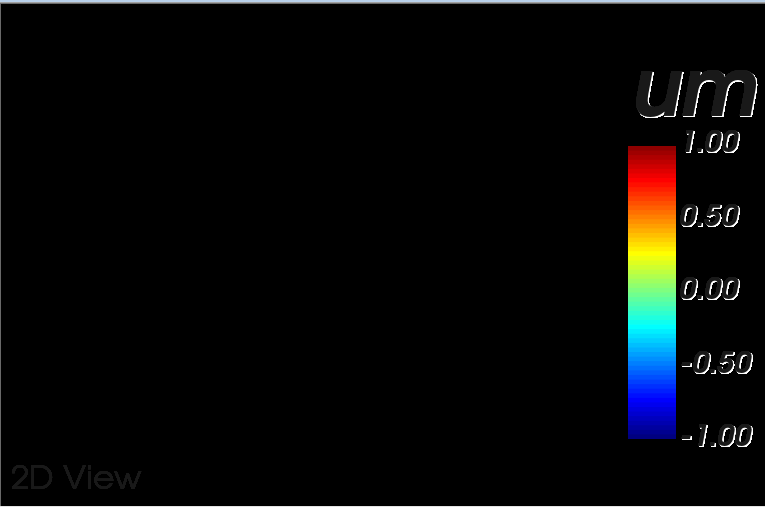
Using vtkWin32OpenGLRenderWindow and vtkExternalOpenGLRenderer for the rendering of the Window. So far so good. Working well, if the initialisation is done right.
 ![grafik](https://discourse.vtk.org/uploads/default/original/2X/4/4ef195cc79d189f28342b5bea4f11b0000b01ec4.png)

But the background is black, it should be white and there should be something to see.  
Suggestios?

Also there is a problem with Rendering “µ” when using vtkTextActor, do not know how to do this in utf-8 without messing with the code to convert every occurance of µ into utf-8. I use CString (which will be CStringW)

---

<div class="post-metadata">

### Author: ![sstezura](https://discourse.vtk.org/letter_avatar_proxy/v4/letter/s/eb9ed0/32.png) [@sstezura](https://discourse.vtk.org/u/sstezura)
#### Post date: [March 6, 2024, 8:25pm UTC](https://discourse.vtk.org/t/vtk-shows-black-window/13437/7 "2024-03-06T20:25:53Z")

</div>

As I see in the source codes and especially in the Examples part, since vtk 9 examples for mfc are deleted, why? Is this not supported anymore?

---

<div class="post-metadata">

### Author: ![sstezura](https://discourse.vtk.org/letter_avatar_proxy/v4/letter/s/eb9ed0/32.png) [@sstezura](https://discourse.vtk.org/u/sstezura)
#### Post date: [March 28, 2024, 11:57am UTC](https://discourse.vtk.org/t/vtk-shows-black-window/13437/8 "2024-03-28T11:57:39Z")

</div>

problem persist

---

<div class="post-metadata">

### Author: ![lizhq](https://discourse.vtk.org/letter_avatar_proxy/v4/letter/l/439d5e/32.png) [@lizhq](https://discourse.vtk.org/u/lizhq)
#### Post date: [April 21, 2025, 8:31am UTC](https://discourse.vtk.org/t/vtk-shows-black-window/13437/9 "2025-04-21T08:31:31Z")

</div>

我也遇到类似的问题，一般都出现在双显卡的电脑上，大部分时候可以通过将应用程序的显卡使用选项设置为高性能来解决，但有时候设置之后问题仍然存在。需要进入bios修改默认显卡为独立显卡，目前能解决问题。具体原因不明，还望大神赐教。

---

<div class="post-metadata">

### Author: ![mwestphal](https://discourse.vtk.org/user_avatar/discourse.vtk.org/mwestphal/32/19_2.png) [@mwestphal](https://discourse.vtk.org/u/mwestphal)
#### Post date: [April 22, 2025, 7:40am UTC](https://discourse.vtk.org/t/vtk-shows-black-window/13437/10 "2025-04-22T07:40:18Z")

</div>

Google Translate:

I have also encountered similar problems, which usually occur on computers with dual graphics cards. Most of the time, it can be solved by setting the graphics card usage option of the application to high performance, but sometimes the problem still exists after setting it. You need to enter the BIOS to change the default graphics card to an independent graphics card, which can currently solve the problem. The specific reason is unknown, and I hope the experts can enlighten me.

@lizhq This is an english speaking forum, please avoid using other language but use translating tools instead.
