iRen;
m_QQuickvtkrenderItem->renderWindow()->renderWindow()->GetInteractor()->SetInteractorStyle(style);
style->SetDefaultRenderer(m_QQuickvtkrenderItem->renderer());
style->setQtItem(this);
QQuickVTKInteractiveWidget* interactorWidget = new QQuickVTKInteractiveWidget(m_QQuickvtkrenderItem->renderWindow());
interactorWidget->setWidget(camOrientManipulator);
interactorWidget->setEnabled(true);
m_QQuickvtkrenderItem->addWidget(interactorWidget);
camOrientManipulator->SetParentRenderer(m_QQuickvtkrenderItem->renderer());
camOrientManipulator->SetInteractor(m_QQuickvtkrenderItem->renderWindow()->renderWindow()->GetInteractor());
m_QQuickvtkrenderItem->renderWindow()->interactorAdapter()->SetEnableHover(true);
m_QQuickvtkrenderItem->update();
camOrientManipulator->EnabledOn();
camOrientManipulator->On();`
```
And here is my project address , [GitHub - dezbracaty/QtVtk9.1: A qt vtk demo with vtk 9.1](https://github.com/dezbracaty/QtVtk9.1)
I hope someone can help me to resolve this issue and help more people to use vtk9.1 with qml .
Very thanks for everyone.
---
### Author:  [@edwardAllen](https://discourse.vtk.org/u/edwardAllen)
#### Post date: [January 8, 2022, 6:50am UTC](https://discourse.vtk.org/t/vtk9-1-for-qml-with-qquickvtkrenderitem-have-some-issues/7601/2 "2022-01-08T06:50:44Z")
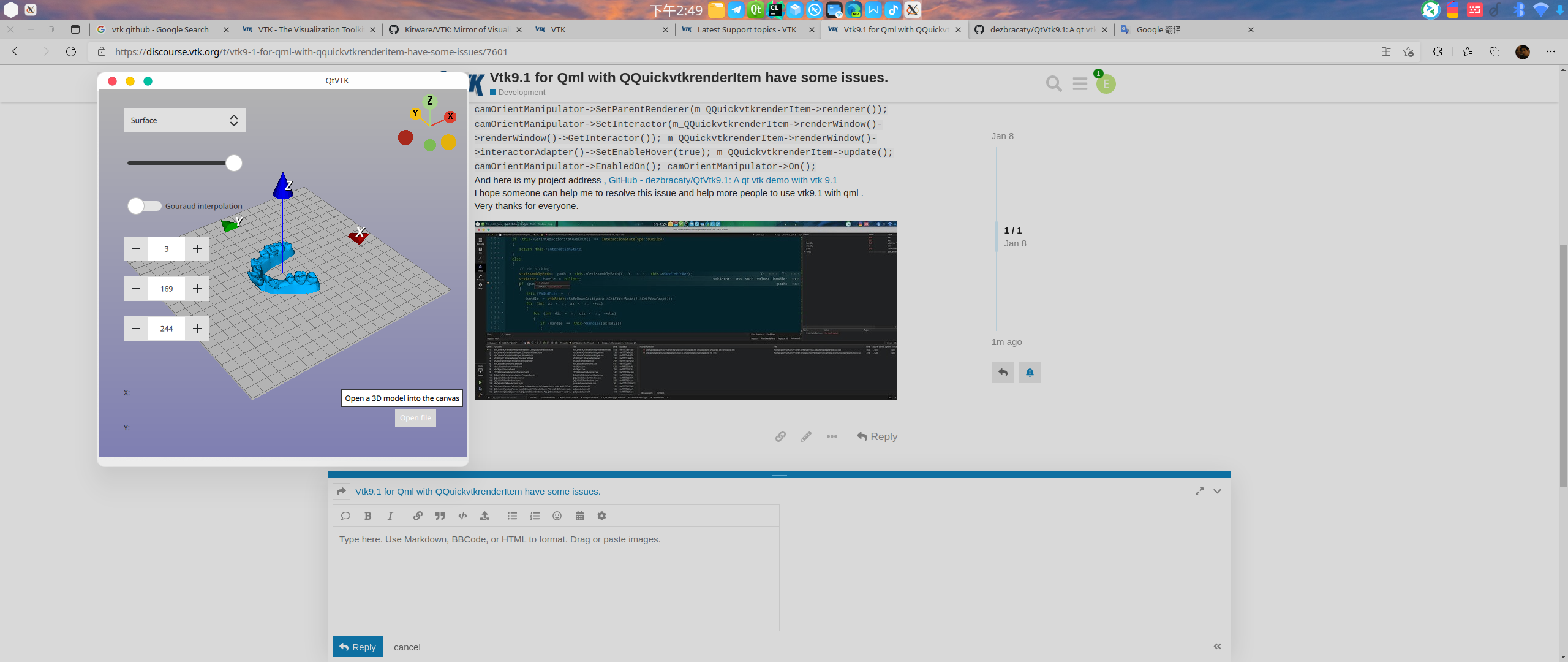
This is Application running interface :
---
### Author:  [@edwardAllen](https://discourse.vtk.org/u/edwardAllen)
#### Post date: [January 9, 2022, 10:43am UTC](https://discourse.vtk.org/t/vtk9-1-for-qml-with-qquickvtkrenderitem-have-some-issues/7601/3 "2022-01-09T10:43:45Z")
Any one can help me to solve this problem ?
Very thanks any idea !
---
### Author:  [@edwardAllen](https://discourse.vtk.org/u/edwardAllen)
#### Post date: [January 11, 2022, 3:31am UTC](https://discourse.vtk.org/t/vtk9-1-for-qml-with-qquickvtkrenderitem-have-some-issues/7601/4 "2022-01-11T03:31:38Z")
I think I know why this happen .
In class QQuickVTKRenderItem , it has two function
```auto
virtual void sync();
virtual void paint();
```
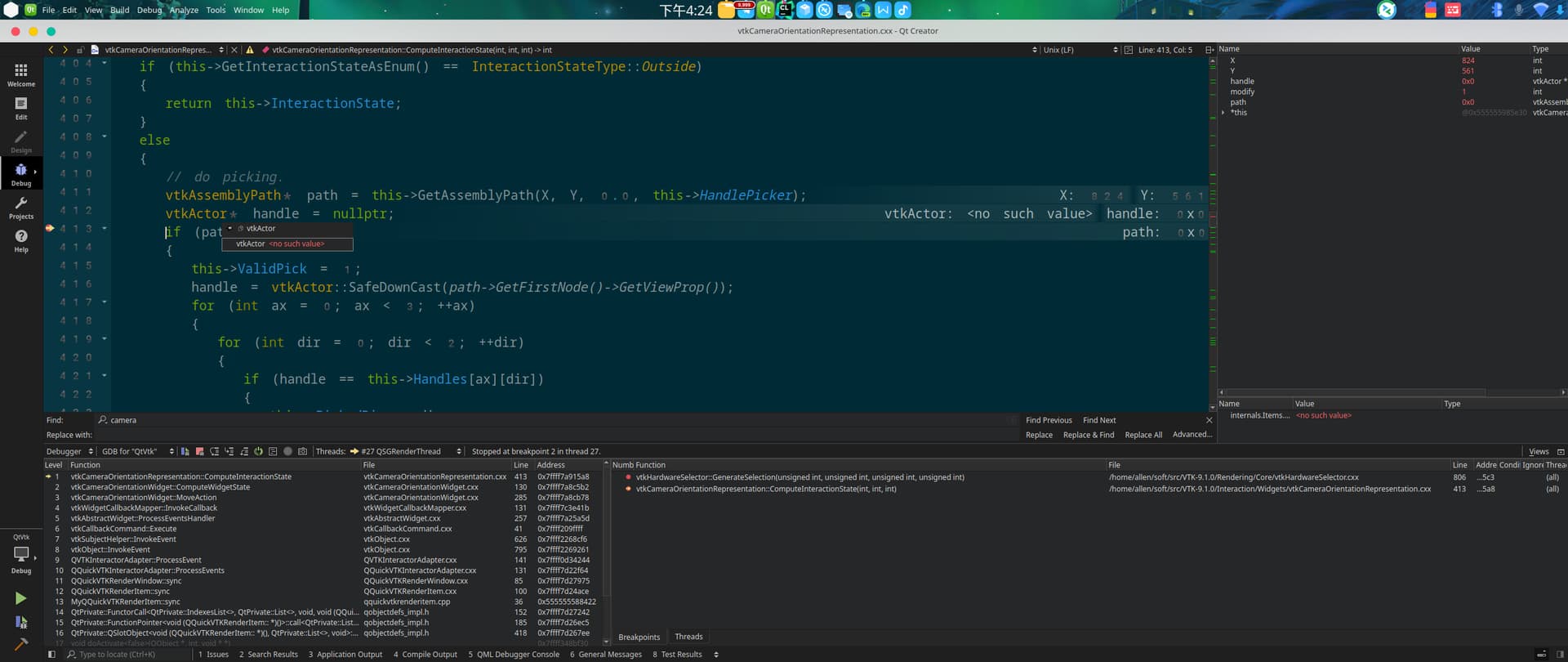
And all mouse event handled in sync function ,and in this function , it has a variable “ReadyForRendering” and it is always false when Sync() , and when mouse move to a actor like "x " or “Y” or “z” , it called a vtkhardwareSelector to select the path , and it is based on renderwindow’s pixelbuffer , but the pixelbuffer is always null because ReadyForRendering is false and not save pixelbuffers , so vtkhardwareSelector can not select a pixel and cannot get actor by path .
And in paint() function , it has this part of function :
> this-\>m\_renderWindow-\>SetReadyForRendering(true);
> if (iren)
> {
> iren-\>Render();
> }
> else
> {
> this-\>m\_renderWindow-\>Render();
> }
>
> if (this-\>m\_screenshotScheduled)
> {
> this-\>m\_screenshotFilter-\>SetInput(this-\>m\_renderWindow);
> this-\>m\_screenshotFilter-\>SetReadFrontBuffer(false);
> this-\>m\_screenshotFilter-\>SetInputBufferTypeToRGB();
> this-\>m\_screenshotFilter-\>Update();
> this-\>m\_screenshotScheduled = false;
> }
> this-\>m\_renderWindow-\>SetReadyForRendering(false);
> As you can see , after paint function , the variable ReadyForRendering is set to false again , and the pixelbuffer is null too .
> So , the reason why it cannot select the actor ,Mainly the problem of this sync and paint process , I don’t think this is an isolated case, I think many future users of qml vtk will encounter this problem.
> Hope every one can see this and pay attention to this .
---
### Author:  [@edwardAllen](https://discourse.vtk.org/u/edwardAllen)
#### Post date: [January 12, 2022, 12:41am UTC](https://discourse.vtk.org/t/vtk9-1-for-qml-with-qquickvtkrenderitem-have-some-issues/7601/5 "2022-01-12T00:41:07Z")
Okay, finally I solve this problem by replace propicker to cellpicker in vtkcameraorientationwidget .
Thanks every one .
---
### Author:  [@heruiyuan](https://discourse.vtk.org/u/heruiyuan)
#### Post date: [August 28, 2022, 8:04am UTC](https://discourse.vtk.org/t/vtk9-1-for-qml-with-qquickvtkrenderitem-have-some-issues/7601/6 "2022-08-28T08:04:17Z")
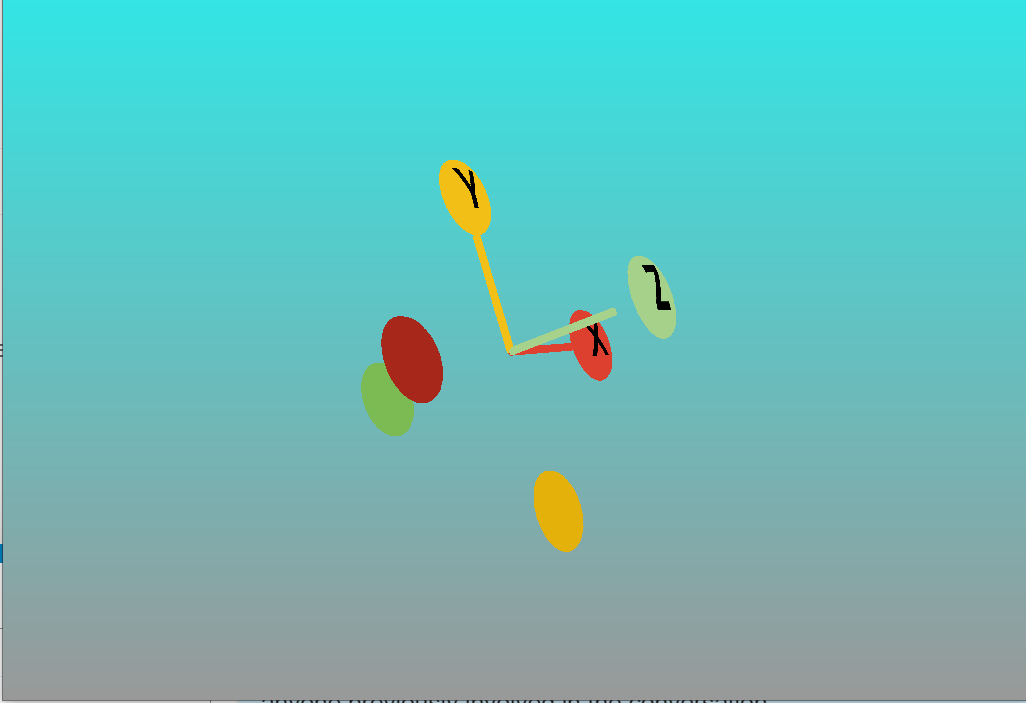
Hi, I got somethin wrong with my vtkcameraorientationwidget in qml, it just like an actor not like a widget:
---
### Author:  [@edwardAllen](https://discourse.vtk.org/u/edwardAllen)
#### Post date: [August 31, 2022, 2:53am UTC](https://discourse.vtk.org/t/vtk9-1-for-qml-with-qquickvtkrenderitem-have-some-issues/7601/7 "2022-08-31T02:53:20Z")
I think you can see my solved function , change the widget code and replace selector to cellpicker and this will solved. or you can copy a new widget and replace the selector.